

Response examples are perfect for documenting success cases, error scenarios, edge cases, and different data states your API might return.
What are Response Examples?
Response examples are saved snapshots of API responses that are stored as sub-requests under your main request. Each example captures:- Request details: Parameters, headers, and body used to generate the response
- Response data: The complete response returned by the API
- Response headers: All headers returned with the response
- Document different API behaviors
- Share examples with team members
- Test with realistic data
- Compare responses over time
- Maintain API documentation with real examples
Saving a Response as an Example
When you execute a request and receive a response, you can save it as an example for future reference.Steps to Save Response Example
- Execute your request and wait for the response
- Locate the Save Response icon in the Response tab (top-right corner)
- Click the Save Response icon

- Enter a name for your example in the dialog that appears
- Click Save to create the example

The example will be created as a sub-request under your main request and will be instantly accessible.
Understanding Example Requests
Once saved, example requests appear as nested items under your main request in the sidebar.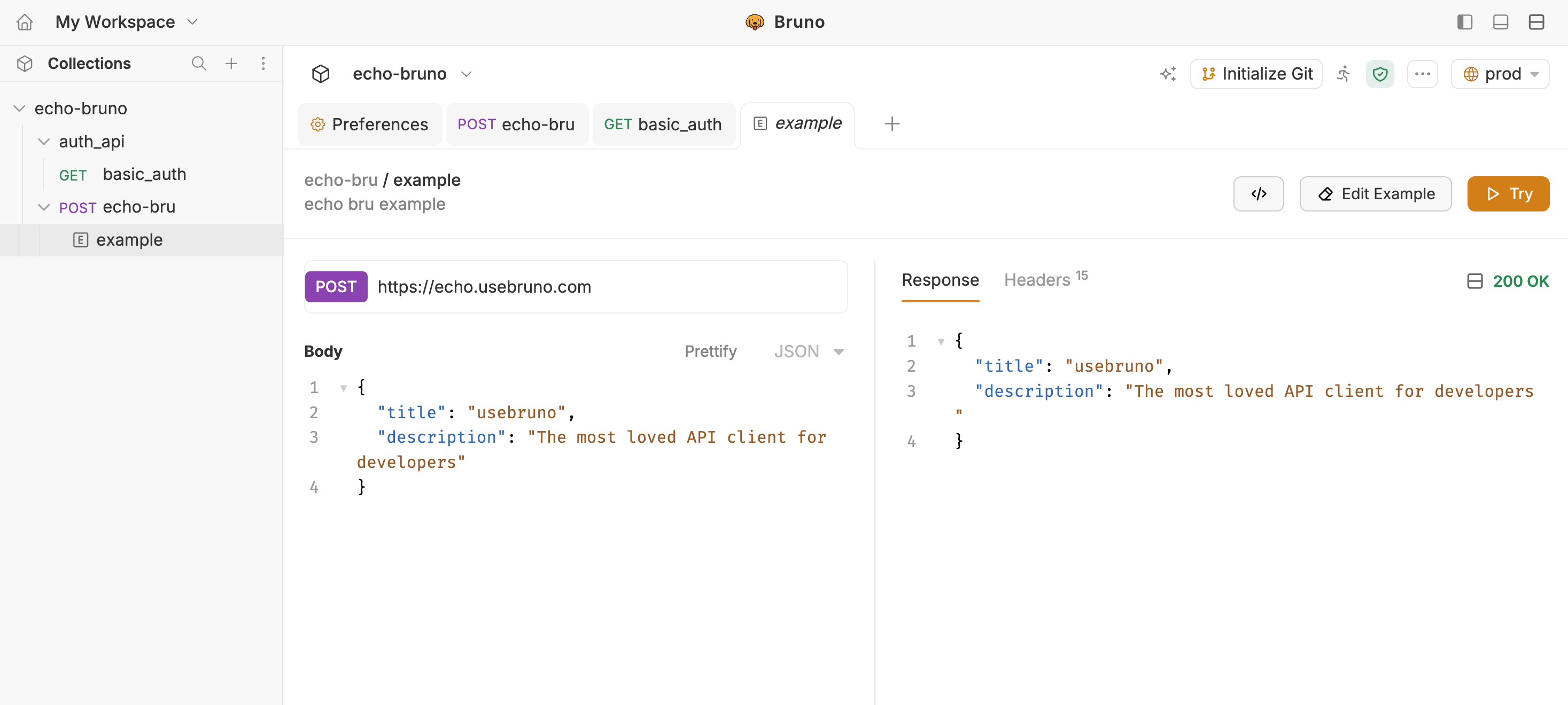
Example Request Structure
Example requests have a simplified interface with only the essential tabs: Request Pane:- Params - View the query parameters used
- Headers - View the request headers sent
- Body - View the request body (for POST, PUT, PATCH requests)
- Response - View the saved response data
- Headers - View the response headers received
Try a response example
Try button in the example view opens a live copy of the example’s request so you can send it without rebuilding body, headers, params, or auth by hand.- Open a saved example from the sidebar (nested under its parent request).
- In the example top bar, click Try (orange play button).
- Bruno opens a new transient request tab in the same collection, prefilled with the example’s method, URL, params, headers, body, and auth.
- Review the prefilled request and click Send to see a live response.
The temporary tab is not written to disk. Opening, editing, or sending it never changes the original request or the saved example.