Bruno provides the capability to send GraphQL requests, allowing you to interact with APIs that use the GraphQL query language.

Create GraphQL request

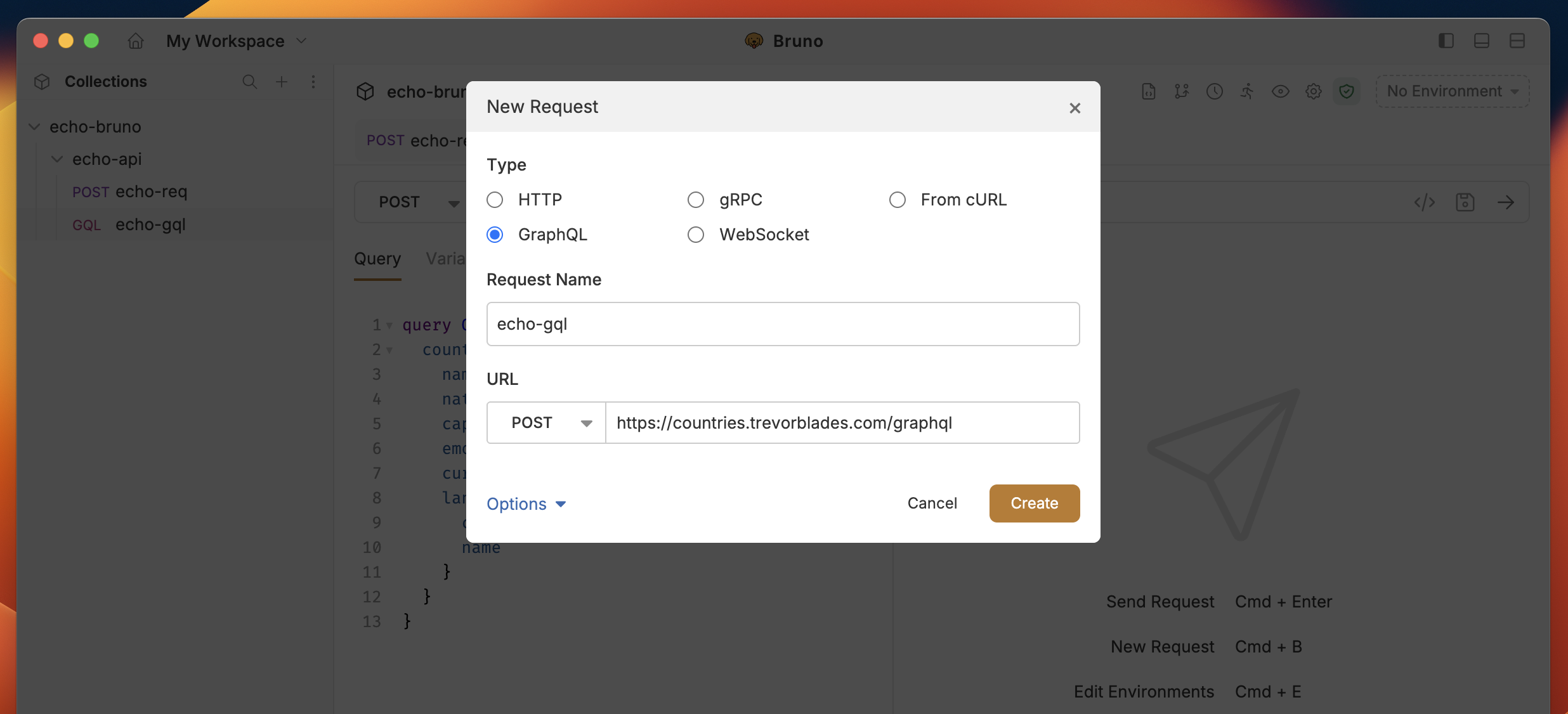
  1. Create new request from collection context menu (…) and select New Request.
  2. Select GraphQL as request type with:
    • URL: The URL of the GraphQL endpoint.
    • Name: The name of the request.
  3. Click on Create button.
create-graphql-request

GraphQL request with query

After creating the request:
  • Go to Query section where you can write and execute all your GraphQL queries
  • You can also use the Variables section to pass variables to your query
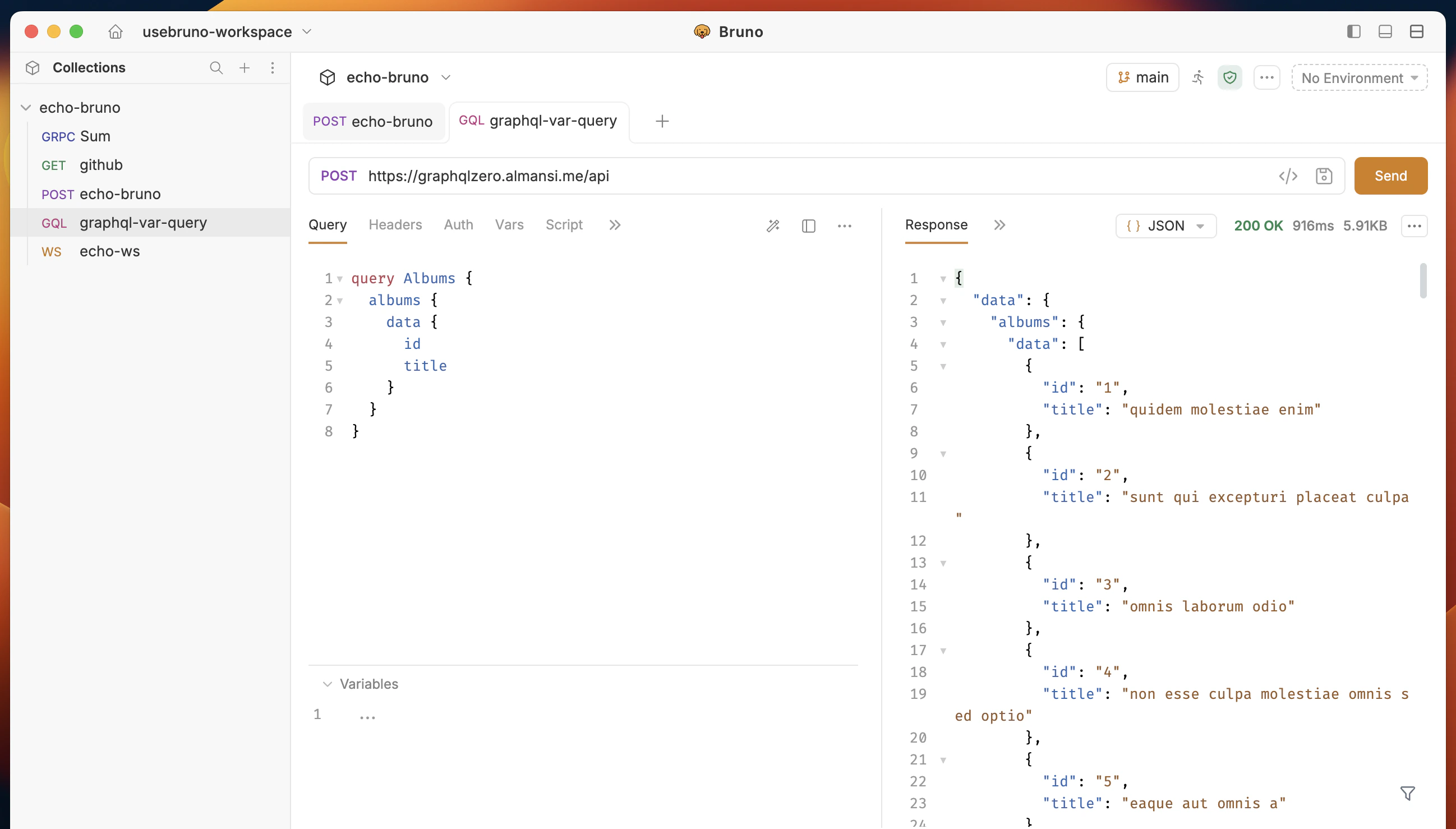
query-graphql Example Query: You can test this query using the below GraphQL API: https://graphqlzero.almansi.me/api
query Albums {
  albums {
    data {
      id
      title
    }
  }
}

Query builder

Query builder is a tool that helps you build your GraphQL queries easily. It allows you to select the fields you want to retrieve from the API and generate the query for you. Follow the below steps to use Query builder in Bruno.
  1. Click on query builder icon next to prettify icon.
gql-builder
  1. Select the fields you want to retrieve from the API and generate the query for you.
You can also use the Search input to search for the fields you want to retrieve from the API.
gql-builder-ui
  1. Click on Send button to execute the query.

Query Builder with mutations

Mutation is use to modify data in the GraphQL API. Follow the below steps to use Mutation in Query builder.
  1. Click on Mutation from query builder.
  2. Select the fields you want to modify/update from the API and generate the query for you.
  3. Execute the request by clicking on Send button.
mutation-builder

Get Started with GraphQL APIs

Explore our sample REST and GraphQL collection to see practical examples and test GraphQL endpoints: