

- Runtime Headers - headers Bruno adds on every request as runtime headers (for example
User-Agent,Accept,Accept-Encoding). - Request Headers - headers you add yourself. These can be standard HTTP headers or custom names.
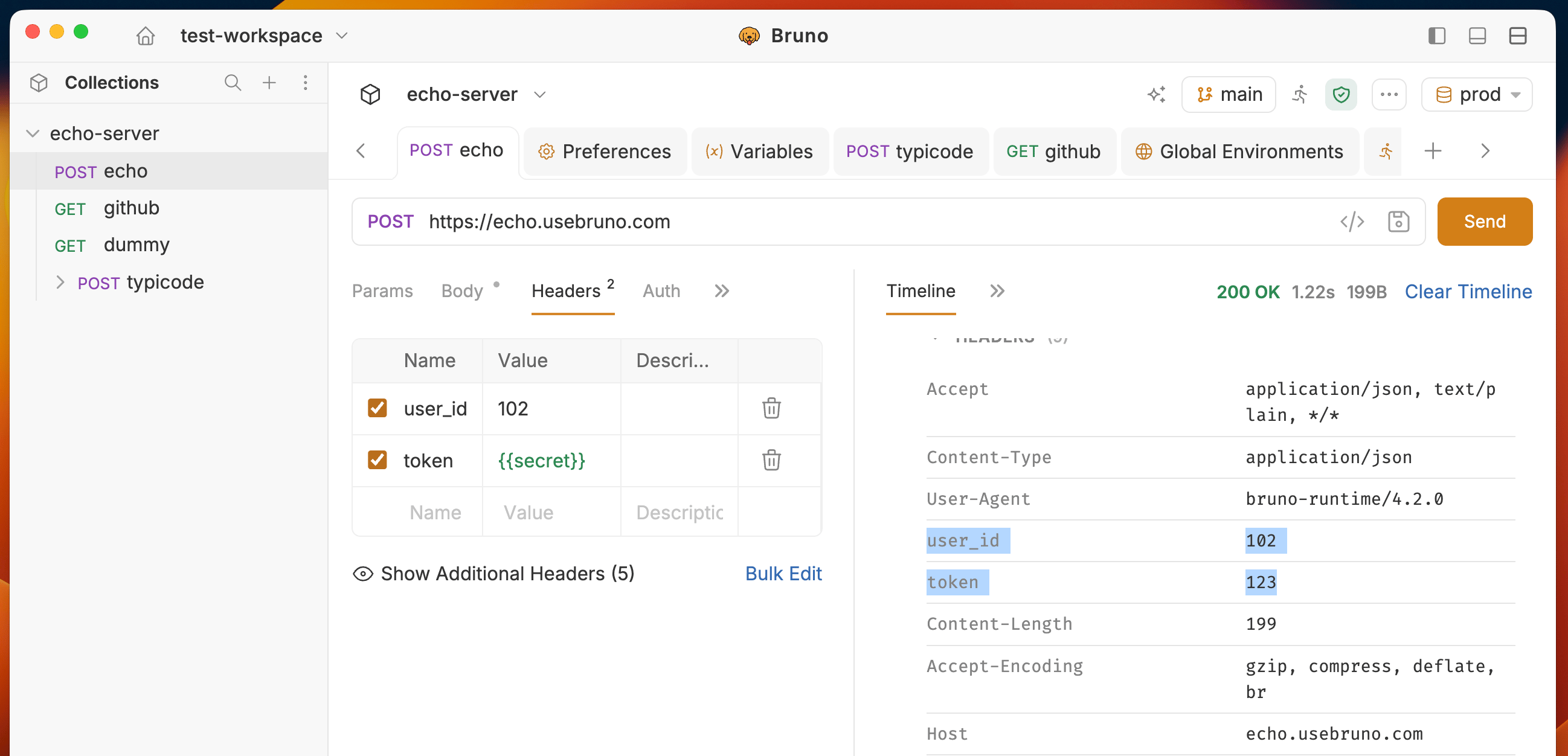
Create request headers
- Open a request in a collection.
- Open the Headers tab.
- Under Request Headers, enter Name, Value, and an optional Description.
- Save and send the request.
Header precedence
Headers resolve using the same inheritance order as other collection settings. When the same header name is defined at more than one level, Bruno uses this precedence:↑ Higher Precedence
↓ Broader Scope
Request Headers
Nearest Parent Folder Headers
Higher-level Folder Headers
Collection Headers
- Request headers get the highest precedence.
- Nested folders inherit from their parent folders; the nearest parent wins over higher-level folders.
- Collection headers apply most broadly and lose to any folder or request header with the same name.
Inherit and Runtime (default) headers
Default headers are sent with every request. You can see and disable some default headers in Bruno.Host is required by HTTP and cannot be disabled. Its checkbox is disabled.
The Headers tab lists every inherited header that will be sent. Click Show Additional Headers to view them.
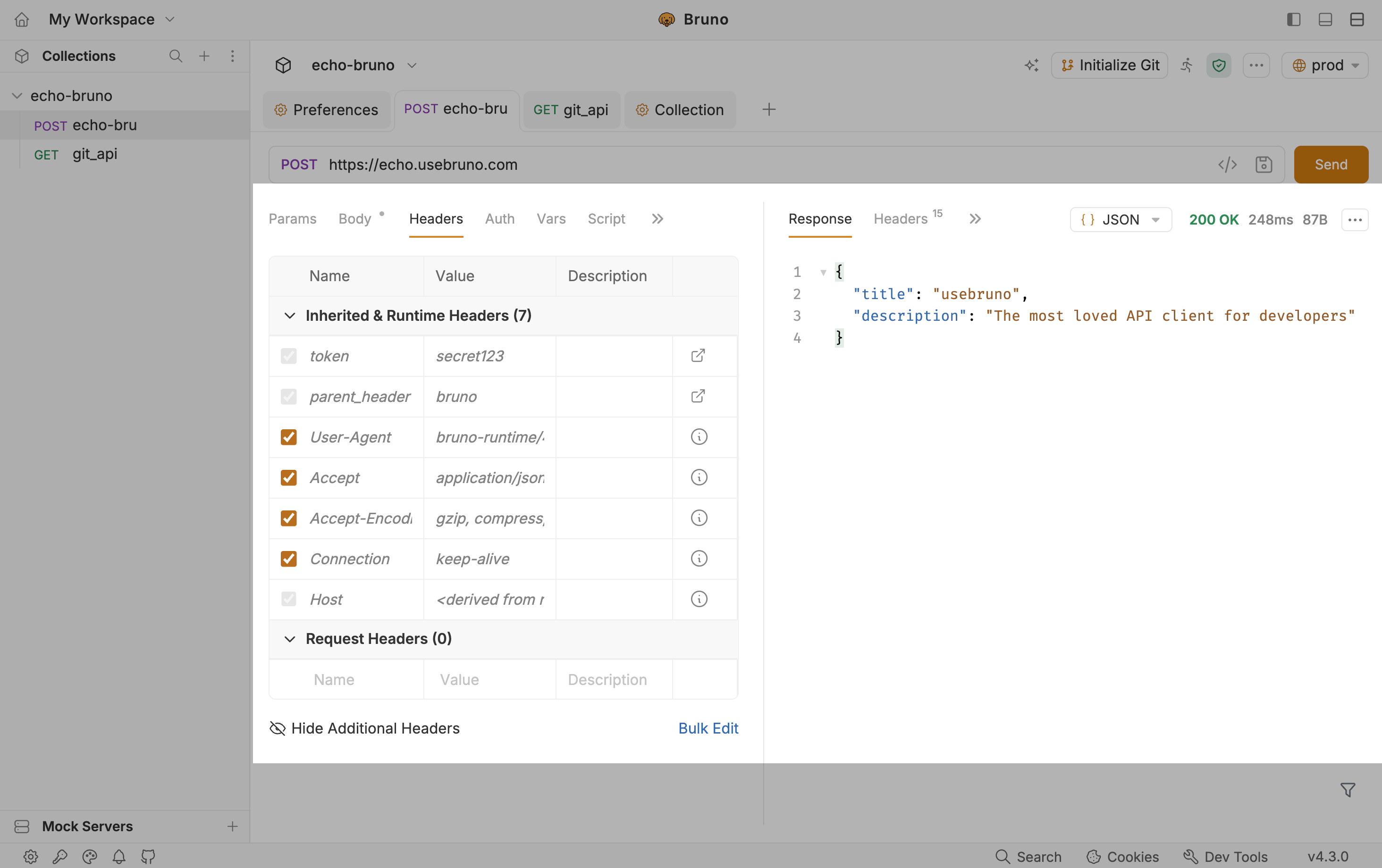
Disable a default header
- Open Runtime Headers.
- Clear the checkbox next to the header you do not want to send (for example
User-Agent). - Send the request.
Host is required by HTTP and cannot be disabled. Its checkbox is disabled.
Inherited header on/off state is stored per request. Disabling
User-Agent on one request does not change other requests in the collection.