

Overview
Runtime variables are ephemeral variables that exist only during the runtime of the API client. These variables are scoped within a collection, meaning they are accessible to all requests within that collection. However, once the API client is closed or restarted, the values of these variables are lost. They are ideal for managing temporary data such as session tokens, dynamic parameters, or other values that are generated or updated during the execution of requests.Creating a Runtime Variable
To create a runtime variable, you can use thebru.setVar(name, value) function. This function allows you to store any value (e.g., tokens, response data, temporary user inputs) as a runtime variable.
Example:
Suppose you receive an authentication token as part of a response body and want to reuse it in subsequent requests. You can capture it using thebru.setVar() function in your post response script.
Using a Runtime Variable
Once a runtime variable is created, you can use it in subsequent API requests by referencing it with the{{variableName}}syntax. The variable’s value will be dynamically injected into the request at runtime.
Example:
If you’ve stored a token variable usingbru.setVar(), you can use it in headers, query parameters, body, or URL of subsequent requests like this:
bru.getVar() function to get the value of a runtime variable and use it inside your pre request scripts.
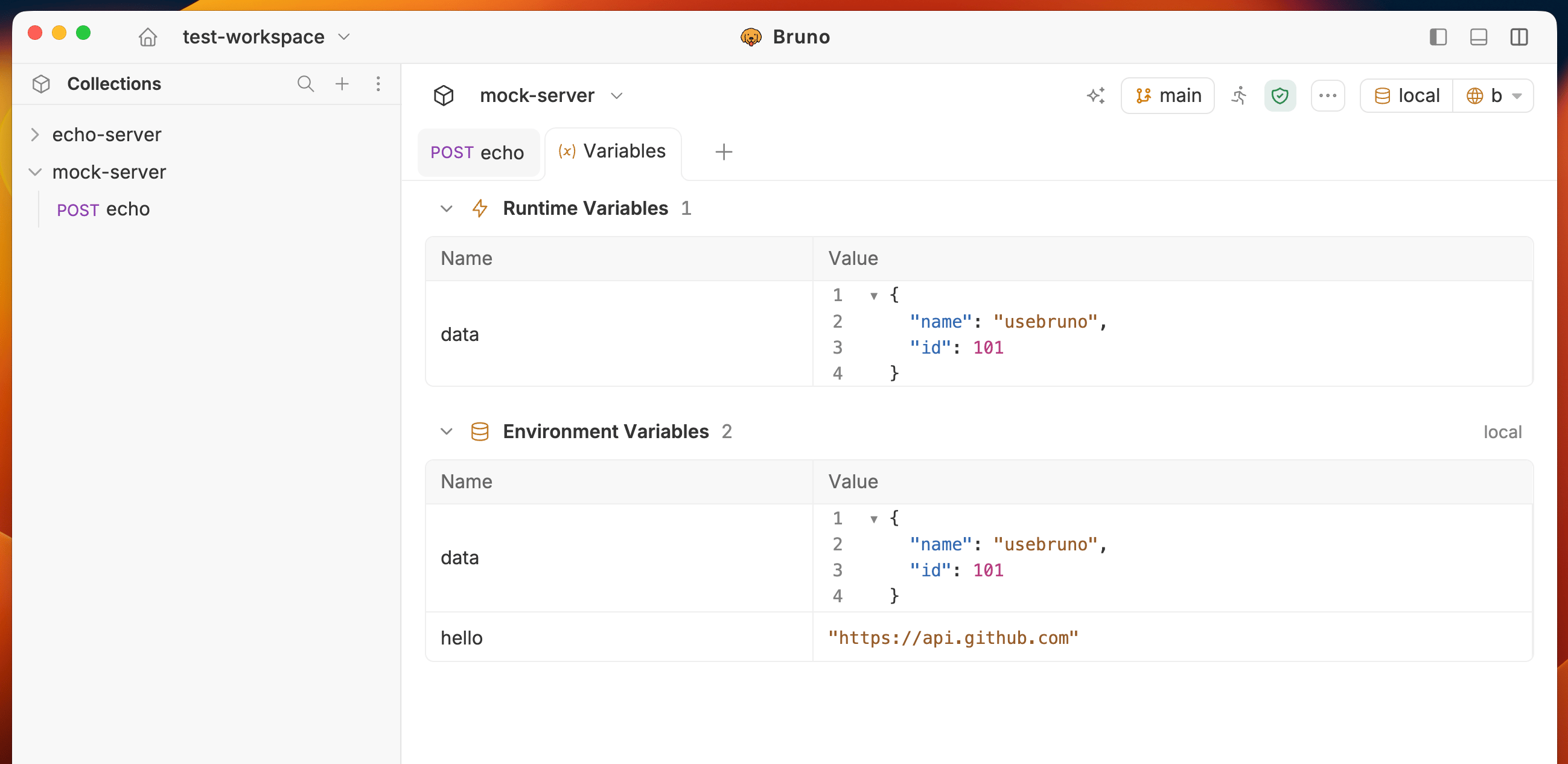
Viewing Runtime Variables
- Click on the (…) icon in the top-right of the corner.
- Select Variables from the dropdown.
The request must be executed before you can view the runtime variables.
Expand and collapse nested values
Objects and arrays expand in place. Bruno keeps that expand/collapse state for the session, keyed by variable path.Copy a value
Hover a row and click the copy icon. You do not need to select text.- Primitives (strings, numbers, booleans) copy as-is.
- Objects and arrays copy as pretty-printed JSON, including when the node is collapsed.
- Copy works for large values without freezing the UI.
- Bruno shows a brief confirmation after a successful copy.