OAuth 1.0 is a protocol that allows applications to make authenticated HTTP requests on behalf of a user without exposing their credentials. Bruno supports the full OAuth 1.0 specification (RFC 5849), including multiple signature methods and flexible parameter placement.
Setting up OAuth 1.0
- Open your request.
- Navigate to the Auth tab.
- Select OAuth 1.0 from the dropdown list and configure the required fields.
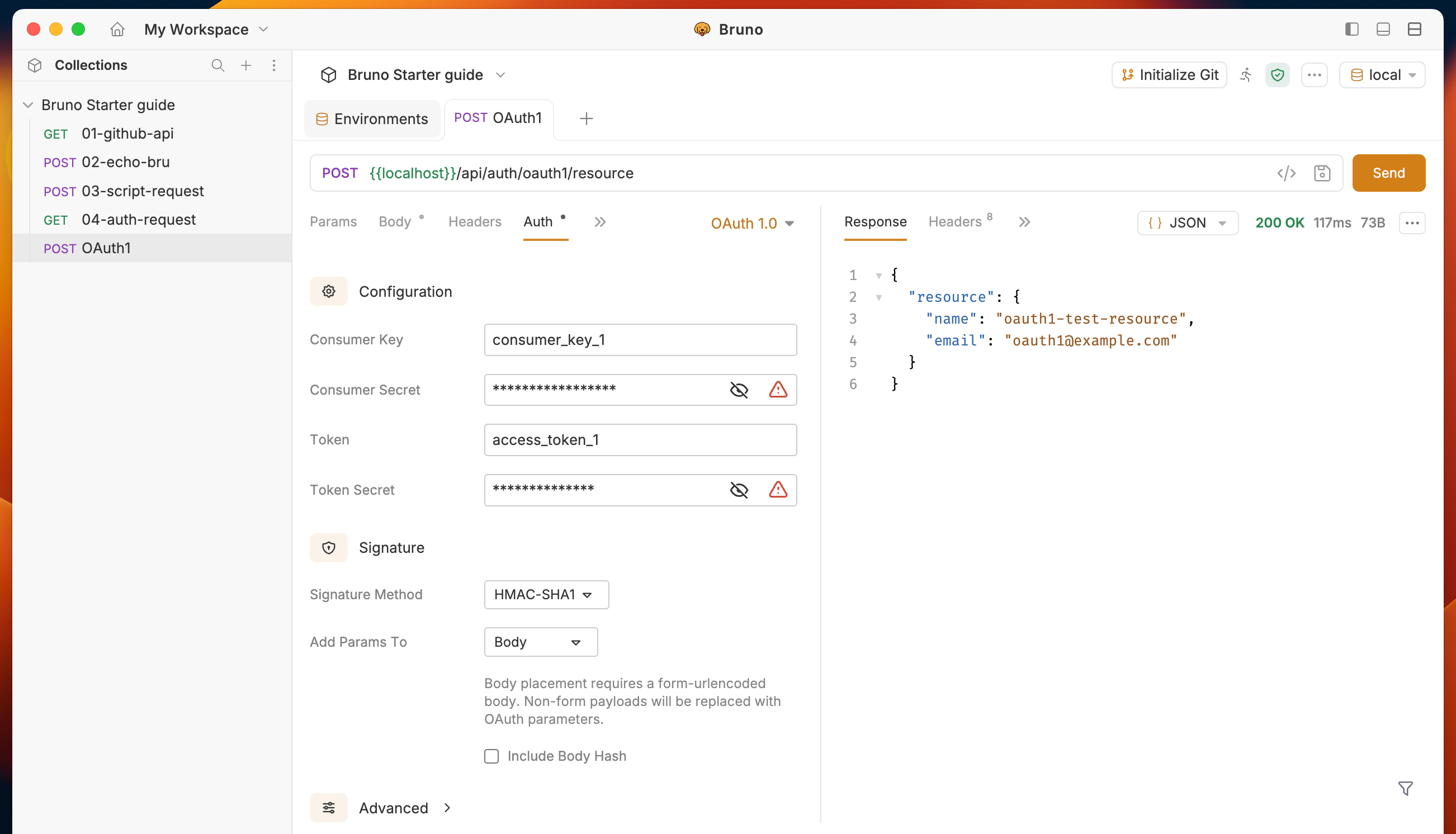
OAuth 1.0 can be configured at the request, folder, or collection level. When set at the collection or folder level, all child requests that use Inherit as their auth mode will use the shared OAuth 1.0 configuration.
Configuration fields
Core credentials
| Field | Description |
|---|
| Consumer Key | The application’s consumer key issued by the OAuth provider. |
| Consumer Secret | The application’s consumer secret. Hidden when using RSA signature methods. |
| Token | The access token for the authenticated user. |
| Token Secret | The access token secret for the authenticated user. |
Signature
| Field | Description |
|---|
| Signature Method | The algorithm used to sign requests. See Supported signature methods. |
| Private Key | The PEM private key used for RSA signature methods. Only shown when an RSA method is selected. Can be provided inline or as a file path. |
| Add Params To | Where OAuth parameters are placed — Header, Query Params, or Body. Defaults to Header. |
| Include Body Hash | When enabled, computes and includes an oauth_body_hash parameter for non-form-encoded request bodies. |
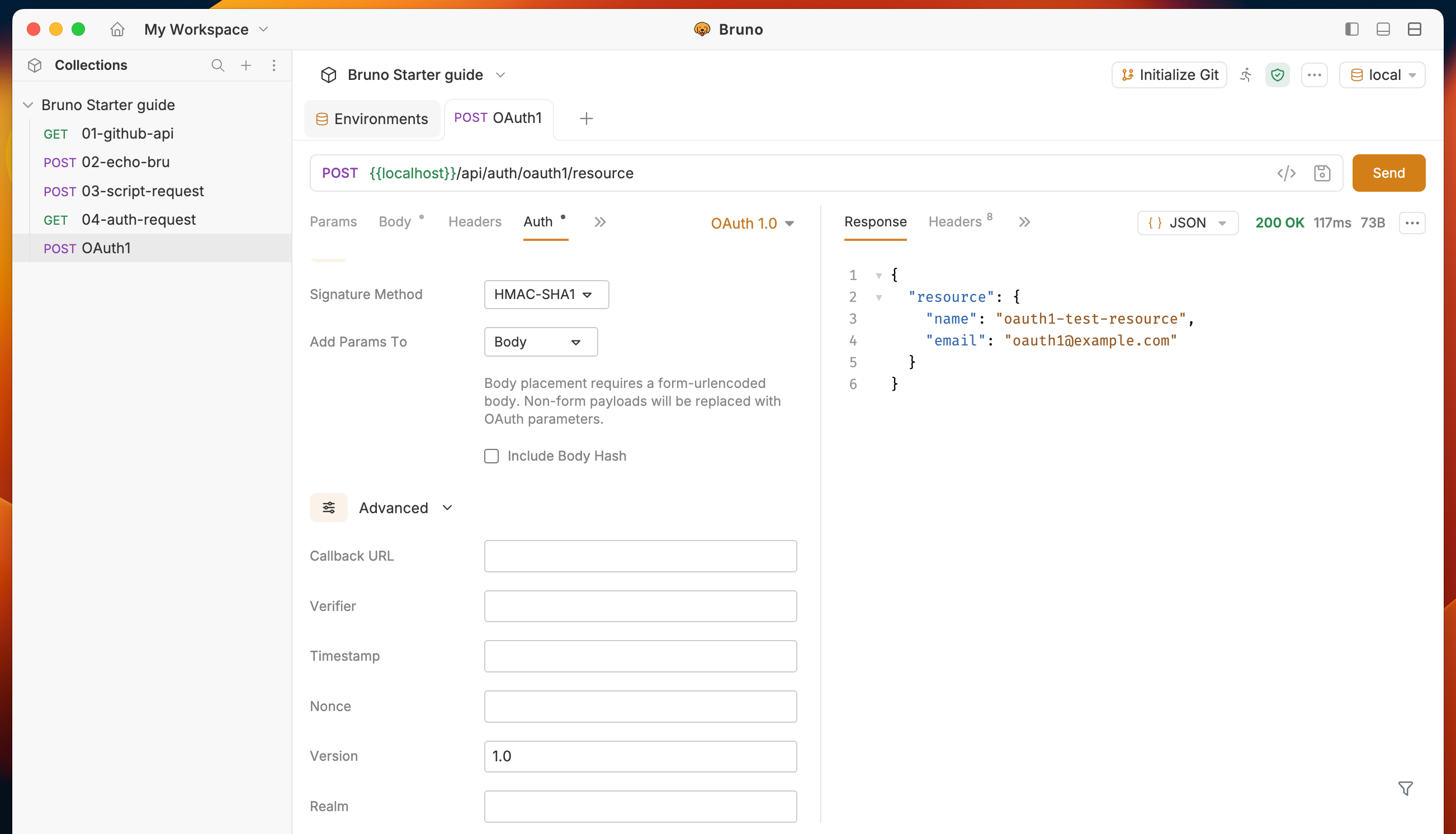
Advanced
These fields are optional and are hidden in a collapsible section.
| Field | Description |
|---|
| Callback URL | The oauth_callback URL, used during the temporary credentials step of the OAuth 1.0 flow. |
| Verifier | The oauth_verifier value, used during the token credentials step. |
| Timestamp | Override the auto-generated oauth_timestamp. Leave empty to let Bruno generate it automatically. |
| Nonce | Override the auto-generated oauth_nonce. Leave empty to let Bruno generate it automatically. |
| Version | The oauth_version value. Defaults to 1.0. |
| Realm | The realm parameter included in the Authorization header. |
All OAuth 1.0 fields support Bruno variables. For example, you can store your consumer key in an environment variable and reference it as {{consumerKey}}.
Supported signature methods
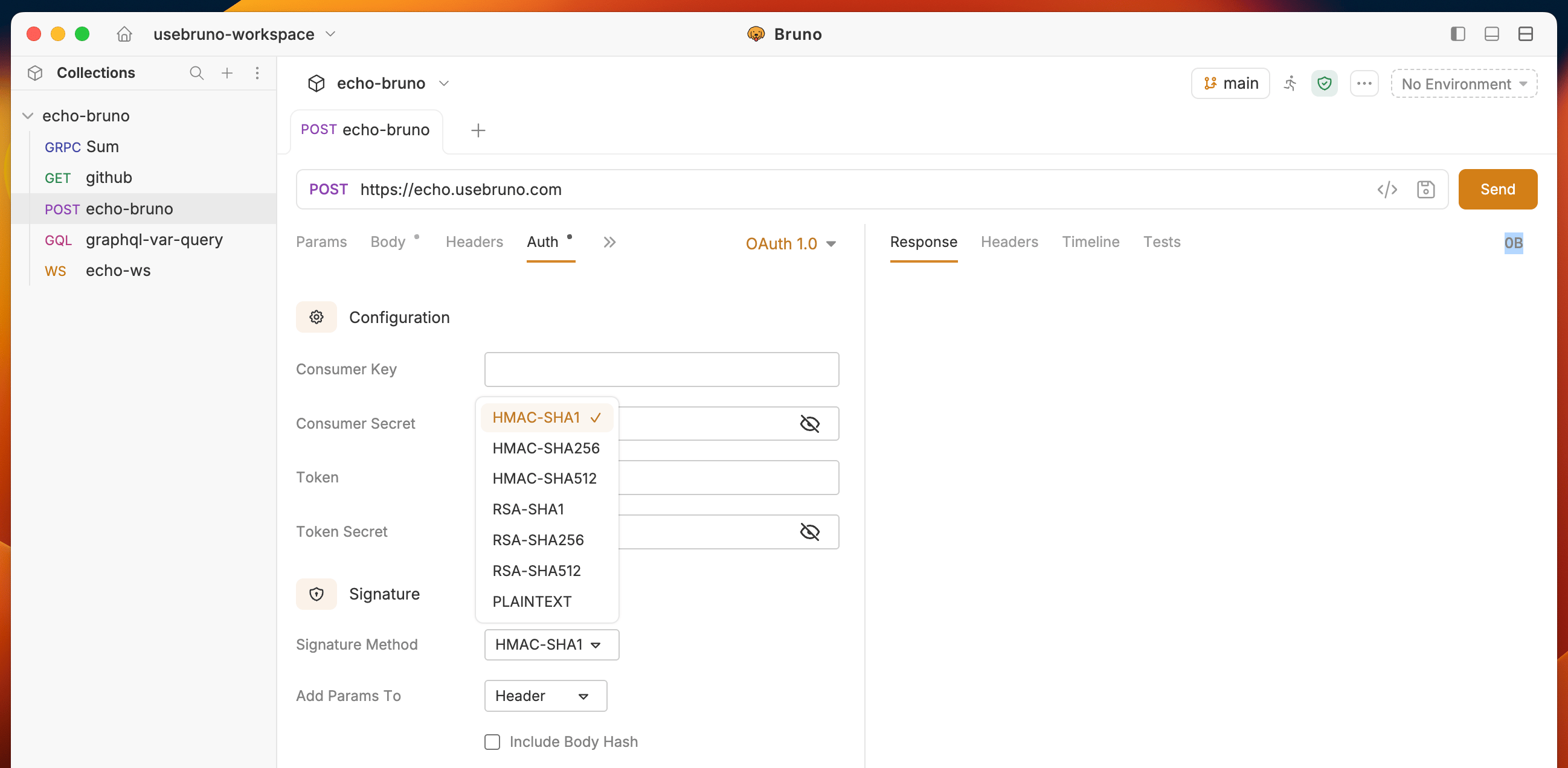
Bruno supports seven signature methods:
| Method | Type | Description |
|---|
| HMAC-SHA1 | HMAC | Signs using HMAC with SHA-1. This is the most common method. |
| HMAC-SHA256 | HMAC | Signs using HMAC with SHA-256. |
| HMAC-SHA512 | HMAC | Signs using HMAC with SHA-512. |
| RSA-SHA1 | RSA | Signs using an RSA private key with SHA-1. |
| RSA-SHA256 | RSA | Signs using an RSA private key with SHA-256. |
| RSA-SHA512 | RSA | Signs using an RSA private key with SHA-512. |
| PLAINTEXT | None | Sends the signing key directly without hashing. Only use over HTTPS. |
When using an RSA signature method, you must provide a PEM-formatted private key. The Consumer Secret field is not used with RSA methods.
Parameter placement
You can choose where OAuth parameters are included in your requests:
- Header (default) — OAuth parameters are sent in the
Authorization header, formatted per RFC 5849.
- Query Params — OAuth parameters are appended to the request URL as query parameters.
- Body — OAuth parameters are merged into the request body as
application/x-www-form-urlencoded parameters.
Body placement requires a form-urlencoded body. If your request uses a different content type, the body will be replaced with OAuth parameters.
CLI support
OAuth 1.0 is fully supported in the Bruno CLI. When you run collections or requests via bru run, OAuth 1.0 authentication is applied automatically to requests that have OAuth 1.0 configured.