

⌘ while Windows/Linux uses Ctrl).
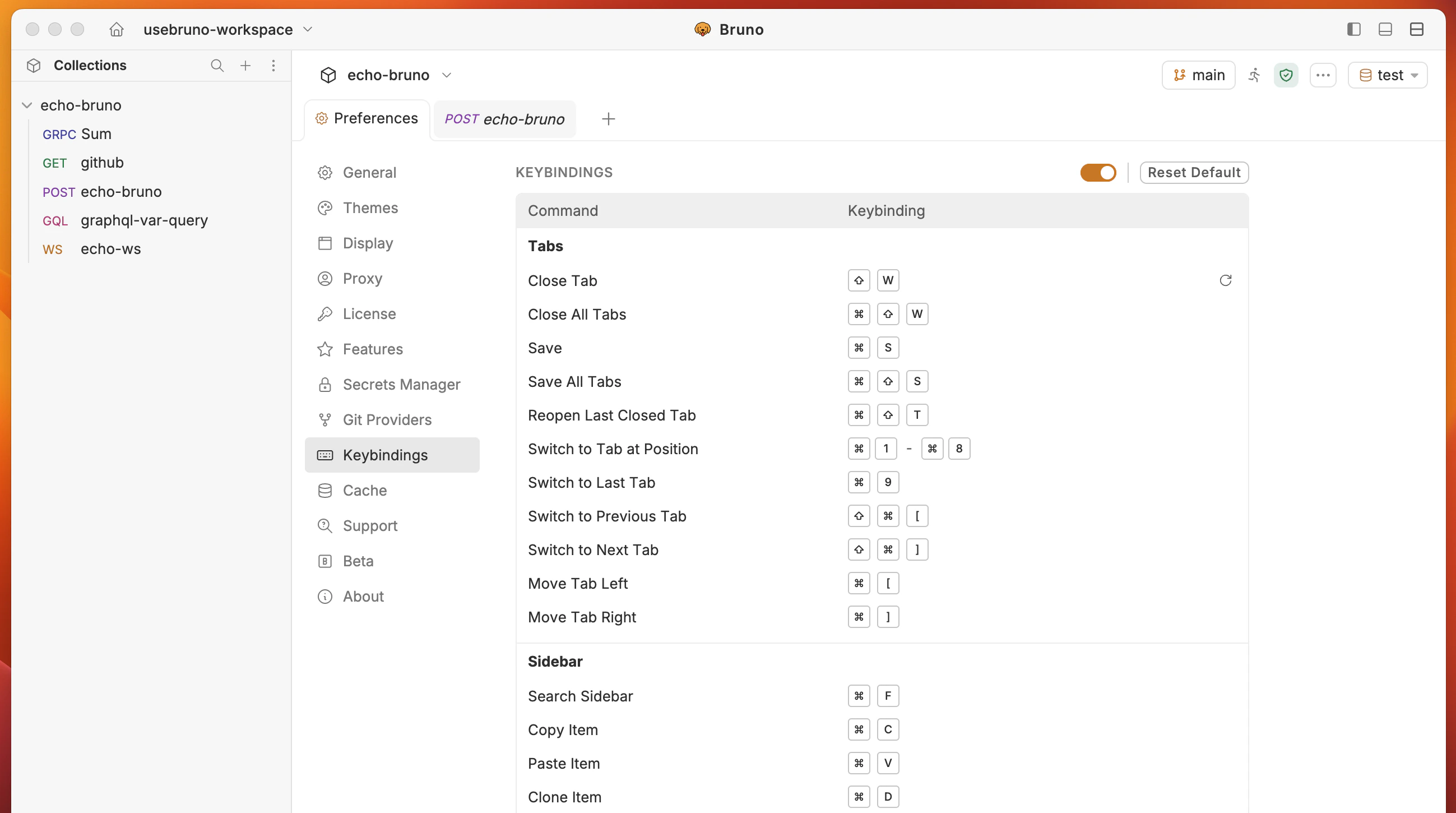
Default keyboard shortcuts
Below are the default keyboard shortcuts. macOS equivalents replaceCtrl with ⌘.
Tabs
Sidebar
Requests
Collections and environment
Search
View
Developer tool
Others
Customizing keybindings
You can remap most keyboard shortcuts to your preferred key combinations.- Open Preferences > Keybindings.
- Click on the row of the shortcut you want to change.
- Press your desired key combination. Bruno validates the input in real time and shows an error if the combination is invalid (for example, if it conflicts with another shortcut or is reserved by the OS).
- Release the keys to save. A checkmark confirms the change was applied.
Backspace or Delete, then enter a new combination.
Some shortcuts are marked as read-only (indicated by a lock icon) and cannot be remapped.
Resetting keybindings
- Reset a single shortcut — hover over a customized shortcut and click the reset icon that appears to restore it to the default value.
- Reset all shortcuts — click the Reset Default button at the top of the keybindings panel to restore all shortcuts to their defaults.