

- Safe Mode
- Developer Mode
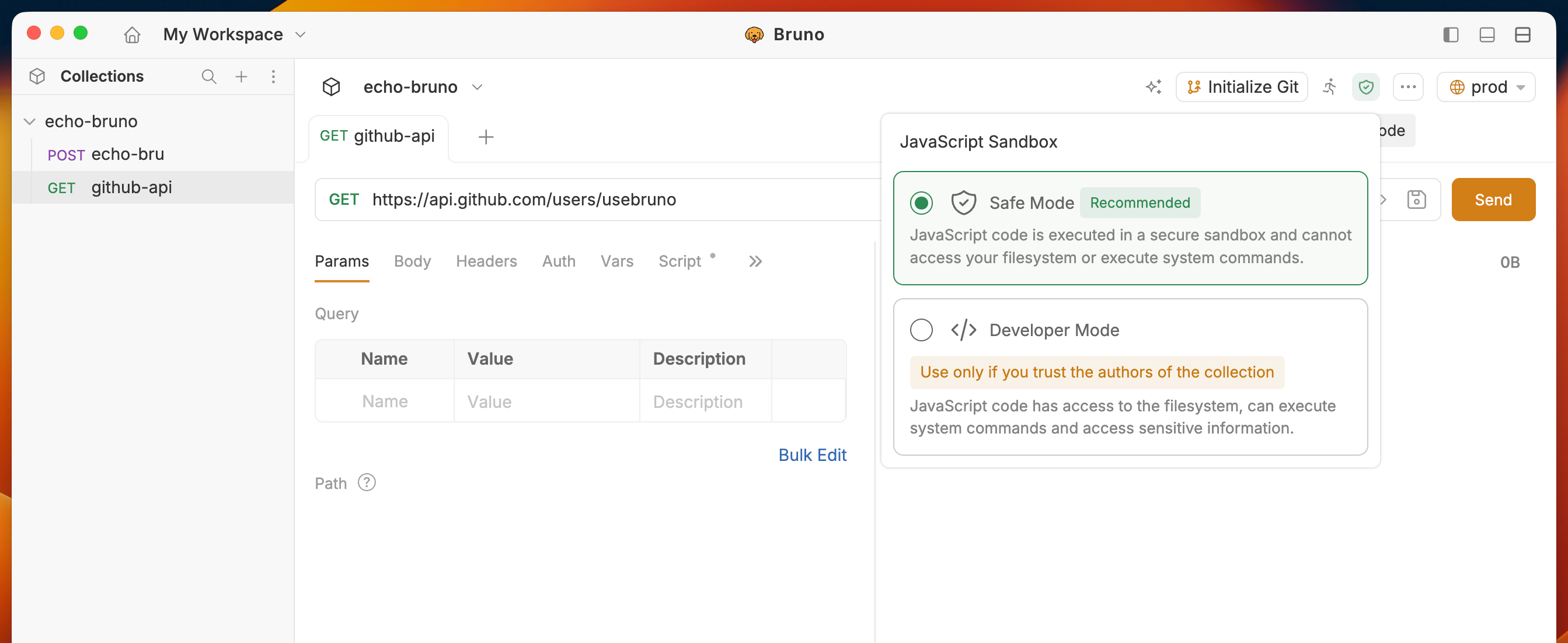
Safe Mode
JavaScript code is executed in a secure sandbox and cannot access your filesystem or execute system commands. We recommend Safe Mode for most users.- Open your collection in Bruno
- Click on the Shield icon in the top right corner to switch the mode (Safe Mode is default)
When in doubt, leave the Collection in Safe Mode. You can always switch to Developer Mode later.
Developer Mode
JavaScript code has access to the filesystem, can execute system commands and access sensitive information.- Open your collection in Bruno
- Click on the Shield icon in the top right corner to switch the mode (Safe Mode is default)
- Select Developer Mode from the dropdown
When to use Developer Mode
- You trust the collection source/authors (Ex: Collection maintained by you/your team) and Safe Mode is not enough for your use case.
- You need to use external npm packages in your scripts
- Your collection needs access to filesystem / system commands
__dirname and __filename, scoped to the executing .bru file. See __dirname and __filename.
When to avoid Developer Mode
- You are running a collection that you do not trust (Ex: Downloaded from the internet)
Detecting Sandbox Mode in Scripts
You can programmatically detect the current sandbox mode in your pre-request, post-request, and test scripts using thebru.isSafeMode() API.
Use Case: Some collections may require explicit Developer Mode features. By detecting the sandbox mode, you can log appropriate error messages or take alternative actions when the collection is run in Safe Mode.
Example: