

Overview
Prompt variables are ephemeral variables in Bruno that allow you to provide values interactively at the time a request is executed. Unlike other variable types, prompt variables do not have predefined values and are not persisted. They exist only for the duration of a single request execution. Prompt variables are ideal for:- Sensitive data you don’t want to save in your collection
- Ad-hoc values that change frequently
- Scenarios where you want to manually provide input before sending a request
Syntax
Prompt variables use the following syntax:{{?Prompt Message}}
- The
?indicates this is a prompt variable - The text after
?is the message shown to you in the prompt dialog
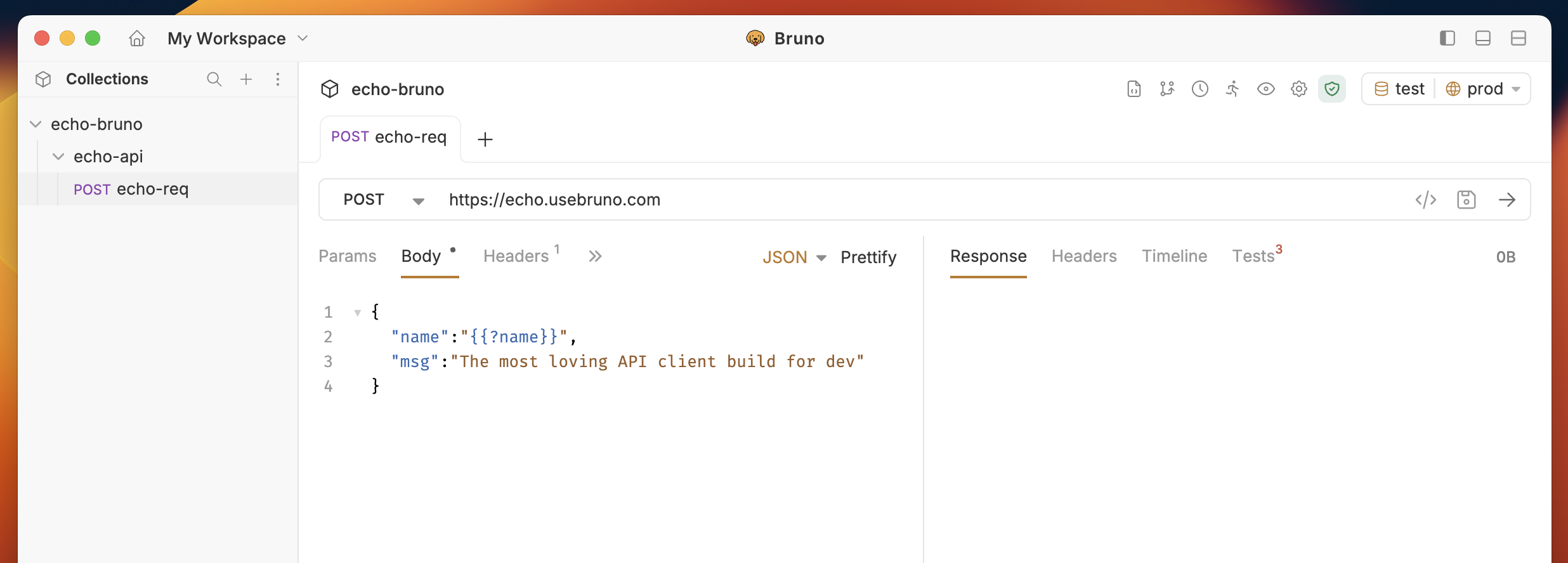
Using Prompt Variables
You can use prompt variables anywhere markup variables are supported in Bruno, including:- URLs and query parameters
- Headers
- Request bodies
- Authentication fields
How It Works
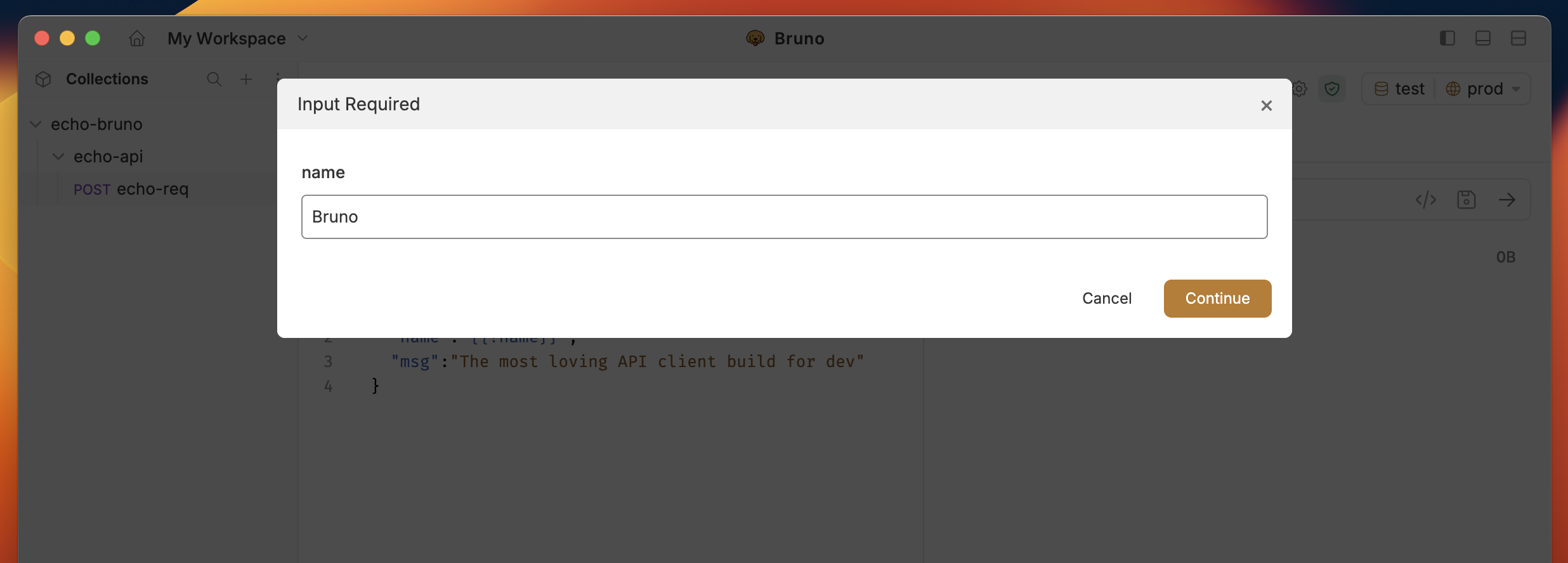
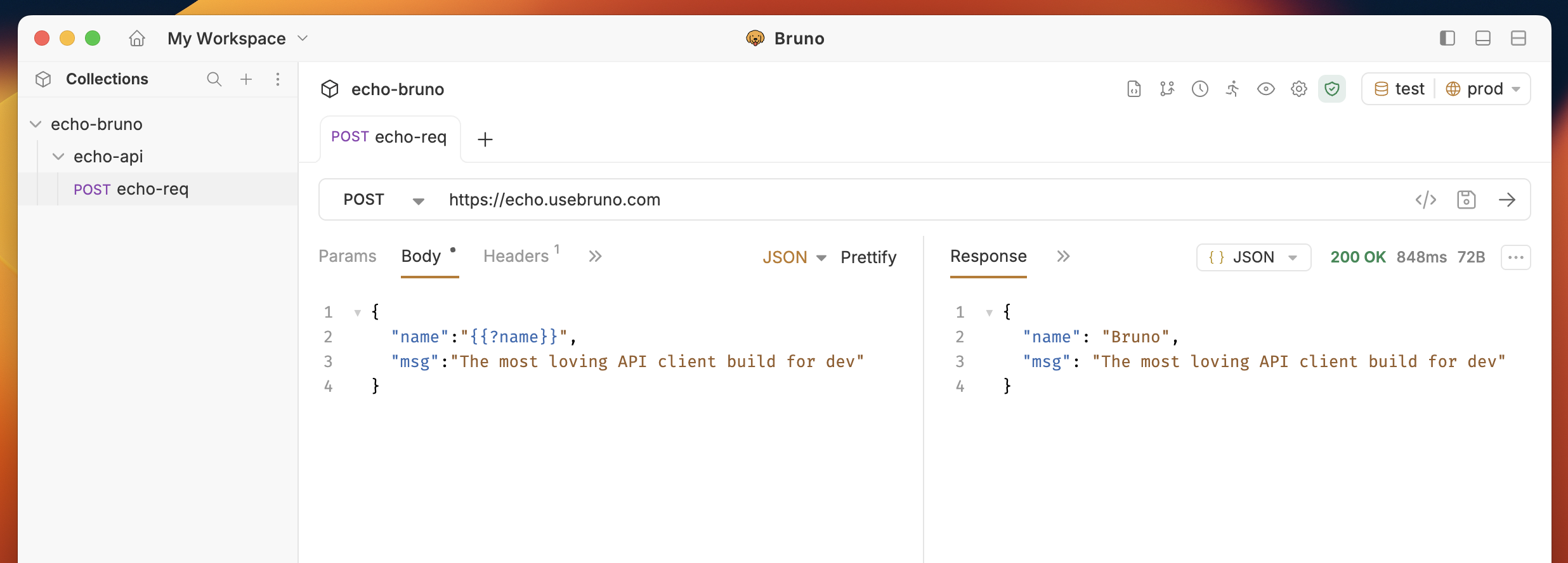
When you execute a request containing prompt variables, Bruno displays a modal dialog listing all prompt variables with their prompt messages. You provide values for each variable before the request is sent. Example: If your request body contains a prompt variable like{{?Prompt Var}}:
Deduplication
If you use the same prompt variable (like{{?Username}}) multiple times in a request, Bruno will only prompt you once and substitute the value everywhere it appears.
Example:
Edge Cases
Empty Values:If you leave a prompt variable blank (without entering any value), it will be replaced with an empty string in the request. Canceling the Prompt:
If you cancel the prompt dialog, the request will not be sent.
Behavior in Automated Environments
When running collections via Bruno CLI or the Collection Runner, any requests containing prompt variables will be skipped and marked asskipped in the output. This is because these automated environments do not support interactive prompting.