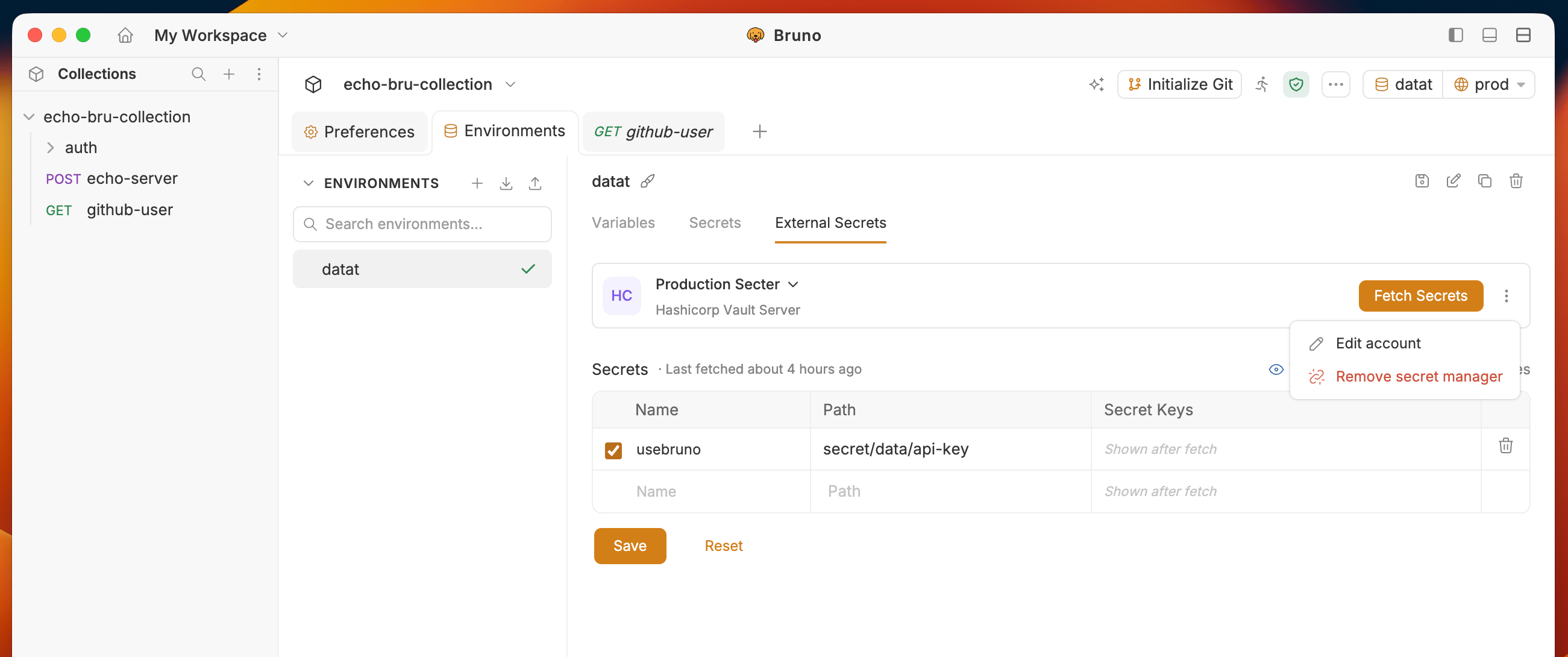
Starting from Bruno v4.0.0, the configuration of secret managers has moved from Collection > Secrets to Environment > External Secrets tab.
Fetching and storage
- Fetch Secrets loads values into a per-environment, in-memory cache for the session only.
- Secret values are never written to disk — only provider config and identifiers are saved.
- Closing the app or collection clears the cache. Reopen Bruno and it will fetch secrets on demand.
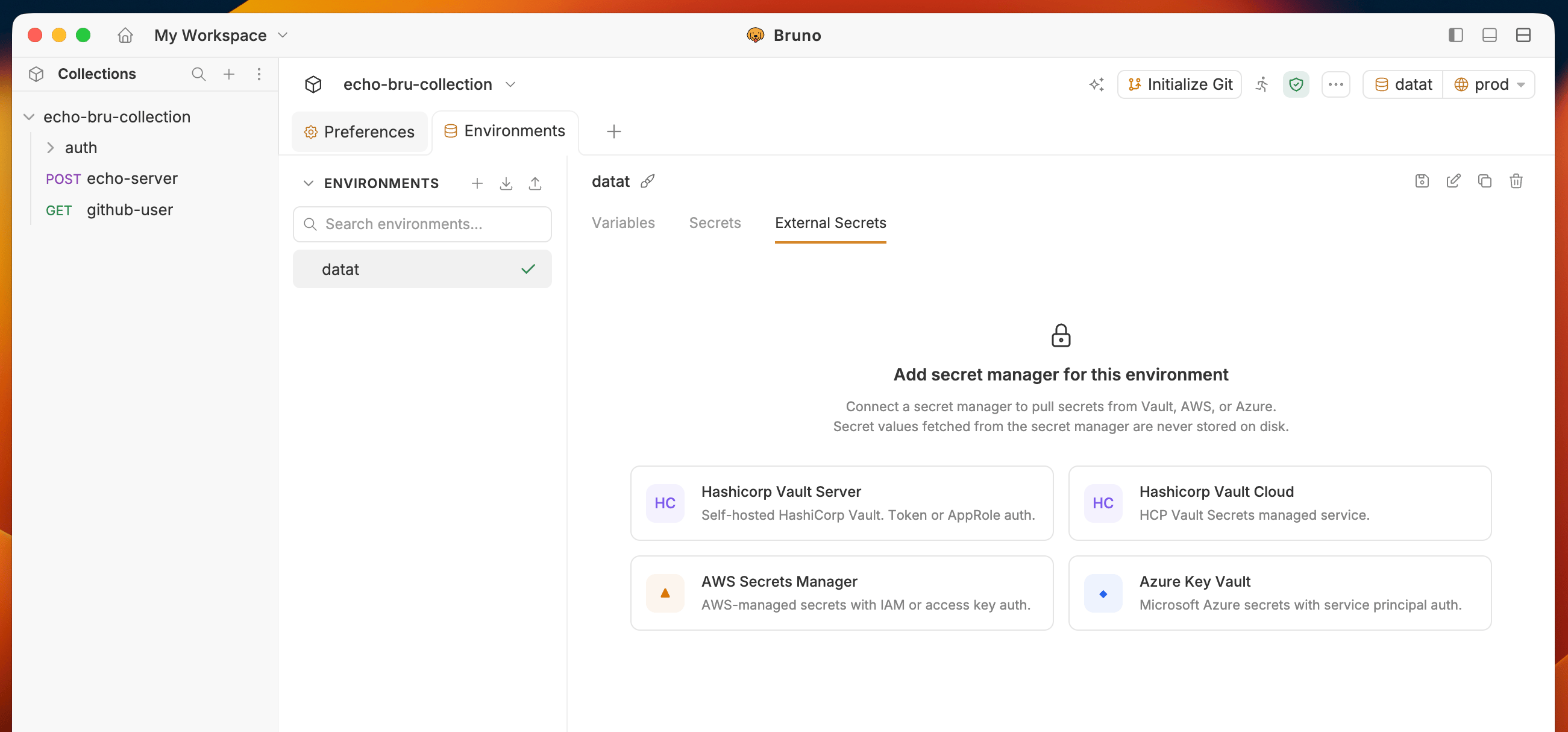
- Go to Environment > External Secrets and select the secret manager you want to configure.
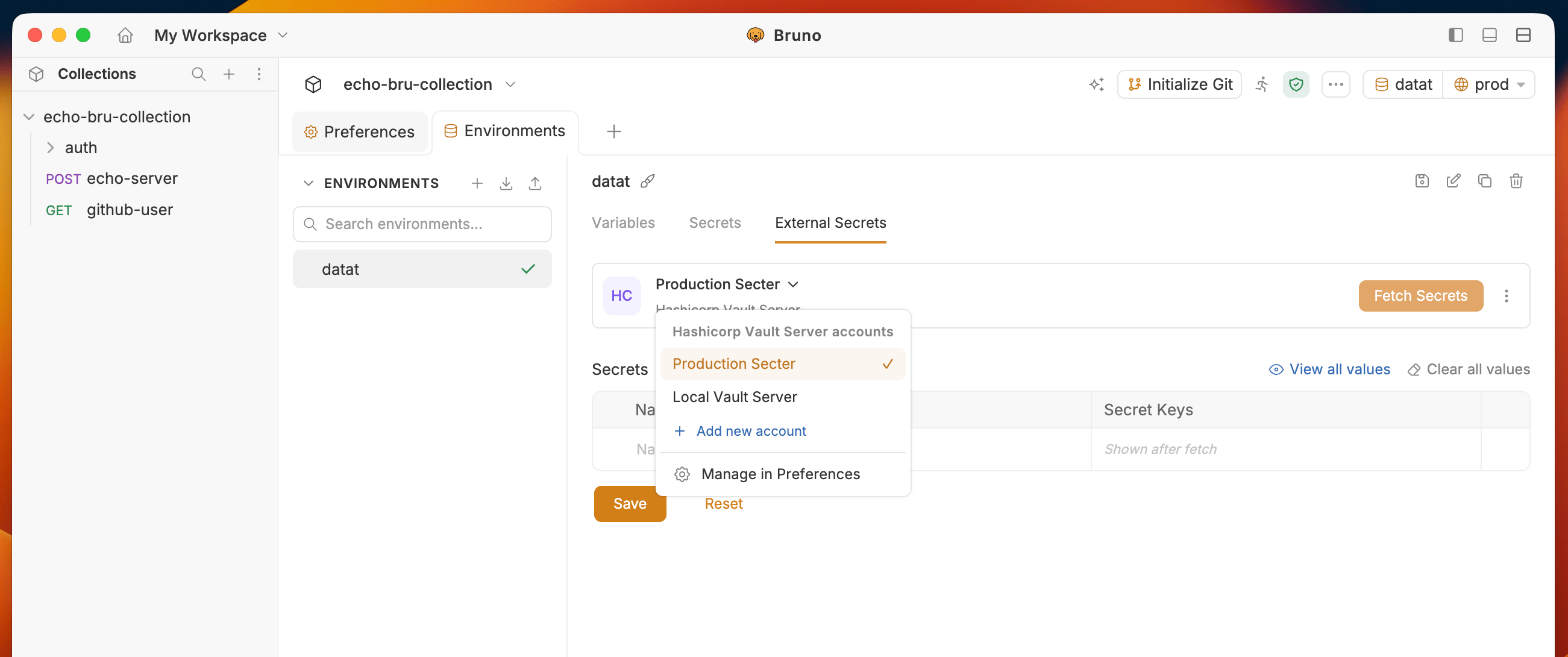
- You will see the configured Secret Manager accounts list from Preferences settings. Select the Account you want to configure.
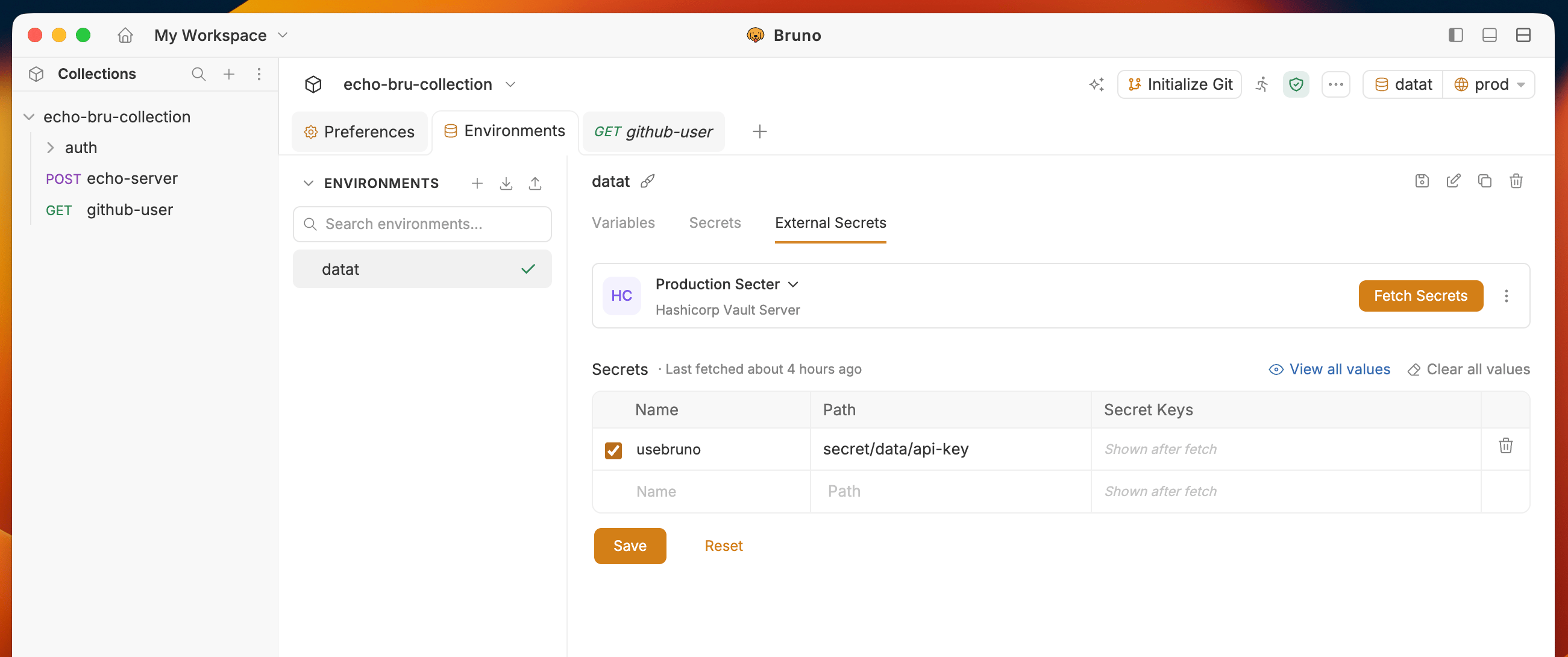
- Enter Name and Path to the secret you want to fetch.
- Name — the secret name, e.g. usebruno
- Path — must start with secret/, e.g. secret/data/api-key
-
Click on the
Fetch Secretsbutton on the top right corner. - Fetched secret keys appear under Secret Keys. Values stay in the in-memory session cache and are not persisted to disk.
- Edit account to edit the account details
- Remove secret manager to remove the secret manager configuration