

How request bodies and data files work together
Understanding this avoids the most common confusion with data-driven runs:-
The data file does not replace your request body.
Uploading CSV/JSON does not merge row objects into the body or overwrite a hardcoded JSON payload. Row values are available as iteration variables for each run. -
To use row values in the body, reference them explicitly with
{{columnName}}(same names as CSV headers or JSON object keys). Example:"name": "{{name}}"uses thenamefield from the current row. -
If the body has no
{{...}}placeholders for your data columns, Bruno sends exactly the body you typed on every iteration. The file still controls how many iterations run, but each request uses the same static payload. In the runner, the Data column shows the current iteration’s row (iteration data), not “the body Bruno built from the file.” -
In scripts, read the current row with
bru.runner.iterationData.get("columnName")(or build the body there withreq.setBody(...)). See Runner iteration utilities below.
A plain body like
{"name": "morpheus", "job": "leader"} is fine for a single request or when you want the same body every time while the runner still steps through rows (e.g. for side effects or tests only). To send different name / job per row, the body must use {{name}} and {{job}} (or set the body from a script).Introduction
In this tutorial, we’ll use the Collection Runner with a CSV or JSON file so each iteration sends differentname and job values to https://reqres.in/api/users.
Steps to Get Started
- Open the Bruno app.
- Create a collection called
runner-example. - Create a POST request and name it
runner-request. - Use the URL:
https://reqres.in/api/users. - Set the request body to JSON and use placeholders that match your data file columns (
nameandjob):
morpheus / leader); that is unrelated to substituting CSV/JSON rows.
Using the Collection Runner
We will create a sample data filecsv-example.csv that includes input fields such as name and job to be used in data-driven testing. You need to create a CSV or JSON file according to the specific requirements of the API you’re working with.
Since the API in this case expects two data inputs name and job the file should contain these fields. Here’s an example of how to structure your data:
1. CSV Format Example
A sample CSV file might look like this:copy
2. JSON Format Example
A sample JSON file might look like this:copy
Using the Bruno App
- Click on the runner icon in the right-hand navbar.

- Select the file type: CSV or JSON and upload your data file.
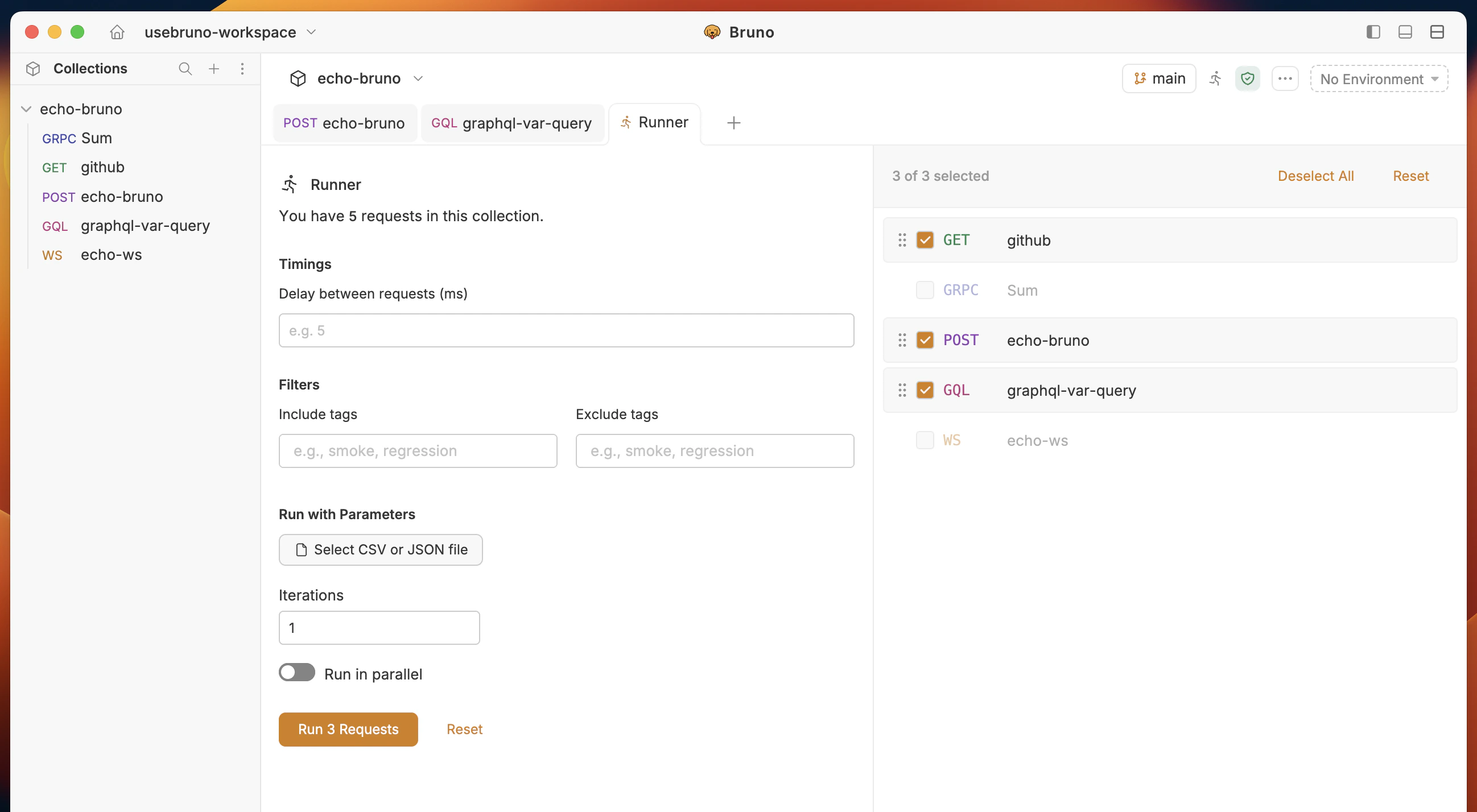
- Click Run Collection to start the iterations.
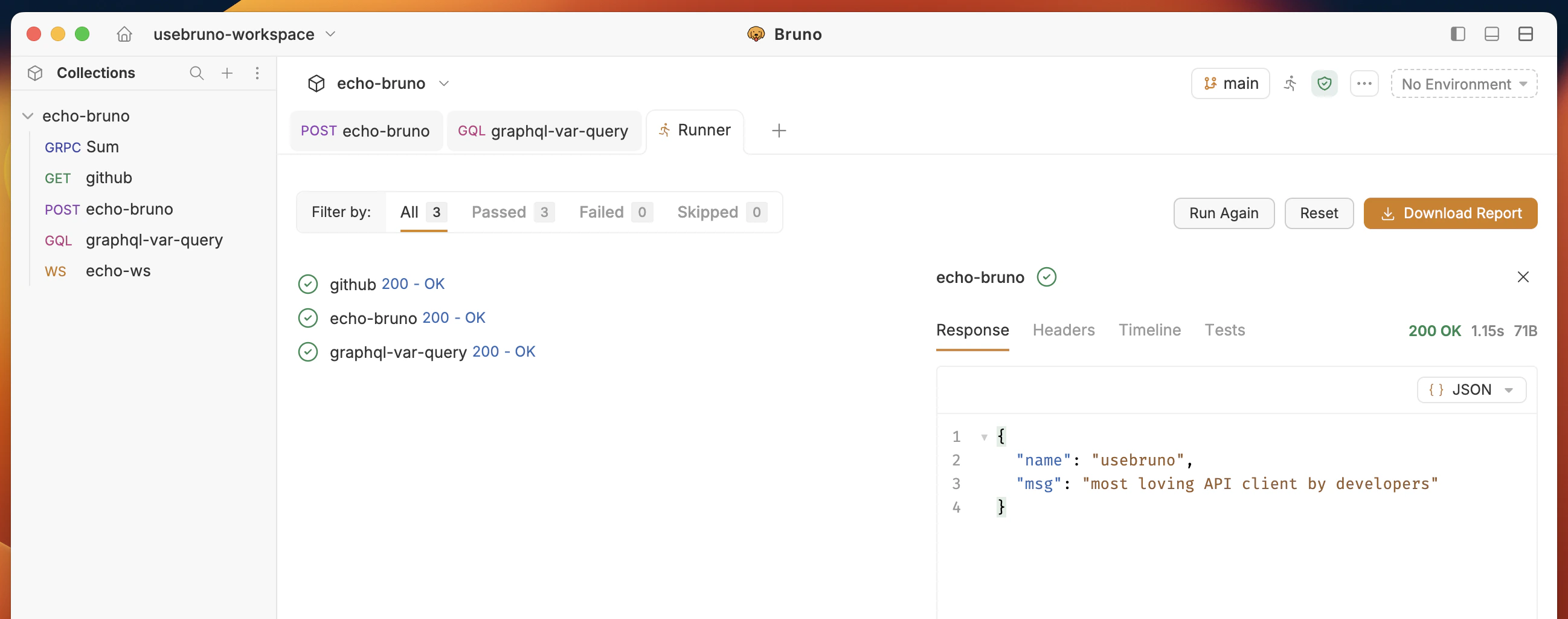
How to Use Variables from CSV/JSON Files
When you upload a CSV or JSON file, each column (CSV) or object key (JSON) becomes an iteration variable. Use the{{variableName}} syntax in the URL, headers, or body so each iteration sends that row’s values.
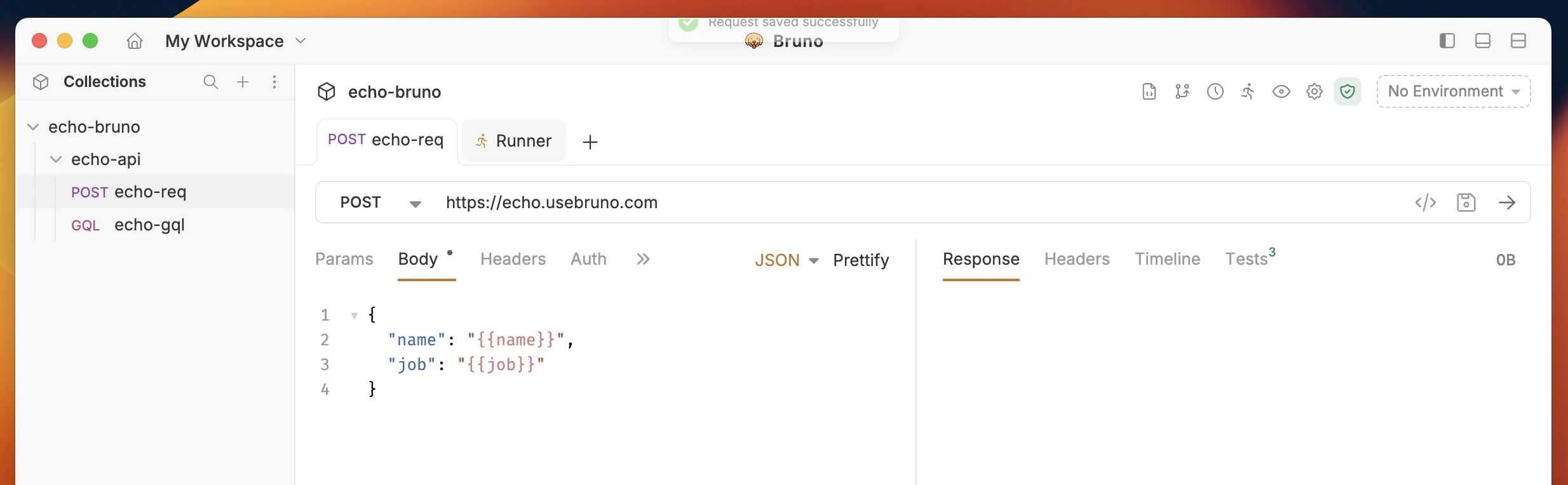
Accessing Variables in Request Body
Template the body with names that match your file:showLineNumbers
showLineNumbers
Accessing Variables in Scripts
In pre-request or post-response scripts, read the current iteration withbru.runner.iterationData.get("columnName").
Using the Bruno CLI
- Navigate to the root directory of your Bruno collection.
- Run the following command:
copy
results.html file in your Bruno collection’s root directory. You can view this file in your browser.
For how to open and use test reports in the Bruno app (including downloaded HTML reports), see View test report.
Command Overview
--reporter-html results.html: Generates a human-readable HTML report.--csv-file-path /path/to/csv/file.csv: Specifies the path to the CSV file you want to use.
Runner Iteration Utilities
Bruno provides various utility functions to access and manipulate data from attached data files (CSV/JSON) during collection runs.Accessing Iteration Data
Check if a variable exists
Get a specific value
Get all iteration data
Convert to JSON string
Remove a variable
Iteration Information
Get current iteration index
Get total iterations
Example Usage
Basic Data Access
Conditional Logic Based on Iteration
Data File Examples
CSV Format
JSON Format
Notes
- Variables removed with
unset()only affect the current iteration. - Each iteration runs with fresh data from the file.
- Supports both CSV and JSON data files.
- Data is automatically loaded from the attached file at the start of each iteration.
- Iteration count comes from the number of rows (CSV) or objects (JSON) in the file.
- The request body is not ignored: if you use no
{{}}references, the same static body is sent every time; the data file still drives how many times the request runs and what appears under Data for each iteration.