

Starting from Bruno v4.0.0, secret manager configuration has moved from Collection > Secrets to Environment > External Secrets.
Fetching and storage
- Fetch Secrets (or the first request that needs them) loads values into memory for that environment only.
- Secret values are never saved on your machine. Bruno only keeps provider settings and the
op://secret references. - Closing Bruno or the collection clears the cache. Reopen the app and Bruno fetches secrets again when you need them.
- Open your collection environment and go to External Secrets.
- Select 1Password, or choose an account you already added in Preferences. Use Add new account if you need to create one.
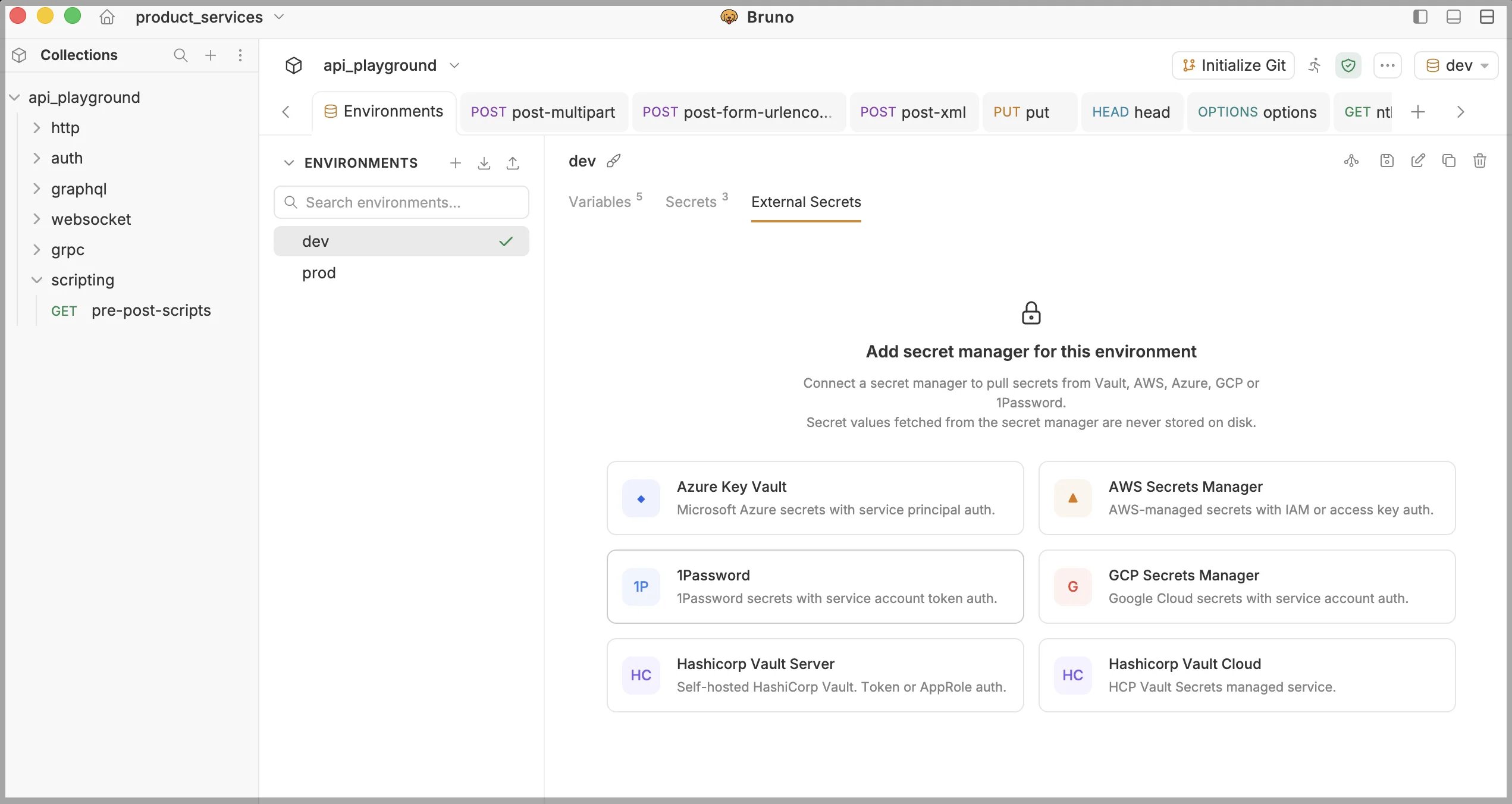
- Click Save and continue.
- Add rows under Secrets:
- Name - the alias used in Bruno, for example
username(referenced as{{username}}or{{$secrets.username}}) - Secret Reference - a 1Password secret reference in the form
op://vault/item/field, for exampleop://BrunoTestVault/login/username
- Name - the alias used in Bruno, for example
- Click Save.
- Click Fetch Secrets in the top-right.
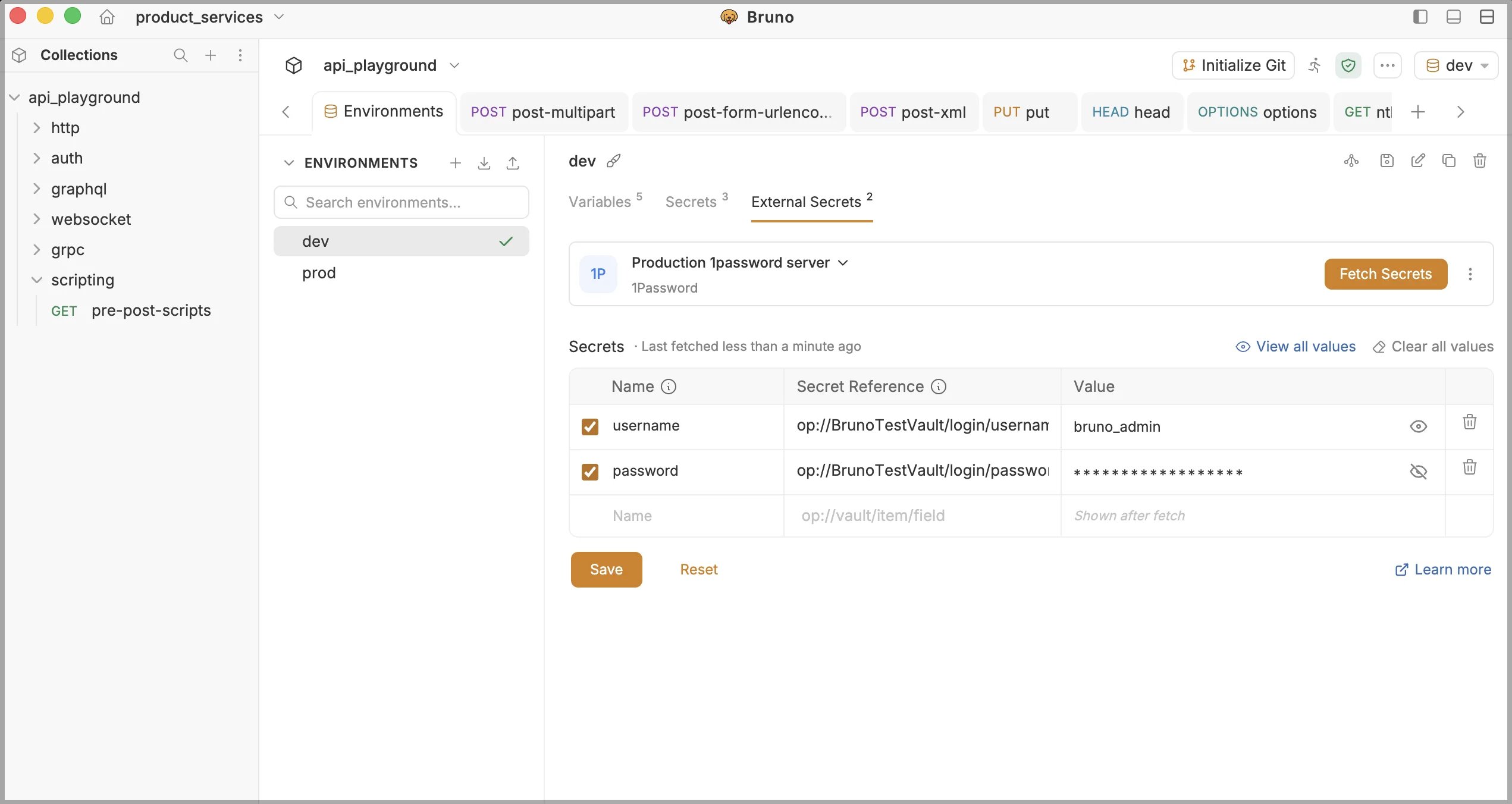
.bru or .yml). Resolved values are never written to disk.
Use the three-dots menu to:
- Edit account to change account details
- Remove secret manager to remove 1Password from this environment