

Bruno AI is available from v4.0.0 and higher.
How to enable Bruno AI
- Open Preferences from the bottom-left corner of the app
- Go to the AI section and click the Enable button.
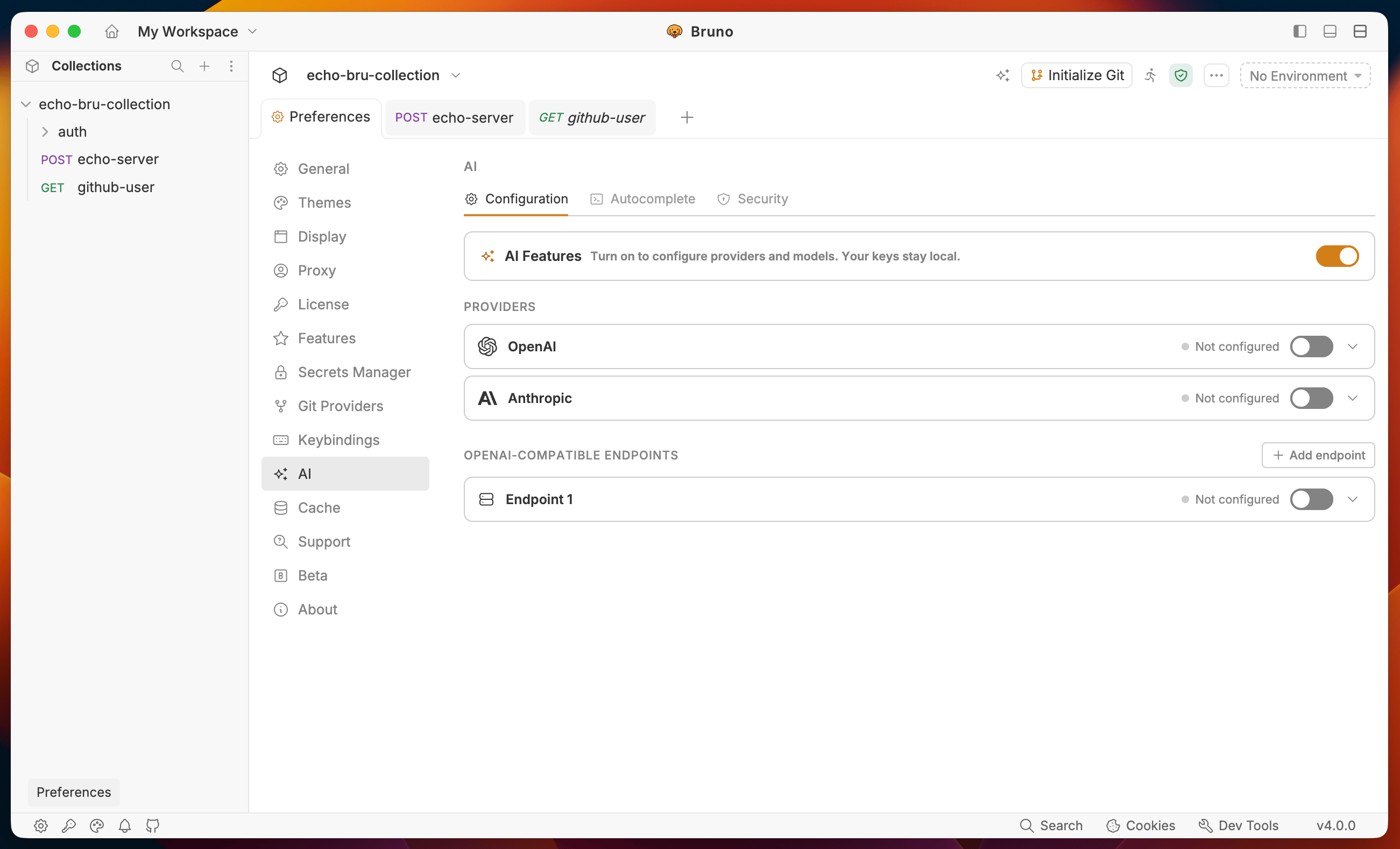
Configuration
Enable AI Features
Toggle AI Features on at the top of the Configuration tab.Add a provider
Choose the provider you want to connect:- OpenAI - add an OpenAI API key and select OpenAI models
- Anthropic - add an Anthropic API key and select Claude models
- Custom AI providers - connect an OpenAI-compatible hosted or local endpoint
Autocomplete
Enable Autocomplete
Toggle Inline Autocomplete on to activate ghost-text suggestions in script and test editors.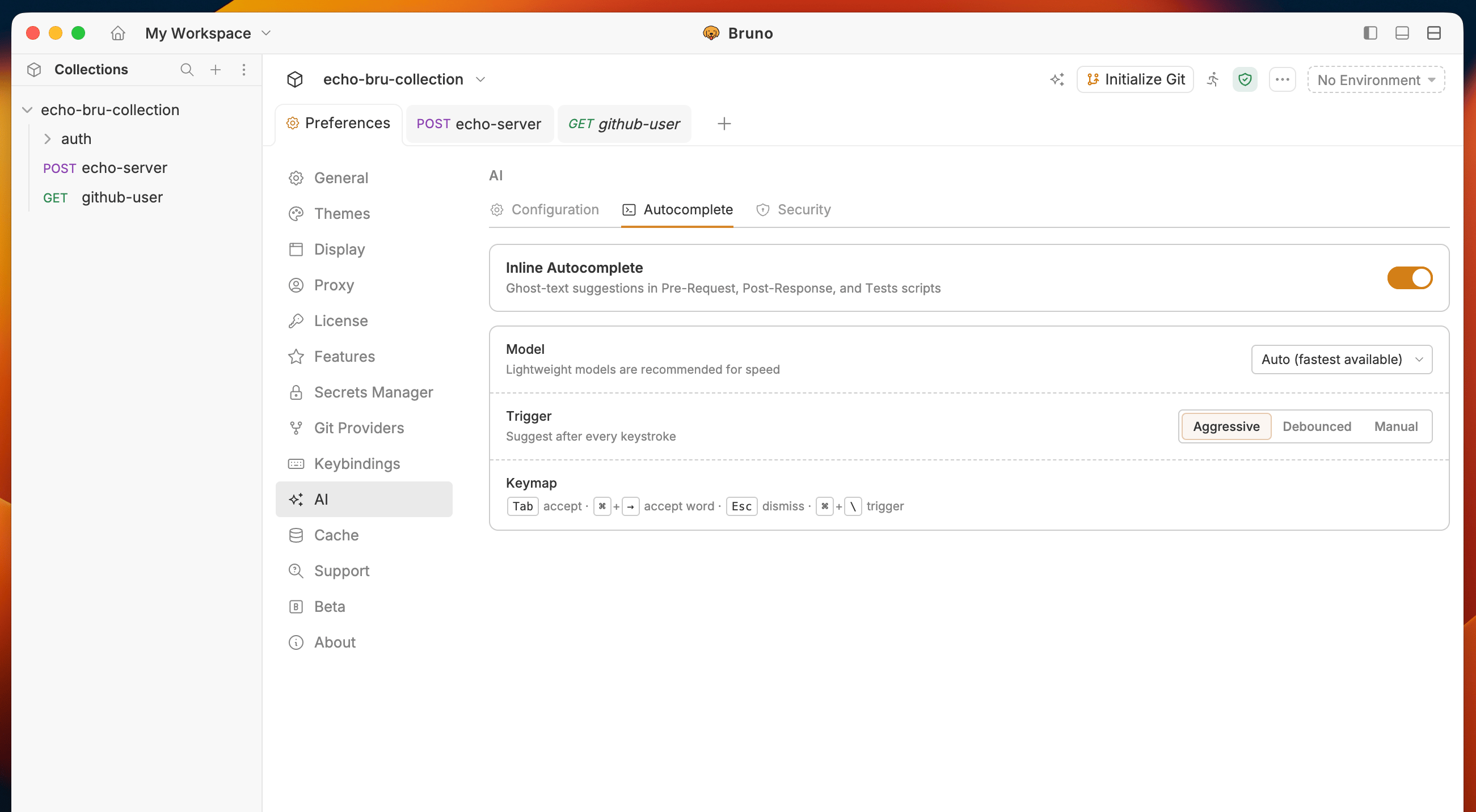
Model
Select which model handles suggestions. Auto (fastest available) picks the lightest model from your active providers and is recommended for keeping suggestions fast.Trigger mode
Keymap
Security
Bruno automatically redacts sensitive data before sending context to any provider. All protections are on by default.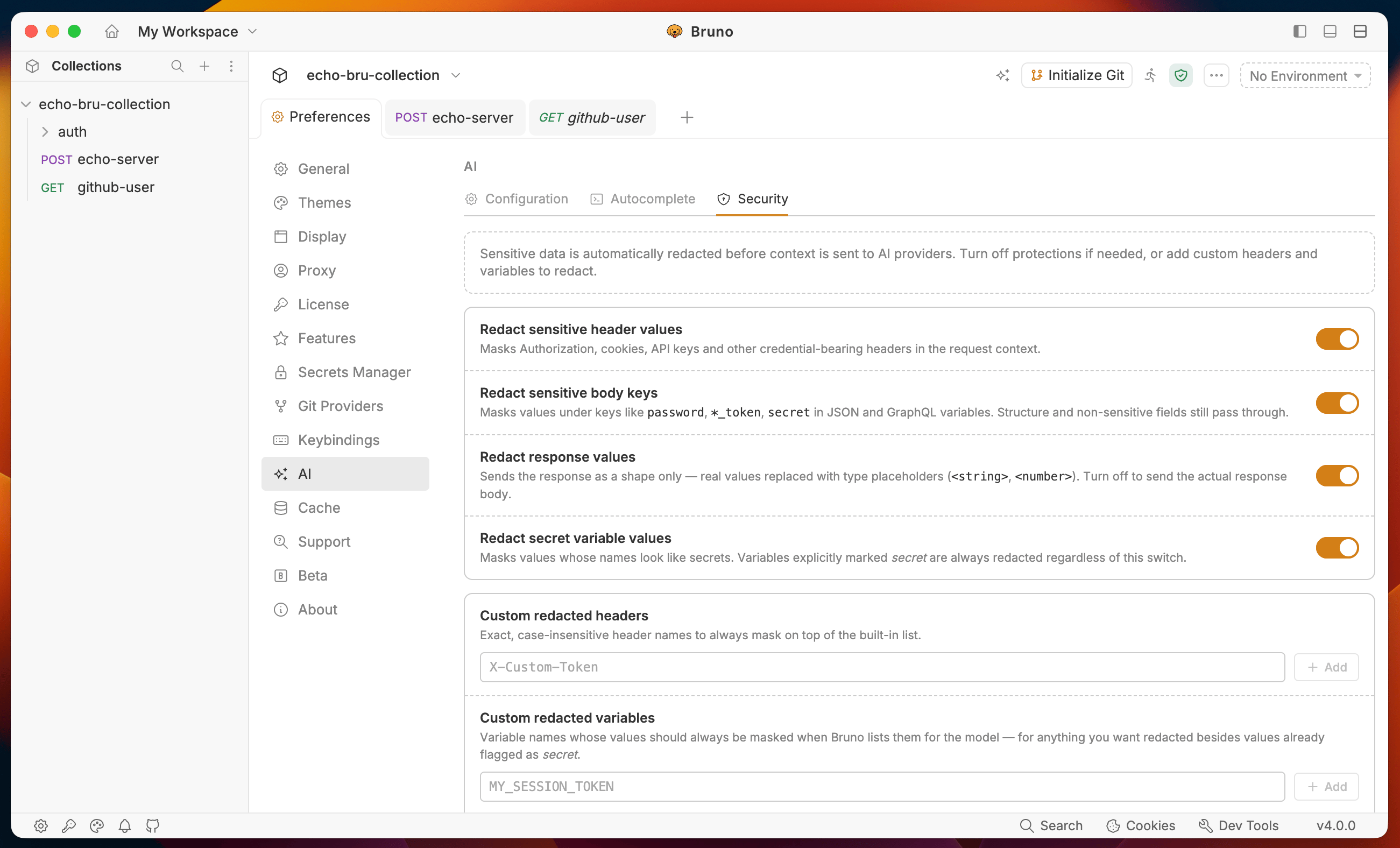
Redact sensitive header values
MasksAuthorization, cookies, API keys, and other credential-bearing headers. Non-sensitive headers pass through unchanged.
Request headers sent to Bruno:
Redact sensitive body keys
Masks values under keys likepassword, *_token, and secret in JSON and GraphQL variables. Structure and non-sensitive fields still pass through.
Request body sent to Bruno:
Redact response values
Sends the response as a shape only. Real values are replaced with type placeholders. Turn this off to send the actual response body. Actual response:Redact secret variable values
Masks values of variables whose names look like secrets. Variables explicitly markedsecret are always redacted regardless of this toggle.
Environment variables:
Custom redacted headers
Add header names to always mask on top of the built-in list. Matching is exact and case-insensitive.Custom redacted variables
Add variable names whose values should always be masked when Bruno sends context to the model.Covered by default
Authorization, Proxy-Authorization, Cookie, Set-Cookie, X-API-Key, X-Auth-Token, X-Access-Token, X-CSRF-Token, plus any name matching token, secret, password, or api_key.