

Configuration steps
- Go to Preferences and open the Secrets Manager section from left-bottom sidebar.
- Click + Add Secret Manager.
- Select GCP Secrets Manager as the provider type.
-
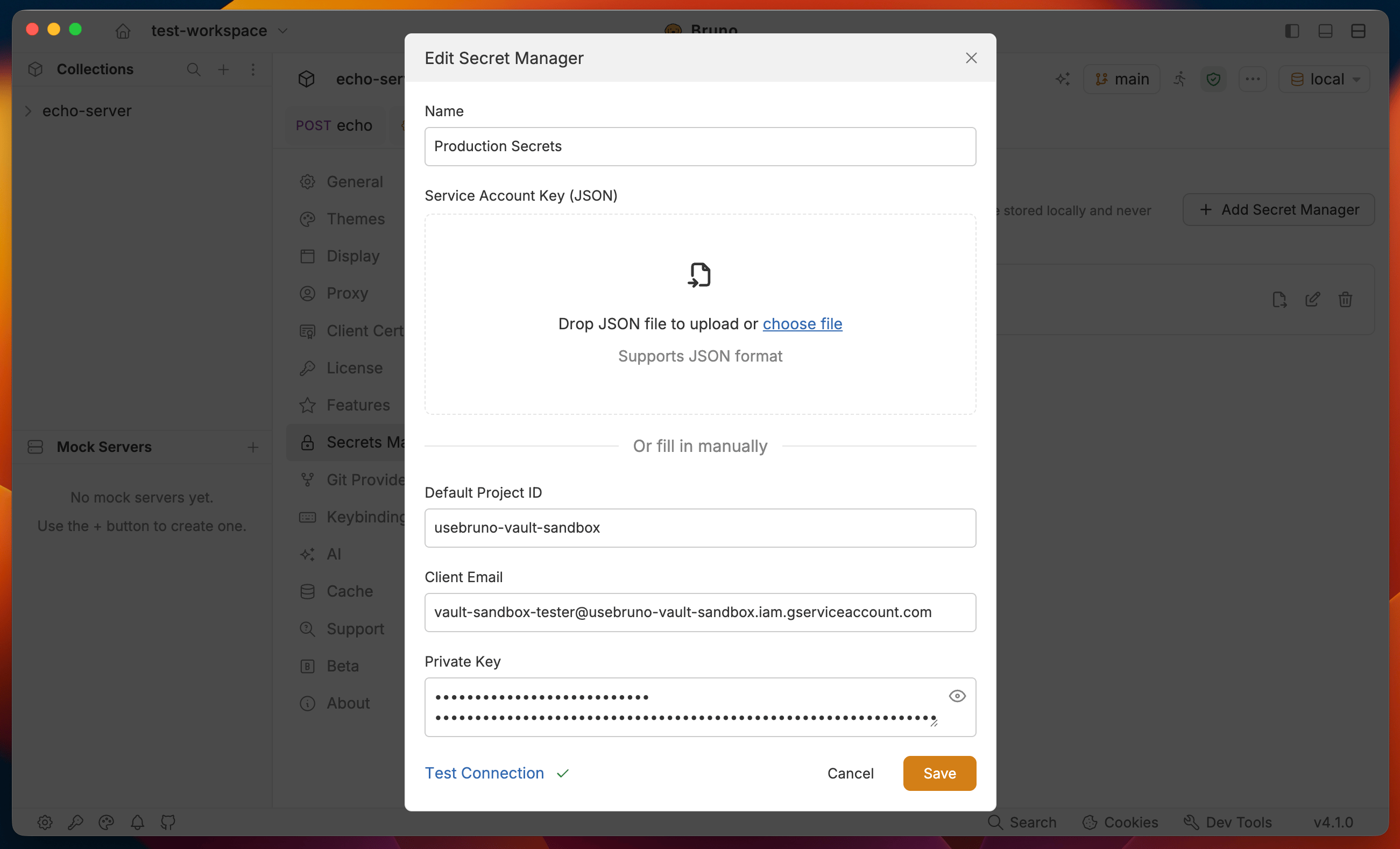
Enter a Name for the account (for example,
Production GCP). -
Provide your service account credentials using either method:
- Upload or paste a GCP service account JSON key - Bruno fills in Default Project ID, Client Email, and Private Key from the file.
- Or enter the fields manually:
- Default Project ID - defaults from the key’s
project_id, you can change it later per environment when fetching secrets - Client Email - for example,
service-account@project.iam.gserviceaccount.com - Private Key - the
private_keyvalue from the service account JSON
- Default Project ID - defaults from the key’s
- Click Test Connection to verify that Bruno can authenticate with the service account.
- Click Add (or Save when editing) to save the secret manager configuration.
Application Default Credentials,
gcloud CLI authentication, and Workload Identity Federation are planned for future support. Use a service account key for now.Exporting as a .env file
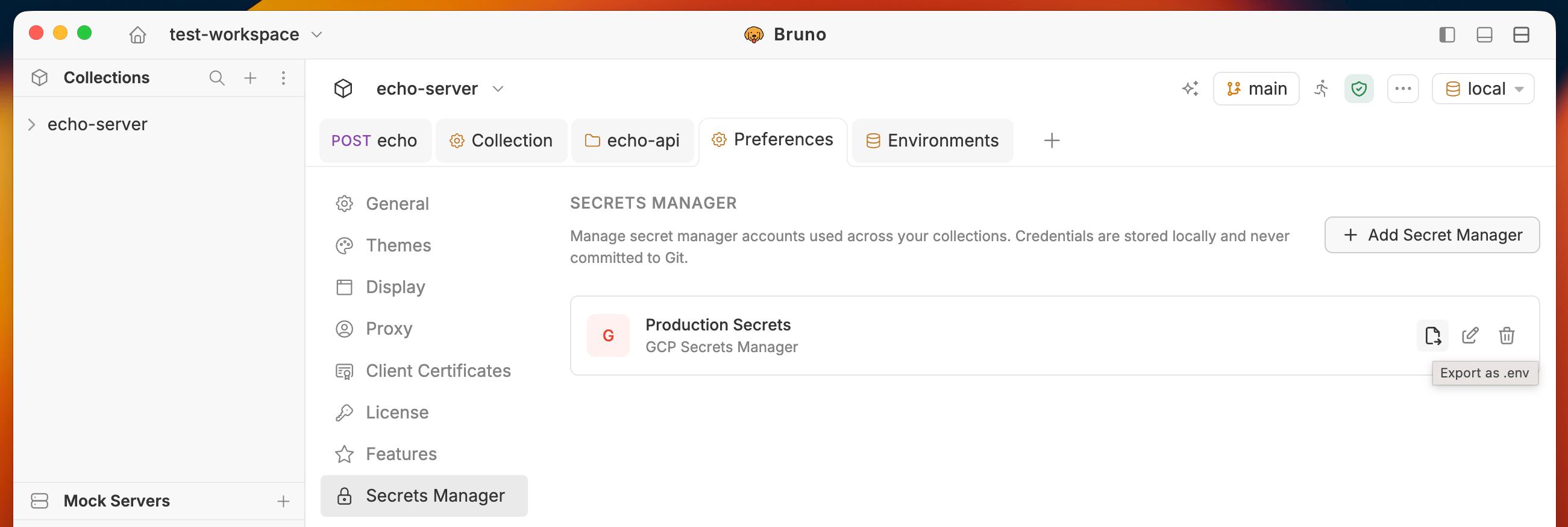
Once a provider is saved, you can export its configuration as a.env file from Preferences > Secrets Manager. This is useful for passing credentials to the Bruno CLI or seeding a CI/CD pipeline.
- In the Secrets Manager list, hover over the account you want to export.
- Click the Export as .env icon.
- Bruno writes the credentials to a
.envfile on your machine.
--secrets-env-file flag:
Next steps
- Configure and fetch secrets — attach the provider to an environment and pull secrets into Bruno
- Use secrets in requests — reference fetched secrets in headers, body, auth fields, and scripts