

.bru collections, you can migrate them in a few steps.
All requests in a collection must use the same format. A collection cannot mix
.bru and .yml files. Migration is available in Bruno v4.1.0 and higher.How to migrate
- Open your
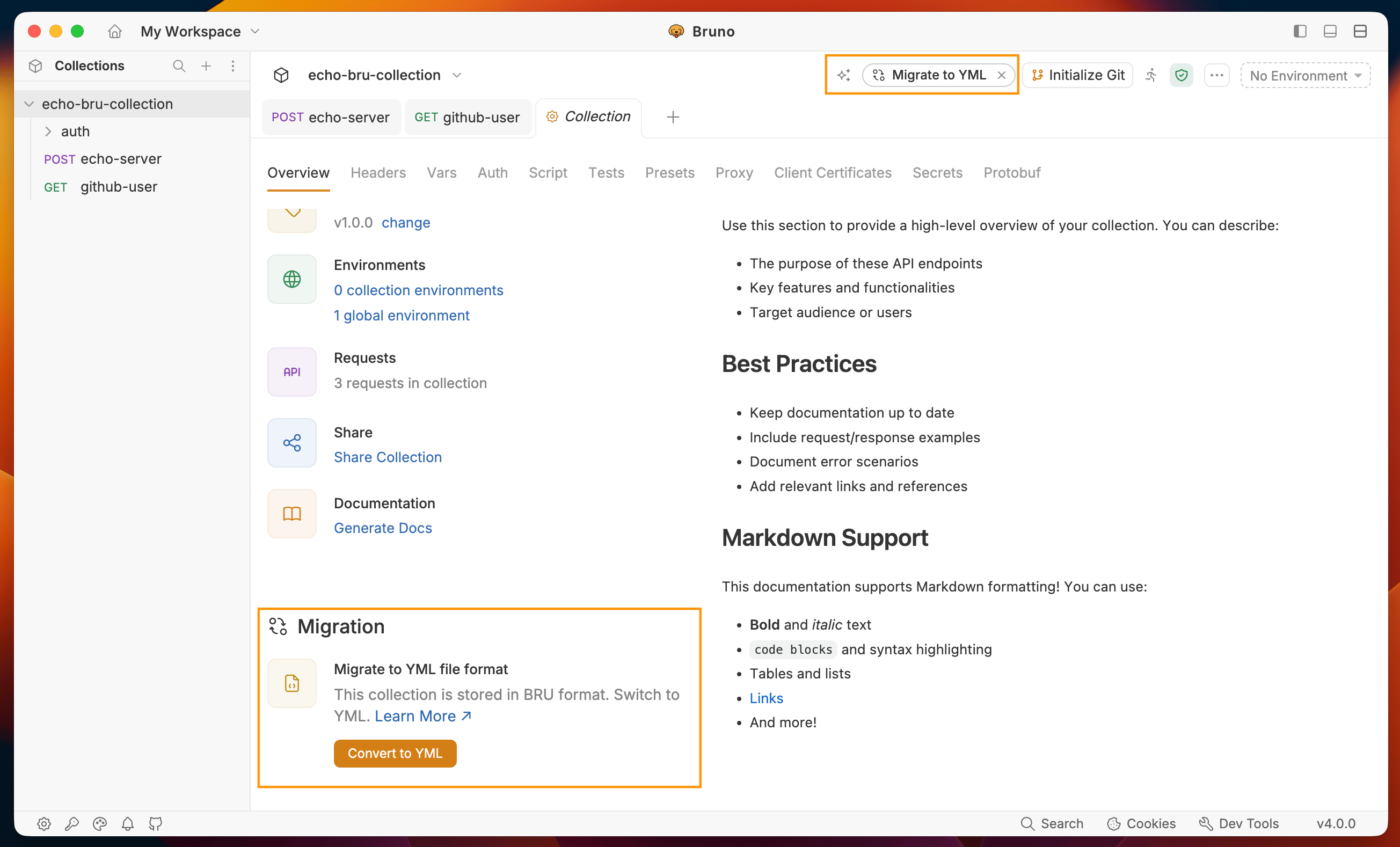
.brucollection in Bruno. - Click Migrate to YML button available in the top-right navigation bar or in the bottom of the collection Overview tab.
- A confirmation dialog appears. Click Export Collection to back up your existing collection before proceeding.
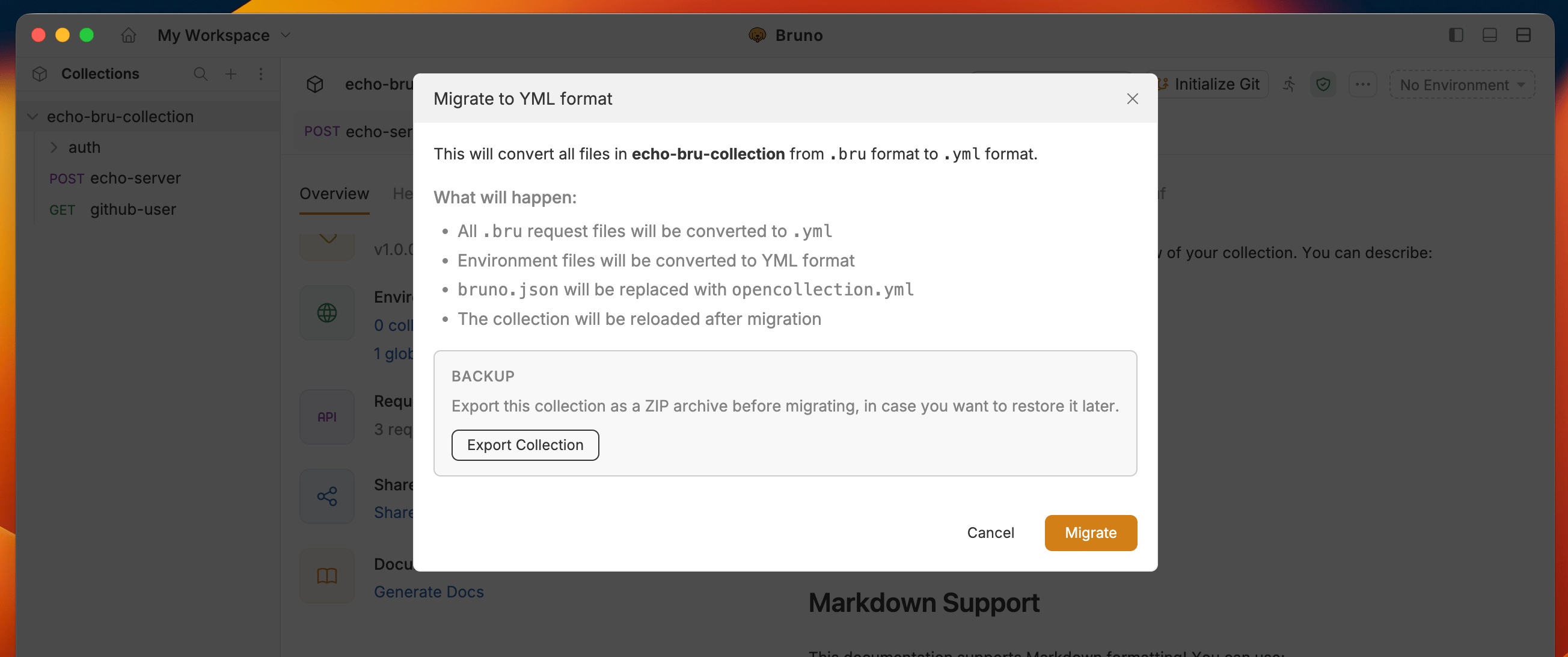
- Click Migrate to complete the migration. Your collection is now stored as
.ymlfiles.
Before and after
After migration
- Your requests are now saved as
.ymlfiles withopencollection.ymlat the collection root - If any scripts use
bru.runRequest()with a.brufile extension in the path, update those to.yml - The original
.brufiles are removed after migration, so keep your backup until you confirm everything works