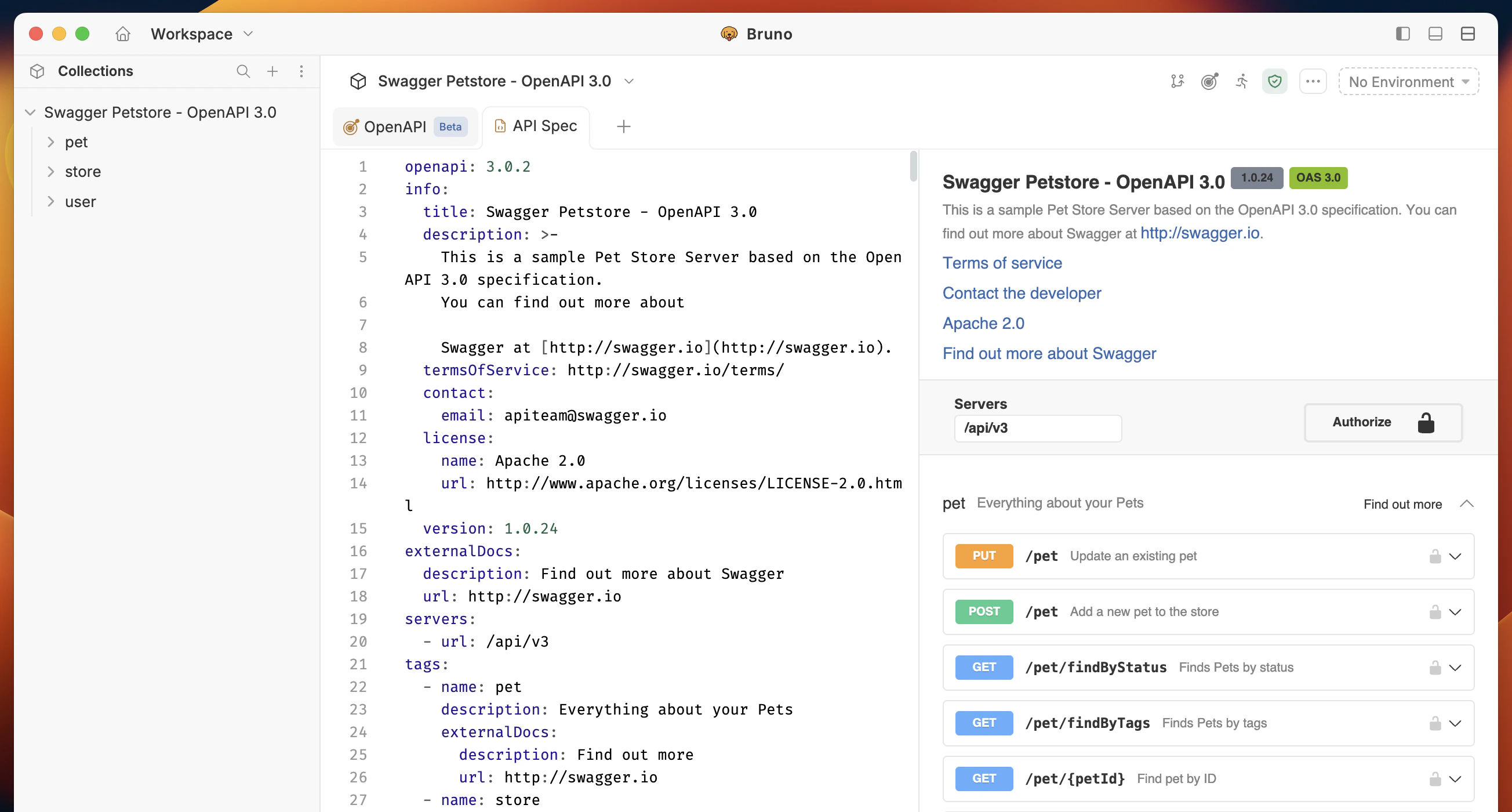
Open Source edition allows 5 syncs per month. For unlimited syncs, you need Bruno Pro or Ultimate.
Connect to OpenAPI Sync
There are two ways to connect to OpenAPI Sync:Existing Collection
- Click on the context menu (
···) in your collection. - Select option OpenAPI (Beta).
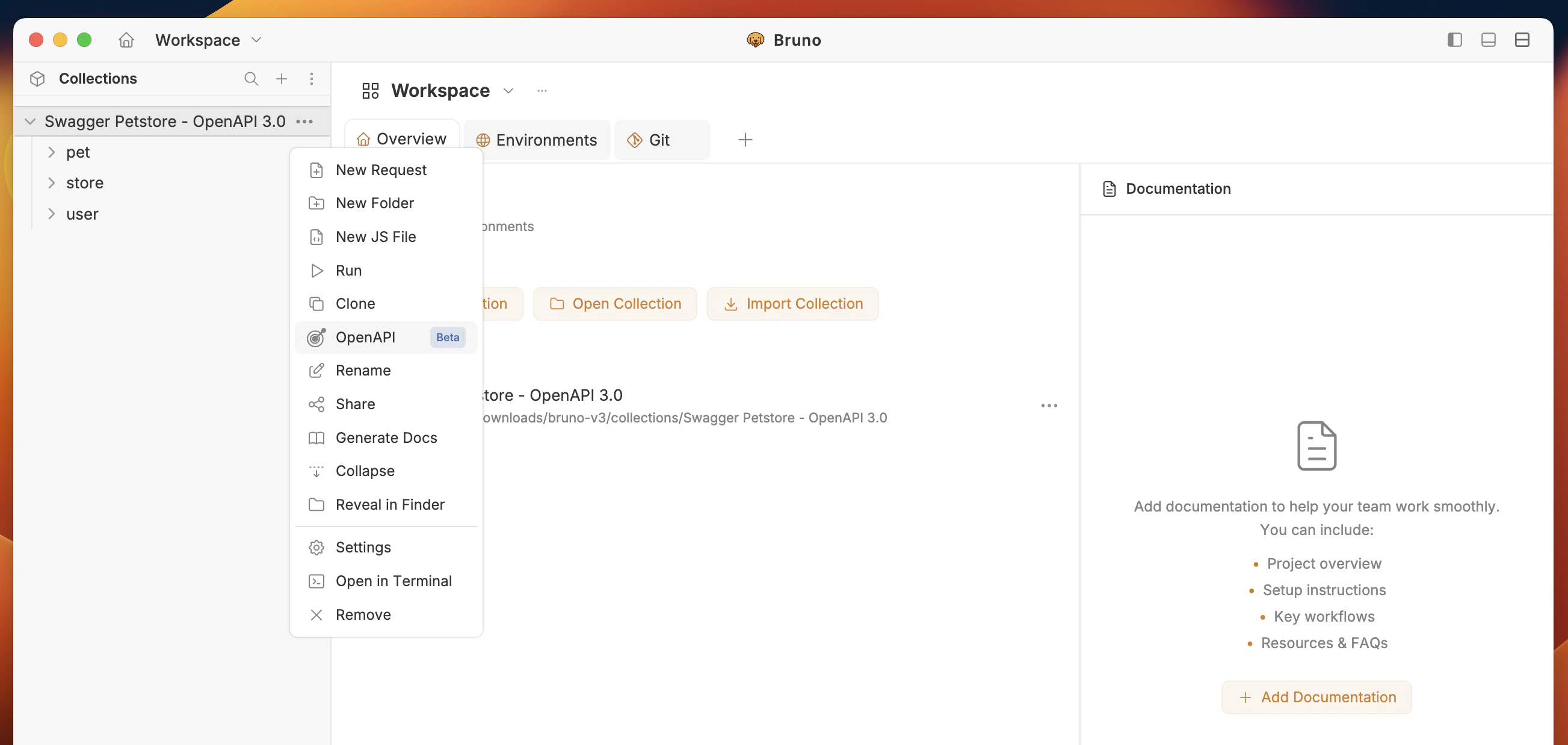
- You have two options:
- Add URL – Enter the remote OpenAPI spec URL, or
- Upload file – Upload an OpenAPI spec file from your machine.
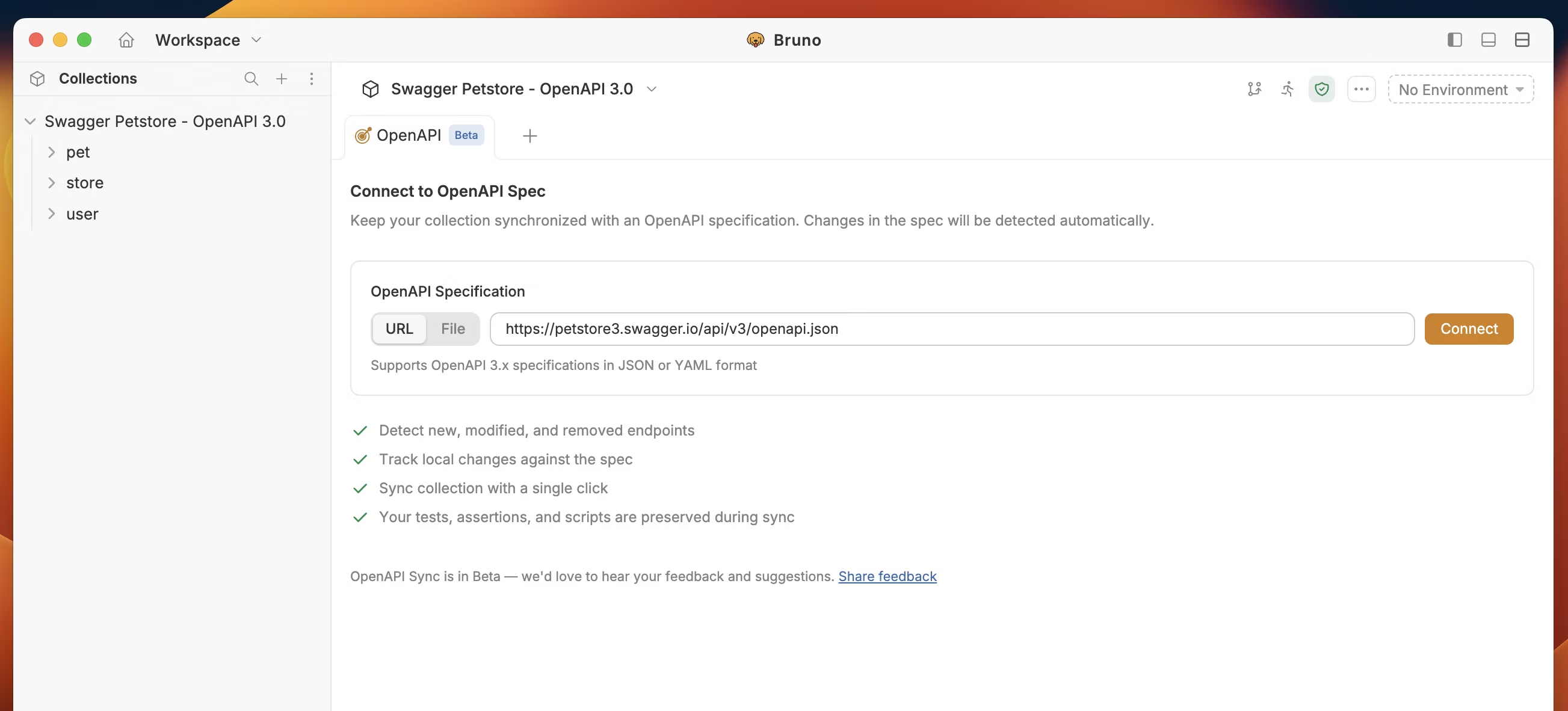
- Click Connect.
New Import
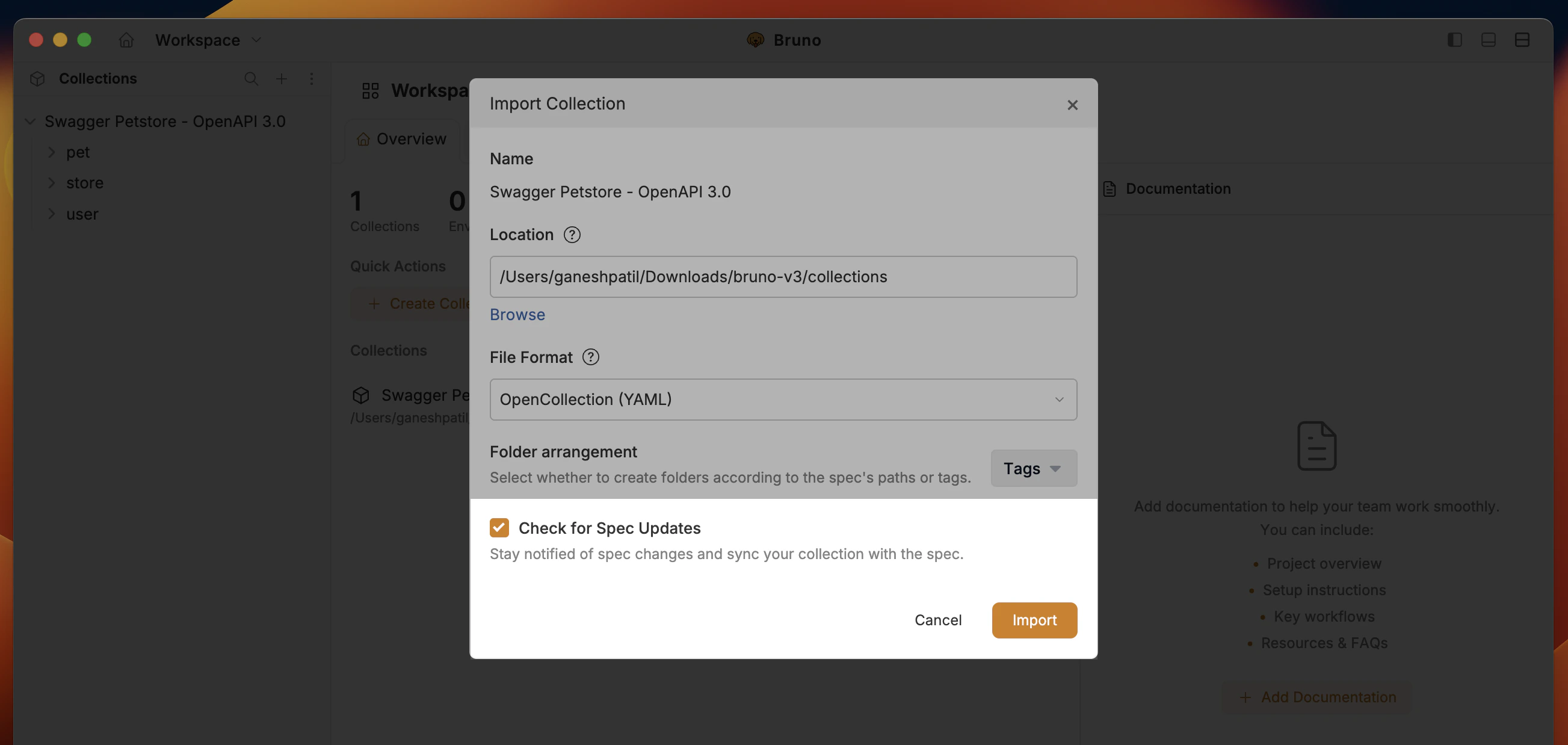
- Import collection with OpenAPI spec file or URL.
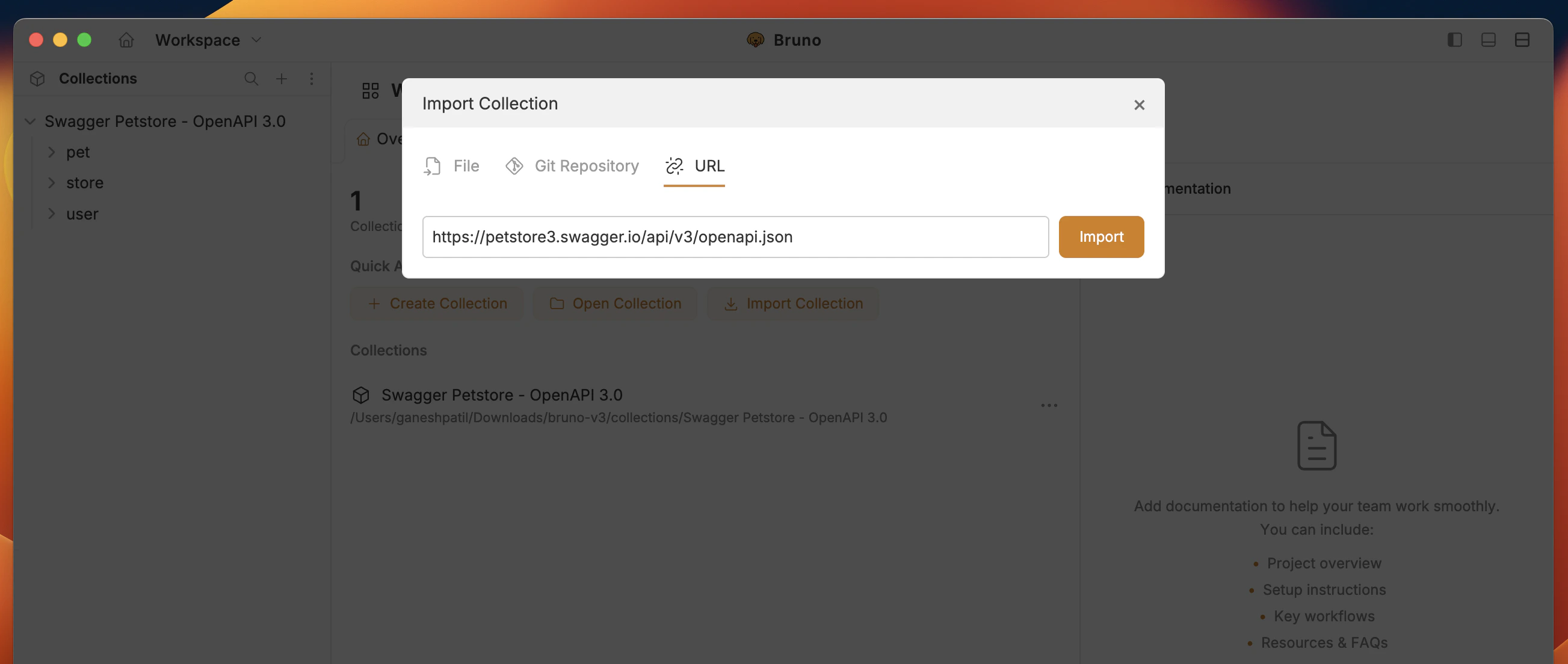
- Enable option Check for Spec Updates to automatically connect to OpenAPI Sync.
OpenAPI Sync UI at a glance
The UI shows a summary of sync status: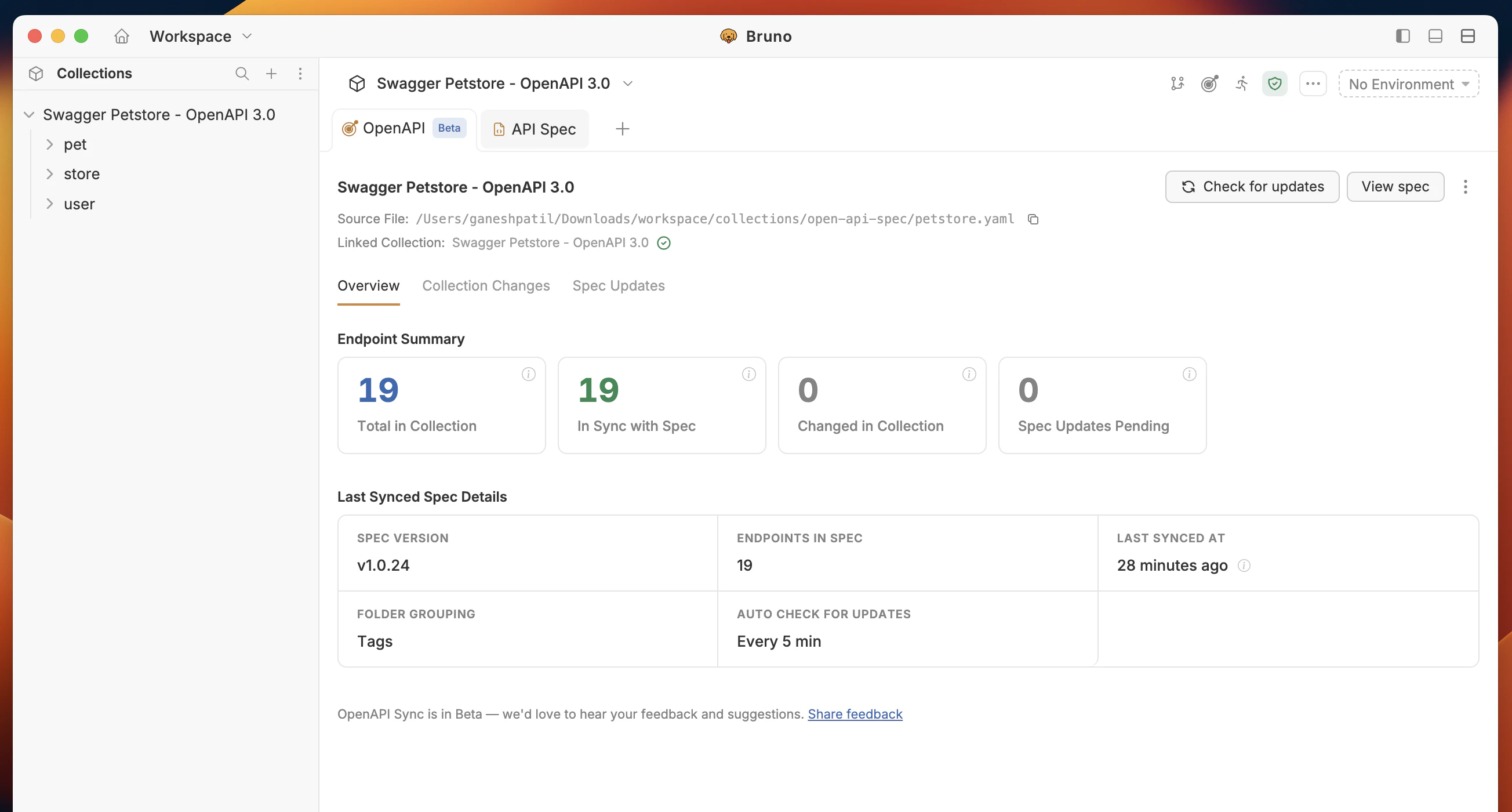
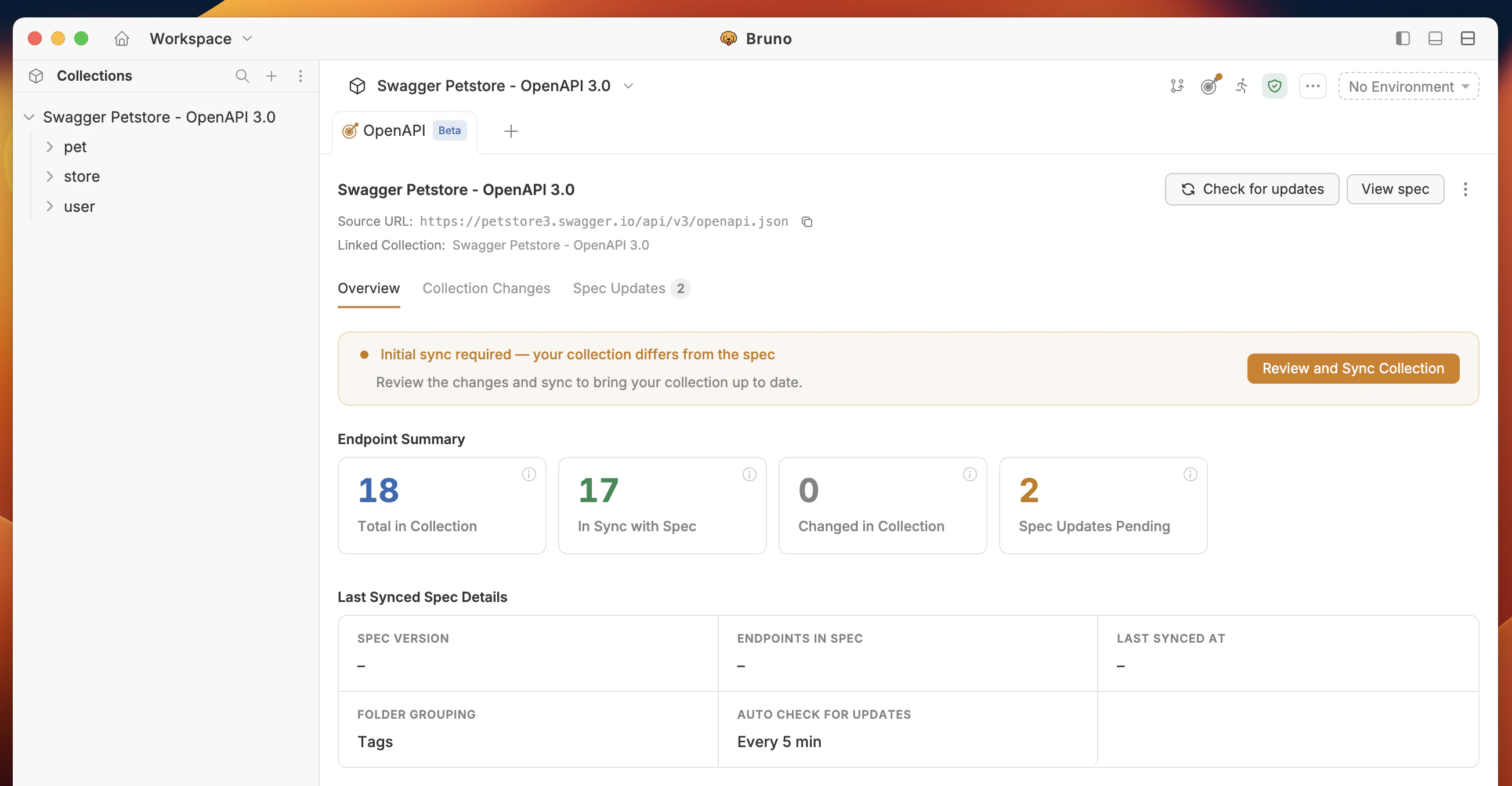
1. Overview
Your dashboard: summary of sync status, pending spec updates, and local collection changes. Shows last synced time and spec version (or title) so you know which spec version the collection is based on.2. Collection Changes
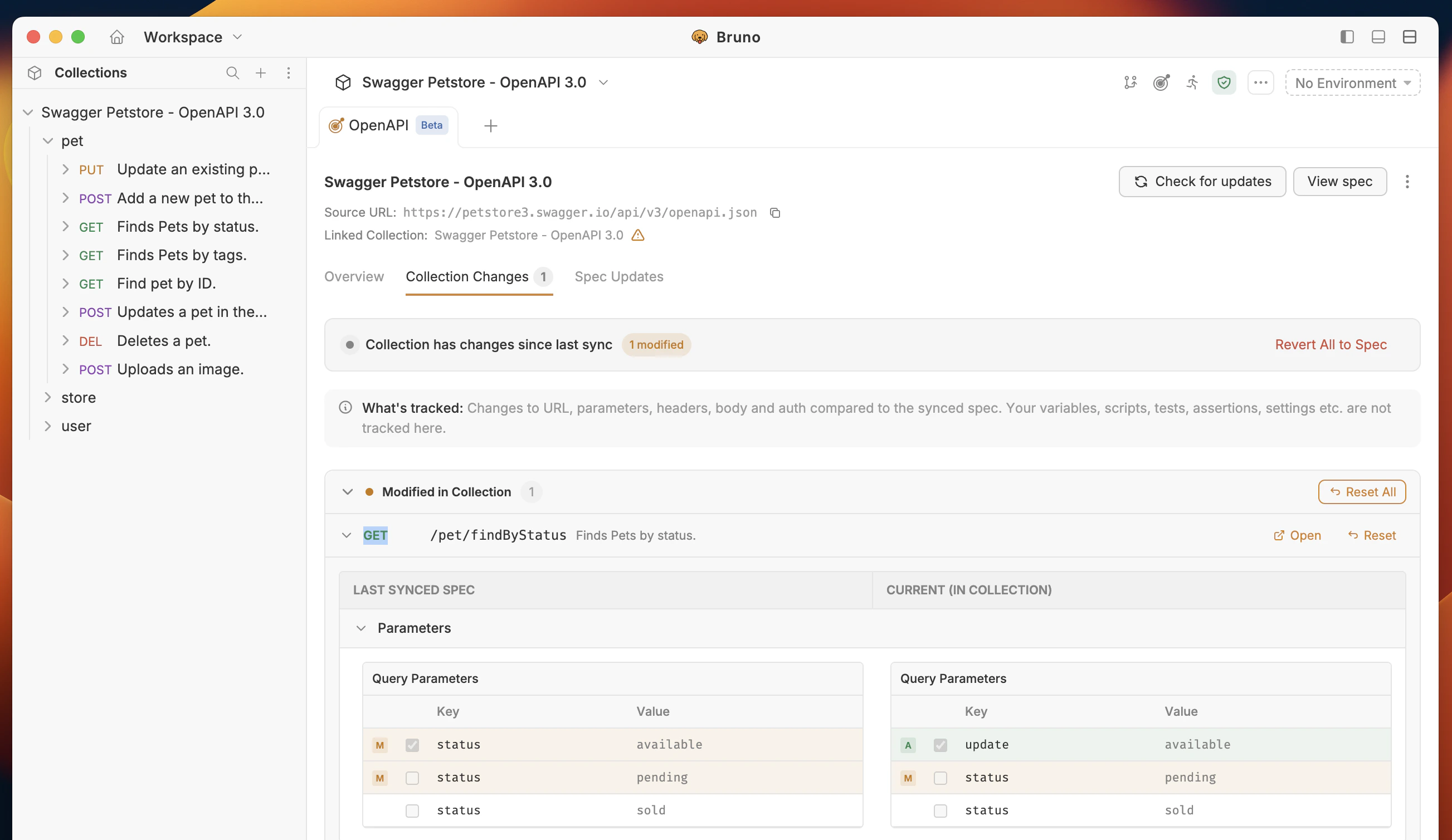
Shows your local collection changes in Bruno:- Deleted – Endpoints or fields removed in your collection.
- Added – Endpoints or fields added in your collection.
- Modified – Endpoints or fields modified in your collection.
3. Spec Updated
Shows when the remote spec has been updated and changes are pending. You can:- Sync collection – Apply the remote spec changes to your local collection
- Skip All – Skip all the changes and continue with your local collection
- Accept All – Accept all the changes
- Keep Current – Keep the current changes
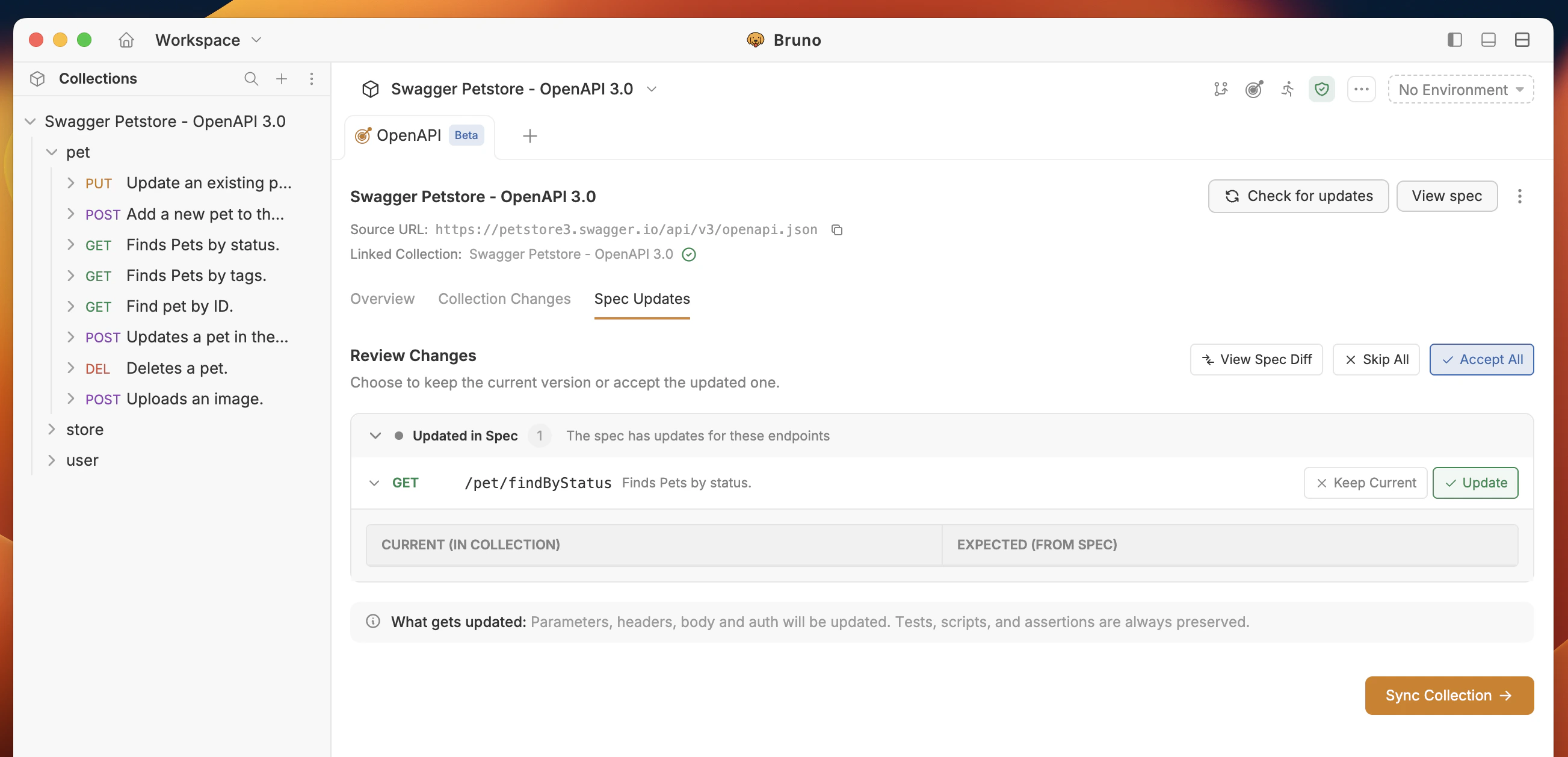
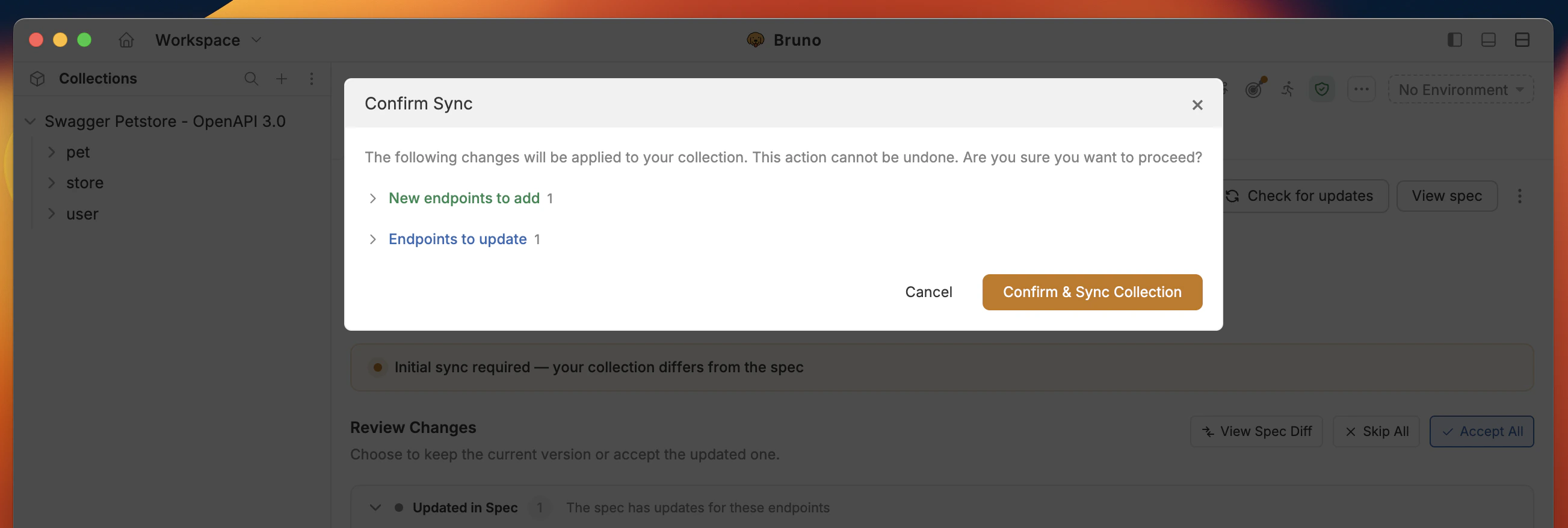
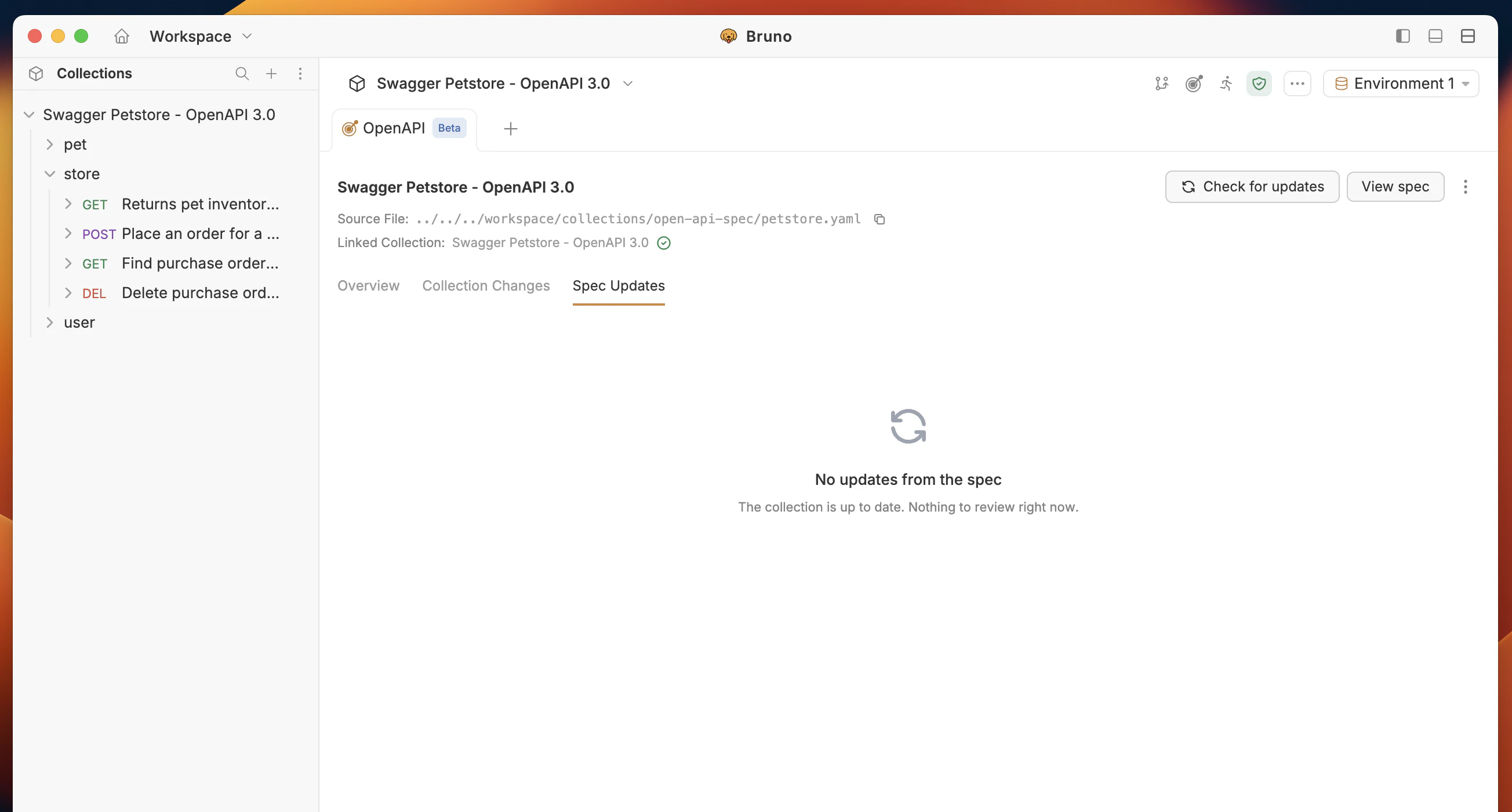
When you and the spec both changed the same field, Bruno keeps your value by default and surfaces the difference in the per-endpoint review so you can decide what to keep.
Sync vs Reset
OpenAPI Sync offers two ways to apply spec changes, each serving a different purpose.Sync
Sync reconciles your collection structure with the spec while keeping the values you have entered. It does not overwrite your work. JSON body Fields that still exist in the spec keep your values. Fields the spec adds are inserted with the spec’s example or default value. Fields the spec removes are dropped. Variable references like{{baseUrl}} or {{token}} are preserved exactly as written.
Params and headers
Entries that still exist in the spec keep your value and enabled state. New spec entries are added. Entries the spec drops are removed.
Form bodies (URL-encoded and multipart)
Same rule as params, keyed on field name.
Auth
When your request and the spec share the same auth mode, all auth field values are preserved including OAuth2 URLs, scopes, grant type, API key placement, client credentials, and any variable references. Bruno does not overwrite these.
When the auth mode differs, the auth fields update to match the new mode and the difference is surfaced as a modification in the review screen.
Reset
Reset is a per-endpoint action available on requests that have drifted from the spec. It replaces the spec-derived fields (URL, params, headers, body, auth) with the spec’s version. Your tests, scripts, and assertions are always kept. Use Reset when you want to deliberately discard local changes to a request and start fresh from the spec.What the diff preview shows
The Spec Updates tab shows what your collection will look like after sync, not the raw spec. Fields you have already set to the correct value do not appear as changes. Only structural additions, removals, and auth mode differences are shown. This means reviewing a sync is straightforward: if a field appears in the diff, something actually changed.What gets preserved across both Sync and Reset
- Pre-request scripts
- Post-response scripts
- Tests and assertions
- Request settings
collection/resources/spec/ so sync works offline.
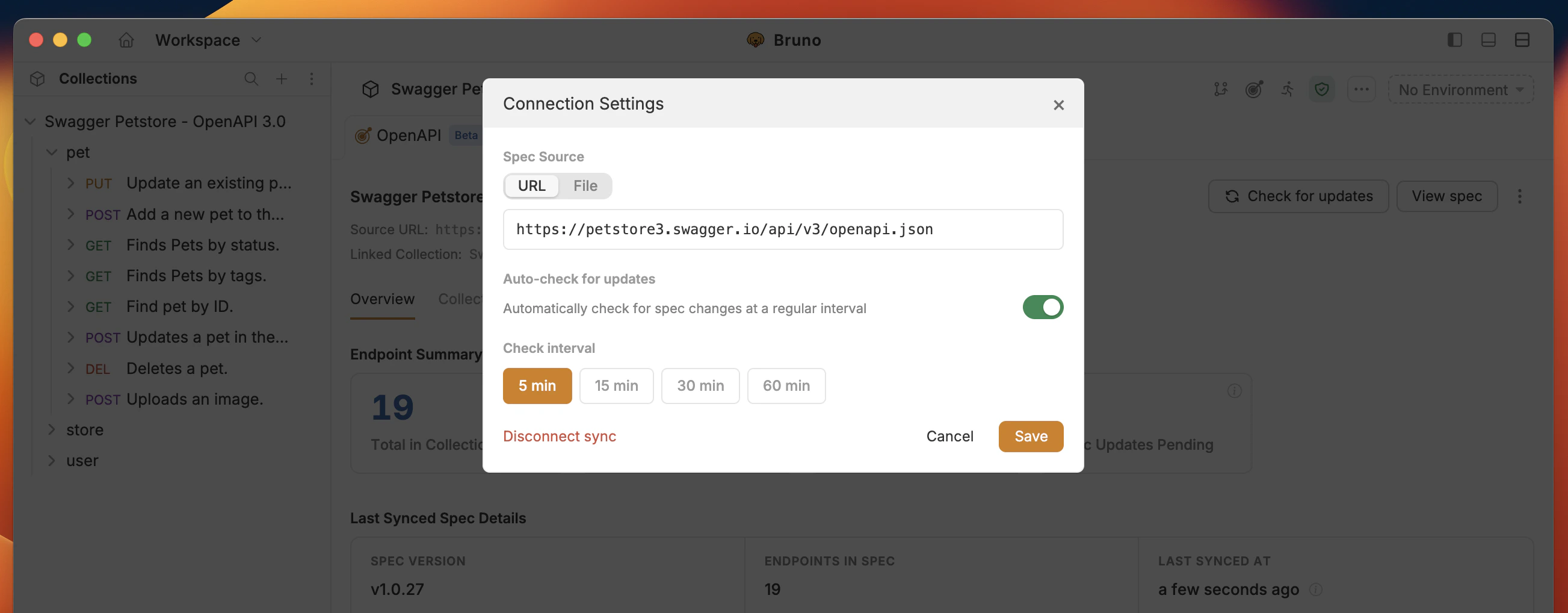
Connection Settings
OpenAPI Sync checks for spec updates automatically every 5 minutes. You can control this setting as follows:- Click the context menu (
···) next to View spec.
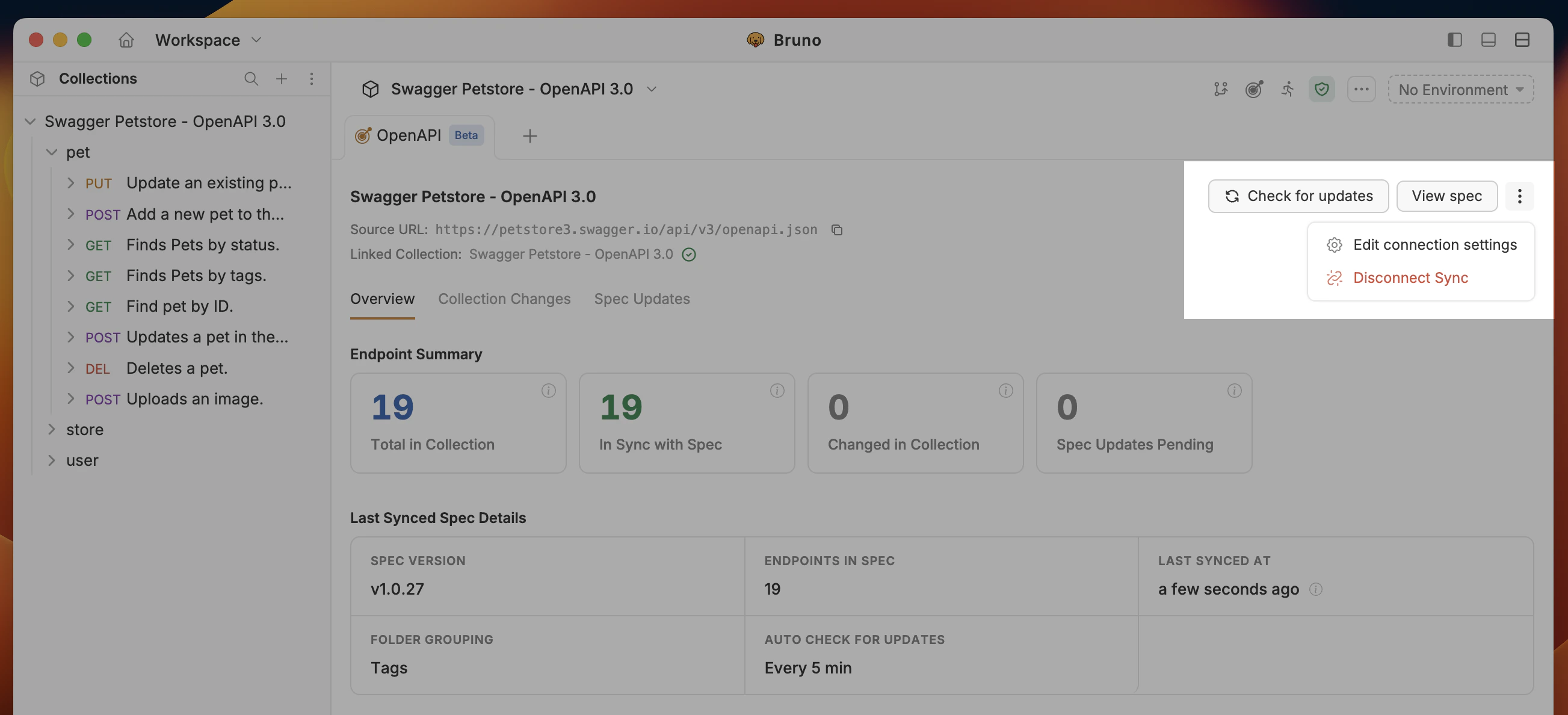
- Select Edit connection settings.
Inspect Spec
To view and inspect the OpenAPI spec:- Click View spec on the top right-hand side of the OpenAPI Sync UI.