

Setting up OAuth 1.0
- Open your request.
- Navigate to the Auth tab.
- Select OAuth 1.0 from the dropdown list and configure the required fields.
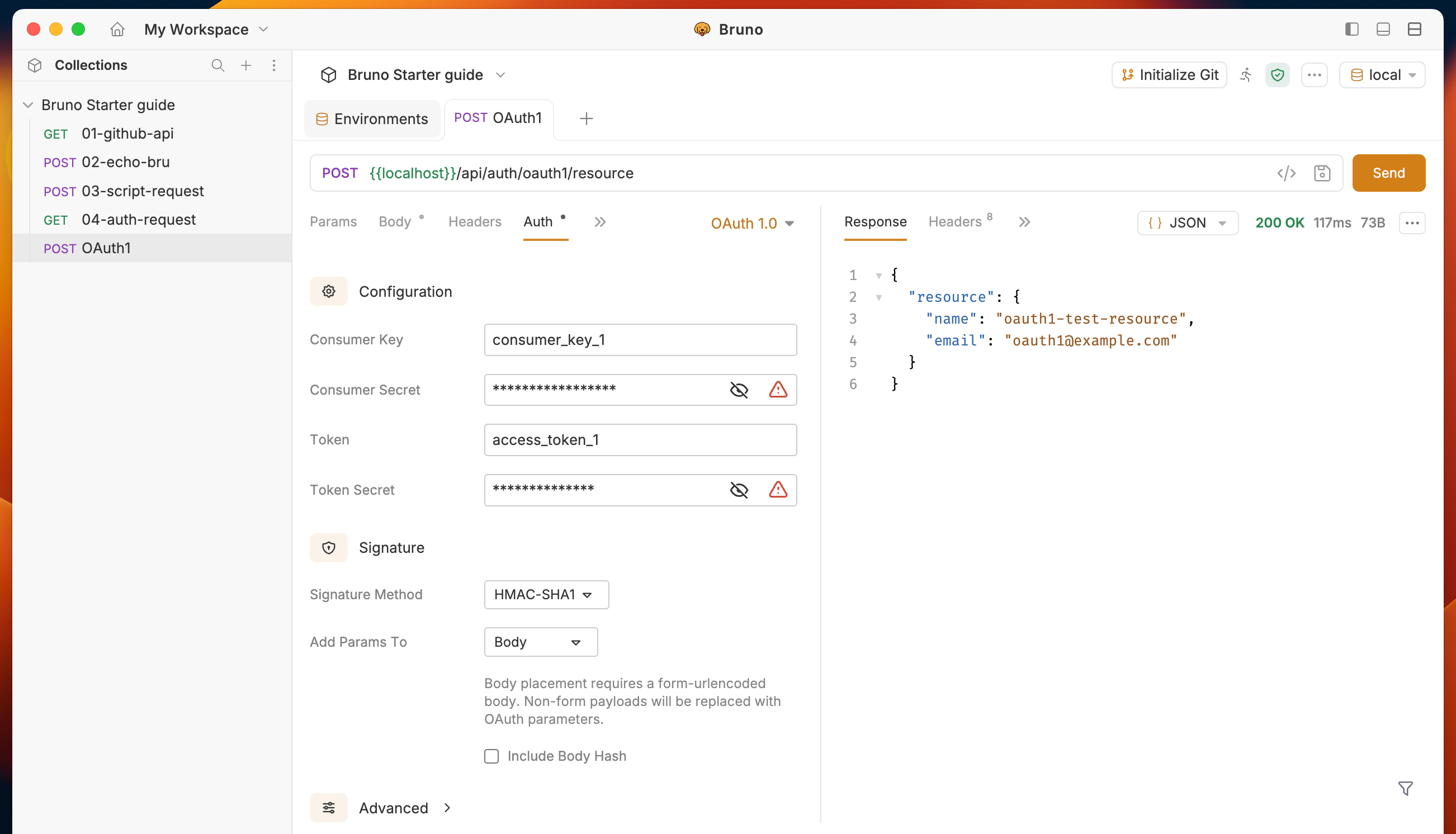
Configuration fields
Core credentials
Signature
Advanced
These fields are optional and are hidden in a collapsible section.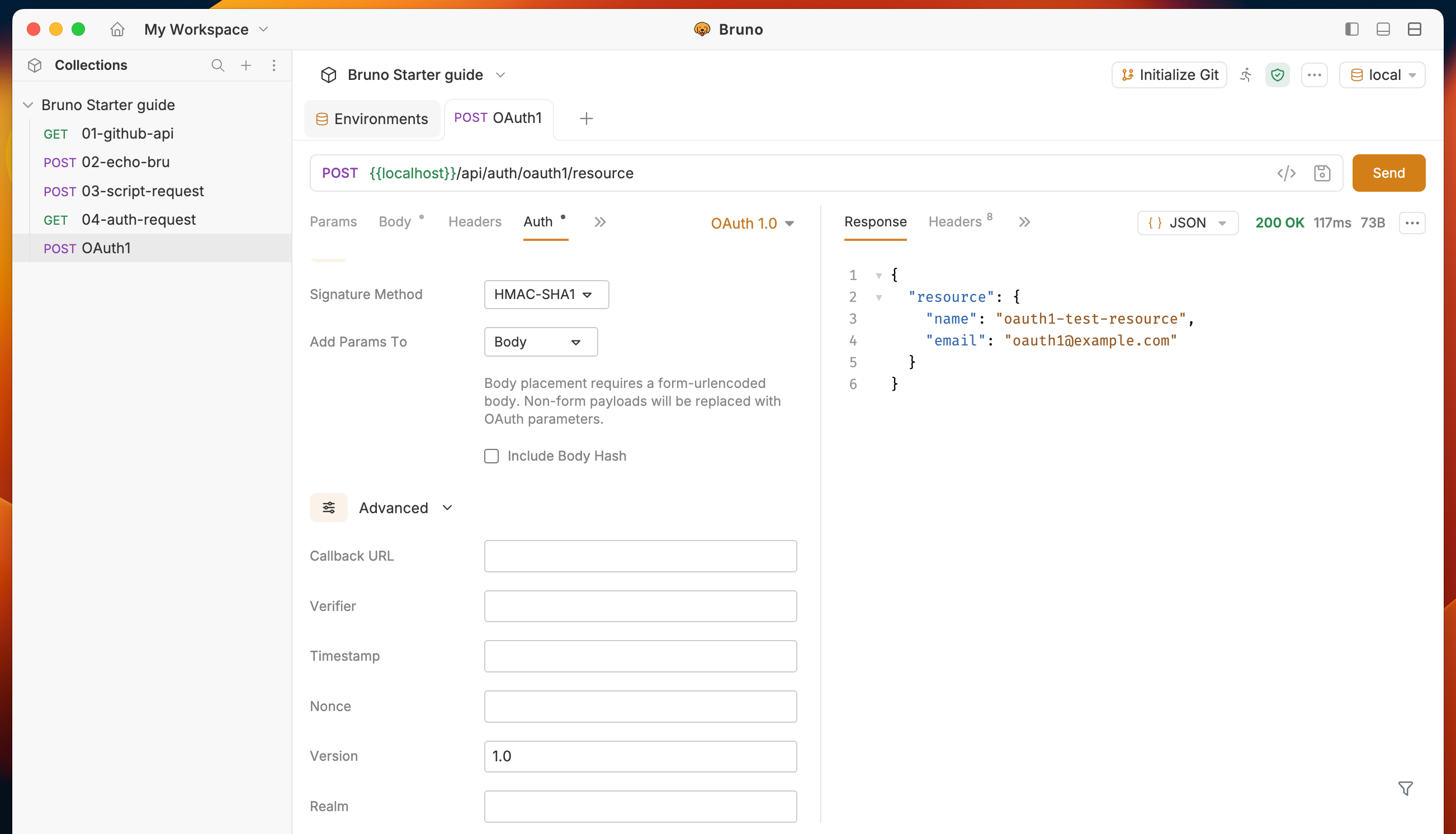
All OAuth 1.0 fields support Bruno variables. For example, you can store your consumer key in an environment variable and reference it as
{{consumerKey}}.Supported signature methods
Bruno supports seven signature methods: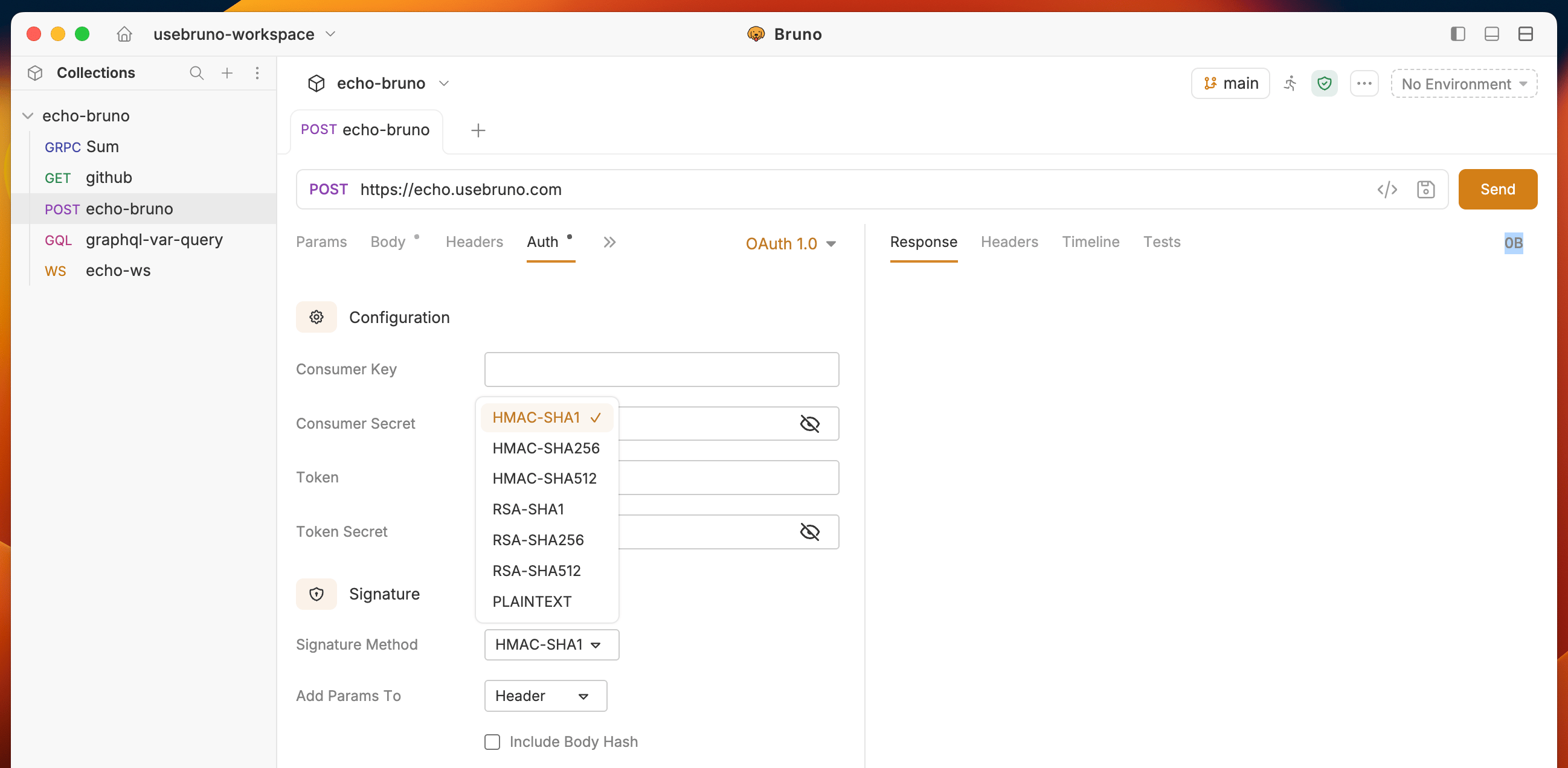
Parameter placement
You can choose where OAuth parameters are included in your requests:- Header (default) — OAuth parameters are sent in the
Authorizationheader, formatted per RFC 5849. - Query Params — OAuth parameters are appended to the request URL as query parameters.
- Body — OAuth parameters are merged into the request body as
application/x-www-form-urlencodedparameters.
CLI support
OAuth 1.0 is fully supported in the Bruno CLI. When you run collections or requests viabru run, OAuth 1.0 authentication is applied automatically to requests that have OAuth 1.0 configured.