

Prerequisites
- A GraphQL request created in your collection
- Access to a GraphQL endpoint that supports introspection, or a local schema file
Open the query builder
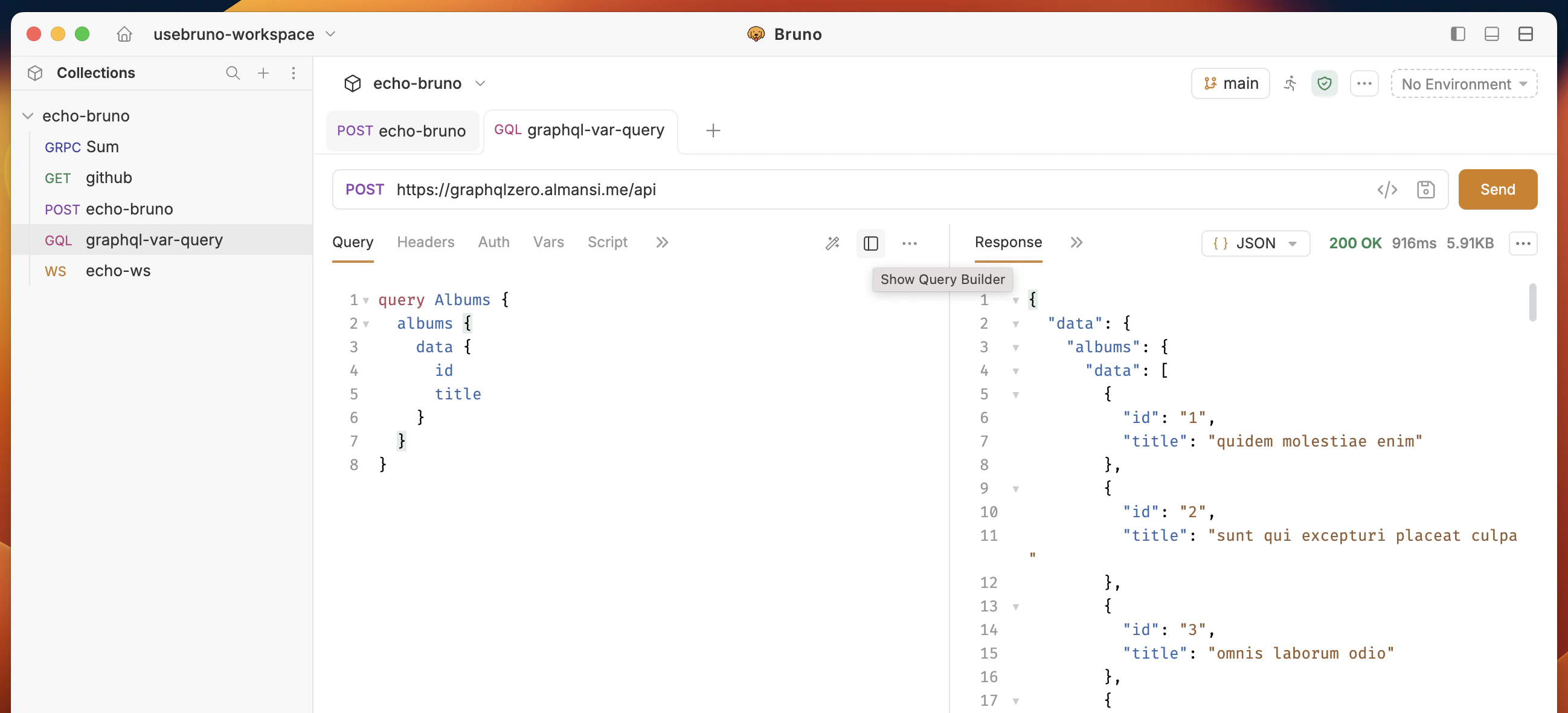
- Open a GraphQL request and navigate to the Query tab.
- Click the sidebar toggle icon in the toolbar on the right side of the query editor.
Load a schema
The query builder requires a GraphQL schema to display available fields. You can load a schema in two ways:- Load from introspection — Sends an introspection query to the endpoint URL and builds the schema from the response.
- Upload schema file — Loads a schema from a local
.graphqlor.jsonfile on your machine.
Build a query
After the schema loads, the query builder displays the available root operation types (Query, Mutation, Subscription) with their field counts.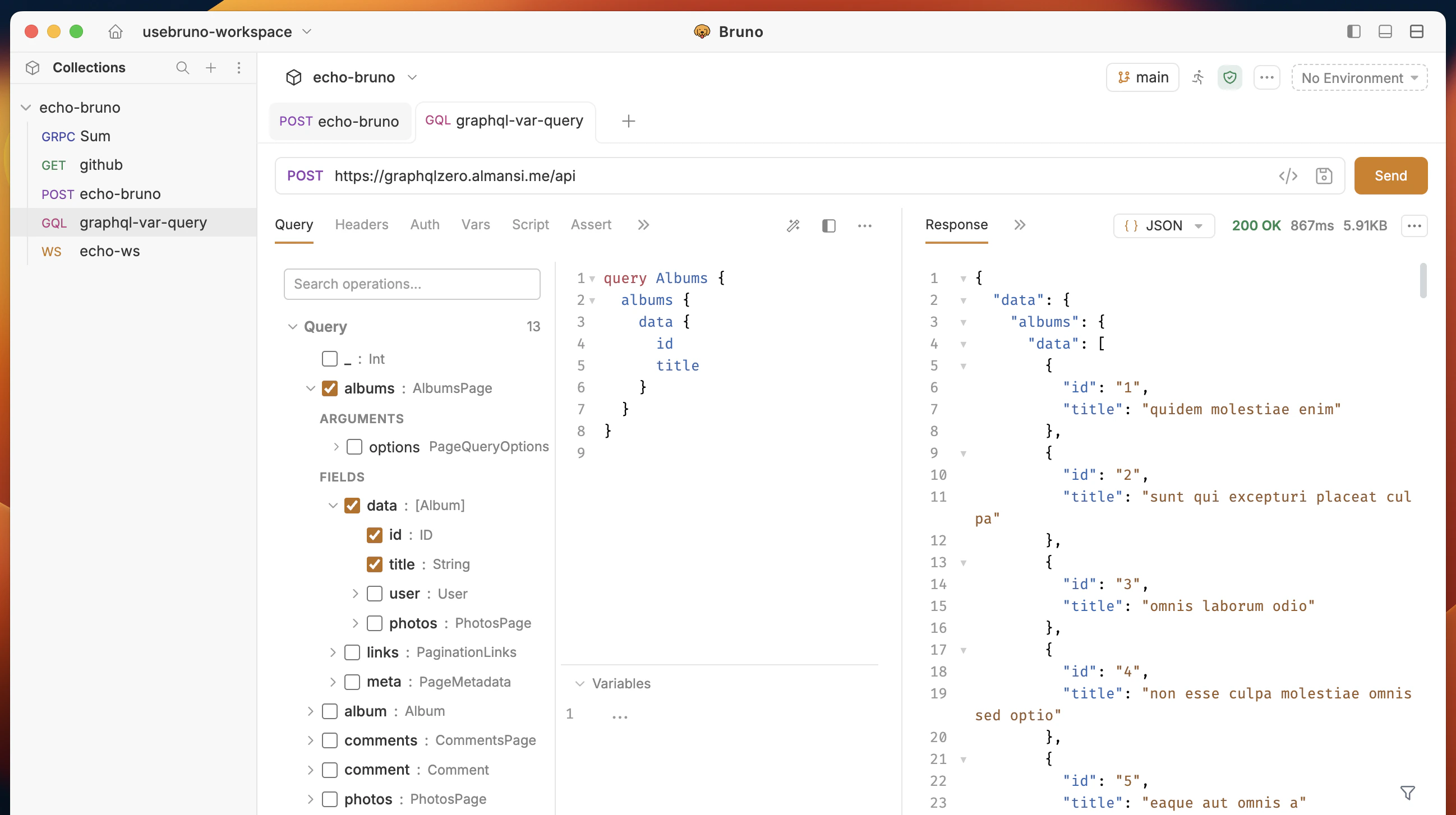
Select fields
- Expand a root type by clicking the chevron to see its fields.
- Check a field’s checkbox to include it in the generated query.
- Expand non-leaf fields to see nested child fields, then check the ones you need.
- Selecting a nested field automatically selects its parent fields.
Only one operation type can be active at a time. If you have fields selected under Query, the Mutation and Subscription sections are disabled.
Work with arguments
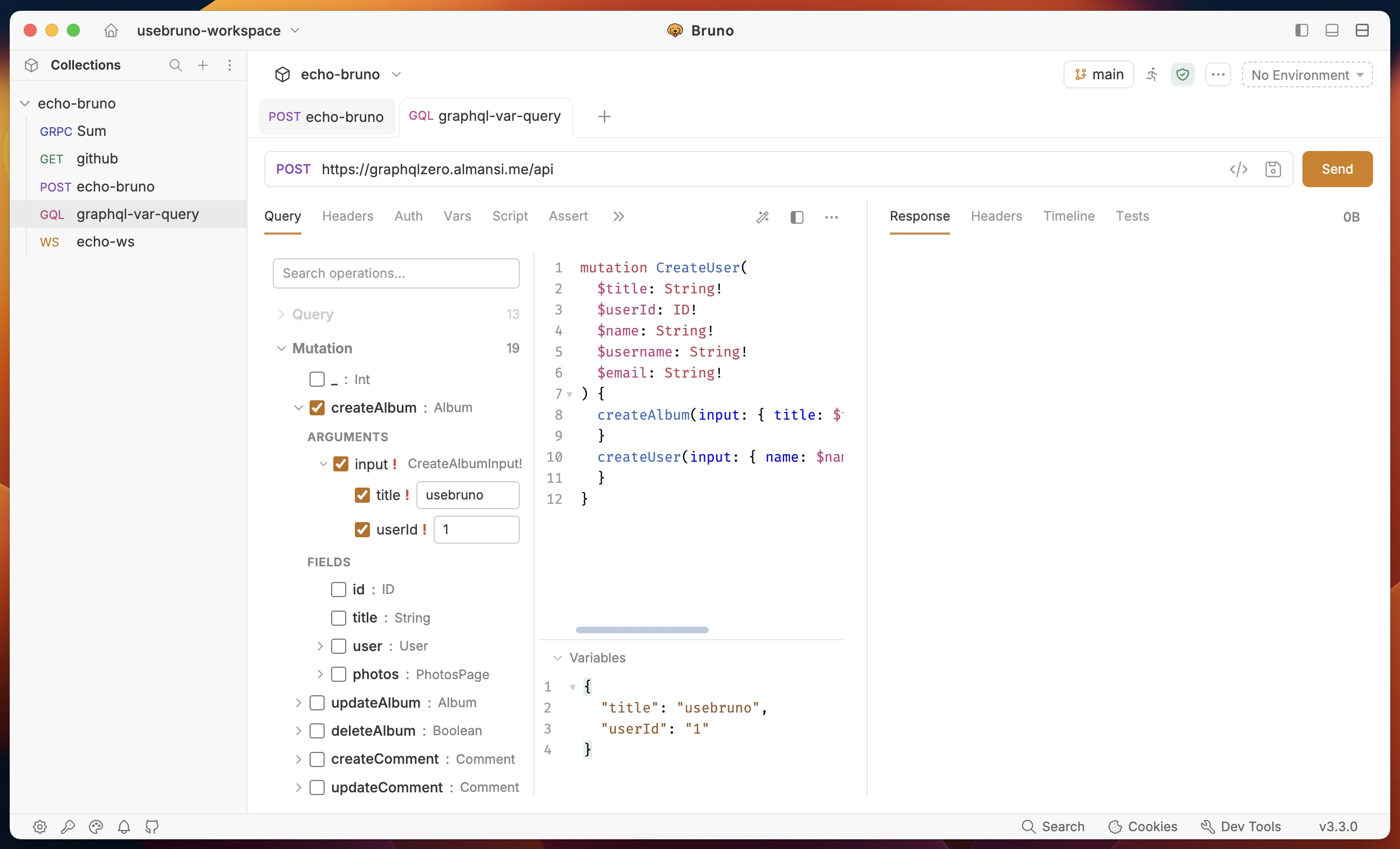
When you expand a field that accepts arguments, an Arguments section appears above its child fields.- Each argument has a checkbox to enable or disable it.
- Required arguments (marked with
!) are automatically enabled when you select the field. - Enabled arguments display a value input where you can enter the argument value.
- The input type adapts to the argument — enum types show a dropdown, booleans show a true/false selector, and other scalars show a text input.
$variable declarations to the operation and populates the variables JSON below the query editor.
Work with union types
For fields that return union types, the query builder displays inline fragment options (... on TypeName). You can expand and select fields for each union member independently.
Search fields
Use the search box at the top of the query builder to filter root-level fields by name. This is useful when working with schemas that have many operations.Bidirectional sync with the query editor
The query builder and the query editor stay in sync:- Builder to editor — When you check fields, toggle arguments, or set values in the builder, the query text updates automatically in the editor.
- Editor to builder — When you edit the query text directly, the builder updates its selections to match.
Limitations
- The query builder supports one operation per request.
- Nested depth is limited to 7 levels.
- List arguments for complex input object types (for example,
[InputType!]) are not supported in the visual builder. Use the query editor directly for these cases.