> ## Documentation Index
> Fetch the complete documentation index at: https://docs.usebruno.com/llms.txt
> Use this file to discover all available pages before exploring further.
# Overview
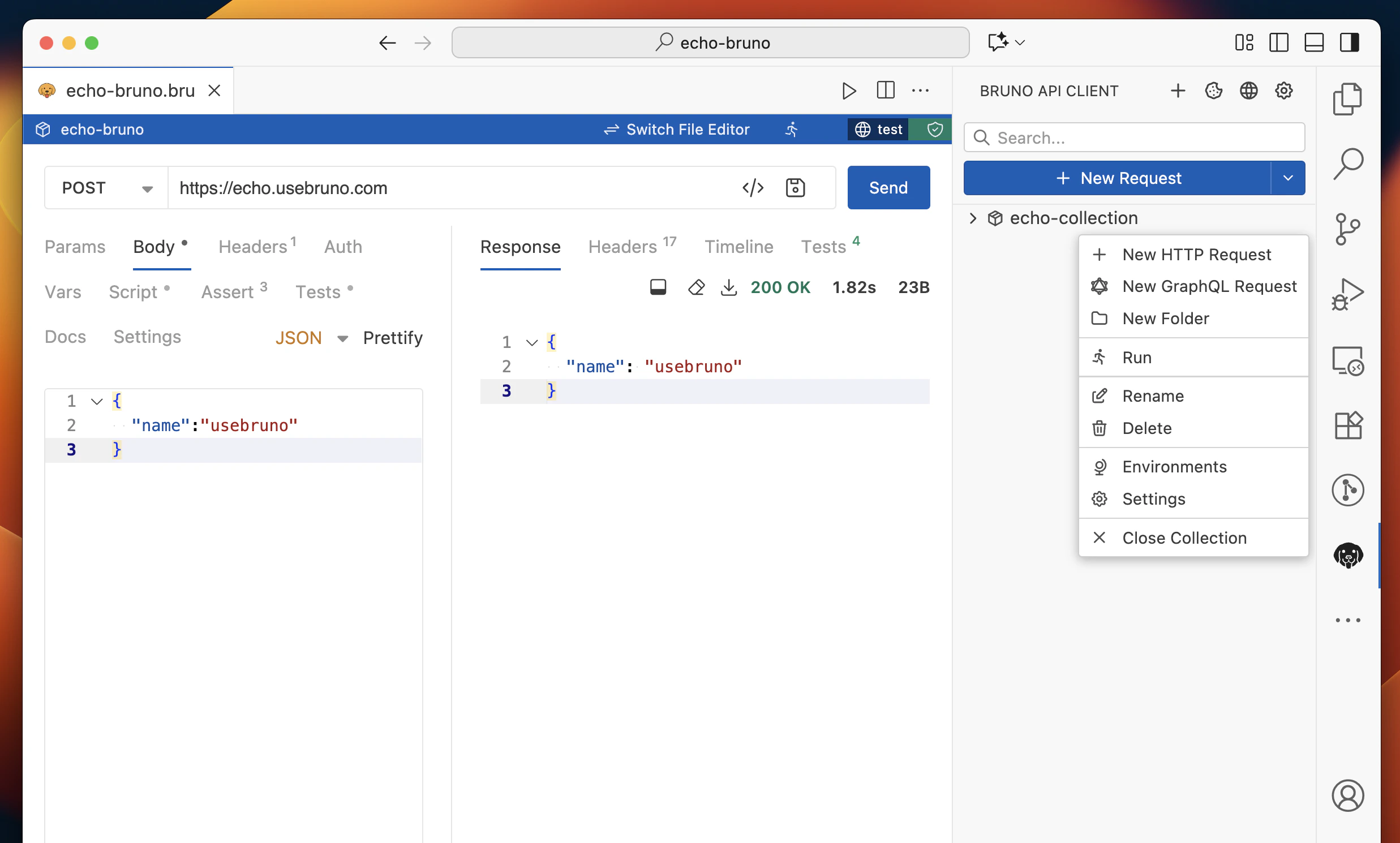
The Bruno VS Code extension brings the full power of Bruno's API testing capabilities directly into your development environment. This extension transforms VS Code into a comprehensive API development and testing platform, eliminating the need to switch between multiple tools during your development workflow.
You can install the extension from the official [Visual Studio Code Marketplace](https://marketplace.visualstudio.com/items?itemName=bruno-api-client.bruno)
and share your feedback to help us improve.
## Core Features
* **Native .bru file support** - Open and edit Bruno request files with rich GUI interface
* **Inline API testing** - Send requests directly from VS Code without switching applications
* **Dual view modes** - Switch seamlessly between GUI and text editor views
* **Collection management** - Organize and manage your API collections within VS Code
* **Syntax highlighting** - Rich syntax highlighting for `.bru` files and API request formats
## Advanced Capabilities
* **Environment variables** - Manage multiple environments and switch between them easily
* **Request scripting** - Write pre-request and post-response scripts for advanced testing
* **Authentication support** - Handle various auth methods including Basic, Bearer, OAuth, and more
* **GraphQL support** - Send and test GraphQL queries with syntax highlighting
* **File uploads** - Handle multipart form data and file uploads in requests