> ## Documentation Index
> Fetch the complete documentation index at: https://docs.usebruno.com/llms.txt
> Use this file to discover all available pages before exploring further.
# Runtime Variables
## Overview
Runtime variables are **ephemeral variables** that exist only during the runtime of the API client. These variables are scoped within a collection, meaning they are accessible to all requests within that collection. However, once the API client is closed or restarted, the values of these variables are lost. They are ideal for managing temporary data such as session tokens, dynamic parameters, or other values that are generated or updated during the execution of requests.
### Creating a Runtime Variable
To create a runtime variable, you can use the `bru.setVar(name, value)` function. This function allows you to store any value (e.g., tokens, response data, temporary user inputs) as a runtime variable.
#### Example:
Suppose you receive an authentication token as part of a response body and want to reuse it in subsequent requests. You can capture it using the `bru.setVar()` function in your post response script.
```javascript theme={null}
bru.setVar("token", res.body.token);
```
### Using a Runtime Variable
Once a runtime variable is created, you can use it in subsequent API requests by referencing it with the `{{variableName}}`syntax. The variable's value will be dynamically injected into the request at runtime.
#### Example:
If you’ve stored a token variable using `bru.setVar()`, you can use it in headers, query parameters, body, or URL of subsequent requests like this:
```plaintext theme={null}
Authorization: Bearer {{token}}
```
You can also use the `bru.getVar()` function to get the value of a runtime variable and use it inside your pre request scripts.
```javascript theme={null}
const token = bru.getVar("token");
req.setHeader("Authorization", `Bearer ${token}`);
```
### Viewing Runtime Variables
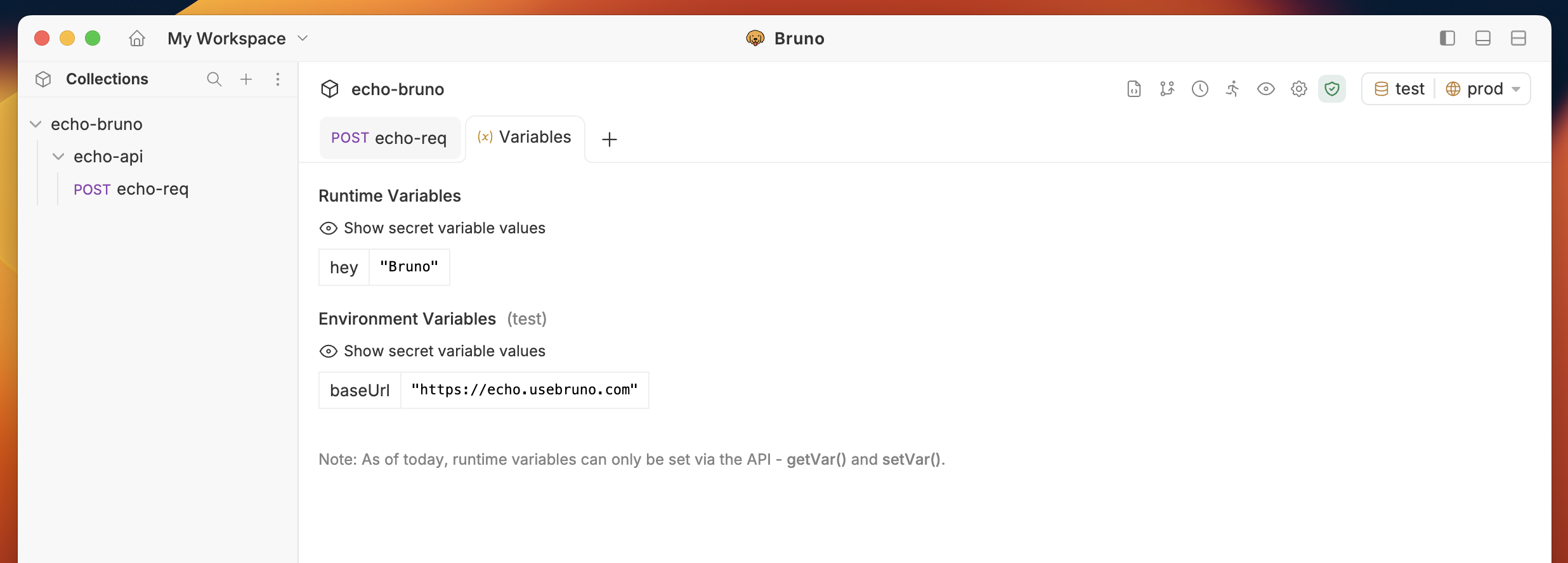
You can view all runtime variables by clicking on the **Eye** icon located in the top-right corner of the navigation bar
The request must be executed before you can view the runtime variables.
Example:
Consider the following script inside Bruno, which creates a runtime variable with a `key` and value `pair`. In this case, the key is *hey* and the value is *Bruno*.
```js theme={null}
bru.setVar("hey", "Bruno");
```
Once the request is executed, the runtime variable will be available for viewing. You should see something like this: