> ## Documentation Index
> Fetch the complete documentation index at: https://docs.usebruno.com/llms.txt
> Use this file to discover all available pages before exploring further.
# Prompt Variables
## Overview
Prompt variables are **ephemeral variables** in Bruno that allow you to provide values interactively at the time a request is executed. Unlike other variable types, prompt variables do not have predefined values and are not persisted. They exist only for the duration of a single request execution.
Prompt variables are ideal for:
* Sensitive data you don't want to save in your collection
* Ad-hoc values that change frequently
* Scenarios where you want to manually provide input before sending a request
## Syntax
Prompt variables use the following syntax:
`{{?Prompt Message}}`
* The `?` indicates this is a prompt variable
* The text after `?` is the message shown to you in the prompt dialog
Prompt variables are highlighted in blue in the Bruno UI.
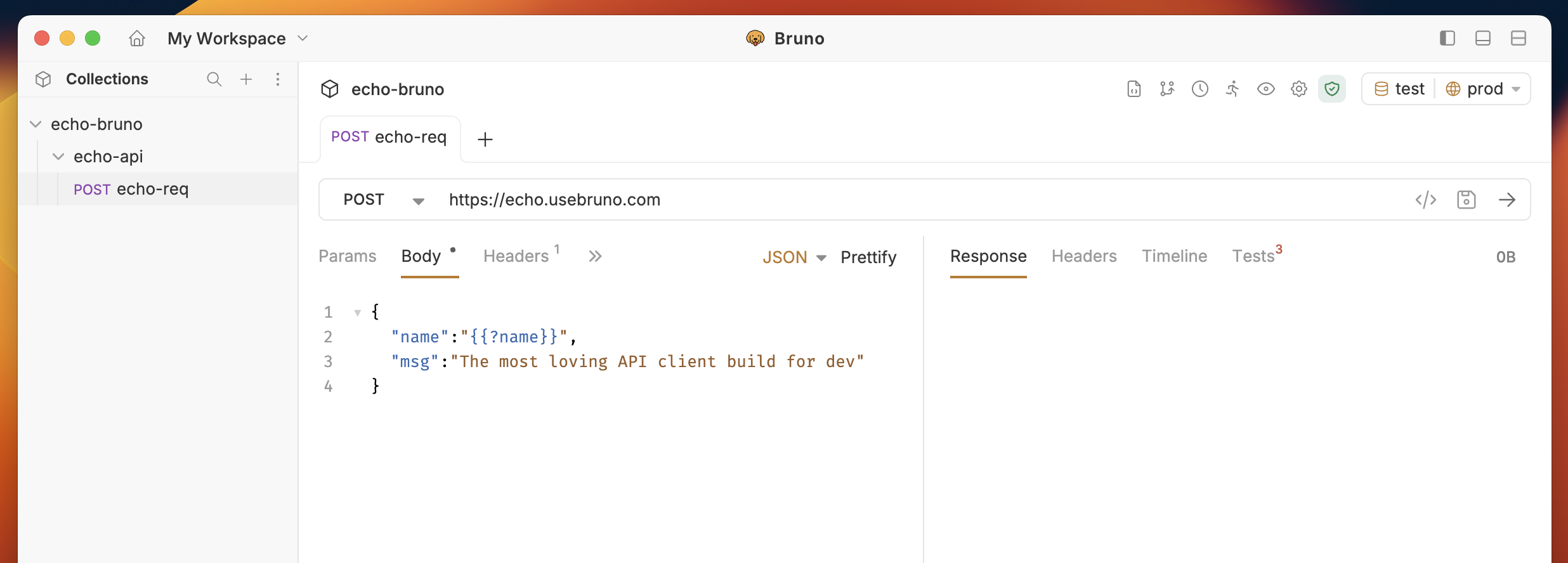 ## Using Prompt Variables
You can use prompt variables anywhere markup variables are supported in Bruno, including:
* URLs and query parameters
* Headers
* Request bodies
* Authentication fields
### How It Works
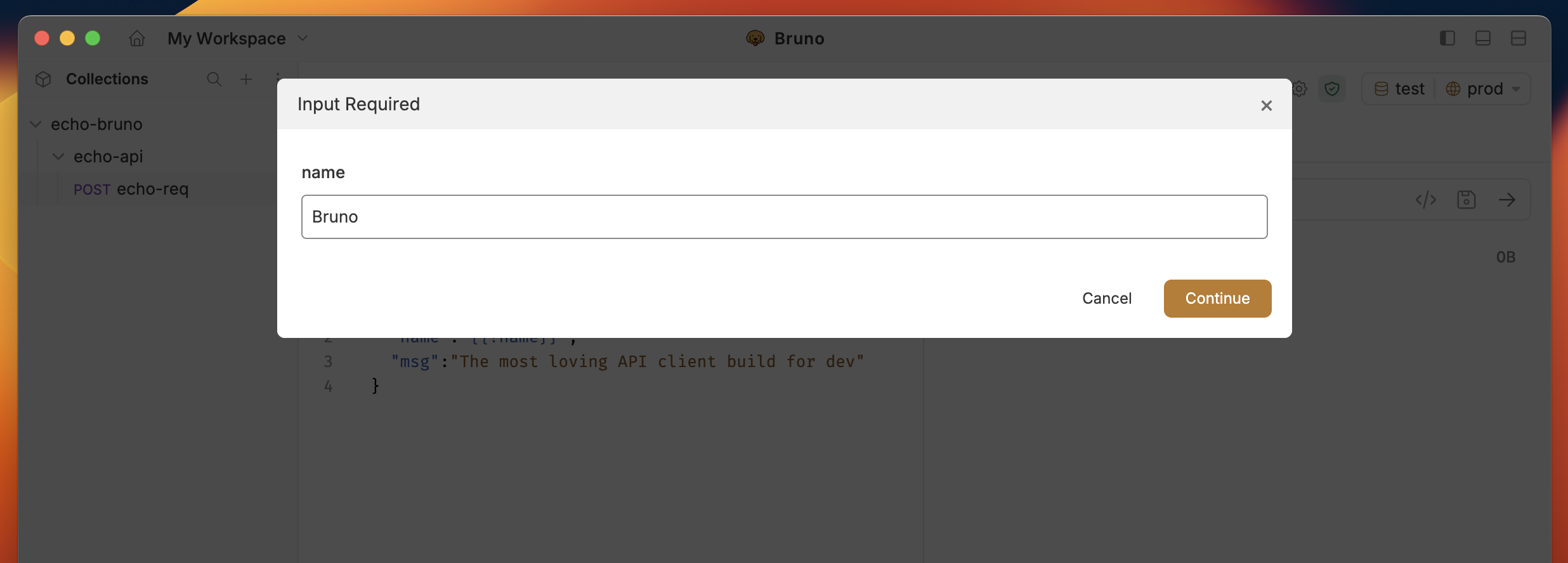
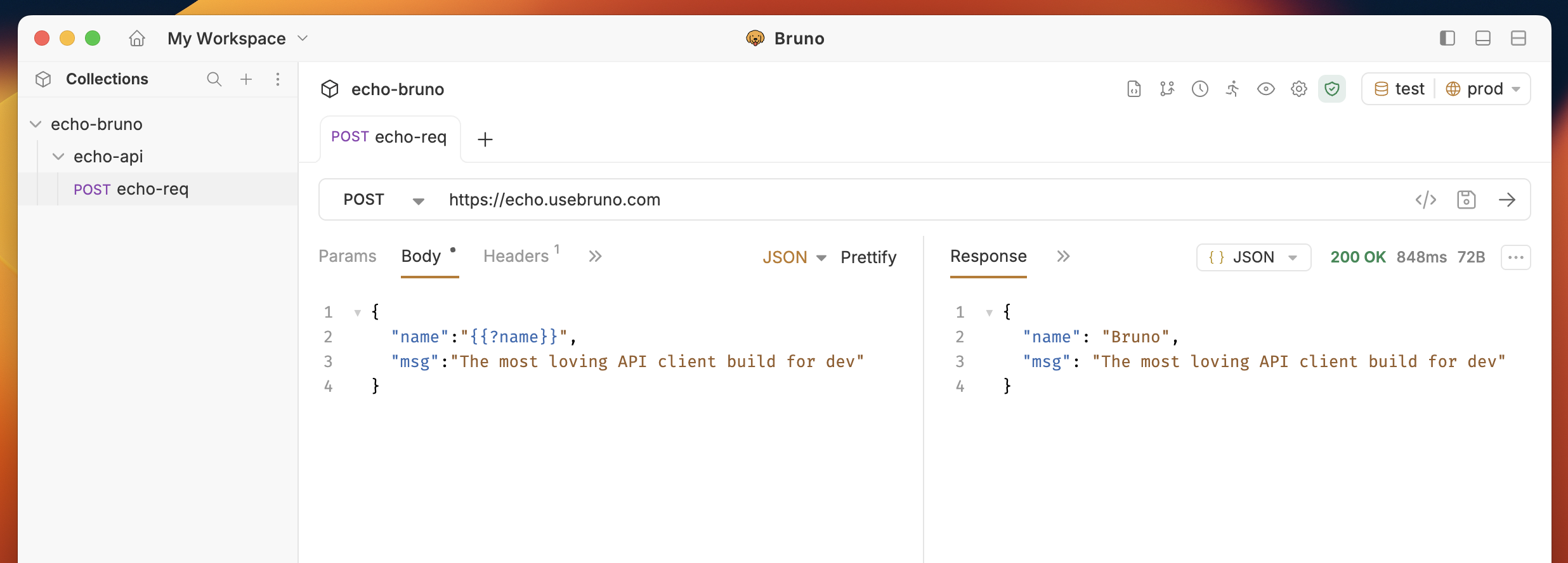
When you execute a request containing prompt variables, Bruno displays a modal dialog listing all prompt variables with their prompt messages. You provide values for each variable before the request is sent.
**Example:**
If your request body contains a prompt variable like `{{?Prompt Var}}`:
```json theme={null}
{
"title": "{{?Prompt Var}}"
}
```
Bruno will display a prompt dialog asking for "Prompt Var" before sending the request.
## Using Prompt Variables
You can use prompt variables anywhere markup variables are supported in Bruno, including:
* URLs and query parameters
* Headers
* Request bodies
* Authentication fields
### How It Works
When you execute a request containing prompt variables, Bruno displays a modal dialog listing all prompt variables with their prompt messages. You provide values for each variable before the request is sent.
**Example:**
If your request body contains a prompt variable like `{{?Prompt Var}}`:
```json theme={null}
{
"title": "{{?Prompt Var}}"
}
```
Bruno will display a prompt dialog asking for "Prompt Var" before sending the request.
 ### Deduplication
If you use the same prompt variable (like `{{?Username}}`) multiple times in a request, Bruno will only prompt you once and substitute the value everywhere it appears.
**Example:**
```json theme={null}
{
"user": "{{?Username}}",
"profile": {
"name": "{{?Username}}"
}
}
```
You will only be prompted for "Username" once, and the value will be used in both locations.
### Edge Cases
**Empty Values:**\
If you leave a prompt variable blank (without entering any value), it will be replaced with an empty string in the request.
**Canceling the Prompt:**\
If you cancel the prompt dialog, the request will not be sent.
## Behavior in Automated Environments
When running collections via **Bruno CLI** or the **Collection Runner**, any requests containing prompt variables will be **skipped** and marked as `skipped` in the output. This is because these automated environments do not support interactive prompting.
## Viewing Prompt Variables
Prompt variables are ephemeral and only exist during request execution. They are not displayed in the variables viewer and are not accessible in scripts (pre-request or post-response scripts).
### Deduplication
If you use the same prompt variable (like `{{?Username}}`) multiple times in a request, Bruno will only prompt you once and substitute the value everywhere it appears.
**Example:**
```json theme={null}
{
"user": "{{?Username}}",
"profile": {
"name": "{{?Username}}"
}
}
```
You will only be prompted for "Username" once, and the value will be used in both locations.
### Edge Cases
**Empty Values:**\
If you leave a prompt variable blank (without entering any value), it will be replaced with an empty string in the request.
**Canceling the Prompt:**\
If you cancel the prompt dialog, the request will not be sent.
## Behavior in Automated Environments
When running collections via **Bruno CLI** or the **Collection Runner**, any requests containing prompt variables will be **skipped** and marked as `skipped` in the output. This is because these automated environments do not support interactive prompting.
## Viewing Prompt Variables
Prompt variables are ephemeral and only exist during request execution. They are not displayed in the variables viewer and are not accessible in scripts (pre-request or post-response scripts).