> ## Documentation Index
> Fetch the complete documentation index at: https://docs.usebruno.com/llms.txt
> Use this file to discover all available pages before exploring further.

# Configuring and Fetching secrets

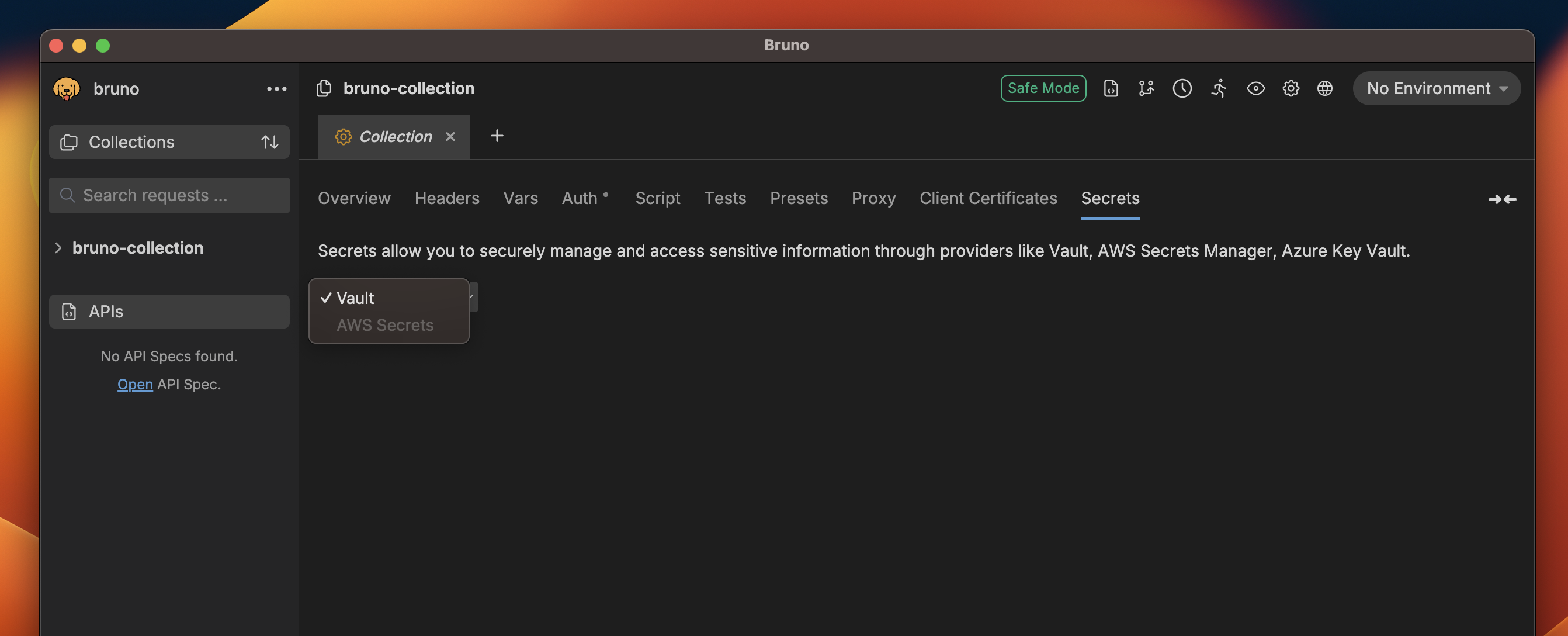
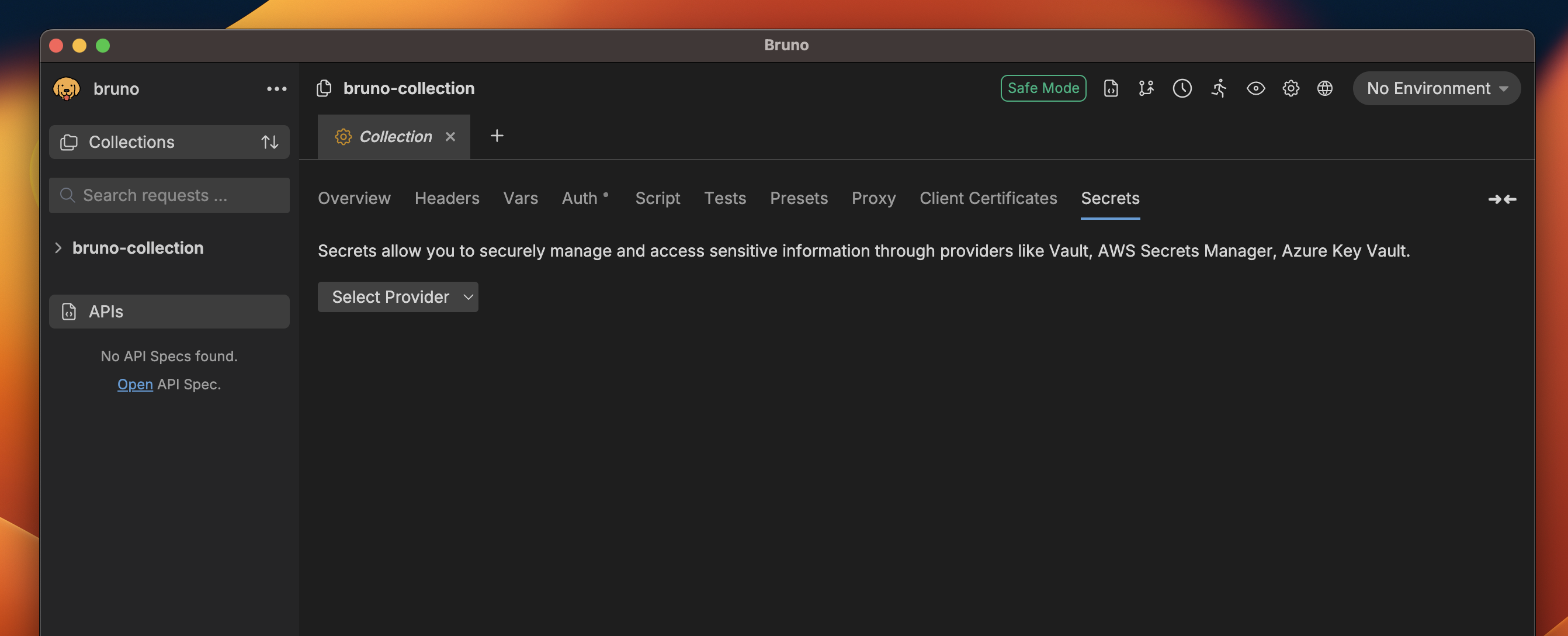
1. Go to **Collection Settings** and navigate to the **Secrets** section.
<img src="https://mintcdn.com/bruno-a6972042/3EAm6Zc0s_0zNYSf/v2/images/screenshots/secret-variables/hashicorp-vault/config-and-fetching-secrets/1-select-provider.webp?fit=max&auto=format&n=3EAm6Zc0s_0zNYSf&q=85&s=3a50c3b6a4e63650bb2f9fd0457f3d00" alt="select-provider" width="2684" height="1088" data-path="v2/images/screenshots/secret-variables/hashicorp-vault/config-and-fetching-secrets/1-select-provider.webp" />

2. Select `Vault` as the provider.

<img src="https://mintcdn.com/bruno-a6972042/3EAm6Zc0s_0zNYSf/v2/images/screenshots/secret-variables/hashicorp-vault/config-and-fetching-secrets/2-vault-selected.webp?fit=max&auto=format&n=3EAm6Zc0s_0zNYSf&q=85&s=44bb12995cf9286be93d5b413361bcc8" alt="vault-selected" width="2684" height="1088" data-path="v2/images/screenshots/secret-variables/hashicorp-vault/config-and-fetching-secrets/2-vault-selected.webp" />

3. Choose an environment if not already selected. (Secrets are environment-specific)

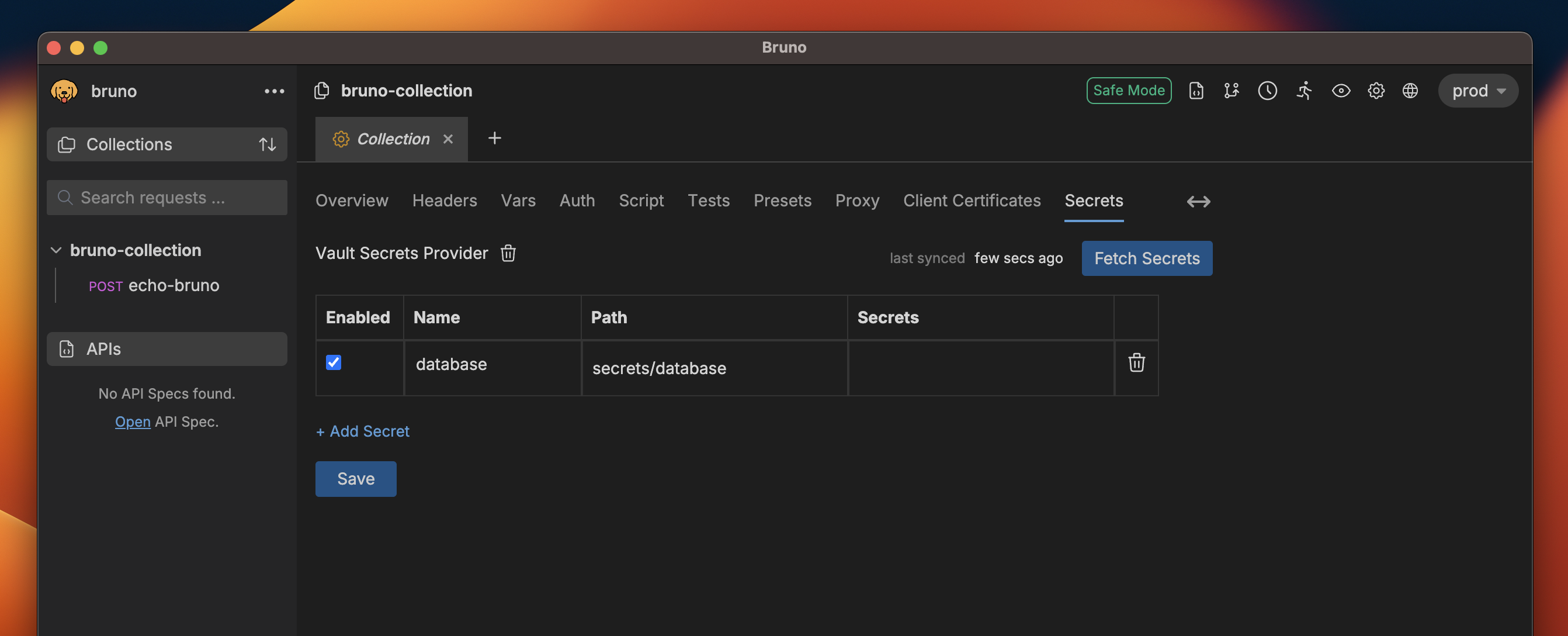
4. Add a new secret by clicking on the `+ Add Secret` button.
<img src="https://mintcdn.com/bruno-a6972042/3EAm6Zc0s_0zNYSf/v2/images/screenshots/secret-variables/hashicorp-vault/config-and-fetching-secrets/3-add-secret.webp?fit=max&auto=format&n=3EAm6Zc0s_0zNYSf&q=85&s=55472f75ec496c92cdf787b7e85df8c7" alt="add-secret" width="2684" height="1088" data-path="v2/images/screenshots/secret-variables/hashicorp-vault/config-and-fetching-secrets/3-add-secret.webp" />

5. Provide a name for the secret and specify the relative path to where the secret is stored in Vault.

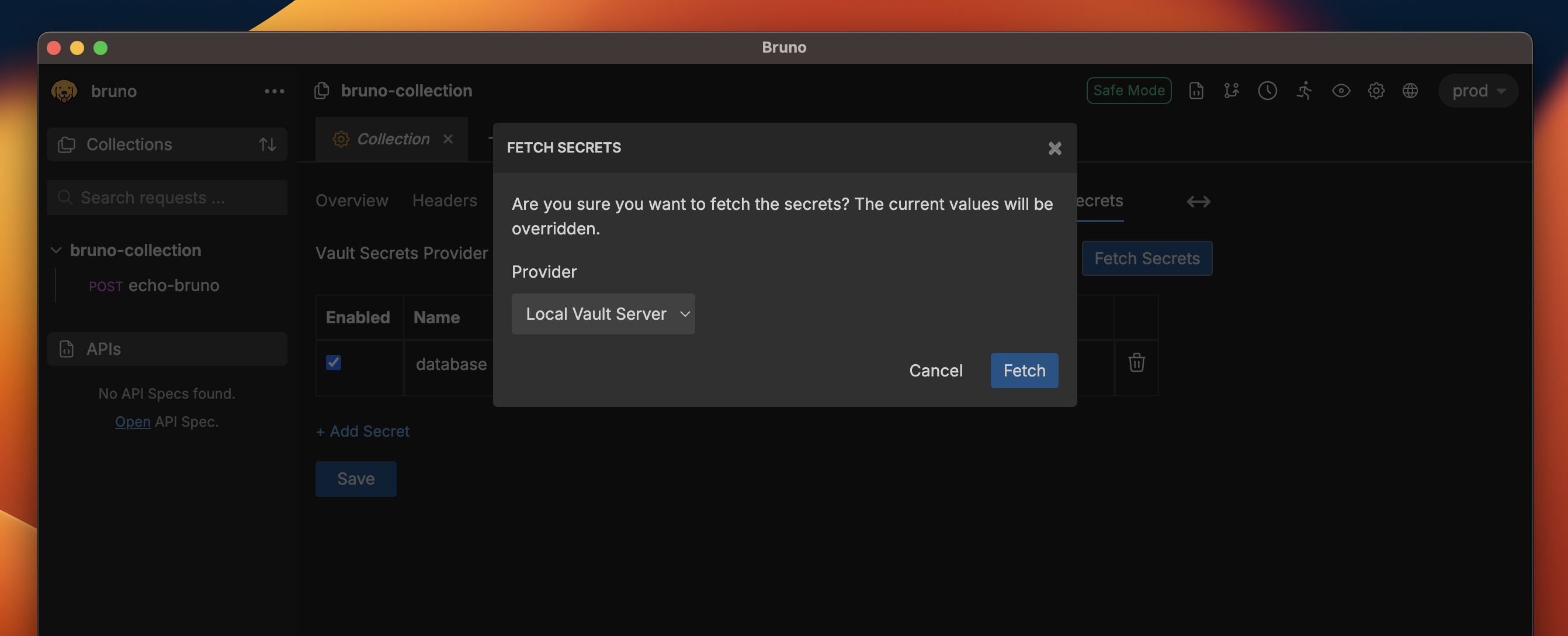
6. Click on the `Fetch Secrets` button on the top left corner, choose one of the secret providers, and click on the `Fetch` button.
<img src="https://mintcdn.com/bruno-a6972042/bv6gKOmKvSJtwZBu/v2/images/screenshots/secret-variables/hashicorp-vault/config-and-fetching-secrets/4-fetch-secrets.webp?fit=max&auto=format&n=bv6gKOmKvSJtwZBu&q=85&s=11c9c909ec12e88a227858db12a58704" alt="fetch-secrets" width="2684" height="1088" data-path="v2/images/screenshots/secret-variables/hashicorp-vault/config-and-fetching-secrets/4-fetch-secrets.webp" />

7. The fetched secrets will be displayed in the table along with their names and paths.
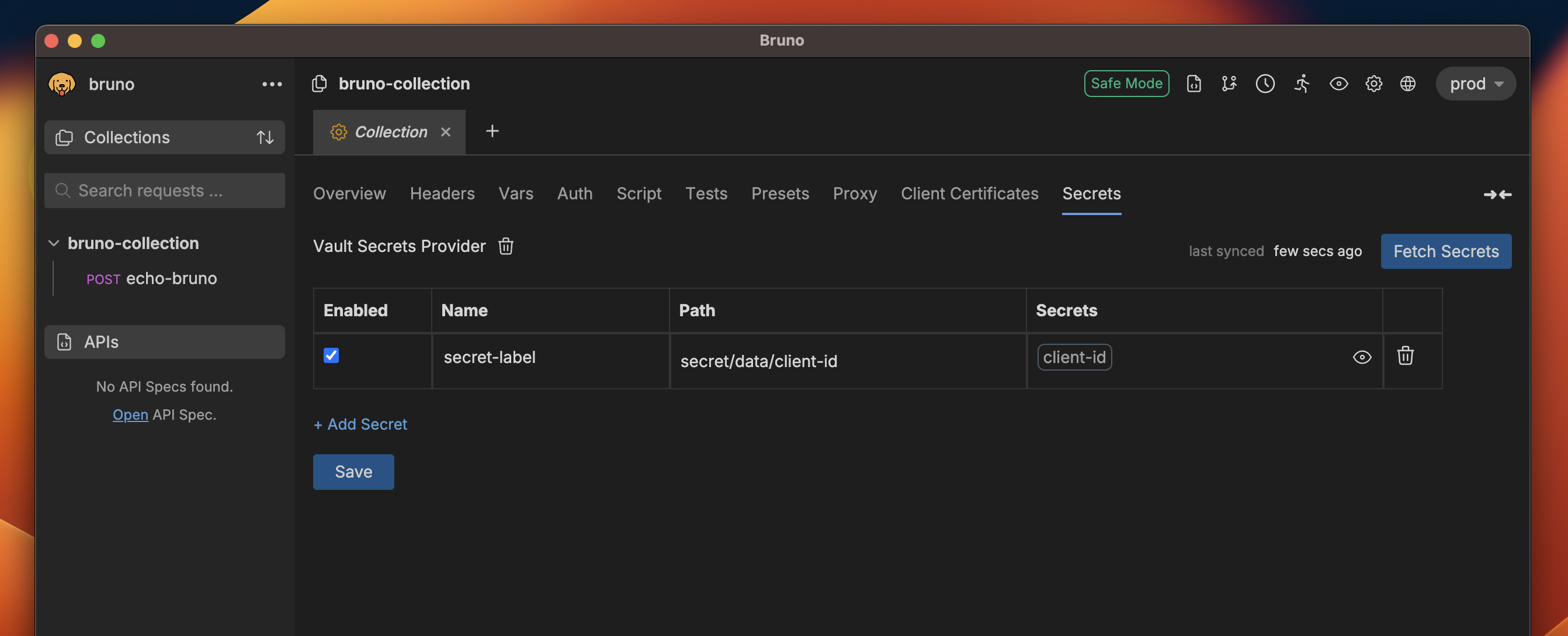
<img src="https://mintcdn.com/bruno-a6972042/bv6gKOmKvSJtwZBu/v2/images/screenshots/secret-variables/hashicorp-vault/config-and-fetching-secrets/5-get-valut-values.webp?fit=max&auto=format&n=bv6gKOmKvSJtwZBu&q=85&s=fa5ad1f7d27951af128c80cd9037fe6b" alt="fetched-secrets" width="2684" height="1088" data-path="v2/images/screenshots/secret-variables/hashicorp-vault/config-and-fetching-secrets/5-get-valut-values.webp" />