> ## Documentation Index
> Fetch the complete documentation index at: https://docs.usebruno.com/llms.txt
> Use this file to discover all available pages before exploring further.
# Run a Collection
Running your Bruno Collection allows you to interact with, and test, an API. We allow you to run your Collections a few different ways:
### Collection Runner
We have a built-in Collection Runner that allows for **unlimited** runs.
Run your Collection by either clicking the `...` button next to your Collection in the sidebar then select `Run`
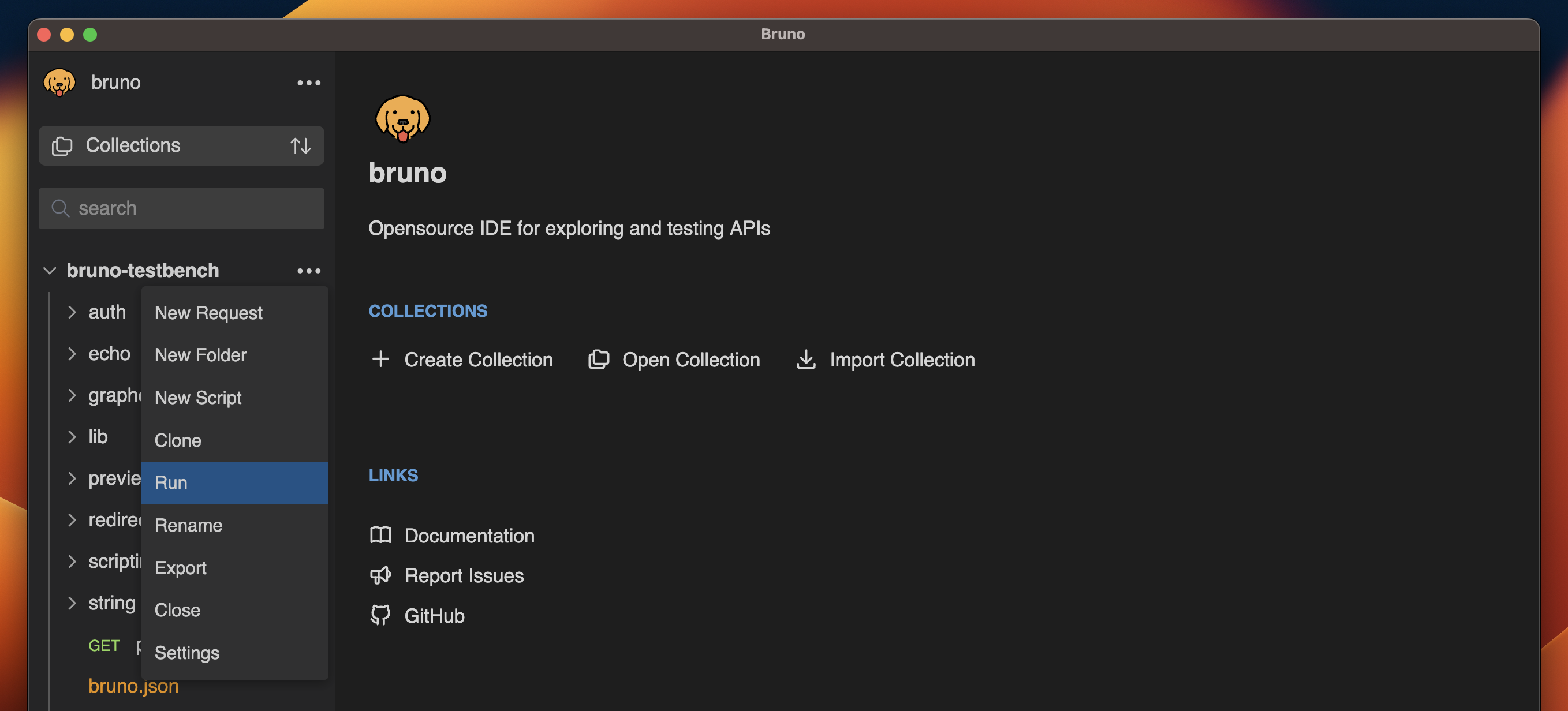 or click the Collection Runner icon in the top bar of the application.
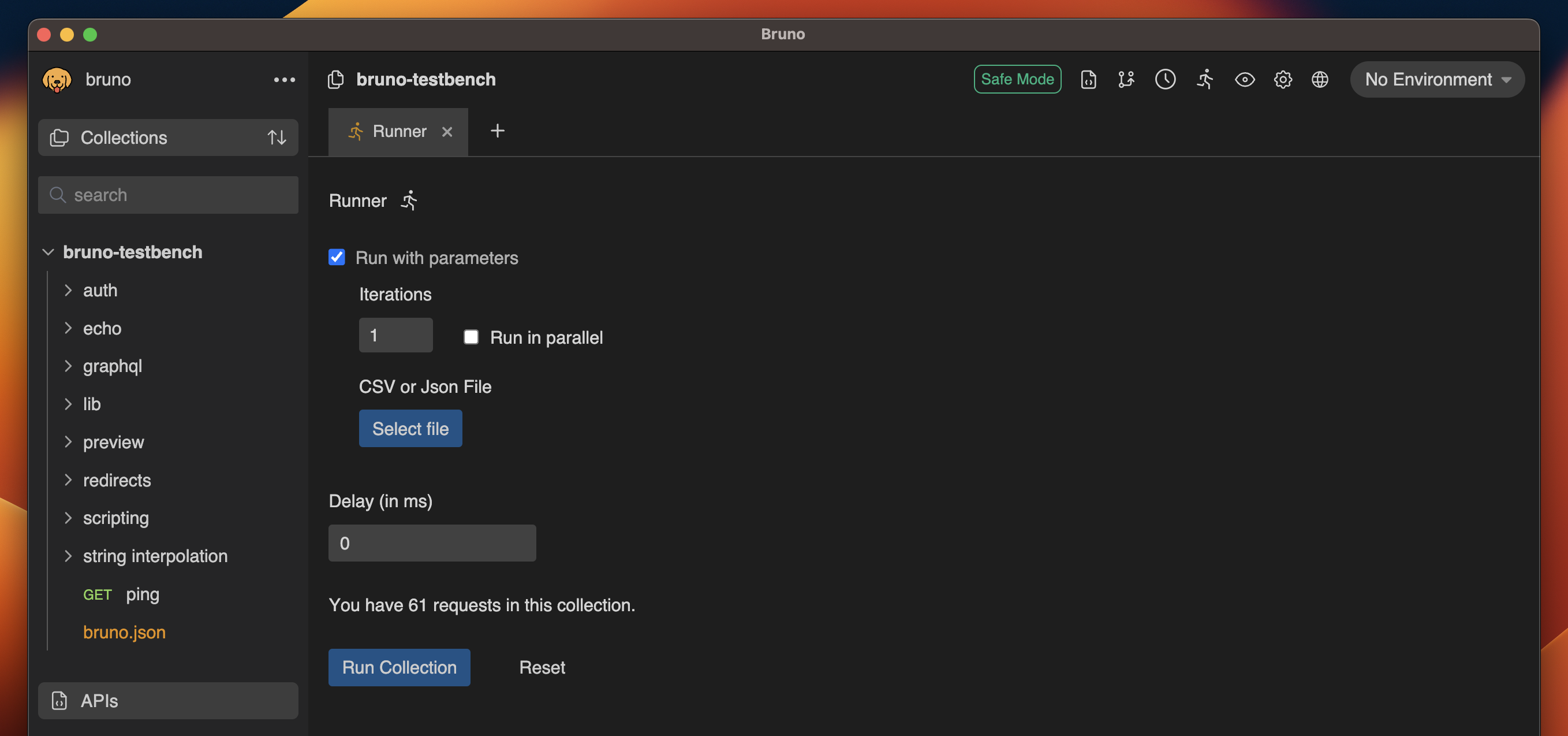
 You'll now have access to run the collection, add parameters, or set a delay between requests.
> *Data-driven testing by using a .CSV file is available in our Golden and Ultimate Edition*
You'll now have access to run the collection, add parameters, or set a delay between requests.
> *Data-driven testing by using a .CSV file is available in our Golden and Ultimate Edition*
 ### Automating Runs in CI/CD
Bruno offers a command-line utility to run Collections. This allows you to integrate your tests into a CI and build process.
For more information, head to the page for [Bruno CLI ↗](https://docs.usebruno.com/bru-cli/overview)
### Automating Runs in CI/CD
Bruno offers a command-line utility to run Collections. This allows you to integrate your tests into a CI and build process.
For more information, head to the page for [Bruno CLI ↗](https://docs.usebruno.com/bru-cli/overview)