> ## Documentation Index
> Fetch the complete documentation index at: https://docs.usebruno.com/llms.txt
> Use this file to discover all available pages before exploring further.
# Adding and managing certificates
Bruno supports adding custom Client Authorization (CA) and client certificates to your requests if required by the API you are working with.
### Adding a custom CA certificate
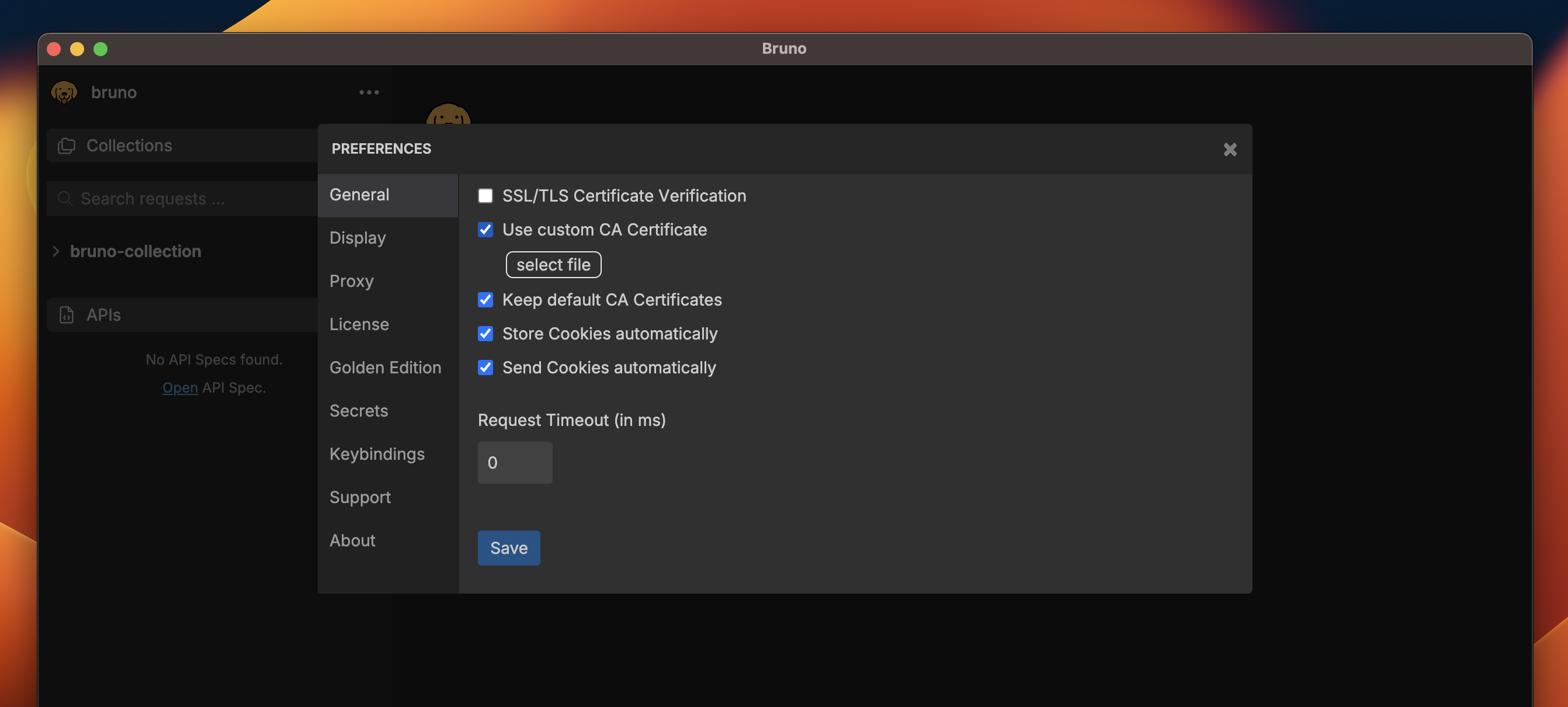
Navigate to the `Preferences` menu in Bruno and select `Use Custom CA Certificate`, then upload the selected file.
 ### Adding client certificates to Collections
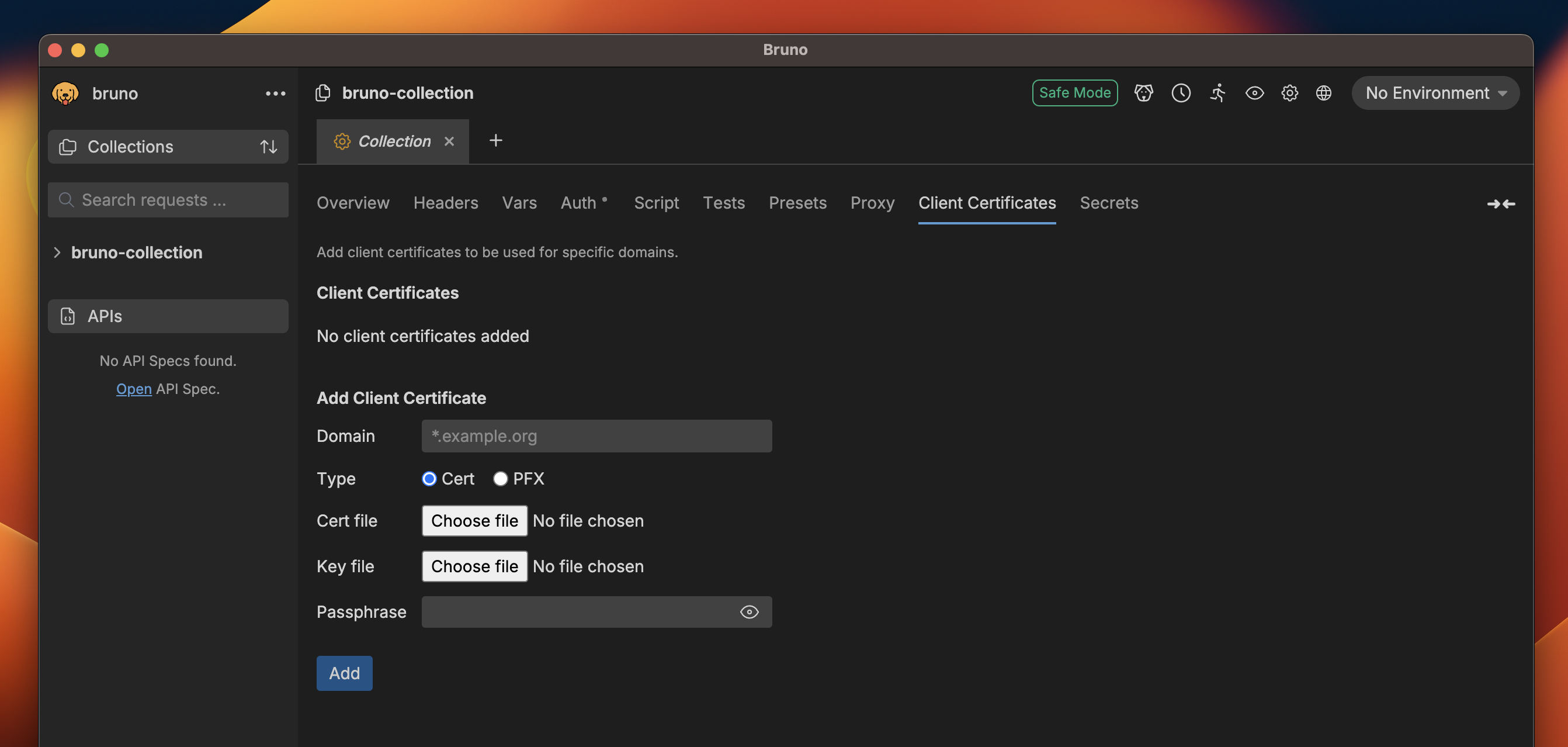
You can add and manage client certificate(s) on any Collection by going to the `Collection Settings` menu and selecting `Client Certificates`.
Simply enter the domain, designate the type of certificate, and then upload the relevant file(s).
### Adding client certificates to Collections
You can add and manage client certificate(s) on any Collection by going to the `Collection Settings` menu and selecting `Client Certificates`.
Simply enter the domain, designate the type of certificate, and then upload the relevant file(s).