> ## Documentation Index
> Fetch the complete documentation index at: https://docs.usebruno.com/llms.txt
> Use this file to discover all available pages before exploring further.
# WebSocket Request Interface
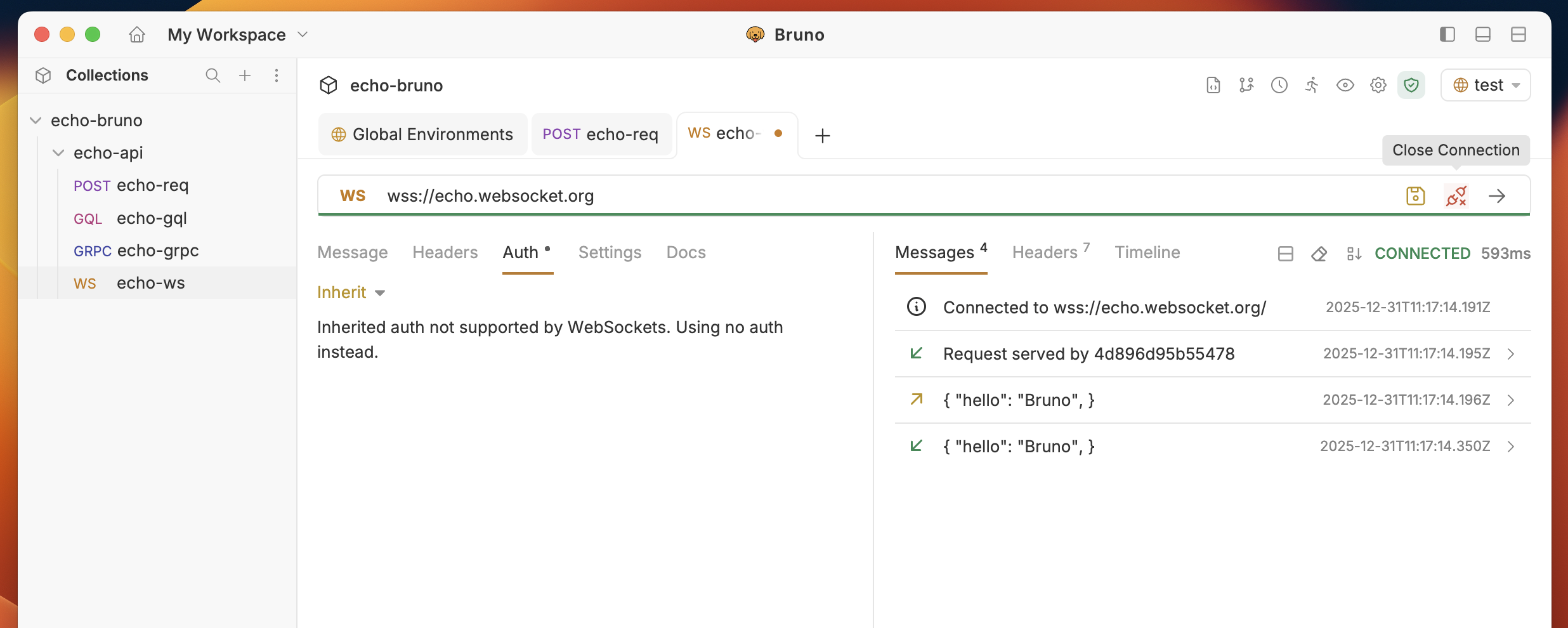
The WebSocket request interface consists of several key components:
 ## Request Interface
### Connection Status
* **Disconnected**: Initial state, ready to connect
* **Connecting**: Establishing connection to server
* **Connected**: Successfully connected and ready to send messages
* **Disconnected**: Connection lost or manually closed
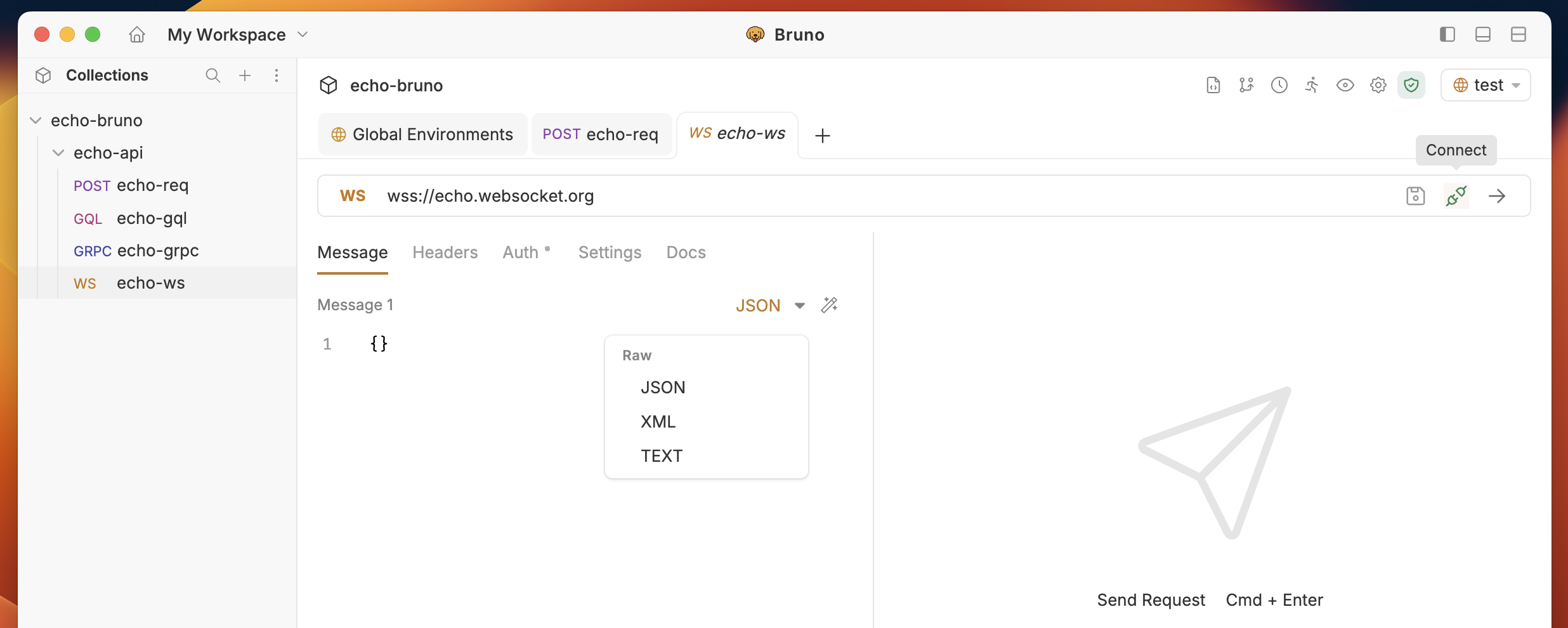
### Message Composition
* **Message Type**: Choose between Text, JSON, XML
* **Message Editor**: Compose your message with syntax highlighting
* **Send Button**: Send the composed message
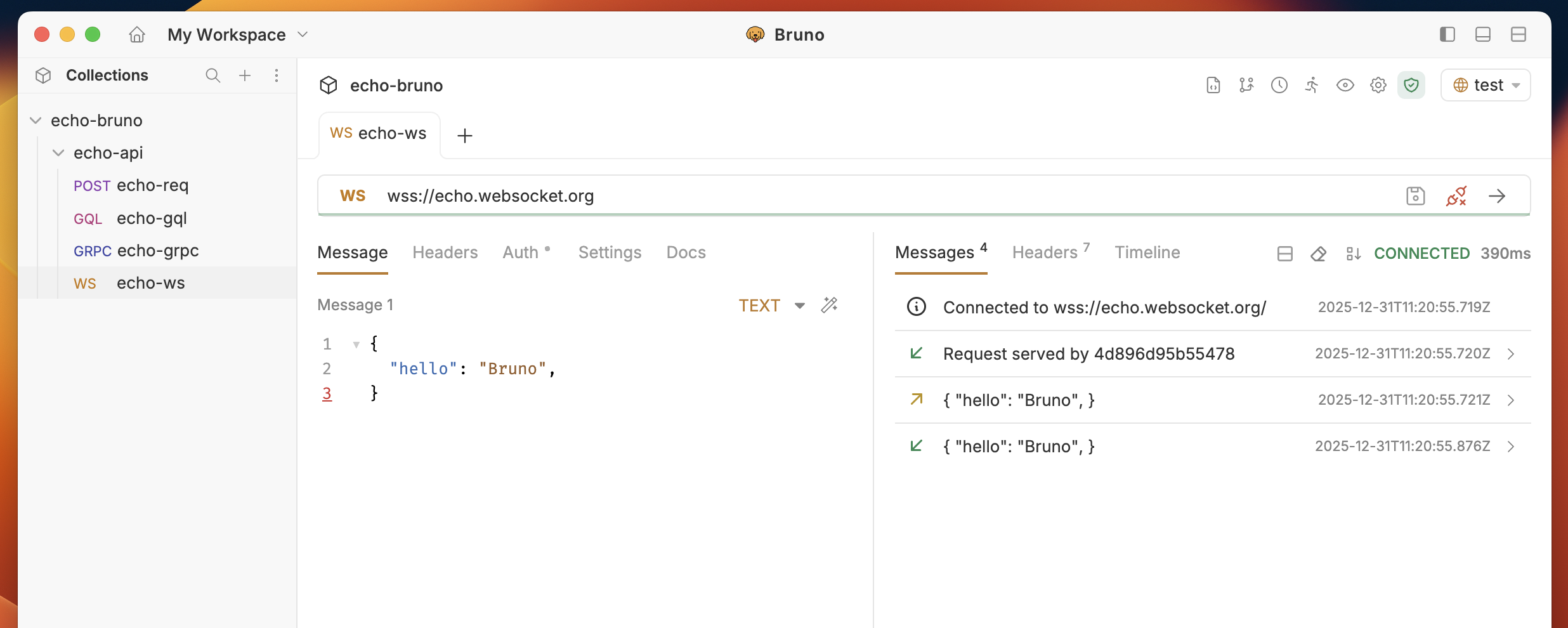
### Message History
* **Sent Messages**: All messages you've sent (marked with →)
* **Received Messages**: All messages received from server (marked with ←)
* **Timestamps**: When each message was sent/received
* **Message Sorting**: Toggle between newest/oldest first
## Connection Management
### Establishing Connection
1. **Click the "Connect" button** to establish the WebSocket connection
2. **Monitor connection status** in the status indicator
3. **View connection logs** for detailed connection information
### Sending Messages
1. **Compose your message** in the message editor
2. **Select message type** (Text, JSON, XML)
3. **Click "Send"** to transmit the message
4. **View sent message** in the message history
## Request Interface
### Connection Status
* **Disconnected**: Initial state, ready to connect
* **Connecting**: Establishing connection to server
* **Connected**: Successfully connected and ready to send messages
* **Disconnected**: Connection lost or manually closed
### Message Composition
* **Message Type**: Choose between Text, JSON, XML
* **Message Editor**: Compose your message with syntax highlighting
* **Send Button**: Send the composed message
### Message History
* **Sent Messages**: All messages you've sent (marked with →)
* **Received Messages**: All messages received from server (marked with ←)
* **Timestamps**: When each message was sent/received
* **Message Sorting**: Toggle between newest/oldest first
## Connection Management
### Establishing Connection
1. **Click the "Connect" button** to establish the WebSocket connection
2. **Monitor connection status** in the status indicator
3. **View connection logs** for detailed connection information
### Sending Messages
1. **Compose your message** in the message editor
2. **Select message type** (Text, JSON, XML)
3. **Click "Send"** to transmit the message
4. **View sent message** in the message history
 ### Receiving Messages
1. **Monitor the message history** for incoming messages
2. **View message details** including timestamp and content
3. **Use test scripts** to validate received messages
### Closing Connection
1. **Click "Disconnect"** to close the WebSocket connection
2. **Connection status** will update to "Disconnected"
3. **Message history** is preserved for review
### Receiving Messages
1. **Monitor the message history** for incoming messages
2. **View message details** including timestamp and content
3. **Use test scripts** to validate received messages
### Closing Connection
1. **Click "Disconnect"** to close the WebSocket connection
2. **Connection status** will update to "Disconnected"
3. **Message history** is preserved for review