> ## Documentation Index
> Fetch the complete documentation index at: https://docs.usebruno.com/llms.txt
> Use this file to discover all available pages before exploring further.
# gRPC Proto Files
Proto files (`.proto`) are the foundation of gRPC services, defining the contract between clients and servers. Bruno supports adding proto files to enhance your gRPC development experience with better IntelliSense, method discovery, and type safety.
## Proto File Options
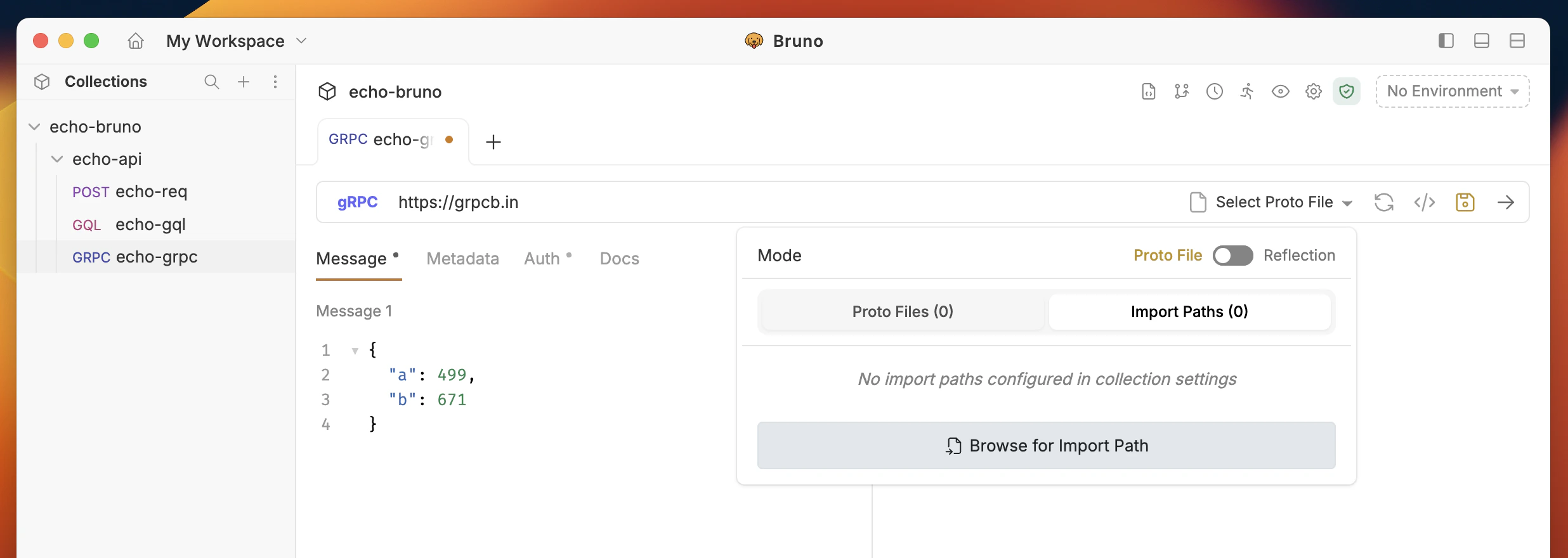
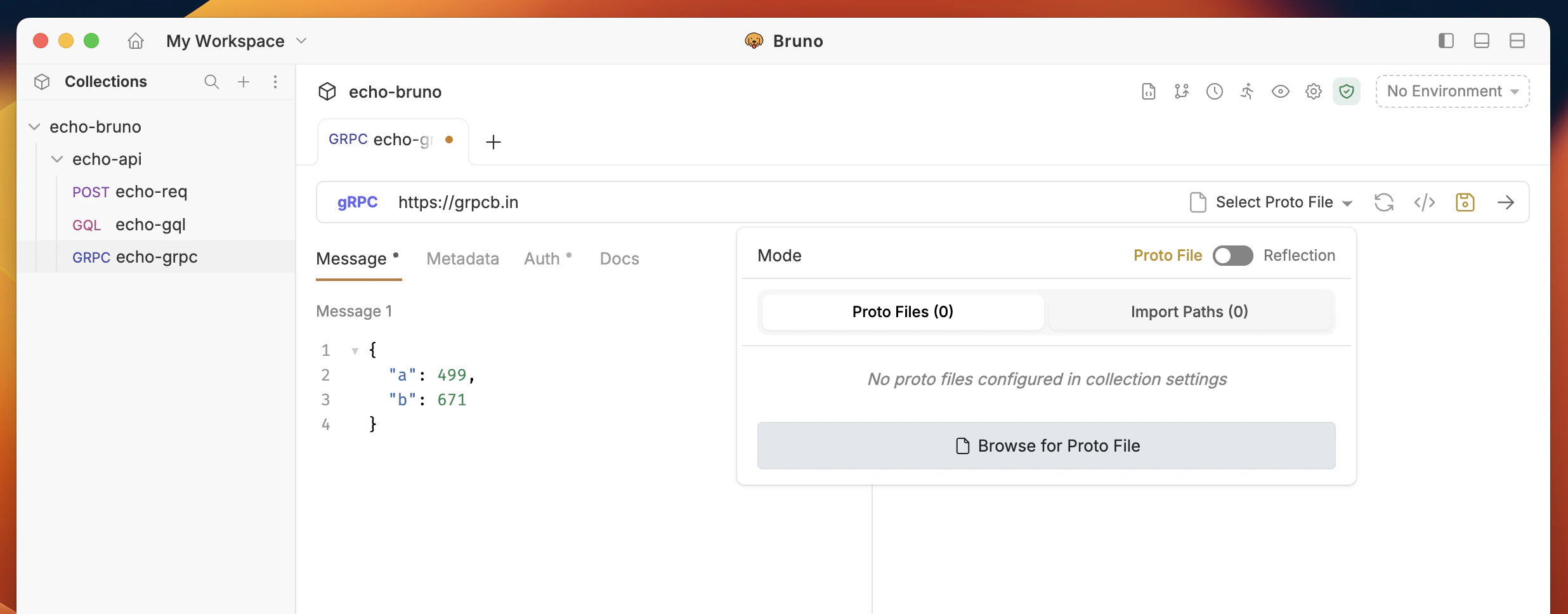
You have two ways to add Proto files for enhanced IntelliSense and method discovery:
**Option 1: Request Level**
1. Open your gRPC request in Bruno
2. In the gRPC interface, locate the **Using Reflection** section
3. Click on the **Browse for proto file** button or toggle the proto file option
4. Click the file browser to select `.proto` files from your local system
 **Option 2: Collection Level**
1. Go to collection level settings
2. Navigate to the **gRPC** tab
3. Click the **Add Proto File** to select `.proto` files from your local system
**Option 2: Collection Level**
1. Go to collection level settings
2. Navigate to the **gRPC** tab
3. Click the **Add Proto File** to select `.proto` files from your local system
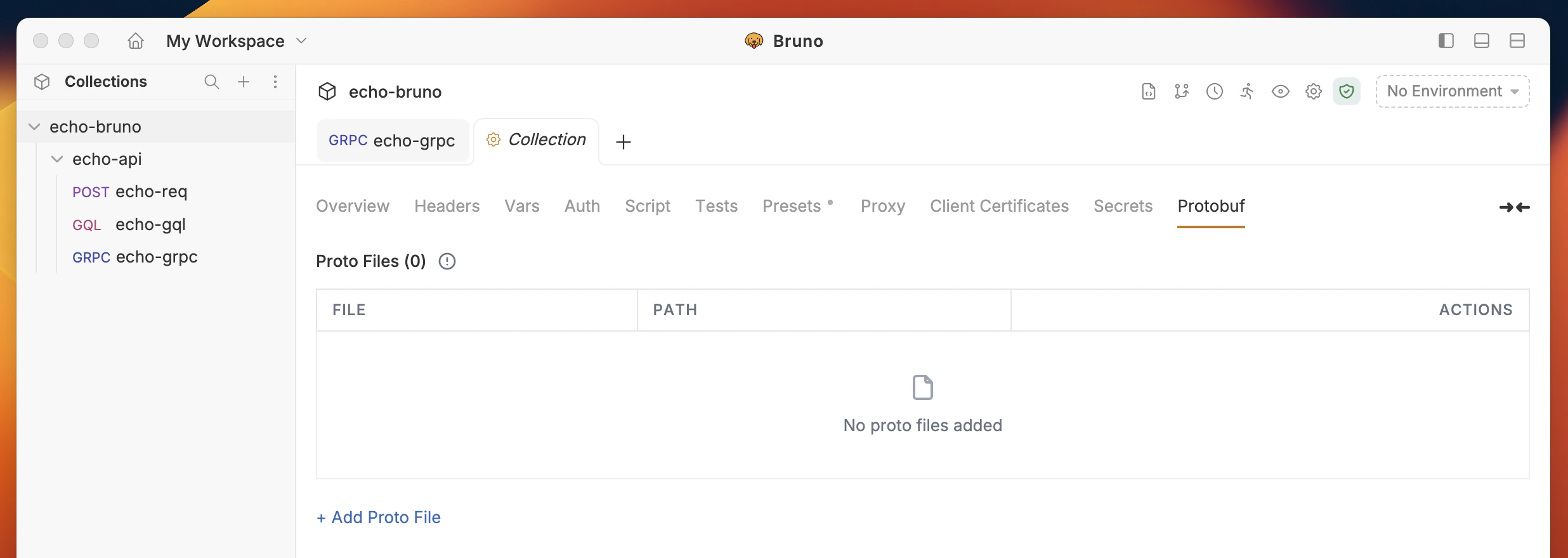 Add Proto files at the collection level for reuse across all requests.
Bruno will validate that the selected files are valid proto files.
You can add multiple proto files if your service uses imports or multiple definitions.
## Import Paths
When working with proto files that import other proto files, Bruno will always try to resolve imports within the folder where the proto file resides. However, when working with multiple services, you may have common types (like `google/protobuf` types or shared definitions) that are used across different services. Instead of duplicating these common proto definitions in each service folder, you can use import paths to define these common types in a single location and reference them from all dependent services.
### Adding Import Paths
To configure import paths for your proto files:
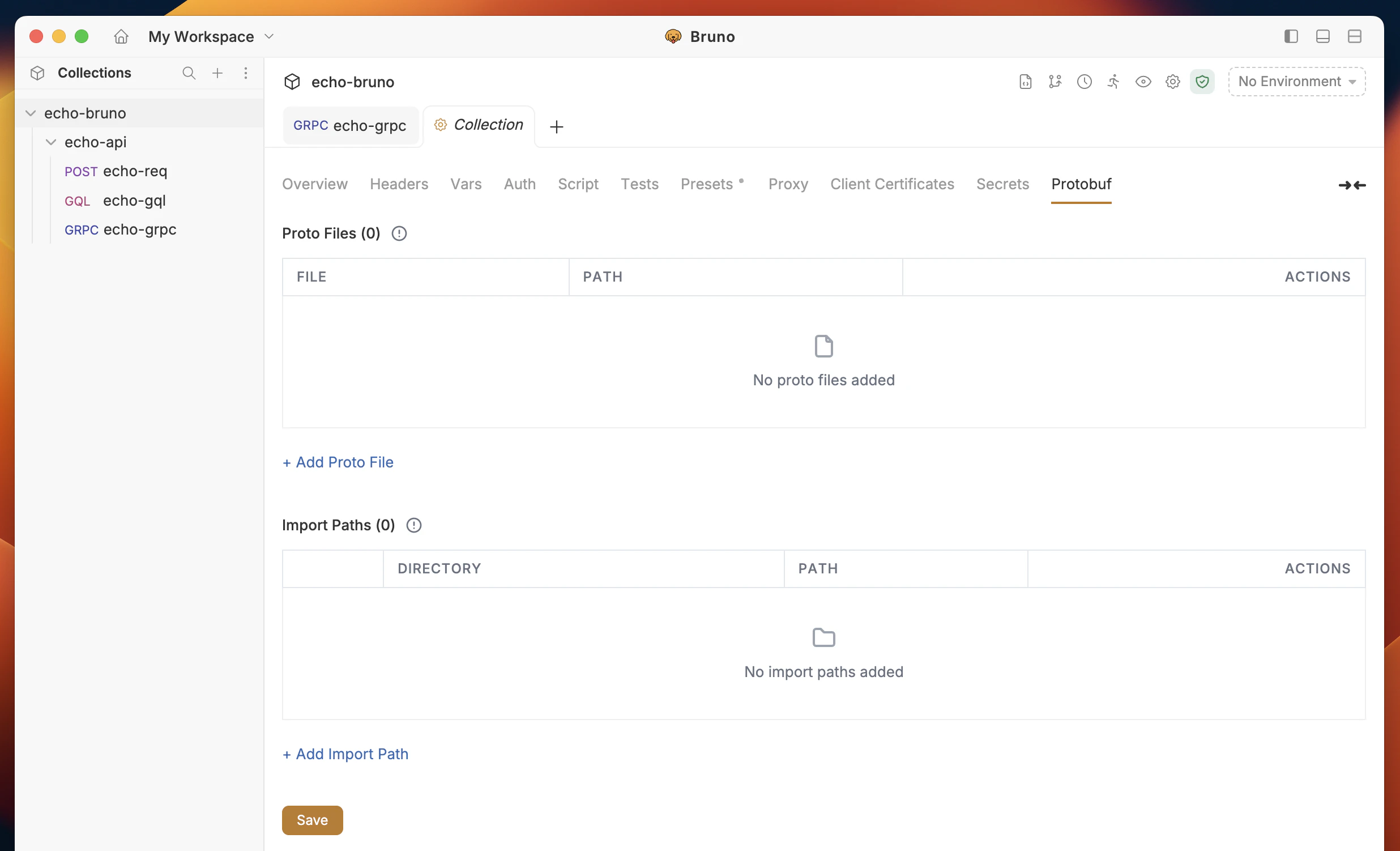
1. Go to **Collection Settings**
2. Navigate to the **Protobuf** tab
3. In the **Import Paths** section, click **Add Import Path**
4. Specify the directory path where Bruno should look for imported proto files
Add Proto files at the collection level for reuse across all requests.
Bruno will validate that the selected files are valid proto files.
You can add multiple proto files if your service uses imports or multiple definitions.
## Import Paths
When working with proto files that import other proto files, Bruno will always try to resolve imports within the folder where the proto file resides. However, when working with multiple services, you may have common types (like `google/protobuf` types or shared definitions) that are used across different services. Instead of duplicating these common proto definitions in each service folder, you can use import paths to define these common types in a single location and reference them from all dependent services.
### Adding Import Paths
To configure import paths for your proto files:
1. Go to **Collection Settings**
2. Navigate to the **Protobuf** tab
3. In the **Import Paths** section, click **Add Import Path**
4. Specify the directory path where Bruno should look for imported proto files
 ### How Import Paths Work
When Bruno encounters an import statement in a proto file:
```protobuf theme={null}
import "common/user.proto";
import "google/protobuf/timestamp.proto";
```
Bruno will search for these files in the following order:
1. The same directory as the importing proto file
2. All specified import paths (in the order they were added)
3. Standard protobuf library paths
### Example Setup
Consider this directory structure:
```
my-api/
├── collection/
│ ├── user_service.proto
│ └── order_service.proto
├── shared/
│ ├── common/
│ │ └── user.proto
│ └── types/
│ └── timestamp.proto
└── external/
└── google/
└── protobuf/
└── timestamp.proto
```
To make this work, you would add these import paths in collection settings:
* `../shared` (for common/user.proto and types/timestamp.proto)
* `../external` (for google/protobuf/timestamp.proto)
### Automatic Import Path Management
Bruno automatically manages import paths when you add proto files at the request level:
1. When you add a proto file to a request, Bruno automatically adds its directory to the collection's import paths
2. This ensures that any imports within that proto file are properly resolved
3. The import paths are shared across all requests in the collection
### How Import Paths Work
When Bruno encounters an import statement in a proto file:
```protobuf theme={null}
import "common/user.proto";
import "google/protobuf/timestamp.proto";
```
Bruno will search for these files in the following order:
1. The same directory as the importing proto file
2. All specified import paths (in the order they were added)
3. Standard protobuf library paths
### Example Setup
Consider this directory structure:
```
my-api/
├── collection/
│ ├── user_service.proto
│ └── order_service.proto
├── shared/
│ ├── common/
│ │ └── user.proto
│ └── types/
│ └── timestamp.proto
└── external/
└── google/
└── protobuf/
└── timestamp.proto
```
To make this work, you would add these import paths in collection settings:
* `../shared` (for common/user.proto and types/timestamp.proto)
* `../external` (for google/protobuf/timestamp.proto)
### Automatic Import Path Management
Bruno automatically manages import paths when you add proto files at the request level:
1. When you add a proto file to a request, Bruno automatically adds its directory to the collection's import paths
2. This ensures that any imports within that proto file are properly resolved
3. The import paths are shared across all requests in the collection