> ## Documentation Index
> Fetch the complete documentation index at: https://docs.usebruno.com/llms.txt
> Use this file to discover all available pages before exploring further.
# GraphQL Request
export const BrunoButton = ({collectionUrl, width = 160, height = 40, className = '', style = {}}) => {
const encodedUrl = encodeURIComponent(collectionUrl);
const buttonUrl = `https://fetch.usebruno.com?url=${encodedUrl}`;
return ;
};
Bruno provides the capability to send GraphQL requests, allowing you to interact with APIs that use the GraphQL query language.
## Create GraphQL request
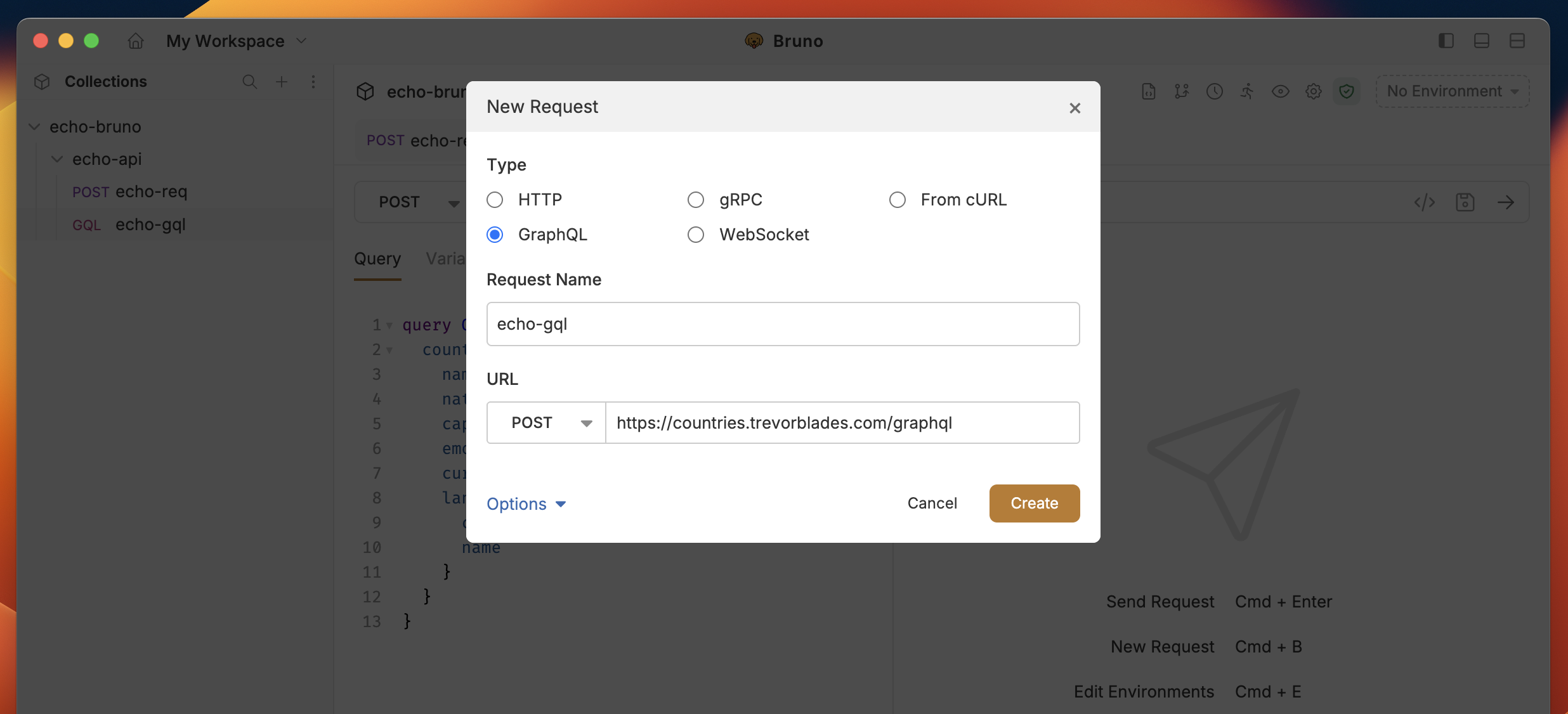
1. Create new request from collection context menu (...) and select **New Request**.
2. Select **GraphQL** as request type with:
* **URL**: The URL of the GraphQL endpoint.
* **Name**: The name of the request.
3. Click on **Create** button.
 ## GraphQL request with query
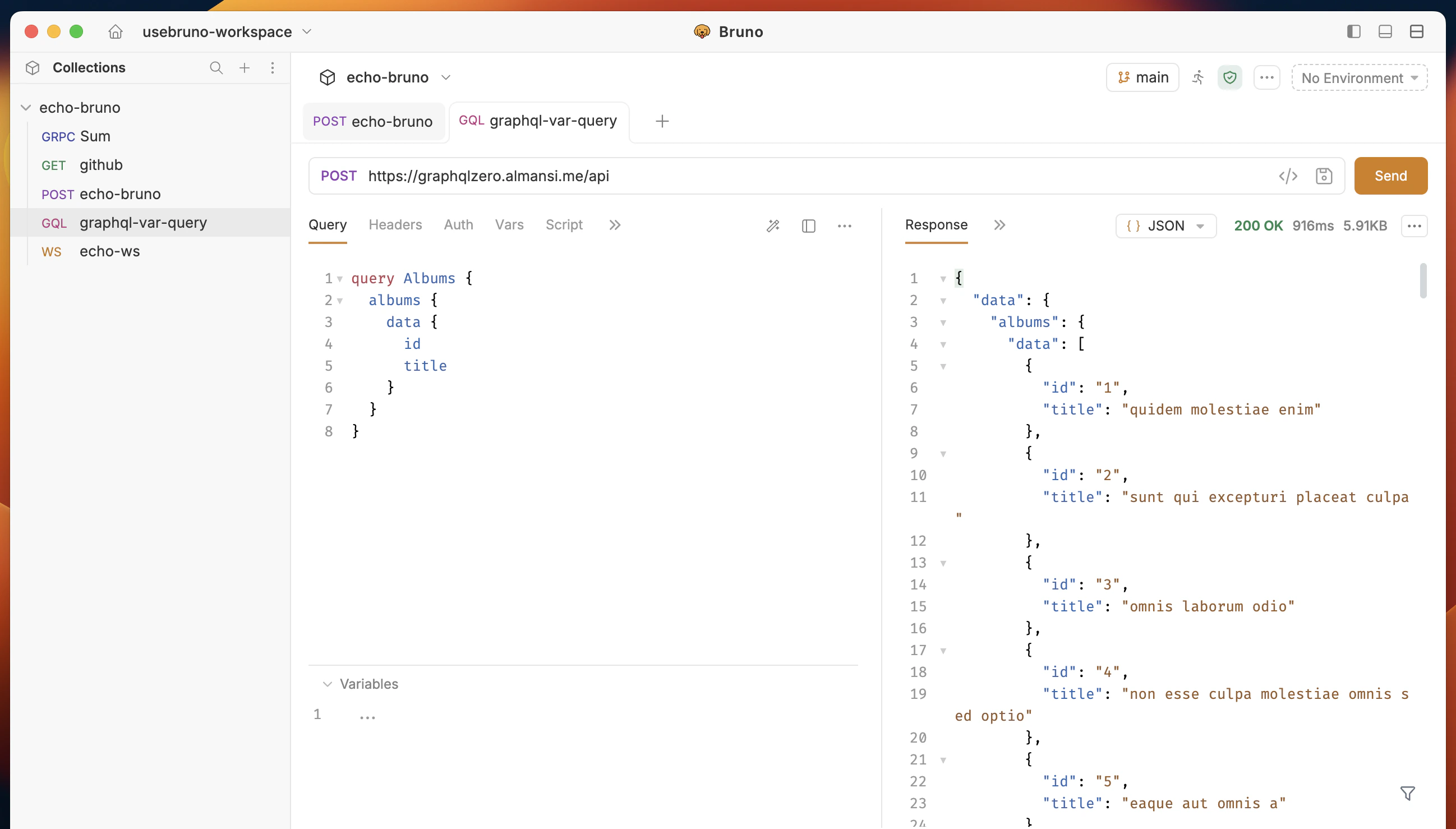
After creating the request:
* Go to **Query** section where you can write and execute all your GraphQL queries
* You can also use the **Variables** section to pass variables to your query
## GraphQL request with query
After creating the request:
* Go to **Query** section where you can write and execute all your GraphQL queries
* You can also use the **Variables** section to pass variables to your query
 **Example Query:**
You can test this query using the below GraphQL API: `https://graphqlzero.almansi.me/api`
```graphql theme={null}
query Albums {
albums {
data {
id
title
}
}
}
```
## Get Started with GraphQL APIs
Explore our sample [REST and GraphQL collection](https://github.com/bruno-collections/rest-graphql-collection) to see practical examples and test GraphQL endpoints:
**Example Query:**
You can test this query using the below GraphQL API: `https://graphqlzero.almansi.me/api`
```graphql theme={null}
query Albums {
albums {
data {
id
title
}
}
}
```
## Get Started with GraphQL APIs
Explore our sample [REST and GraphQL collection](https://github.com/bruno-collections/rest-graphql-collection) to see practical examples and test GraphQL endpoints: