> ## Documentation Index
> Fetch the complete documentation index at: https://docs.usebruno.com/llms.txt
> Use this file to discover all available pages before exploring further.
# REST API request
export const BrunoButton = ({collectionUrl, width = 160, height = 40, className = '', style = {}}) => {
const encodedUrl = encodeURIComponent(collectionUrl);
const buttonUrl = `https://fetch.usebruno.com?url=${encodedUrl}`;
return ;
};
Bruno enables you to send API requests using both HTTP and GraphQL protocols. You can include various details in the request, such as parameters, body, headers, and more, based on the API specifications.
You can select multiple HTTP methods such as `GET` and `POST` while working with HTTP protocol.
## Create new request
1. Create new request inside collection.
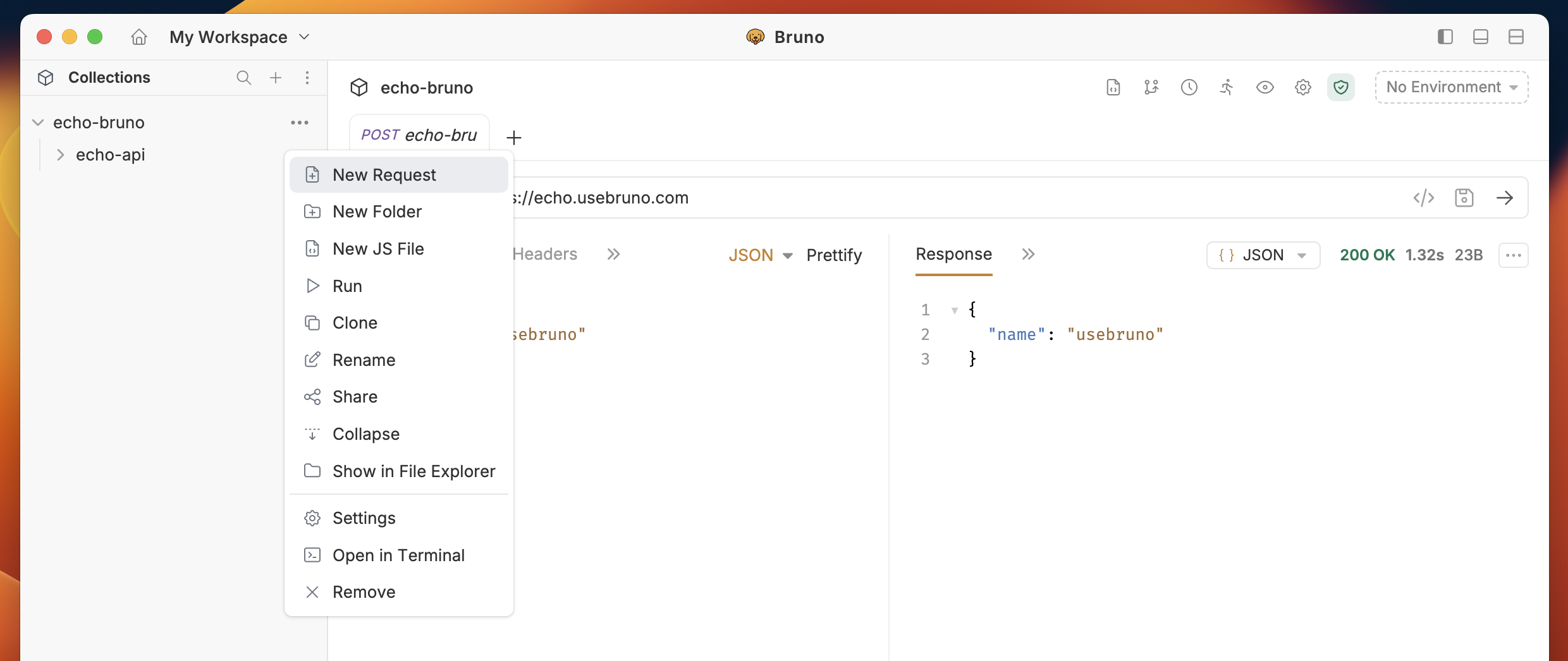 2. Select **HTTP** as request type.
3. Provide **URL** and **Name** in the input box.
4. Click on **Create** button.
2. Select **HTTP** as request type.
3. Provide **URL** and **Name** in the input box.
4. Click on **Create** button.
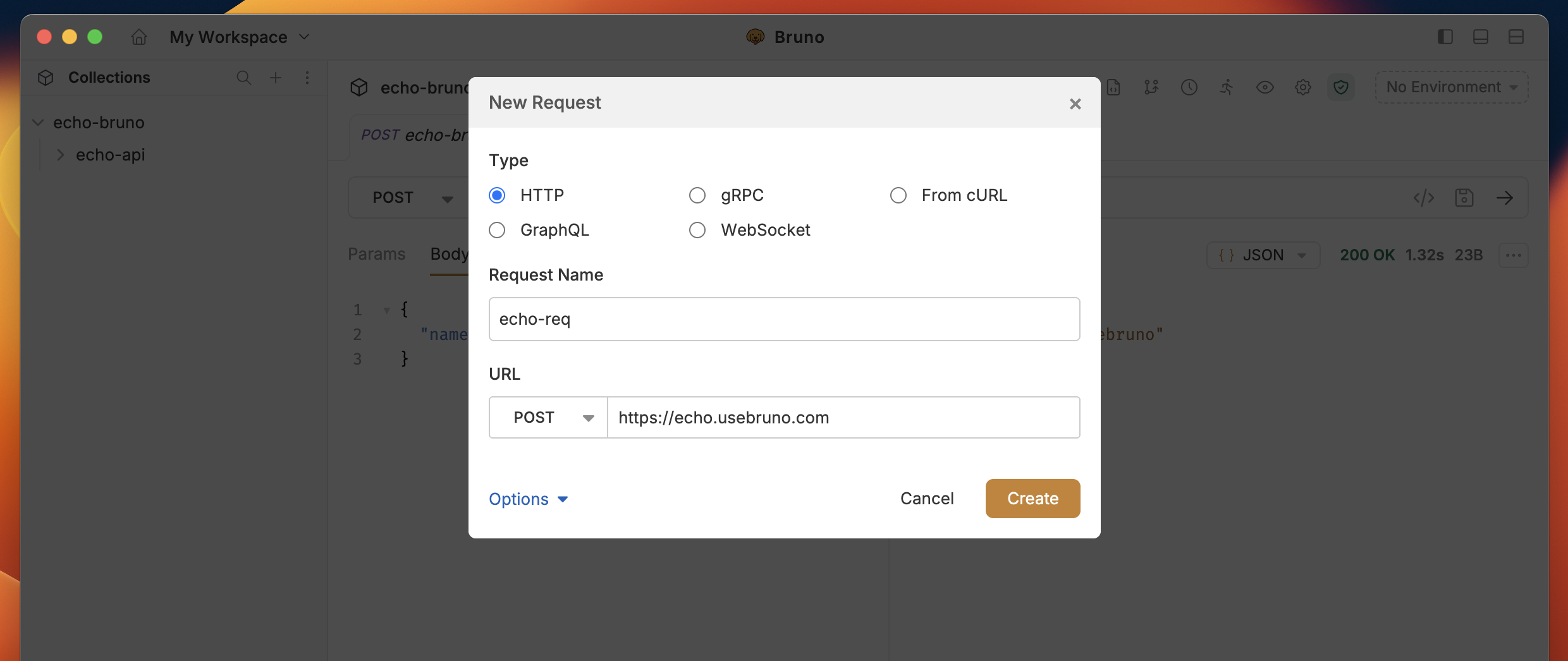 Once you create the new request, you can execute it by clicking the arrow button or pressing Cmd + Enter. After executing the request, the response from the server will be displayed in the Response tab.
 If the URL is missing a scheme (e.g. `example.com/users`), Bruno automatically prepends `http://` when sending the request. Provide `https://` explicitly when you need a secure connection.
## Select multiple request methods
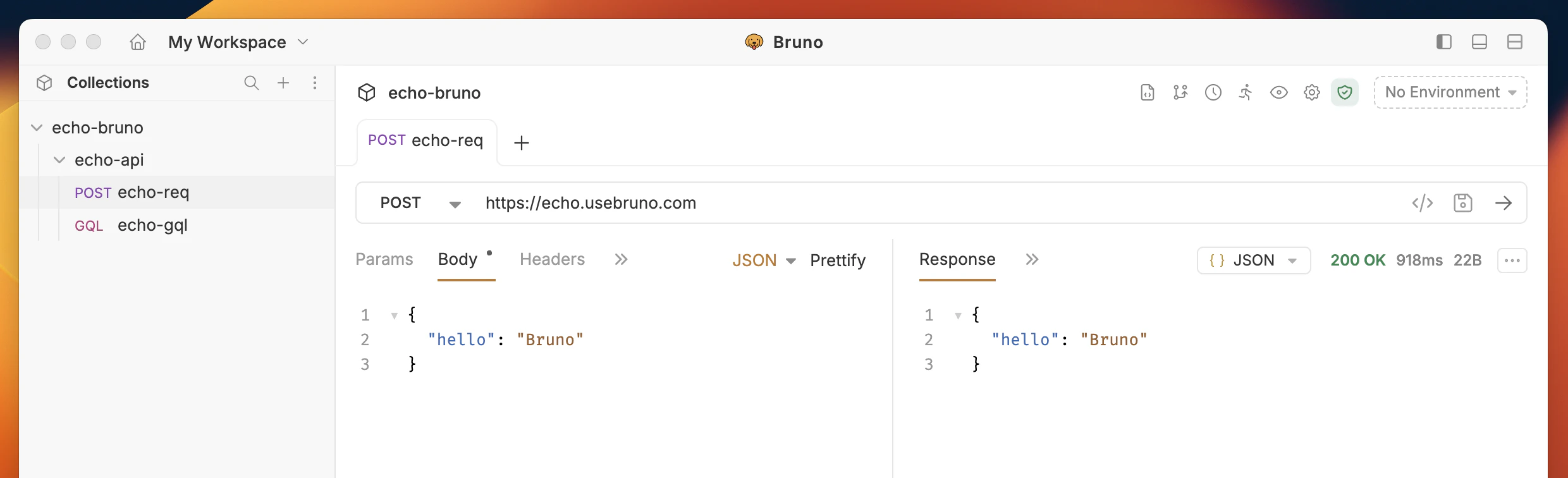
In Bruno, the **GET** method is set as the default HTTP method for new requests. However, you can select other HTTP methods (such as **POST**, **PUT**, **DELETE**, etc.) based on your API requirements to send data.
If the URL is missing a scheme (e.g. `example.com/users`), Bruno automatically prepends `http://` when sending the request. Provide `https://` explicitly when you need a secure connection.
## Select multiple request methods
In Bruno, the **GET** method is set as the default HTTP method for new requests. However, you can select other HTTP methods (such as **POST**, **PUT**, **DELETE**, etc.) based on your API requirements to send data.
 ## Custom HTTP Methods
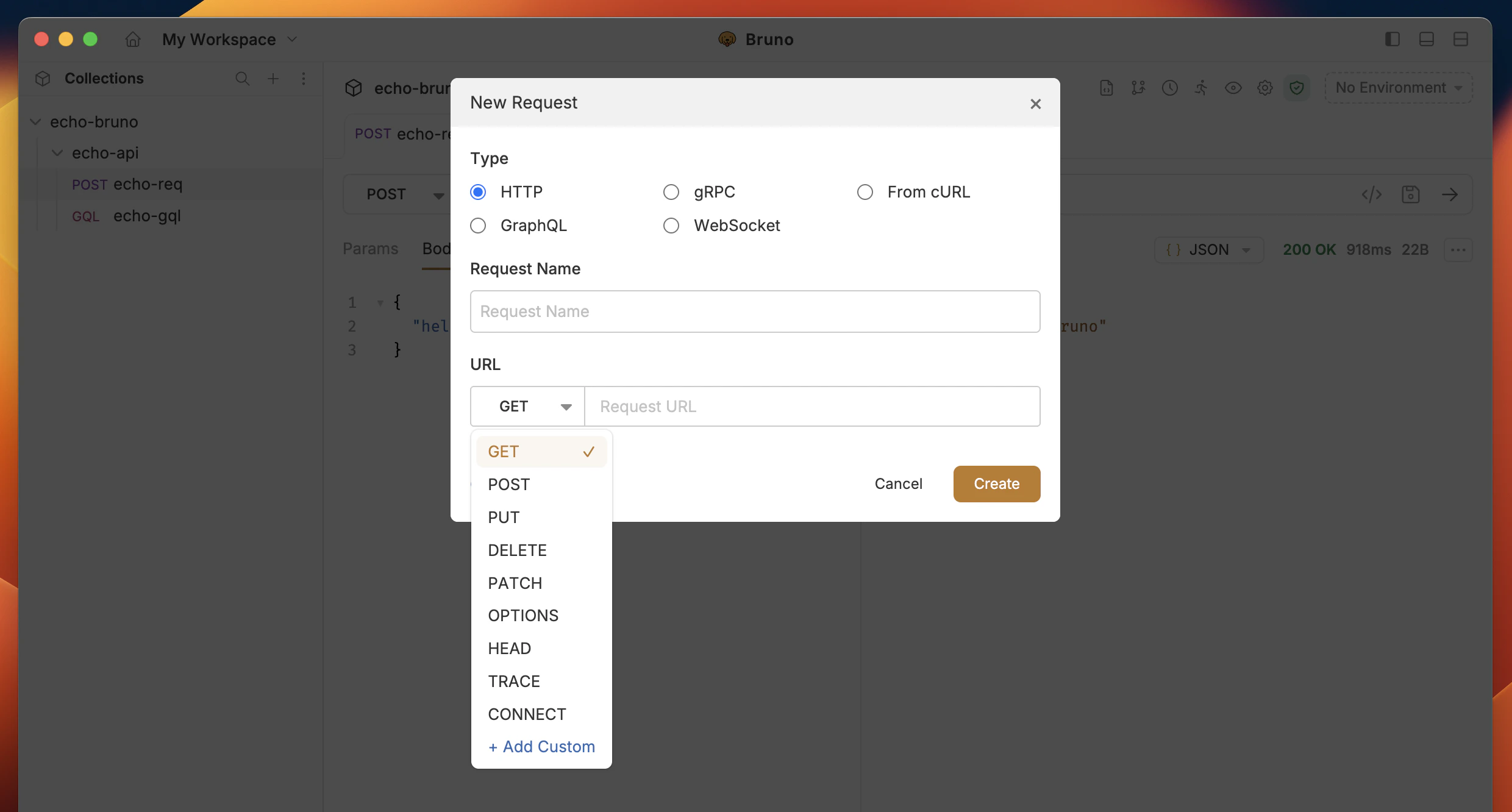
Bruno supports custom HTTP methods beyond the standard ones (GET, POST, PUT, DELETE, etc.). This is useful for APIs that use non-standard methods like Vault's LIST method or other custom protocols.
### Adding a Custom HTTP Method
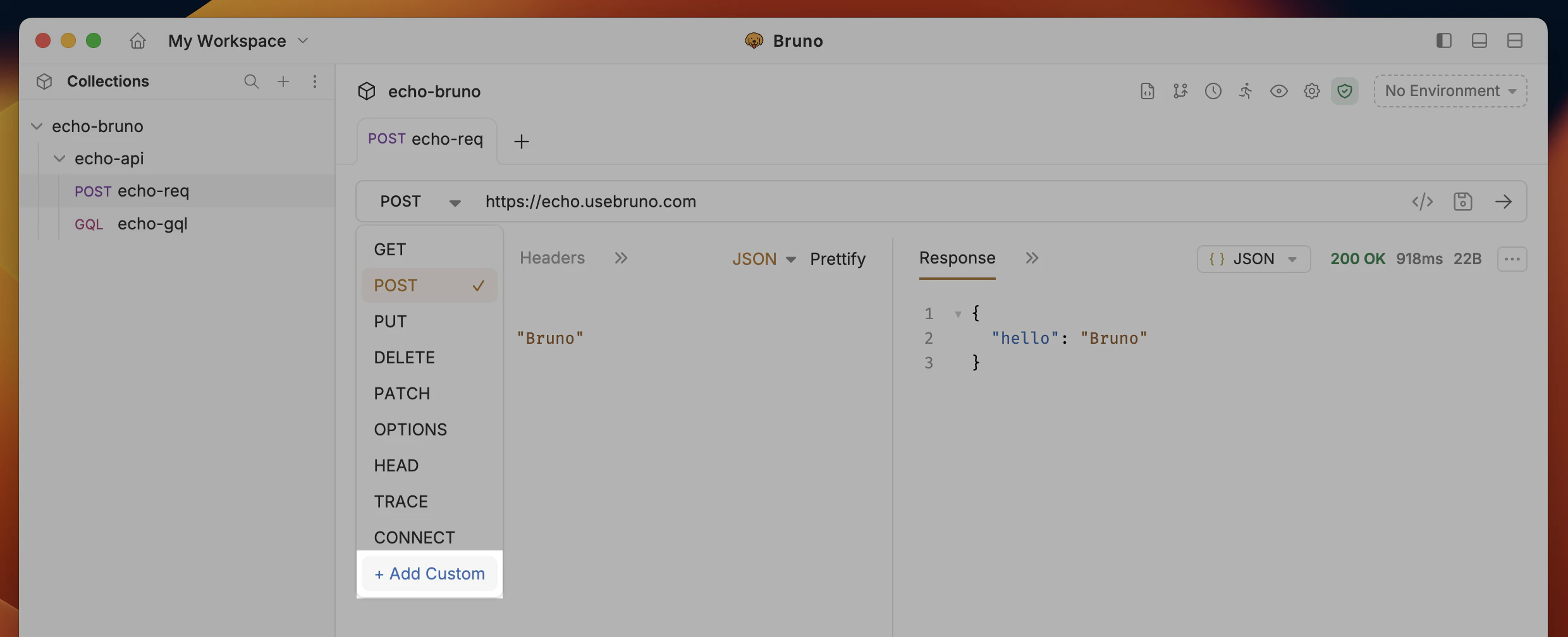
1. **Expand the HTTP method dropdown** in the request pane
2. Click **"Add Custom"** from the dropdown options
3. **Type your custom method name** in the input field (e.g., `LIST`, `PATCH`, `SEARCH`)
## Custom HTTP Methods
Bruno supports custom HTTP methods beyond the standard ones (GET, POST, PUT, DELETE, etc.). This is useful for APIs that use non-standard methods like Vault's LIST method or other custom protocols.
### Adding a Custom HTTP Method
1. **Expand the HTTP method dropdown** in the request pane
2. Click **"Add Custom"** from the dropdown options
3. **Type your custom method name** in the input field (e.g., `LIST`, `PATCH`, `SEARCH`)
 ## Request Settings
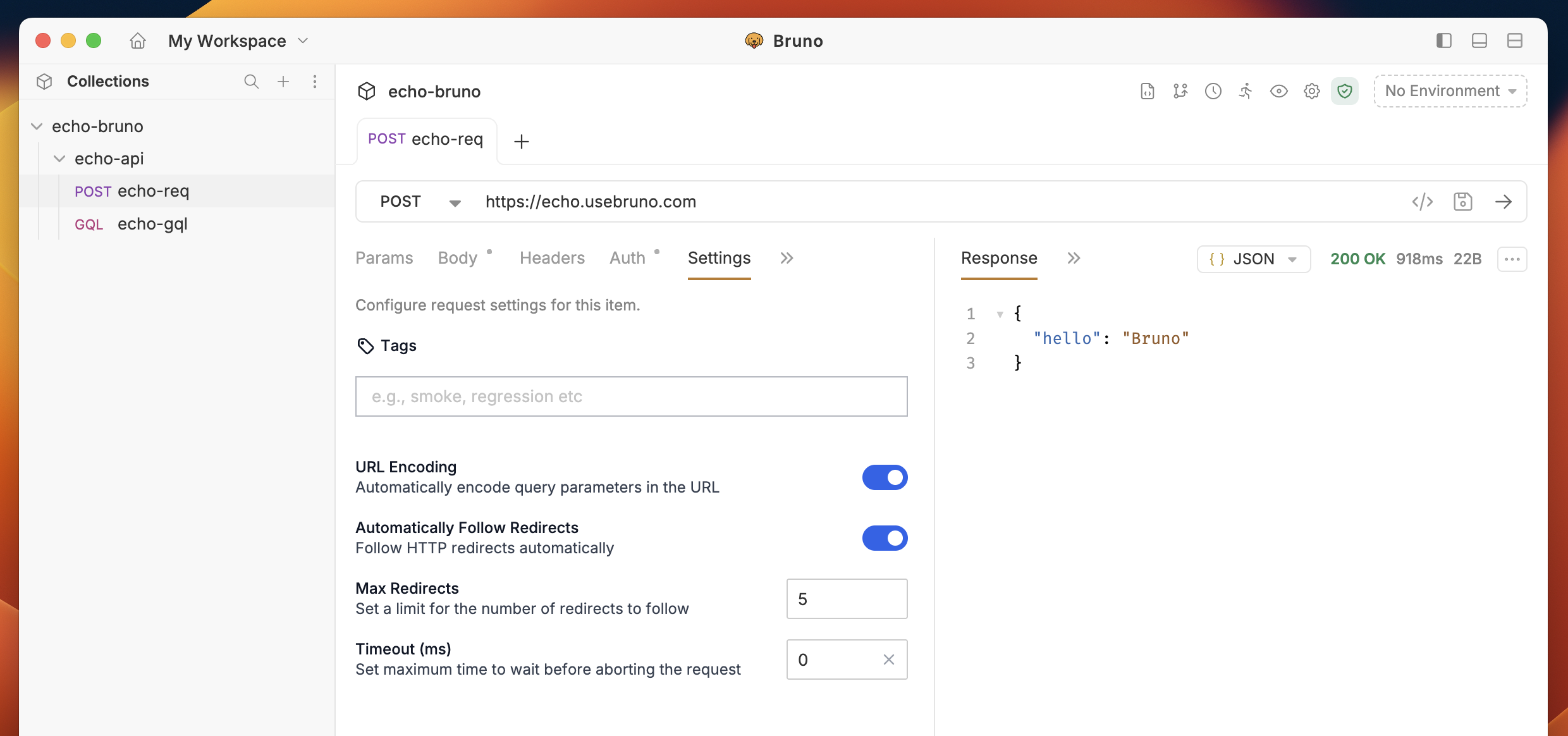
Bruno provides advanced request execution options through the **Settings** tab in the request pane. You can configure per-request settings for:
* **Automatically Follow Redirects**: Control whether redirects should be followed automatically
* **Max Redirects**: Limit the number of redirects (e.g., max\_redirects: 3)
* **Request Timeout**: Set request timeout in milliseconds (e.g., timeout: 10000)
These settings override global configurations and persist per request. For detailed information, see [Request Settings](/send-requests/REST/request-settings).
## Request Settings
Bruno provides advanced request execution options through the **Settings** tab in the request pane. You can configure per-request settings for:
* **Automatically Follow Redirects**: Control whether redirects should be followed automatically
* **Max Redirects**: Limit the number of redirects (e.g., max\_redirects: 3)
* **Request Timeout**: Set request timeout in milliseconds (e.g., timeout: 10000)
These settings override global configurations and persist per request. For detailed information, see [Request Settings](/send-requests/REST/request-settings).
 ## Get Started with REST APIs
Explore our sample GitHub REST API collection to see practical examples and test different HTTP methods:
## Get Started with REST APIs
Explore our sample GitHub REST API collection to see practical examples and test different HTTP methods: