> ## Documentation Index
> Fetch the complete documentation index at: https://docs.usebruno.com/llms.txt
> Use this file to discover all available pages before exploring further.
# Parameters
Bruno enables you to send data with your HTTP requests. You can include both query and path parameters in the request and define their corresponding values.
1. [Query Parameters](#query-parameters)
2. [Path Parameters](#path-parameters)
## Query Parameters
Query parameters are a way to pass additional information to a server via the URL when making an HTTP request. They are commonly used in GET requests to filter, sort, or specify the data you're asking for.
### How Query Parameters Work
1. Query parameters are appended to the end of the URL after a `?` symbol.
2. Each parameter consists of a **key-value** pair.
3. If there are multiple query parameters, they are separated by an `&` symbol.
### Create Query Parameters in Bruno
1. Create request inside collection.
2. Navigate to the **Params** tab.
3. Enter the **Name** of the parameter and its corresponding **Value**.
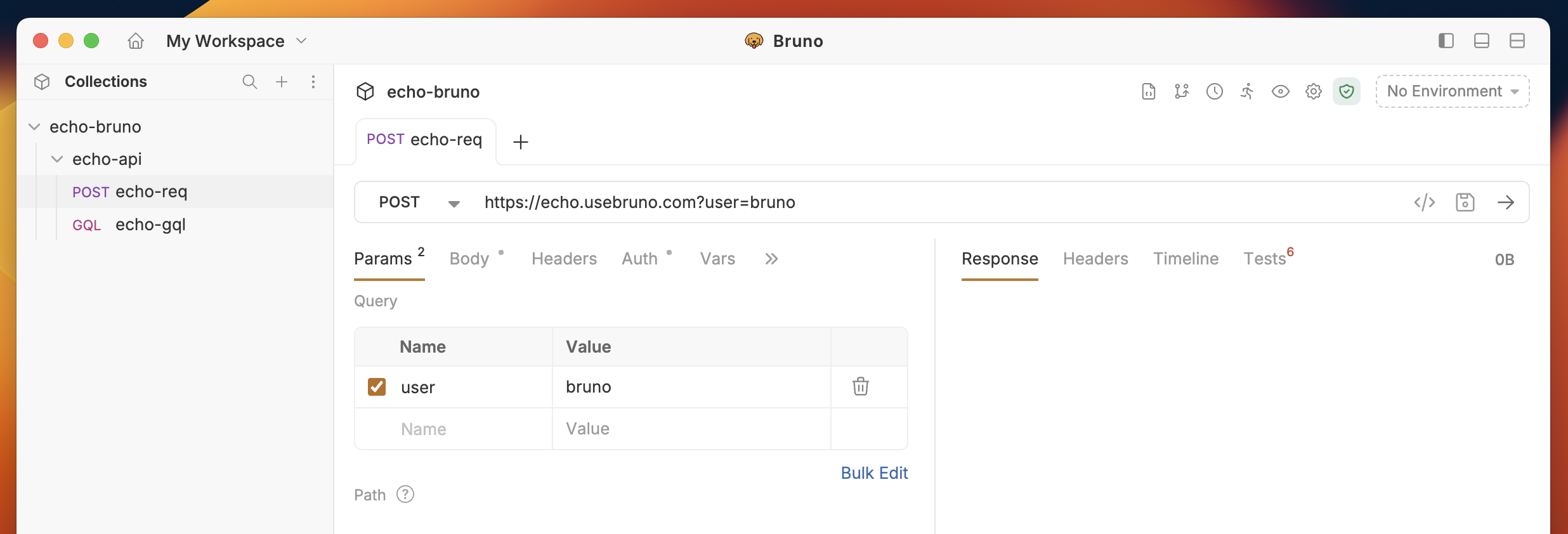 You’ll notice that the values are appended to the URL, starting with a `?`.
You can choose which parameters to include or exclude by clicking the checkbox next to each one.
## Path Parameters
A path parameter is a dynamic value embedded directly in the URL path of an API request. It is used to specify particular resources or data points within an API endpoint.
### How Path Parameters Work
1. Path parameters are embedded directly in the URL path.
2. They are represented as placeholders preceded by a colon (`:`).
3. Parameter names must start with a letter or underscore, followed by alphanumeric characters or underscores (e.g., `:id`, `:userId`, `:_type`). A colon followed by a digit (e.g., `:00`) is not treated as a path parameter.
4. When making the request, the placeholder is replaced with a dynamic value, which is part of the URL.
**Example**:
```bash theme={null}
https://api.example.com/users/:id
```
`:id` is a path parameter.
Colons followed by digits in URLs (such as in datetime values like `T00:00:00`) are not interpreted as path parameters.
### Create Path Parameters in Bruno
1. Create request inside collection.
2. Navigate to the **Params** tab.
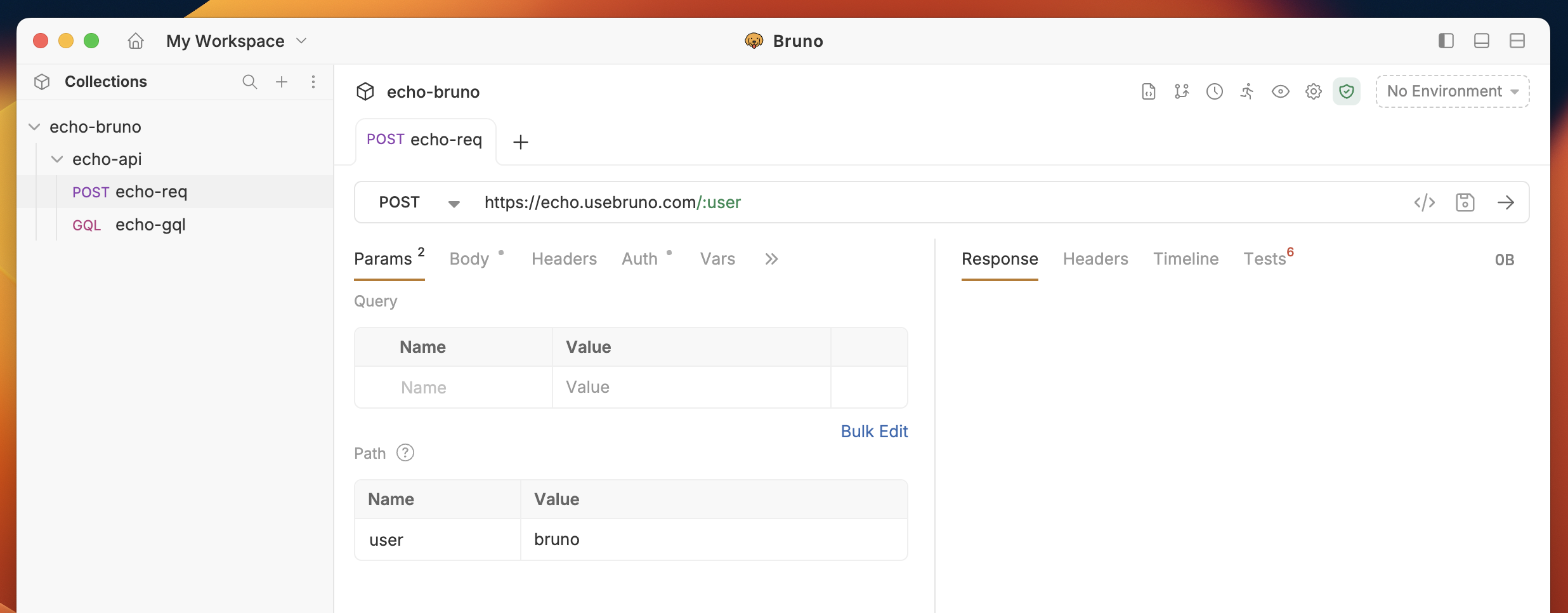
3. Add the path parameter variable in the URL. e.g. `/users/:user`
4. Enter the value in the **path parameter** section for the corresponding variable.
5. Save and execute the request.
You’ll notice that the values are appended to the URL, starting with a `?`.
You can choose which parameters to include or exclude by clicking the checkbox next to each one.
## Path Parameters
A path parameter is a dynamic value embedded directly in the URL path of an API request. It is used to specify particular resources or data points within an API endpoint.
### How Path Parameters Work
1. Path parameters are embedded directly in the URL path.
2. They are represented as placeholders preceded by a colon (`:`).
3. Parameter names must start with a letter or underscore, followed by alphanumeric characters or underscores (e.g., `:id`, `:userId`, `:_type`). A colon followed by a digit (e.g., `:00`) is not treated as a path parameter.
4. When making the request, the placeholder is replaced with a dynamic value, which is part of the URL.
**Example**:
```bash theme={null}
https://api.example.com/users/:id
```
`:id` is a path parameter.
Colons followed by digits in URLs (such as in datetime values like `T00:00:00`) are not interpreted as path parameters.
### Create Path Parameters in Bruno
1. Create request inside collection.
2. Navigate to the **Params** tab.
3. Add the path parameter variable in the URL. e.g. `/users/:user`
4. Enter the value in the **path parameter** section for the corresponding variable.
5. Save and execute the request.