> ## Documentation Index
> Fetch the complete documentation index at: https://docs.usebruno.com/llms.txt
> Use this file to discover all available pages before exploring further.
# Code Generator
Bruno makes it easy to generate code snippets from your API requests, allowing you to quickly integrate and test your API in various programming languages. This feature supports multiple languages (35+) and can help you save time when writing client code for your API.
## How Code Snippets Work in Bruno
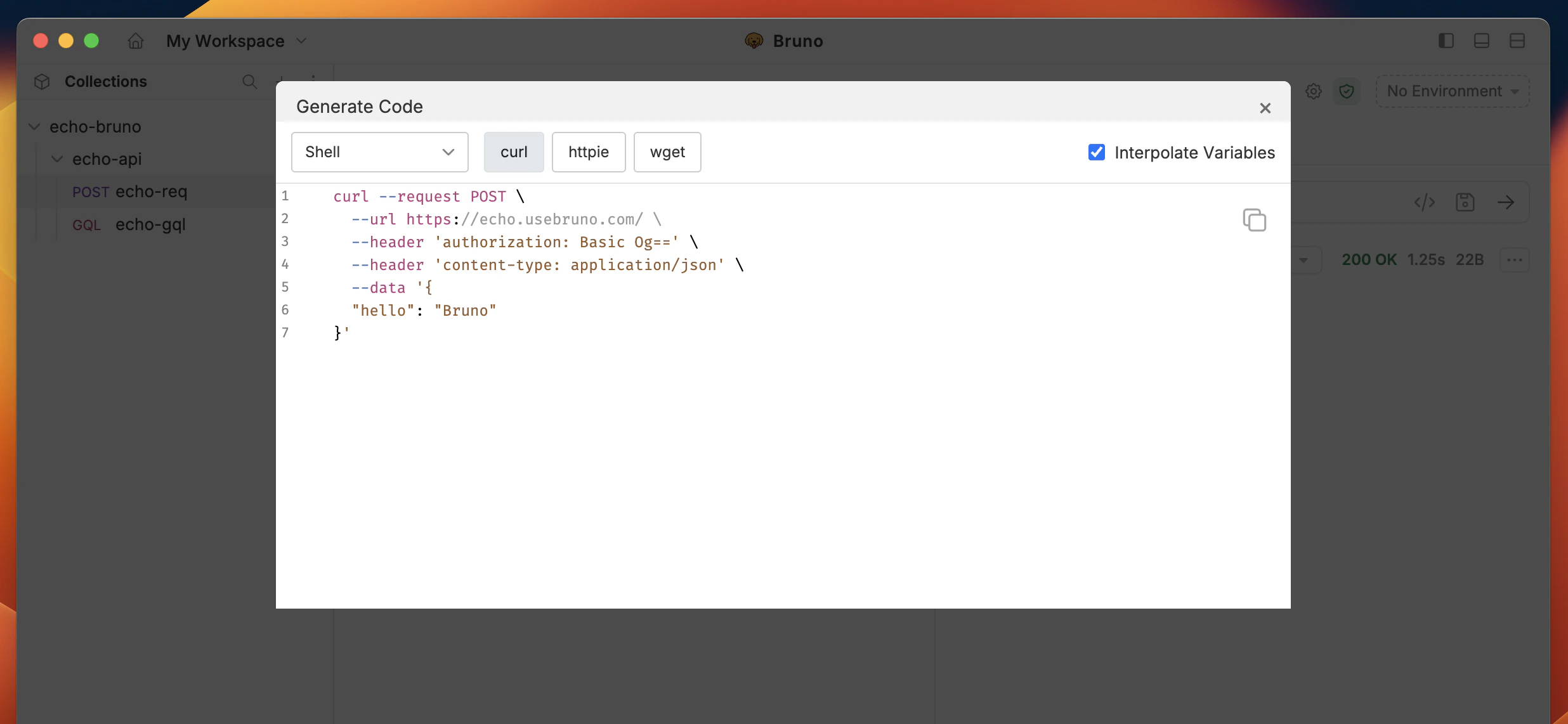
Bruno’s Code Snippet feature automatically generates the necessary code to make the same API request in various programming languages, such as **Python, JavaScript, cURL,** and others. This makes it easy to share and implement API calls directly into your application.
### Steps to Generate Code Snippets in Bruno
1. Create or Open an API request.
2. Go to the **Generate Code** Section (next to the request).
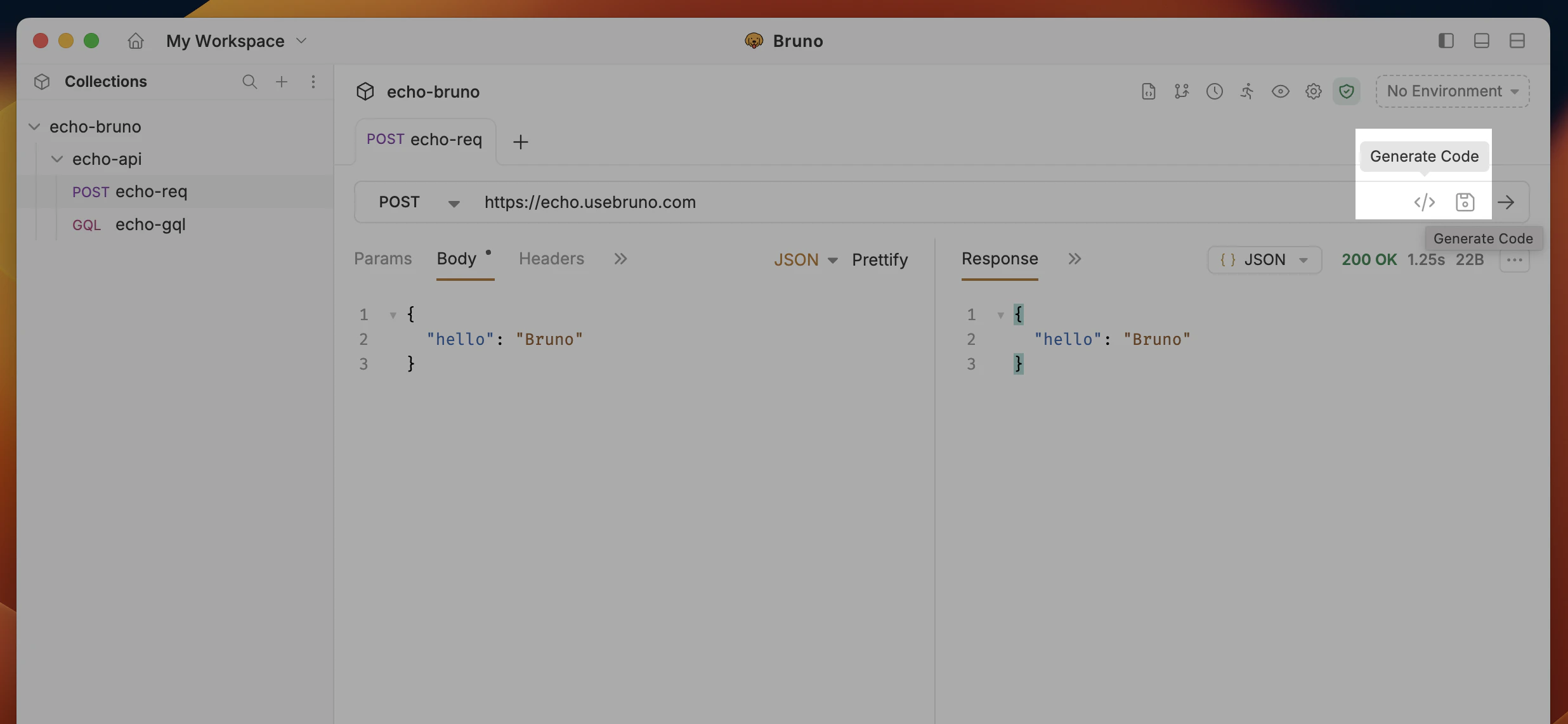 3. Select your desired programming language from the dropdown to generate the code snippet.
 ## Import a request from cURL
You can create a request by pasting a **cURL** command into Bruno (the reverse of generating cURL from a saved request).
1. In the sidebar, click **`···`** on the **collection** → **New Request**.
2. Set **Request type** to **From cURL**, then paste your cURL into the input.
## Import a request from cURL
You can create a request by pasting a **cURL** command into Bruno (the reverse of generating cURL from a saved request).
1. In the sidebar, click **`···`** on the **collection** → **New Request**.
2. Set **Request type** to **From cURL**, then paste your cURL into the input.
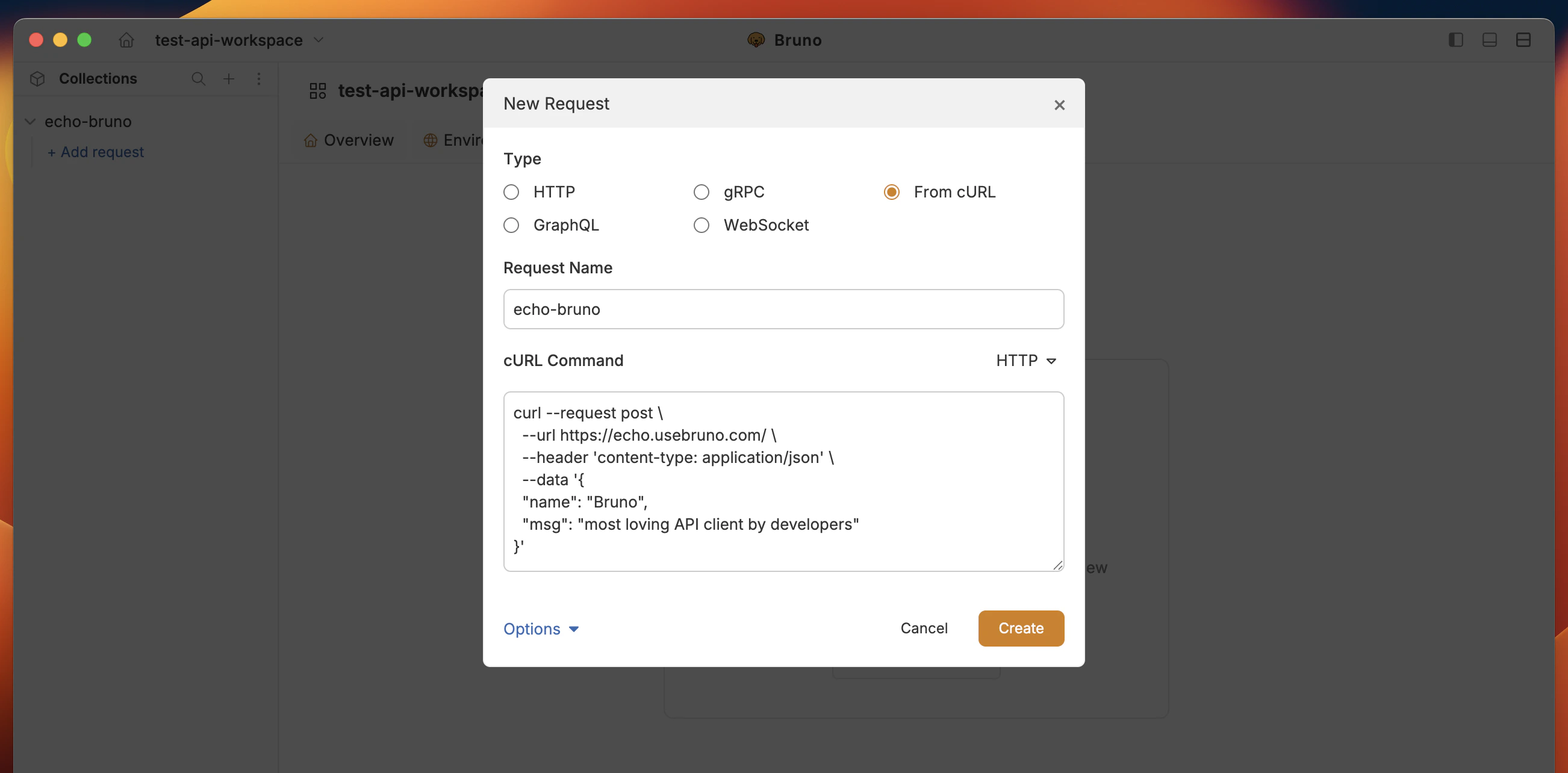 3. Click **Create** to import the request.
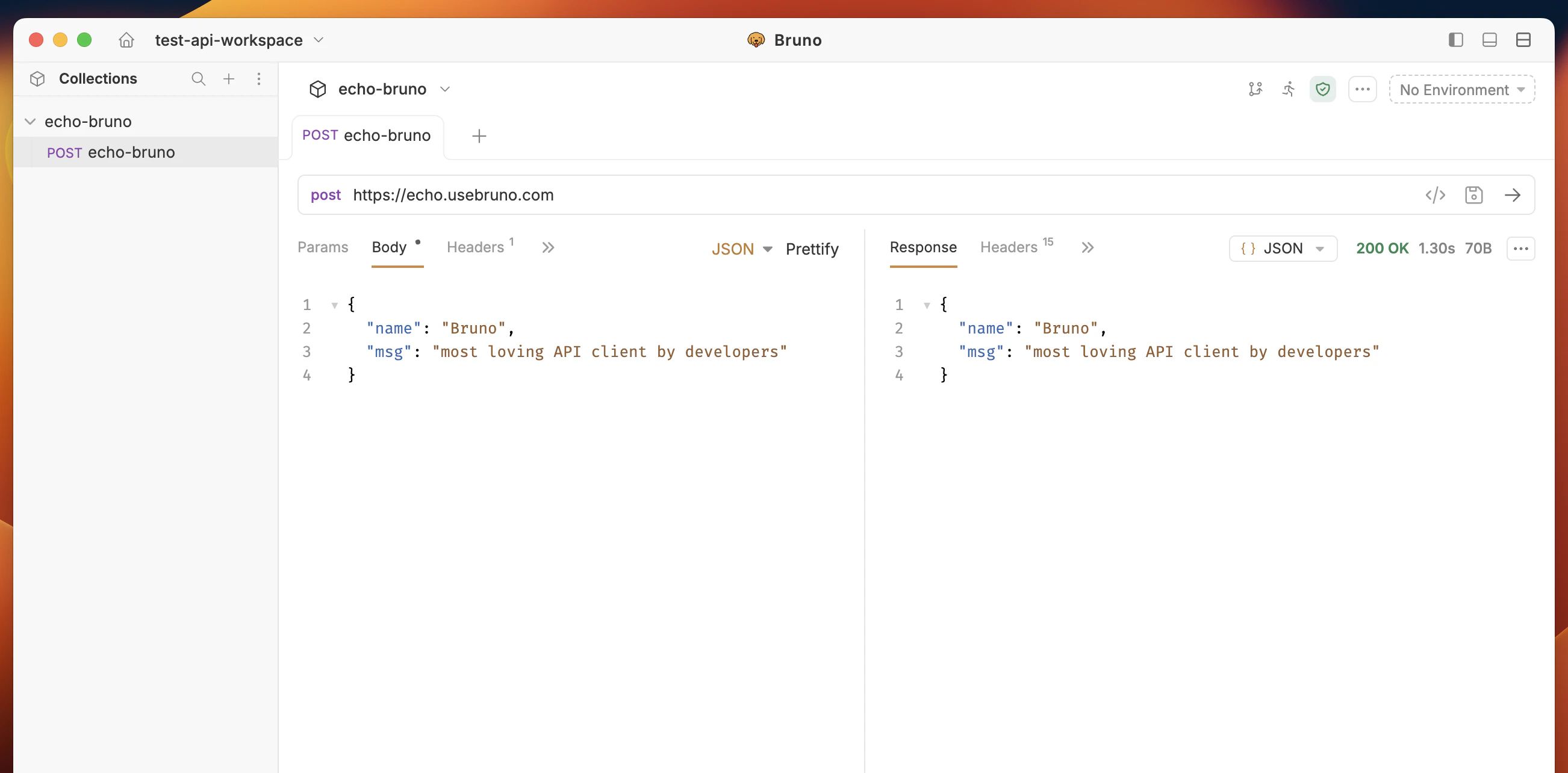 Bruno opens the new request with method, URL, headers, and body filled from the cURL command.
For more ways to create requests, see [Create a request](/get-started/bruno-basics/create-a-request).
Bruno opens the new request with method, URL, headers, and body filled from the cURL command.
For more ways to create requests, see [Create a request](/get-started/bruno-basics/create-a-request).