> ## Documentation Index
> Fetch the complete documentation index at: https://docs.usebruno.com/llms.txt
> Use this file to discover all available pages before exploring further.
# Body Data
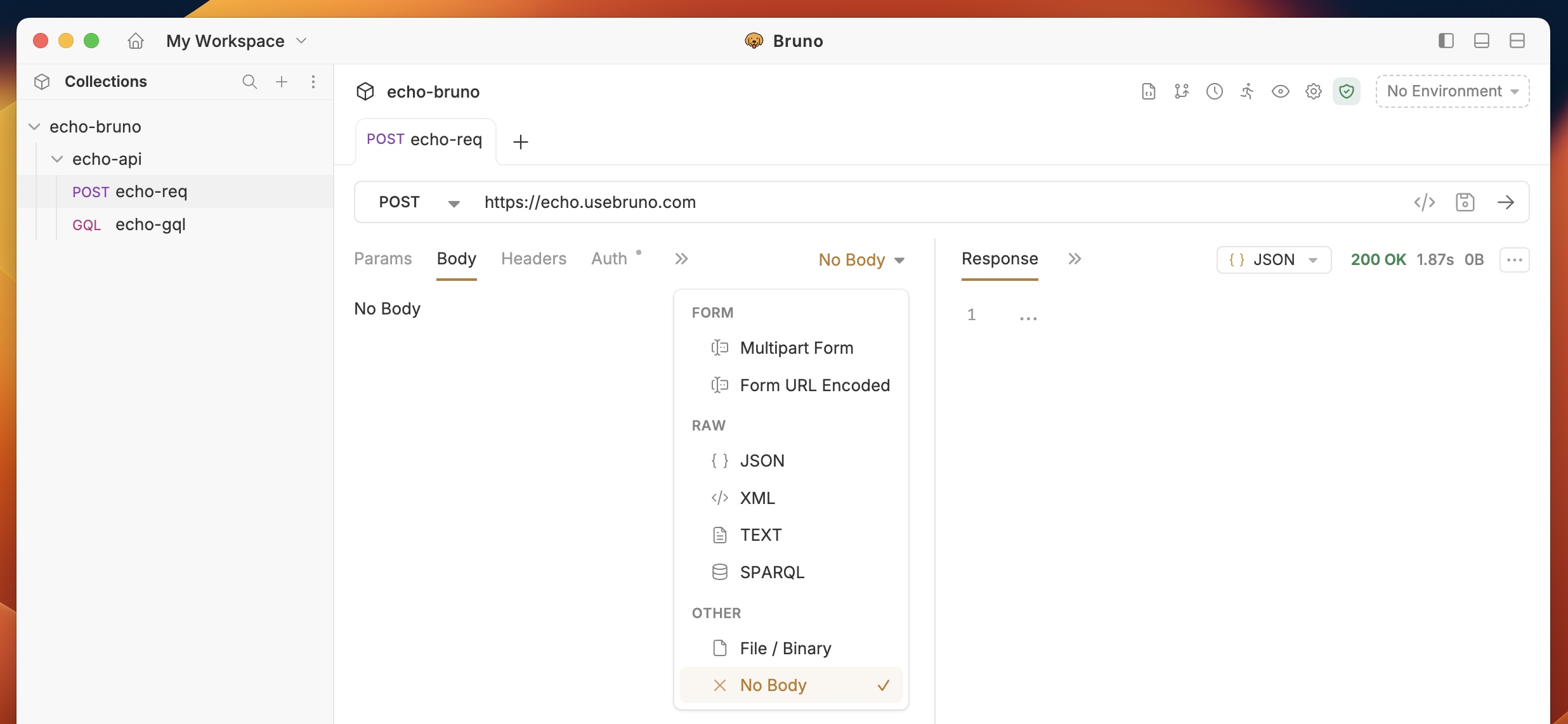
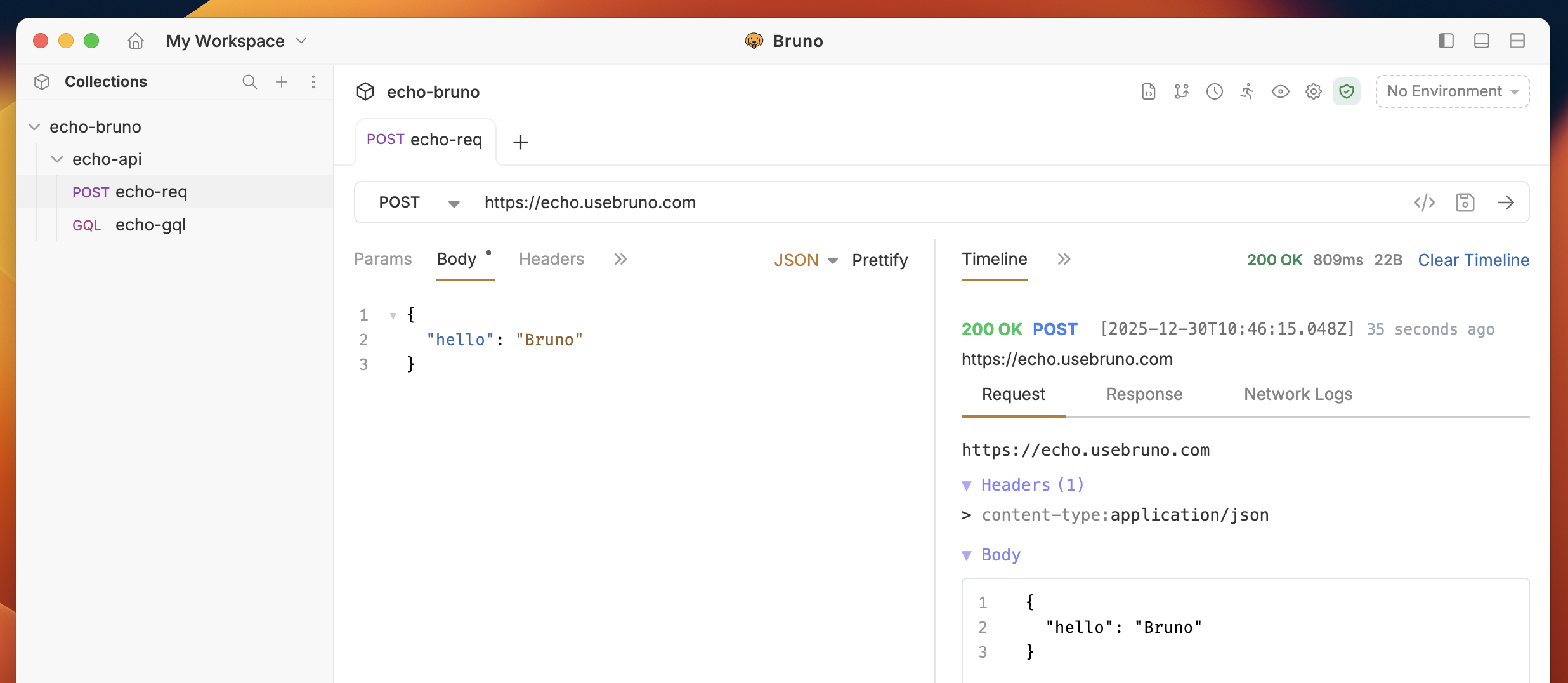
The **Body** tab in Bruno allows you to send specific data with your API requests. You can choose from various data formats, such as Form, Raw, and others, using the dropdown menu.
## Send Body Data with API Requests
You can select the data type based on your API request requirements. For example, if you're working with a request where you need to send specific details about a particular item, you’ll likely choose JSON as the data type and include the data in the body of the request.
 ### Form-Data
#### 1. Multipart Form
Used for sending files along with form data, allowing multiple parts with different content types in a single request. In multipart form data, each part of the request is separated by a boundary.
1. Navigate to the **Body** tab.
2. Select **Multipart Form** from dropdown.
3. Click on **Add File** and upload one or more files.
4. (optional) You can also select **Add Param** for sending key-value pair data.
5. Save and execute the request.
### Form-Data
#### 1. Multipart Form
Used for sending files along with form data, allowing multiple parts with different content types in a single request. In multipart form data, each part of the request is separated by a boundary.
1. Navigate to the **Body** tab.
2. Select **Multipart Form** from dropdown.
3. Click on **Add File** and upload one or more files.
4. (optional) You can also select **Add Param** for sending key-value pair data.
5. Save and execute the request.
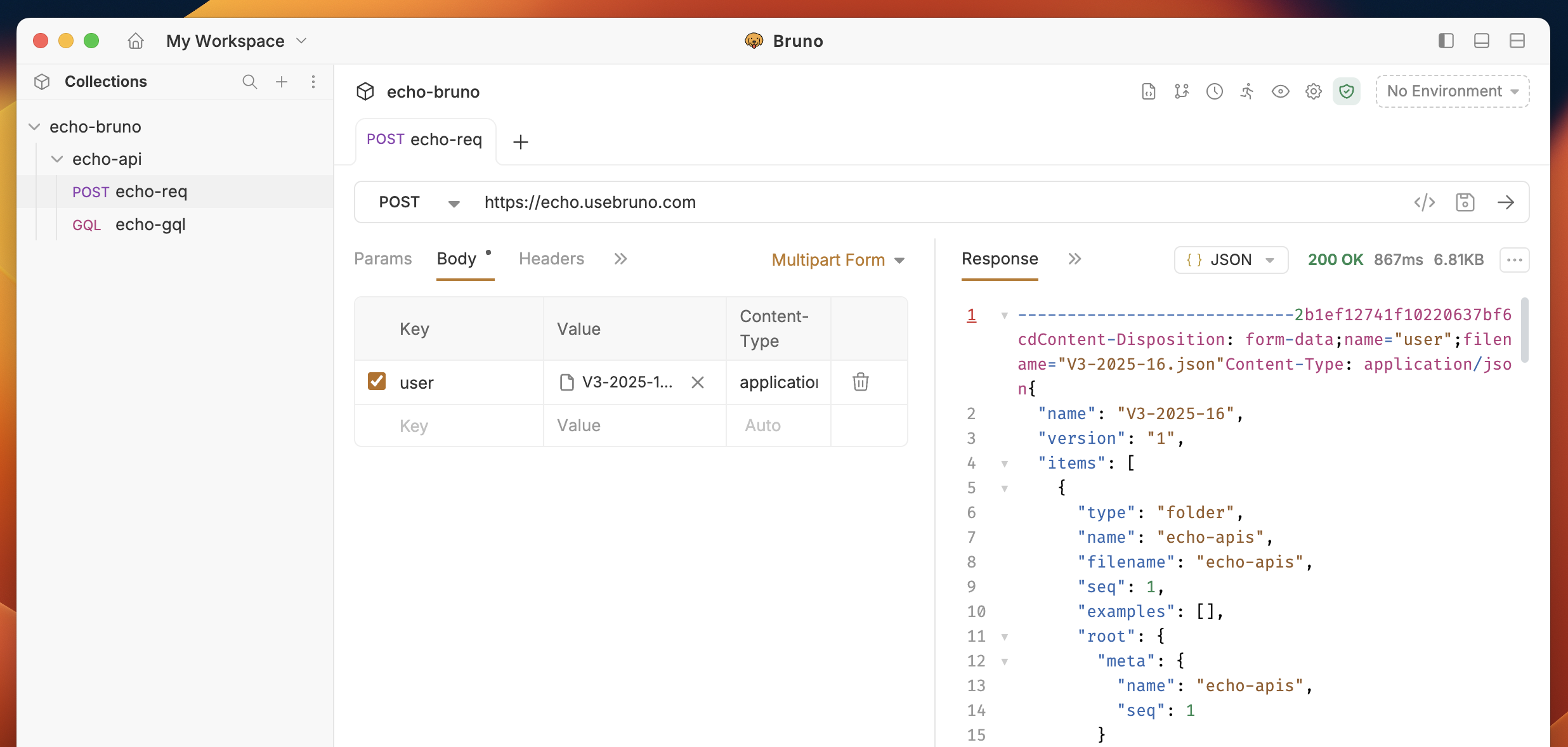 #### Upload multiple files in a single field
A file field can hold more than one file. Each selected file appears as a chip in the field — use the upload button to add more files, or the **×** on a chip to remove an individual file. Removing the last file converts the field back to a text param.
* File paths are normalized relative to the collection so collections stay portable.
* Selecting the same file again is deduplicated.
* The `Content-Type` for the field is auto-detected from the file list; you can override it from the field's settings.
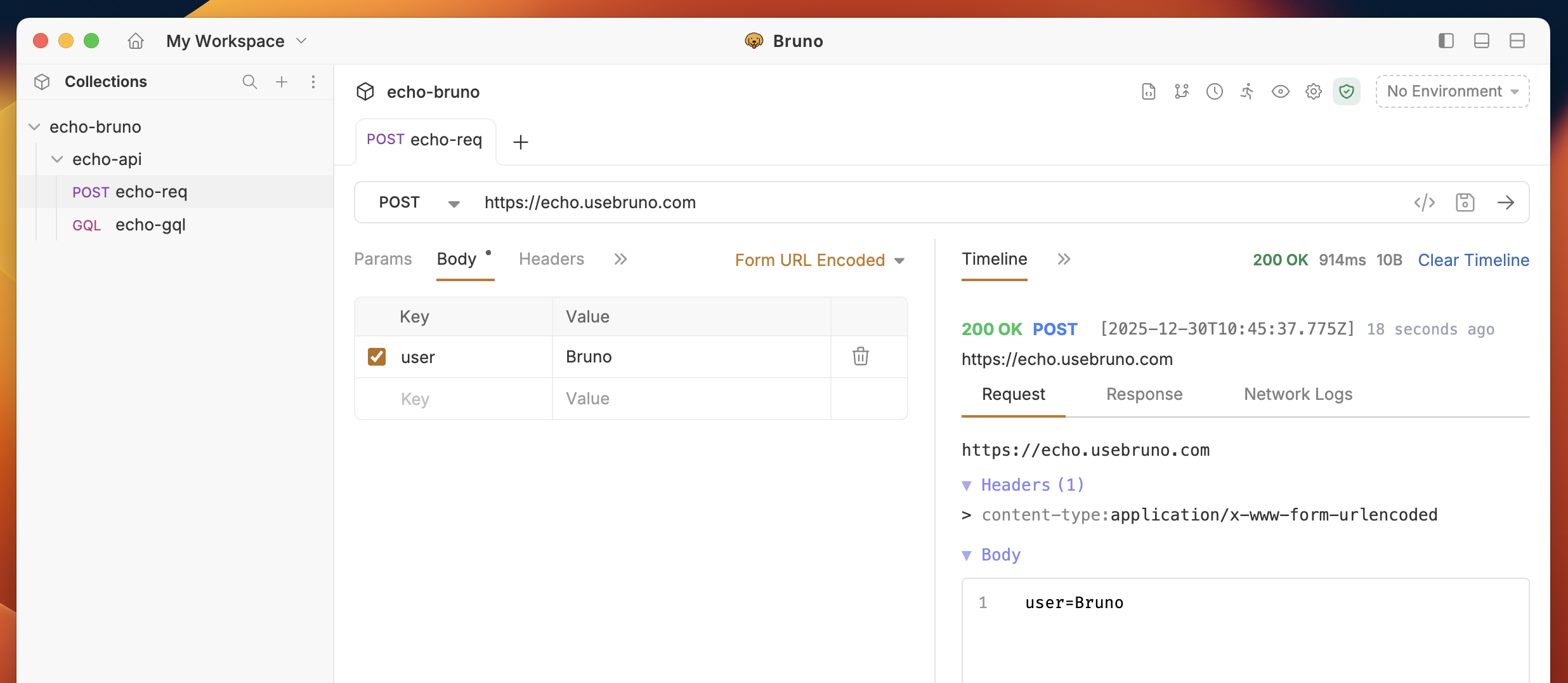
#### 2. URL Encoded
It is commonly used for simple form submissions where data is sent as key-value pairs. Each key and value are separated by an equal sign (=), and multiple pairs are separated by an ampersand (&).
1. Navigate to the **Body** tab.
2. Select **Form URL Encoded** from dropdown.
3. Click on **Add Param** and add key-value pair.
4. Save and execute the request.
#### Upload multiple files in a single field
A file field can hold more than one file. Each selected file appears as a chip in the field — use the upload button to add more files, or the **×** on a chip to remove an individual file. Removing the last file converts the field back to a text param.
* File paths are normalized relative to the collection so collections stay portable.
* Selecting the same file again is deduplicated.
* The `Content-Type` for the field is auto-detected from the file list; you can override it from the field's settings.
#### 2. URL Encoded
It is commonly used for simple form submissions where data is sent as key-value pairs. Each key and value are separated by an equal sign (=), and multiple pairs are separated by an ampersand (&).
1. Navigate to the **Body** tab.
2. Select **Form URL Encoded** from dropdown.
3. Click on **Add Param** and add key-value pair.
4. Save and execute the request.
 ### Raw Data
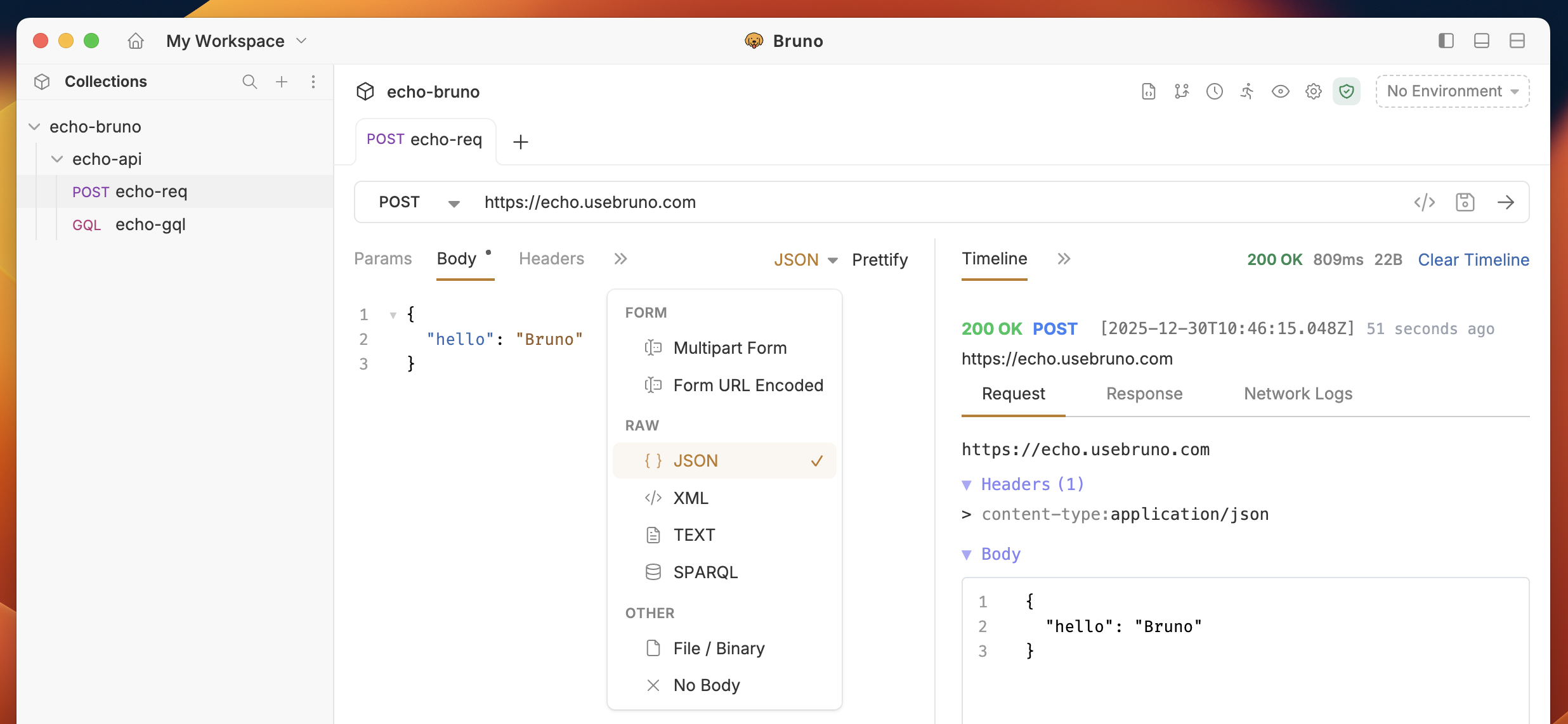
Raw Data allows you to send data in its raw, unprocessed form in the body of an API request. It doesn’t require a predefined structure like key-value pairs or multi-part boundaries. Instead, you can send data exactly as it is, which is useful when dealing with structured data formats such as **JSON, XML, Sparql or plain text**.
1. Navigate to the **Body** tab.
2. In the RAW section, select your preferred data format.
3. Add appropriate data for your API request.
4. Save and execute the request.
### Raw Data
Raw Data allows you to send data in its raw, unprocessed form in the body of an API request. It doesn’t require a predefined structure like key-value pairs or multi-part boundaries. Instead, you can send data exactly as it is, which is useful when dealing with structured data formats such as **JSON, XML, Sparql or plain text**.
1. Navigate to the **Body** tab.
2. In the RAW section, select your preferred data format.
3. Add appropriate data for your API request.
4. Save and execute the request.
 ### Other (File / Binary / No Body)
The **Other** option on the **Body** tab provides quick choices to send a file or to send no body.
1. Navigate to the **Body** tab.
2. From the dropdown, choose **Other**.
3. Two controls are available:
* **File / Binary**: Send a file directly as the request body. Click **Select File** (or drag-and-drop) to pick the file. Bruno sends the file as-is (Content-Type will be inferred or set it in **Headers**).
* **No Body**: Send the request with an empty body (useful for requests that require no payload).
4. (optional) Verify the **Content-Type** header if your server expects a specific media type for the uploaded file.
5. Save and execute the request.
### Other (File / Binary / No Body)
The **Other** option on the **Body** tab provides quick choices to send a file or to send no body.
1. Navigate to the **Body** tab.
2. From the dropdown, choose **Other**.
3. Two controls are available:
* **File / Binary**: Send a file directly as the request body. Click **Select File** (or drag-and-drop) to pick the file. Bruno sends the file as-is (Content-Type will be inferred or set it in **Headers**).
* **No Body**: Send the request with an empty body (useful for requests that require no payload).
4. (optional) Verify the **Content-Type** header if your server expects a specific media type for the uploaded file.
5. Save and execute the request.