> ## Documentation Index
> Fetch the complete documentation index at: https://docs.usebruno.com/llms.txt
> Use this file to discover all available pages before exploring further.
# Secret Variables
Bruno stores secrets on your local machine. The location depends on the OS.
The secrets are encrypted using OS level encryption when available or falls back to AES256 encryption.
In this approach, you can check the `secret` checkbox for any variable in your environment.
Bruno will manage your secrets internally and will not write them into the environment file.
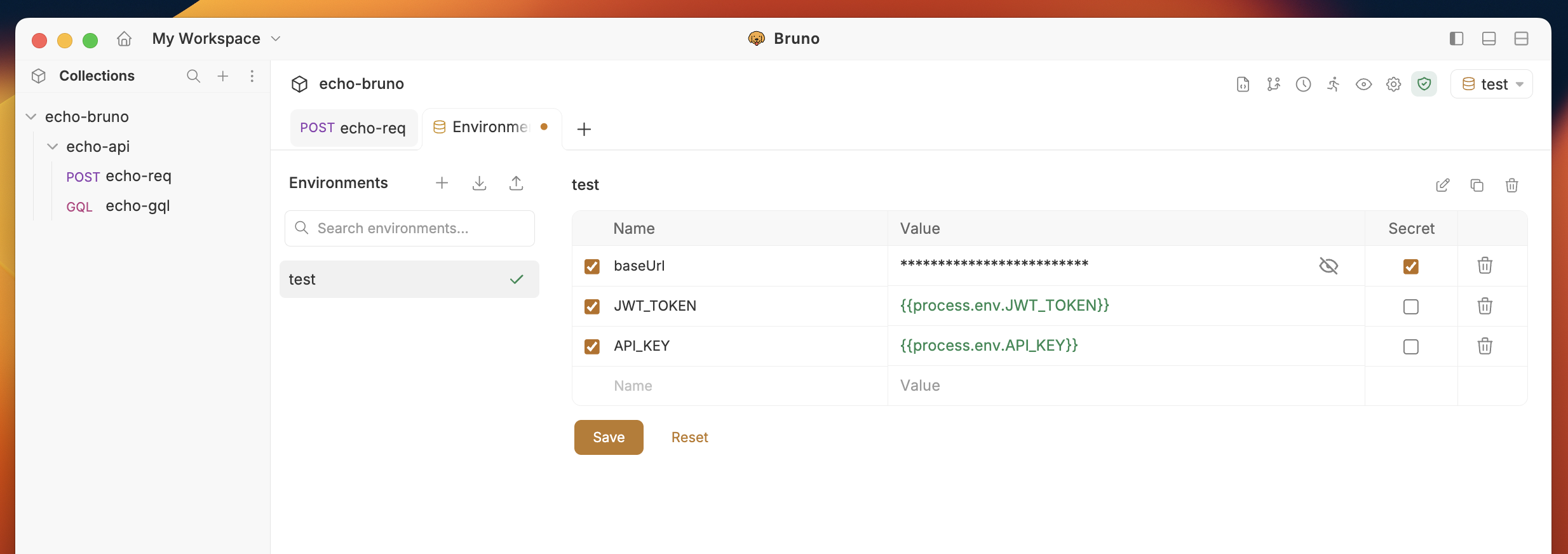 Your environment file at `environments/local.bru` would look like
```bash filename="local.bru" theme={null}
vars:secret [
baseUrl
]
```
And now you can safely check in your collection to source control without worrying about exposing your secrets.
When you export your collection as a file, Bruno will not export the secret variables.
Your environment file at `environments/local.bru` would look like
```bash filename="local.bru" theme={null}
vars:secret [
baseUrl
]
```
And now you can safely check in your collection to source control without worrying about exposing your secrets.
When you export your collection as a file, Bruno will not export the secret variables.