> ## Documentation Index
> Fetch the complete documentation index at: https://docs.usebruno.com/llms.txt
> Use this file to discover all available pages before exploring further.
# OpenAPI Sync
OpenAPI Sync keeps your Bruno collection aligned with a remote OpenAPI/Swagger spec. It tracks changes locally, removes the manual effort of re-importing when the spec changes, and helps teams stay in sync.
Open Source edition allows **5 syncs per month**. For unlimited syncs, you need [Bruno Pro or Ultimate](https://www.usebruno.com/pricing).
## Connect to OpenAPI Sync
There are two ways to connect to OpenAPI Sync:
1. [Existing Collection](#existing-collection)
2. [New Import](#new-import)
### Existing Collection
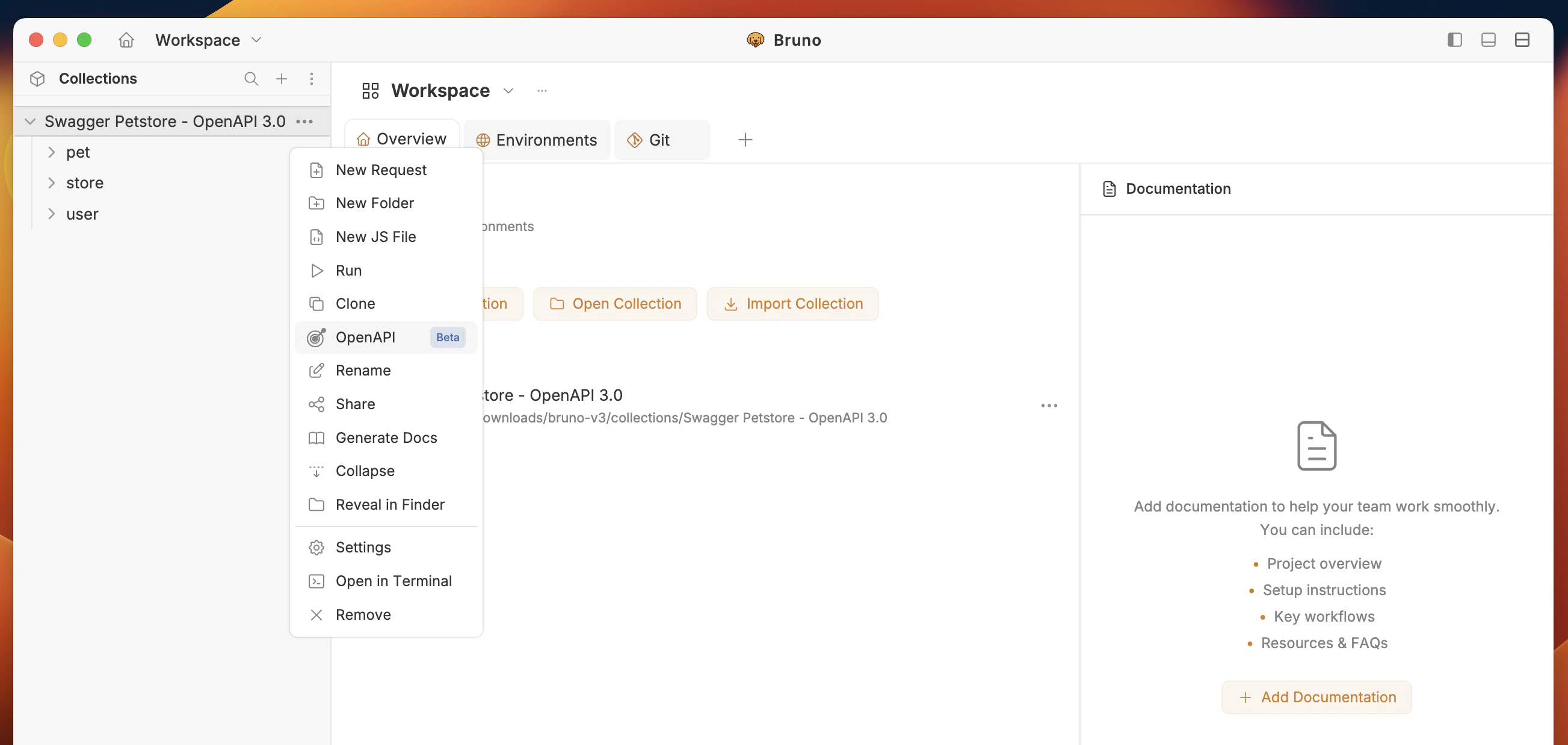
1. Click on the **context menu** (**`···`**) in your collection.
2. Select option **OpenAPI (Beta)**.
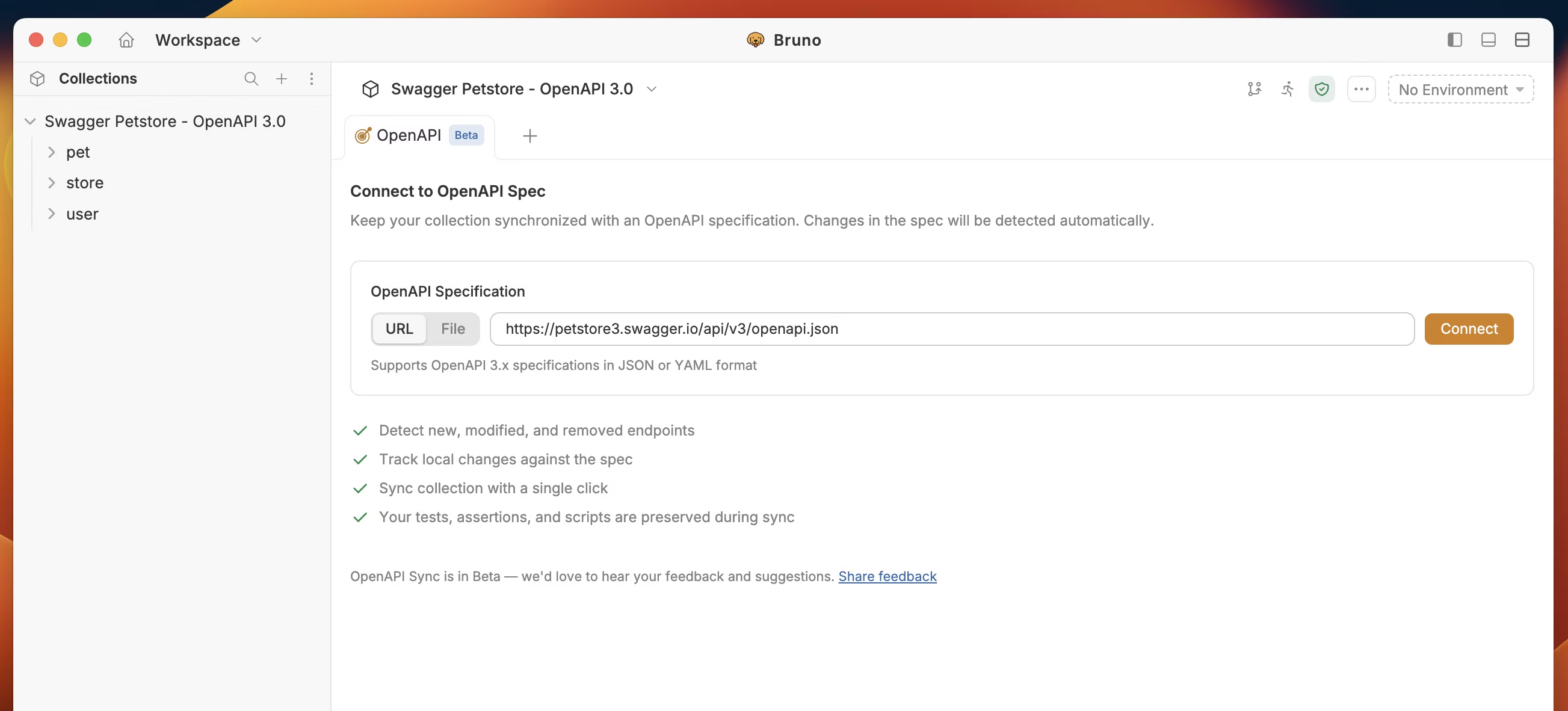
3. You have two options:
* **Add URL** – Enter the remote OpenAPI spec URL, or
* **Upload file** – Upload an OpenAPI spec file from your machine.
4. Click **Connect**.
### New Import
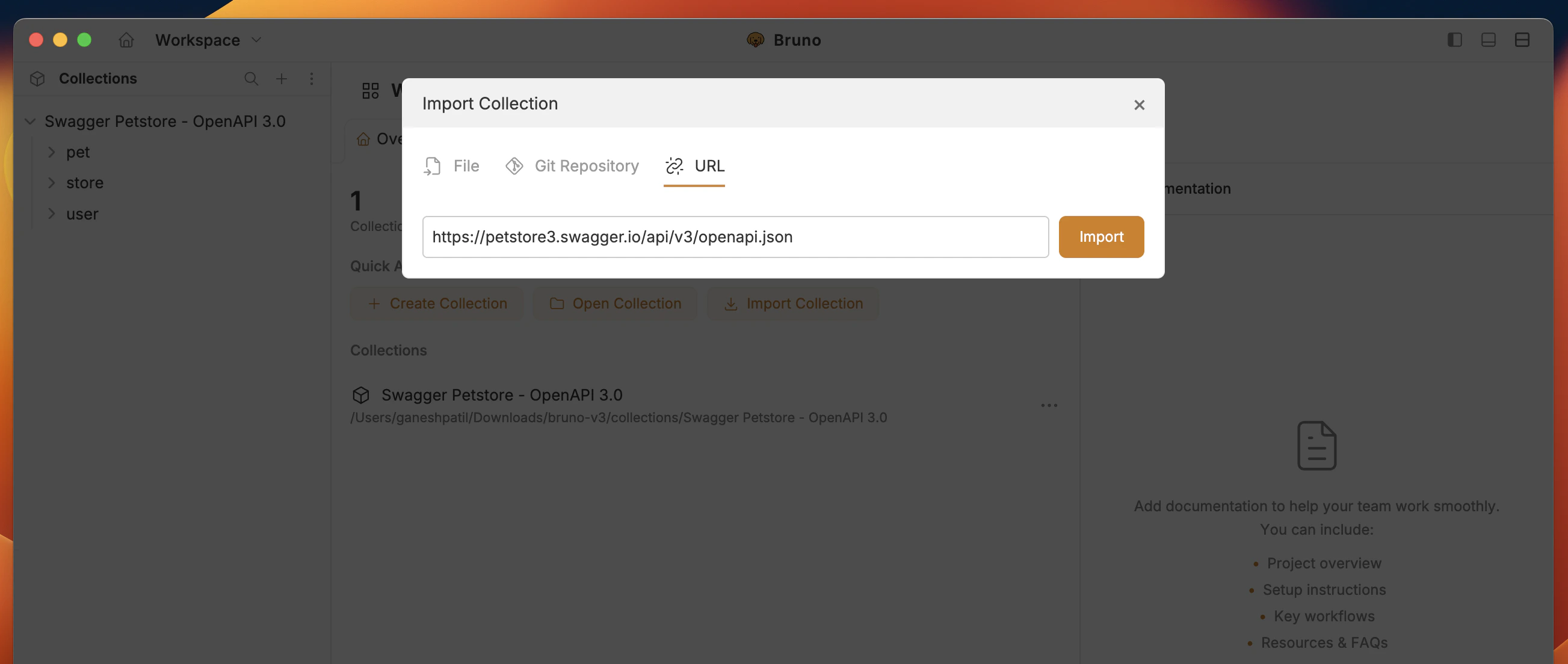
1. Import collection with OpenAPI spec file or URL.
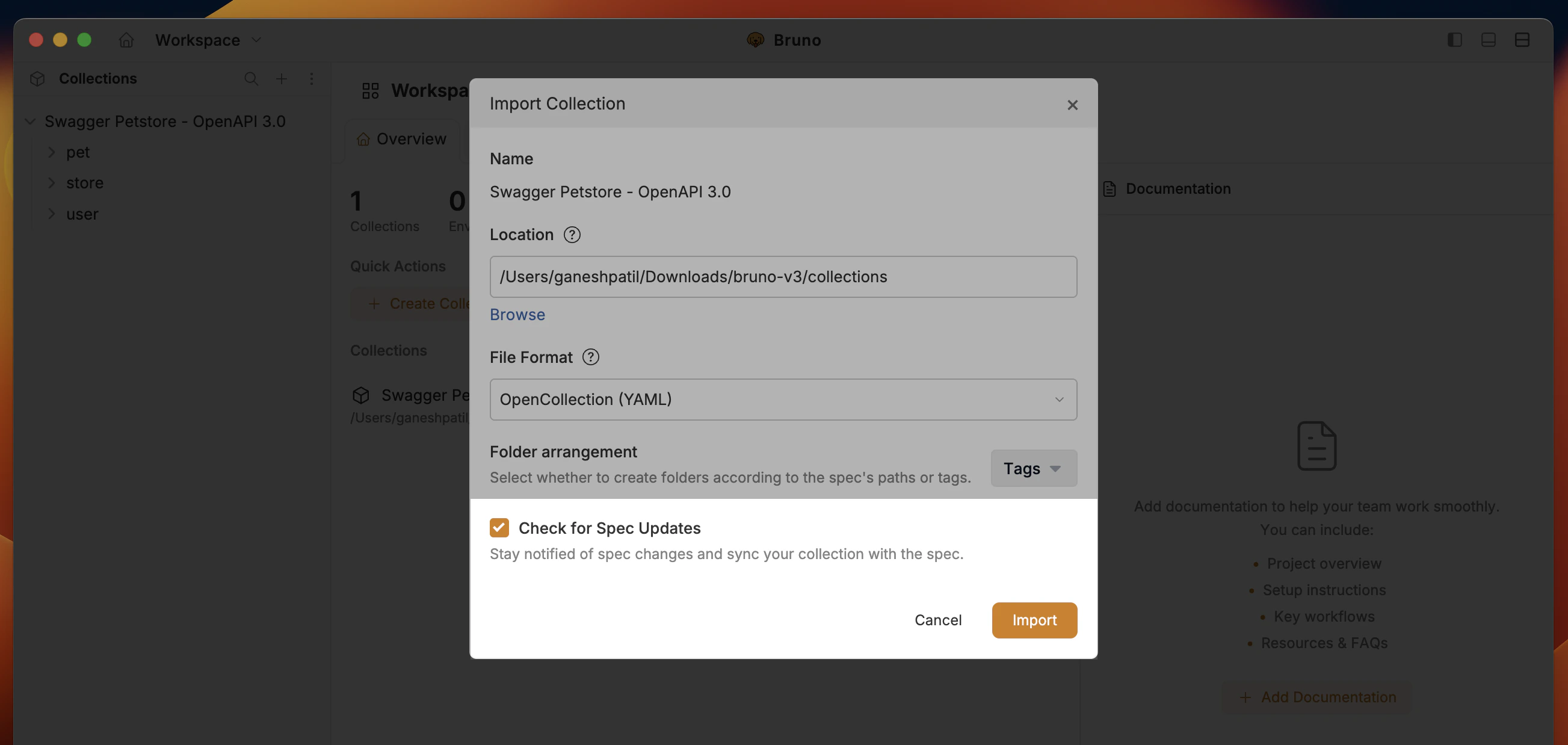
2. Enable option **Check for Spec Updates** to automatically connect to OpenAPI Sync.
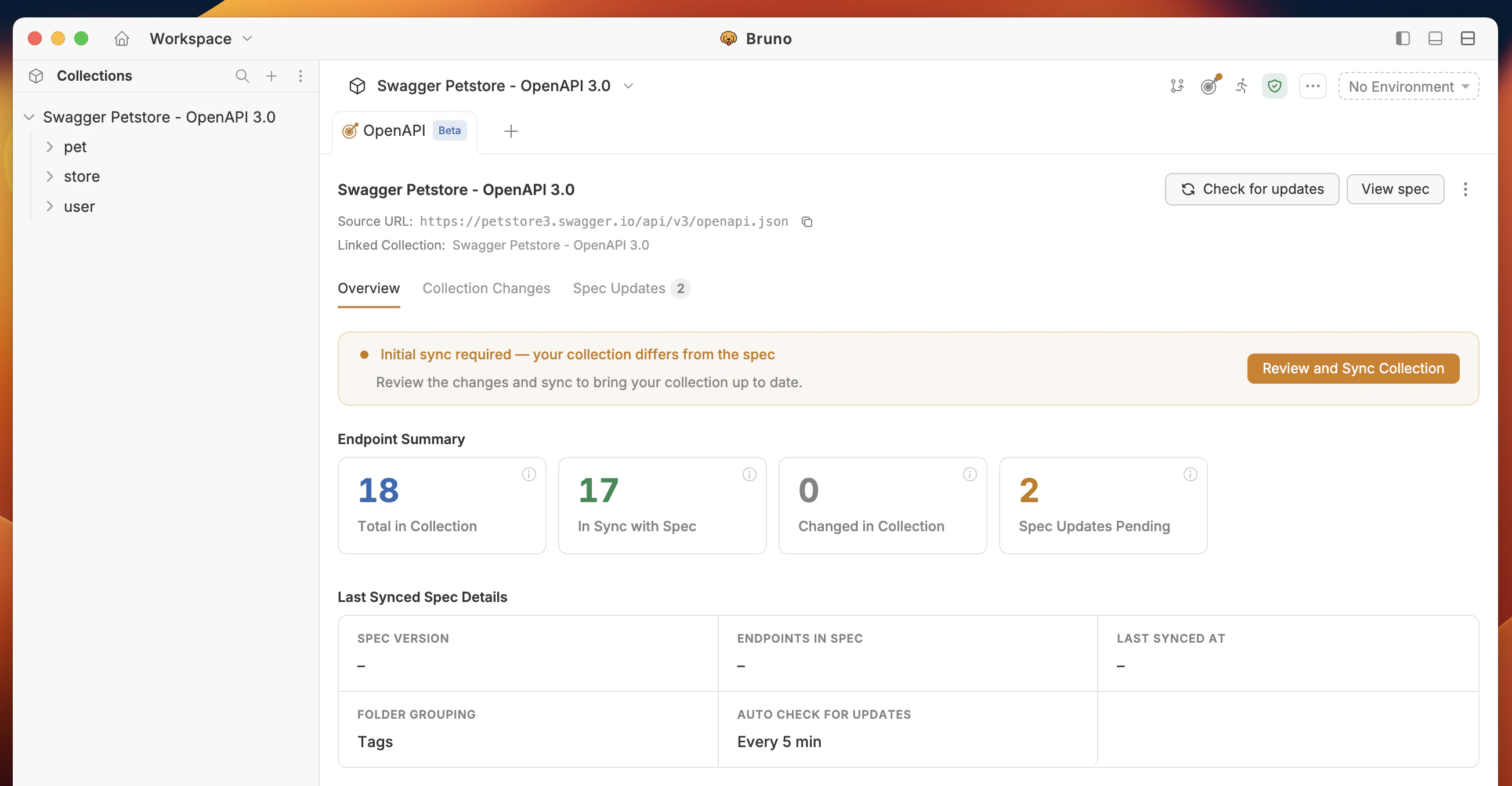
If you have the same endpoints in your OpenAPI spec and collection, you don't need to sync. If the endpoints don't match, then you have to perform **Initial Sync** changes with the collection.
**Beta feature:** OpenAPI Sync is in beta. When you sync, your collection is updated from the spec—your tests and scripts are preserved. We recommend backing up your collection or reviewing the spec before your first sync so you're comfortable with the result.
## OpenAPI Sync UI at a glance
The UI shows a summary of sync status:
### 1. Overview
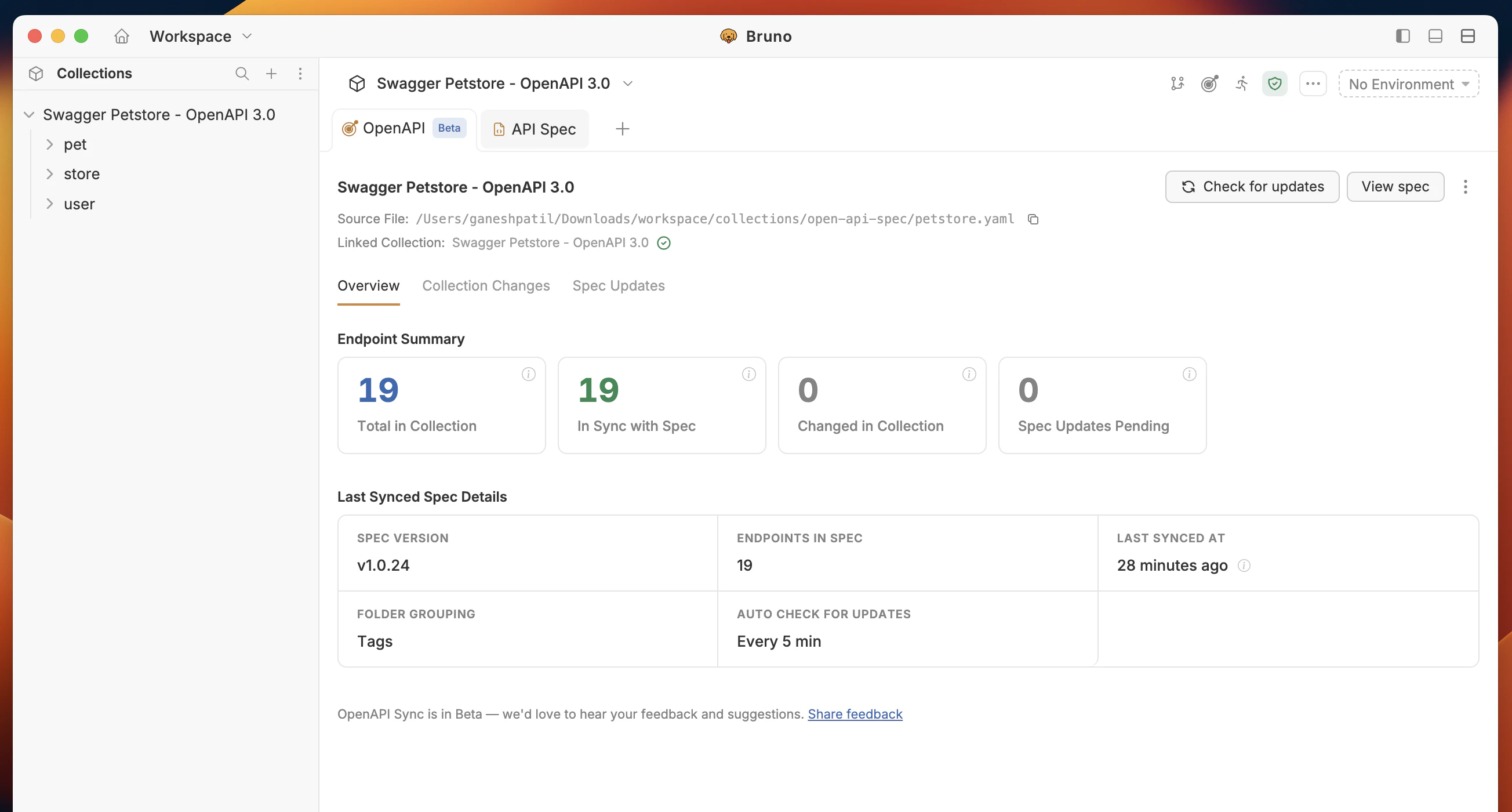
Your dashboard: summary of sync status, pending spec updates, and local collection changes. Shows **last synced** time and **spec version** (or title) so you know which spec version the collection is based on.
| Term | Meaning |
| ------------------------- | --------------------------------------------------------------------- |
| **Total in Collection** | Total number of endpoints in your collection. |
| **In Sync with Spec** | Endpoints where your local collection matches the OpenAPI spec. |
| **Changed in Collection** | Changes you made locally in Bruno (URL, params, headers, body, etc.). |
| **Spec Updated Pending** | Changes from the remote spec that are not yet applied locally. |
### 2. Collection Changes
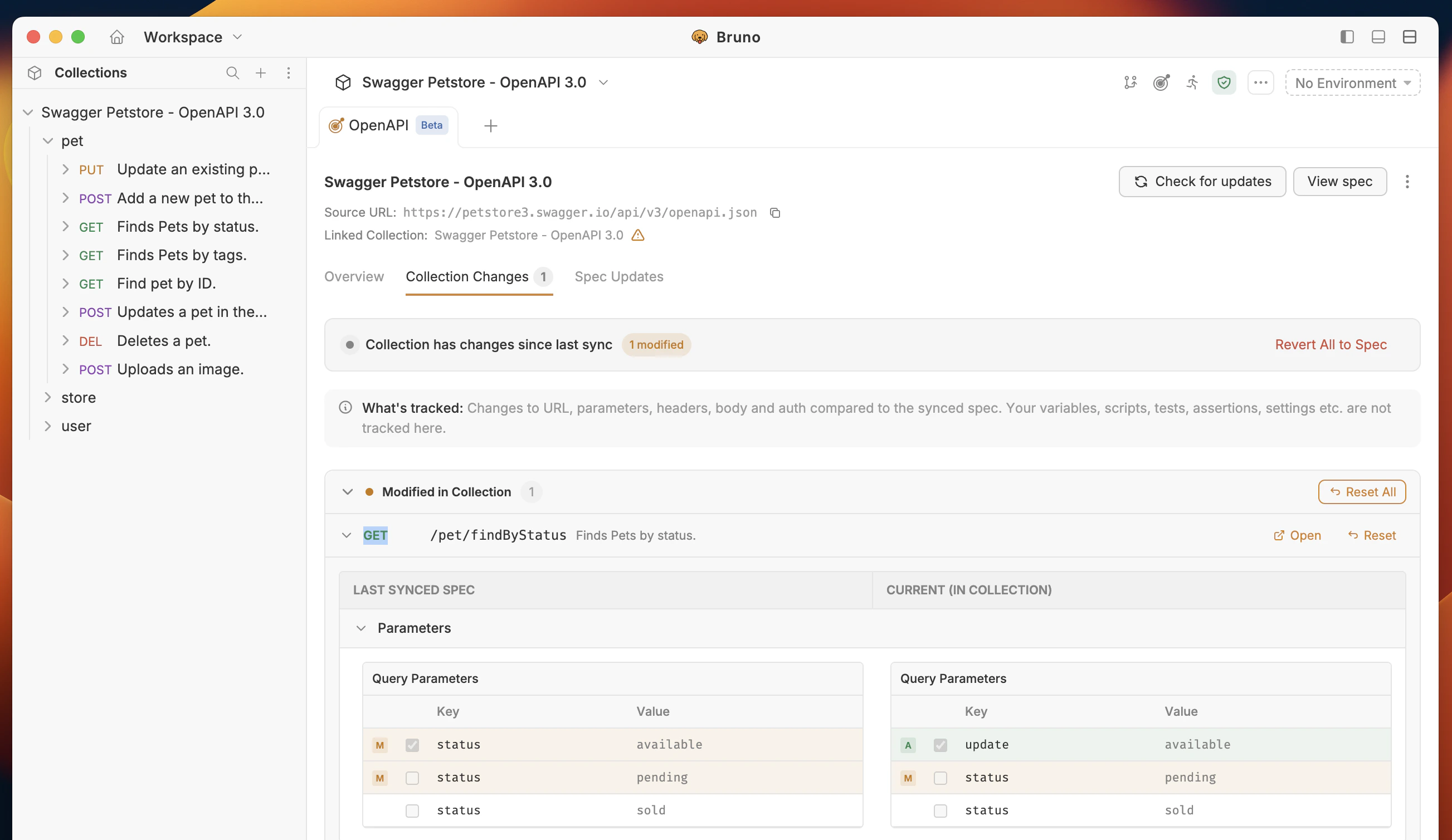
Shows **your local collection changes** in Bruno:
* **Deleted** – Endpoints or fields removed in your collection.
* **Added** – Endpoints or fields added in your collection.
* **Modified** – Endpoints or fields modified in your collection.
Only **body, URL, params, and headers** are tracked here. Tests, scripts, test assertions, and other request settings are **not** tracked in this tab. You can reset, open and view the changes.
### 3. Spec Updated
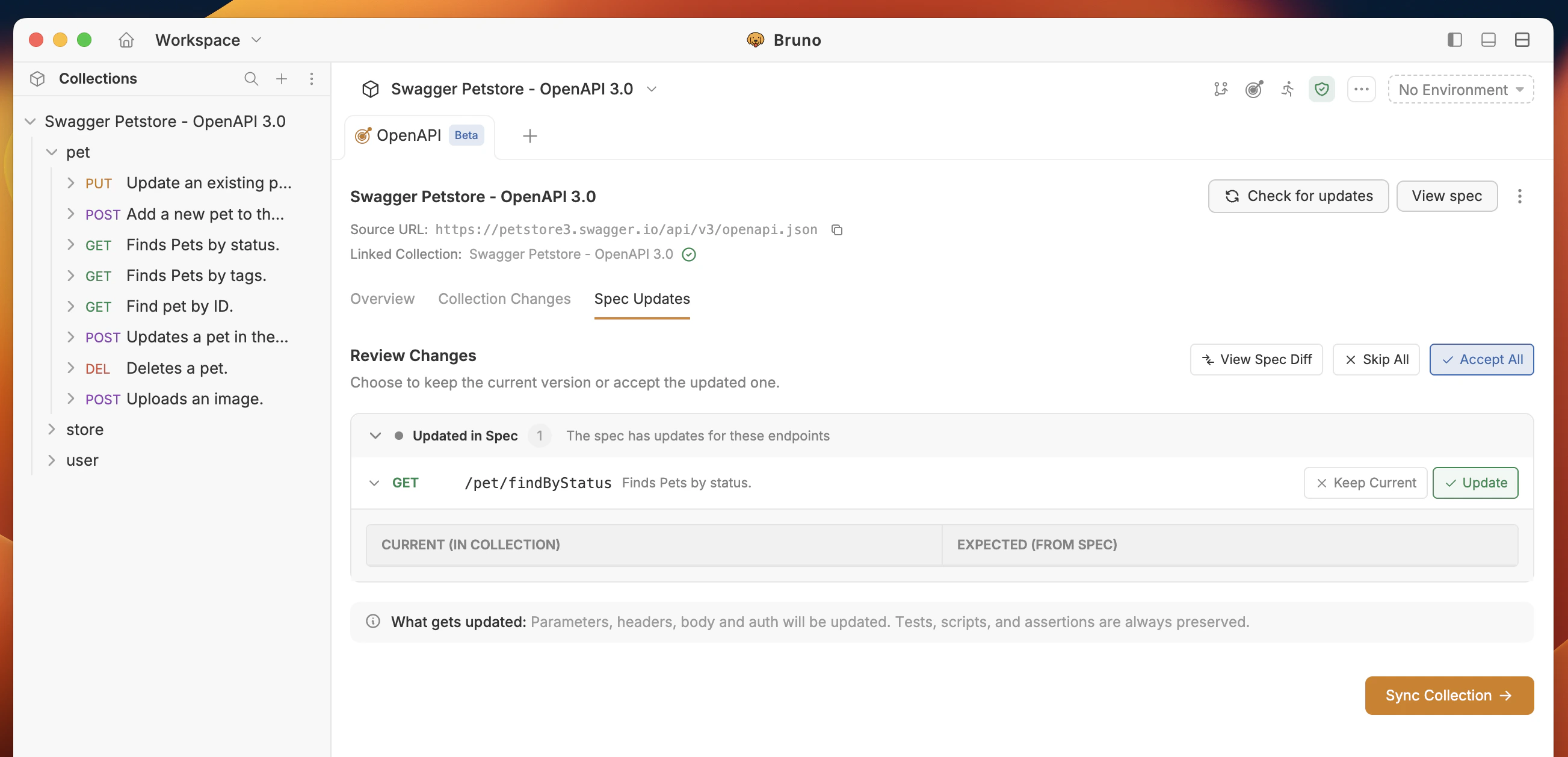
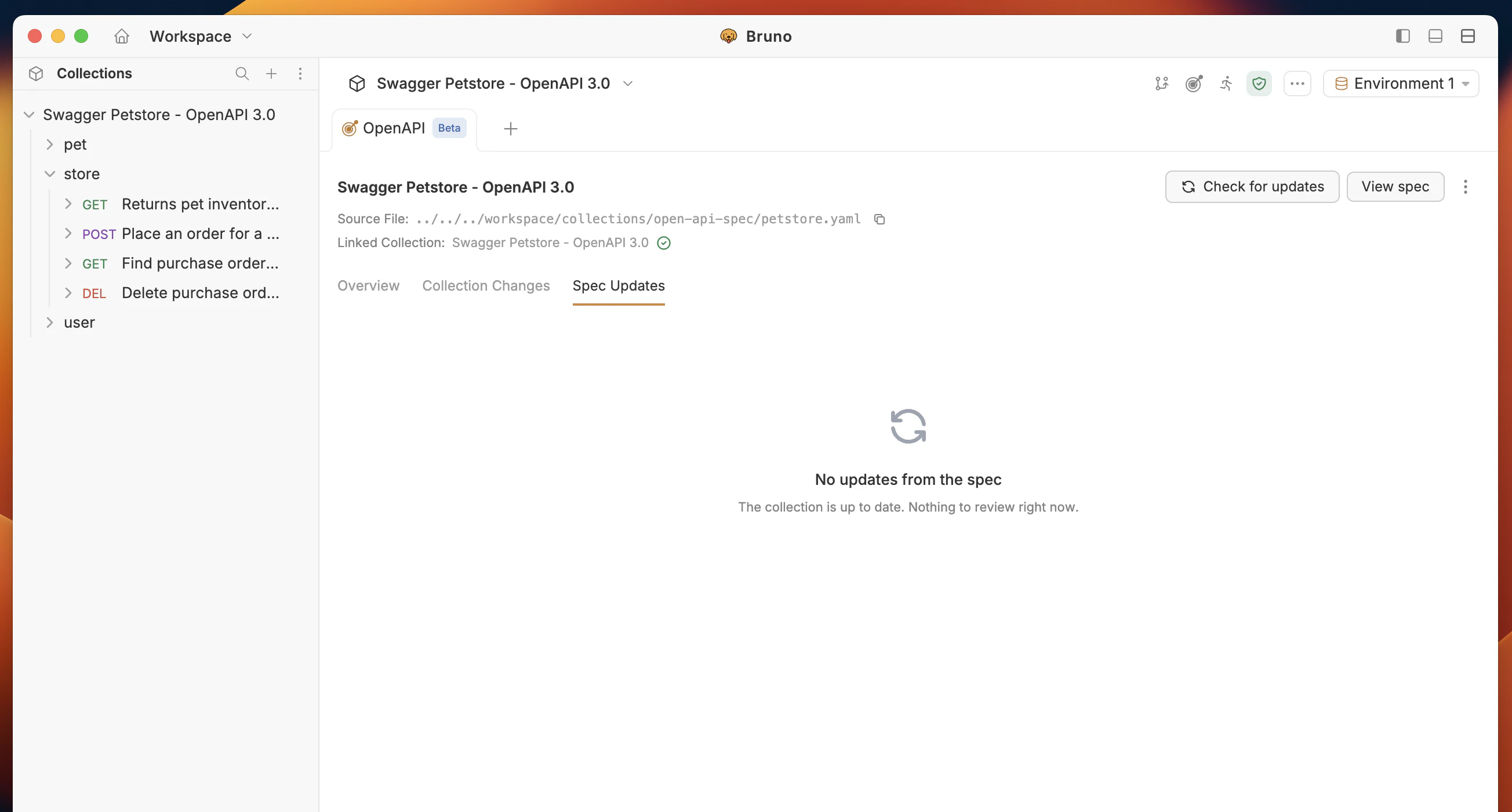
Shows when the **remote spec has been updated** and changes are pending. You can:
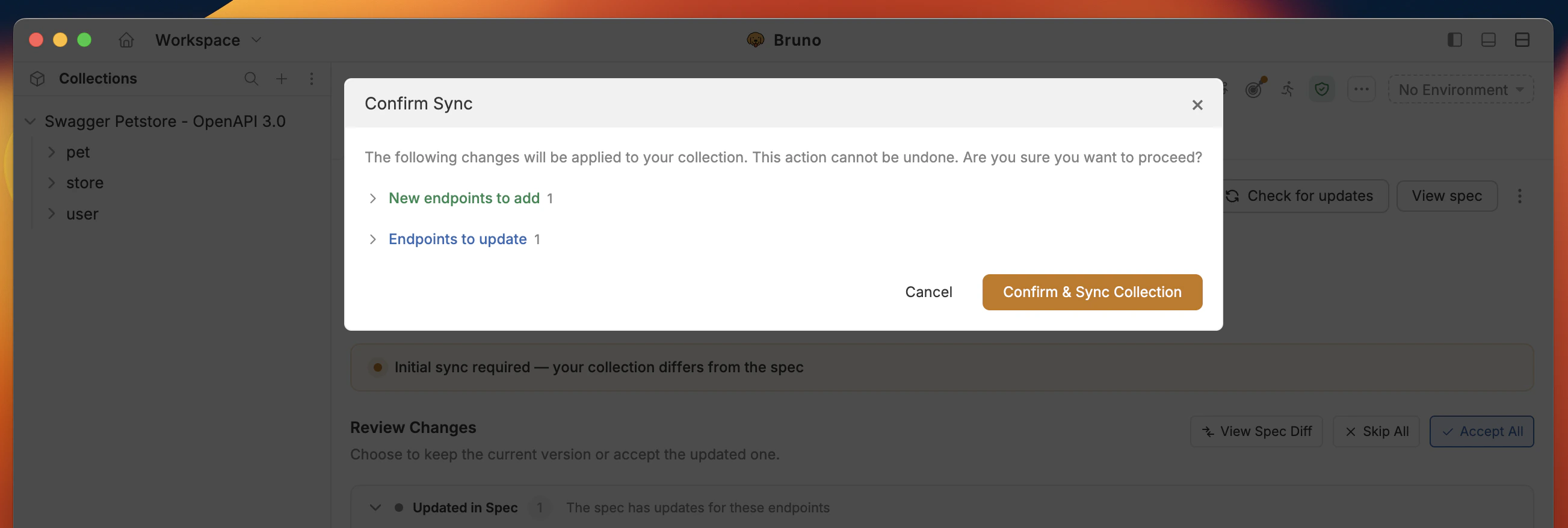
* **Sync collection** – Apply the remote spec changes to your local collection
* **Skip All** – Skip all the changes and continue with your local collection
* **Accept All** – Accept all the changes
* **Keep Current** – Keep the current changes
Click **Confirm and Sync Collection** to apply the remote spec changes to your local collection.
**Merge conflicts:** If you're working on the same file and there are changes in the remote spec, you may see conflicts. Review each change in the Spec Updated tab and accept or reject as needed.
## What gets updated when you sync
* **From spec:** URLs, parameters, request bodies, and folder/request structure are regenerated from the latest spec.
* **Preserved:** Your tests, scripts, and assertions are kept.
* **Stored locally:** The latest spec is saved under `collection/resources/spec/` for offline use.
## Connection Settings
OpenAPI Sync checks for spec updates automatically **every 5 minutes**. You can control this setting as follows:
1. Click the context menu (**`···`**) next to **View spec**.
2. Select **Edit connection settings**.
In the connection settings you can enable or disable automatic checks, disconnect sync and adjust when Bruno looks for spec updates.
## Inspect Spec
To view and inspect the OpenAPI spec:
1. Click **View spec** on the top right-hand side of the OpenAPI Sync UI.
Its **read only** SwaggerUI-like interface to the OpenAPI spec.
Please share your feedback or report issues [here](https://github.com/usebruno/bruno/discussions/7401).
 3. You have two options:
* **Add URL** – Enter the remote OpenAPI spec URL, or
* **Upload file** – Upload an OpenAPI spec file from your machine.
3. You have two options:
* **Add URL** – Enter the remote OpenAPI spec URL, or
* **Upload file** – Upload an OpenAPI spec file from your machine.
 4. Click **Connect**.
### New Import
1. Import collection with OpenAPI spec file or URL.
4. Click **Connect**.
### New Import
1. Import collection with OpenAPI spec file or URL.
 2. Enable option **Check for Spec Updates** to automatically connect to OpenAPI Sync.
 If you have the same endpoints in your OpenAPI spec and collection, you don't need to sync. If the endpoints don't match, then you have to perform **Initial Sync** changes with the collection.
 ### 1. Overview
Your dashboard: summary of sync status, pending spec updates, and local collection changes. Shows **last synced** time and **spec version** (or title) so you know which spec version the collection is based on.
| Term | Meaning |
| ------------------------- | --------------------------------------------------------------------- |
| **Total in Collection** | Total number of endpoints in your collection. |
| **In Sync with Spec** | Endpoints where your local collection matches the OpenAPI spec. |
| **Changed in Collection** | Changes you made locally in Bruno (URL, params, headers, body, etc.). |
| **Spec Updated Pending** | Changes from the remote spec that are not yet applied locally. |
### 2. Collection Changes
Shows **your local collection changes** in Bruno:
* **Deleted** – Endpoints or fields removed in your collection.
* **Added** – Endpoints or fields added in your collection.
* **Modified** – Endpoints or fields modified in your collection.
Only **body, URL, params, and headers** are tracked here. Tests, scripts, test assertions, and other request settings are **not** tracked in this tab. You can reset, open and view the changes.
### 1. Overview
Your dashboard: summary of sync status, pending spec updates, and local collection changes. Shows **last synced** time and **spec version** (or title) so you know which spec version the collection is based on.
| Term | Meaning |
| ------------------------- | --------------------------------------------------------------------- |
| **Total in Collection** | Total number of endpoints in your collection. |
| **In Sync with Spec** | Endpoints where your local collection matches the OpenAPI spec. |
| **Changed in Collection** | Changes you made locally in Bruno (URL, params, headers, body, etc.). |
| **Spec Updated Pending** | Changes from the remote spec that are not yet applied locally. |
### 2. Collection Changes
Shows **your local collection changes** in Bruno:
* **Deleted** – Endpoints or fields removed in your collection.
* **Added** – Endpoints or fields added in your collection.
* **Modified** – Endpoints or fields modified in your collection.
Only **body, URL, params, and headers** are tracked here. Tests, scripts, test assertions, and other request settings are **not** tracked in this tab. You can reset, open and view the changes.
 ### 3. Spec Updated
Shows when the **remote spec has been updated** and changes are pending. You can:
* **Sync collection** – Apply the remote spec changes to your local collection
* **Skip All** – Skip all the changes and continue with your local collection
* **Accept All** – Accept all the changes
* **Keep Current** – Keep the current changes
### 3. Spec Updated
Shows when the **remote spec has been updated** and changes are pending. You can:
* **Sync collection** – Apply the remote spec changes to your local collection
* **Skip All** – Skip all the changes and continue with your local collection
* **Accept All** – Accept all the changes
* **Keep Current** – Keep the current changes
 Click **Confirm and Sync Collection** to apply the remote spec changes to your local collection.
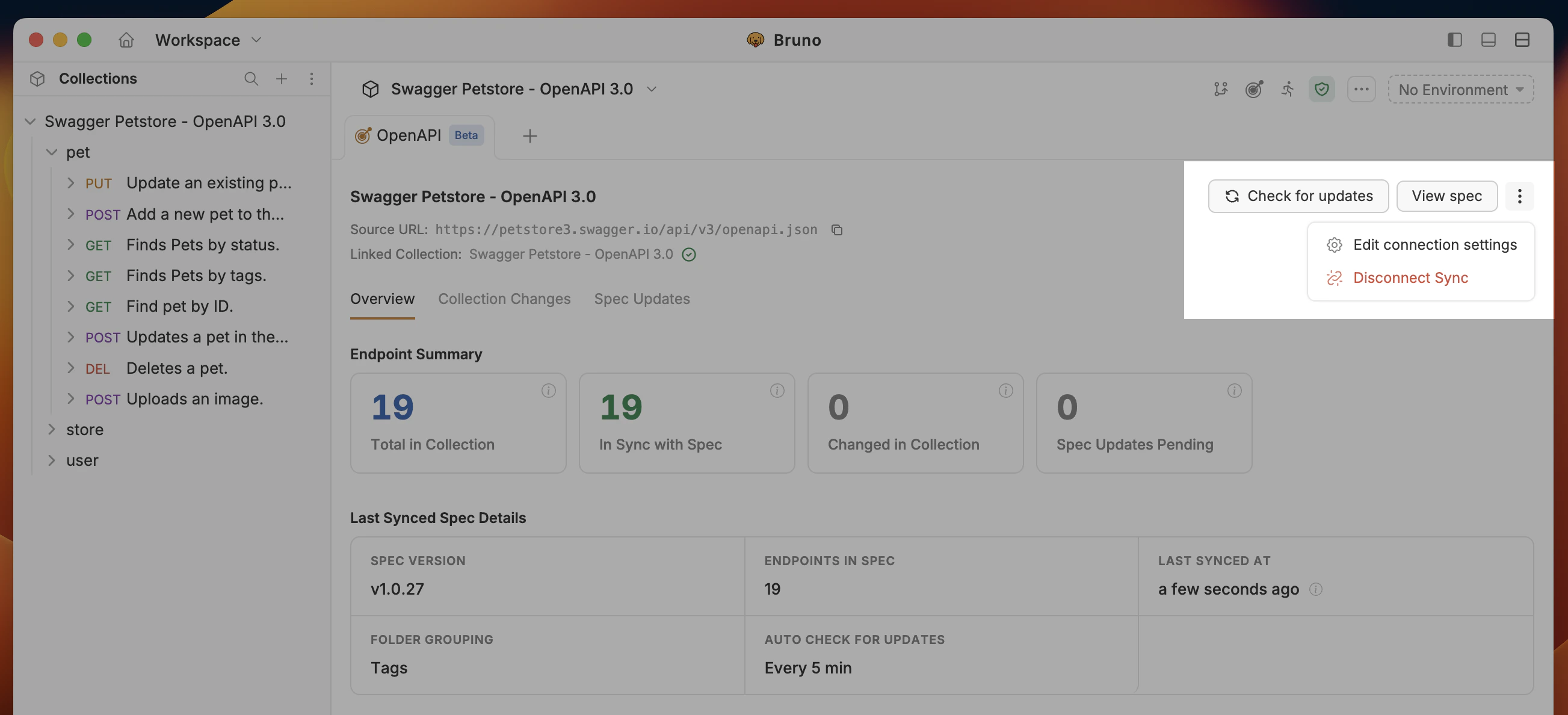 2. Select **Edit connection settings**.
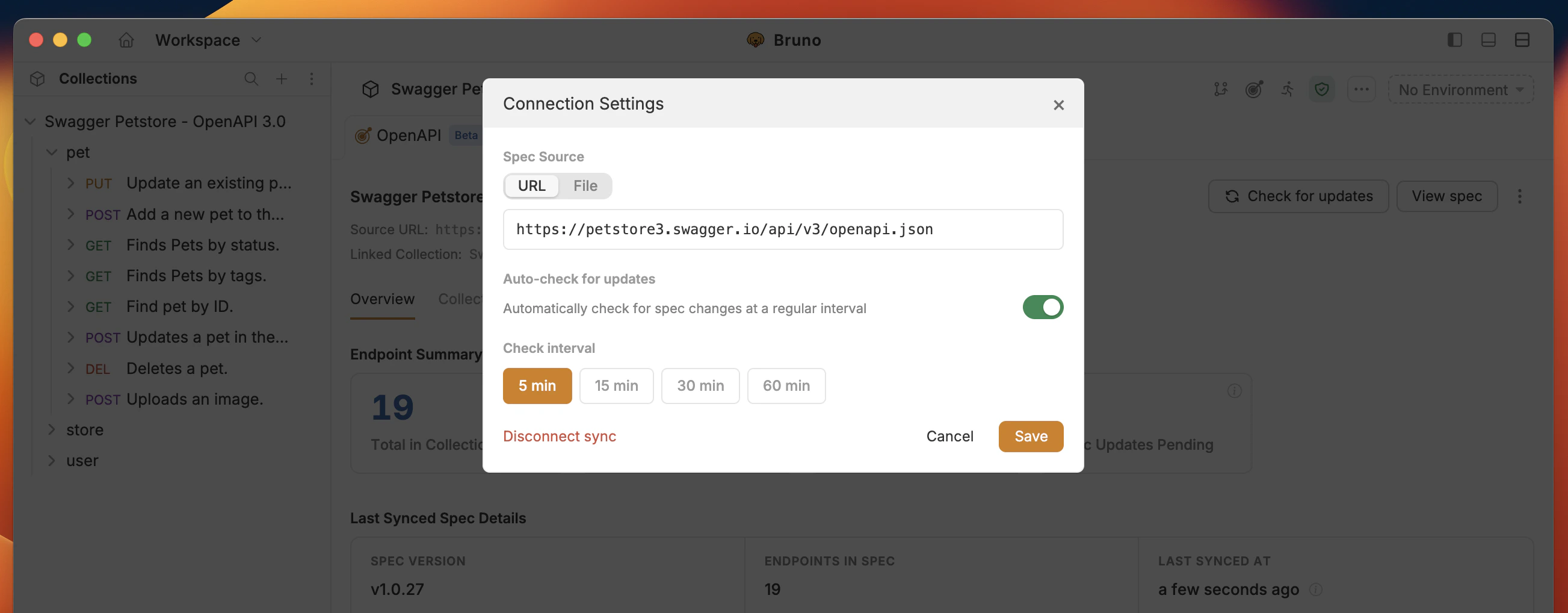 In the connection settings you can enable or disable automatic checks, disconnect sync and adjust when Bruno looks for spec updates.
## Inspect Spec
To view and inspect the OpenAPI spec:
1. Click **View spec** on the top right-hand side of the OpenAPI Sync UI.
In the connection settings you can enable or disable automatic checks, disconnect sync and adjust when Bruno looks for spec updates.
## Inspect Spec
To view and inspect the OpenAPI spec:
1. Click **View spec** on the top right-hand side of the OpenAPI Sync UI.
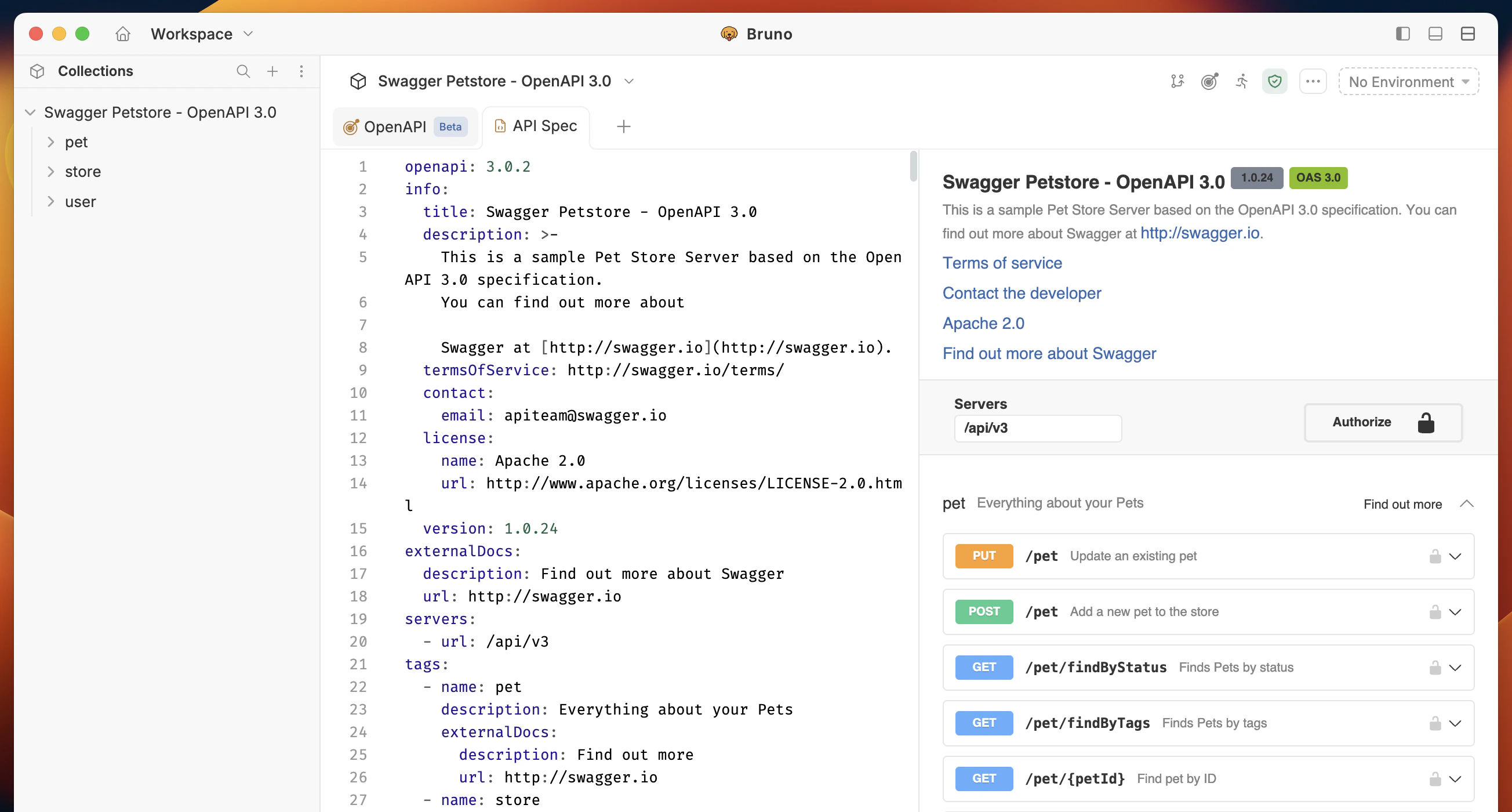 Its **read only** SwaggerUI-like interface to the OpenAPI spec.
Please share your feedback or report issues [here](https://github.com/usebruno/bruno/discussions/7401).
Its **read only** SwaggerUI-like interface to the OpenAPI spec.
Please share your feedback or report issues [here](https://github.com/usebruno/bruno/discussions/7401).