> ## Documentation Index
> Fetch the complete documentation index at: https://docs.usebruno.com/llms.txt
> Use this file to discover all available pages before exploring further.
# Create OpenAPI Specification (OAS)
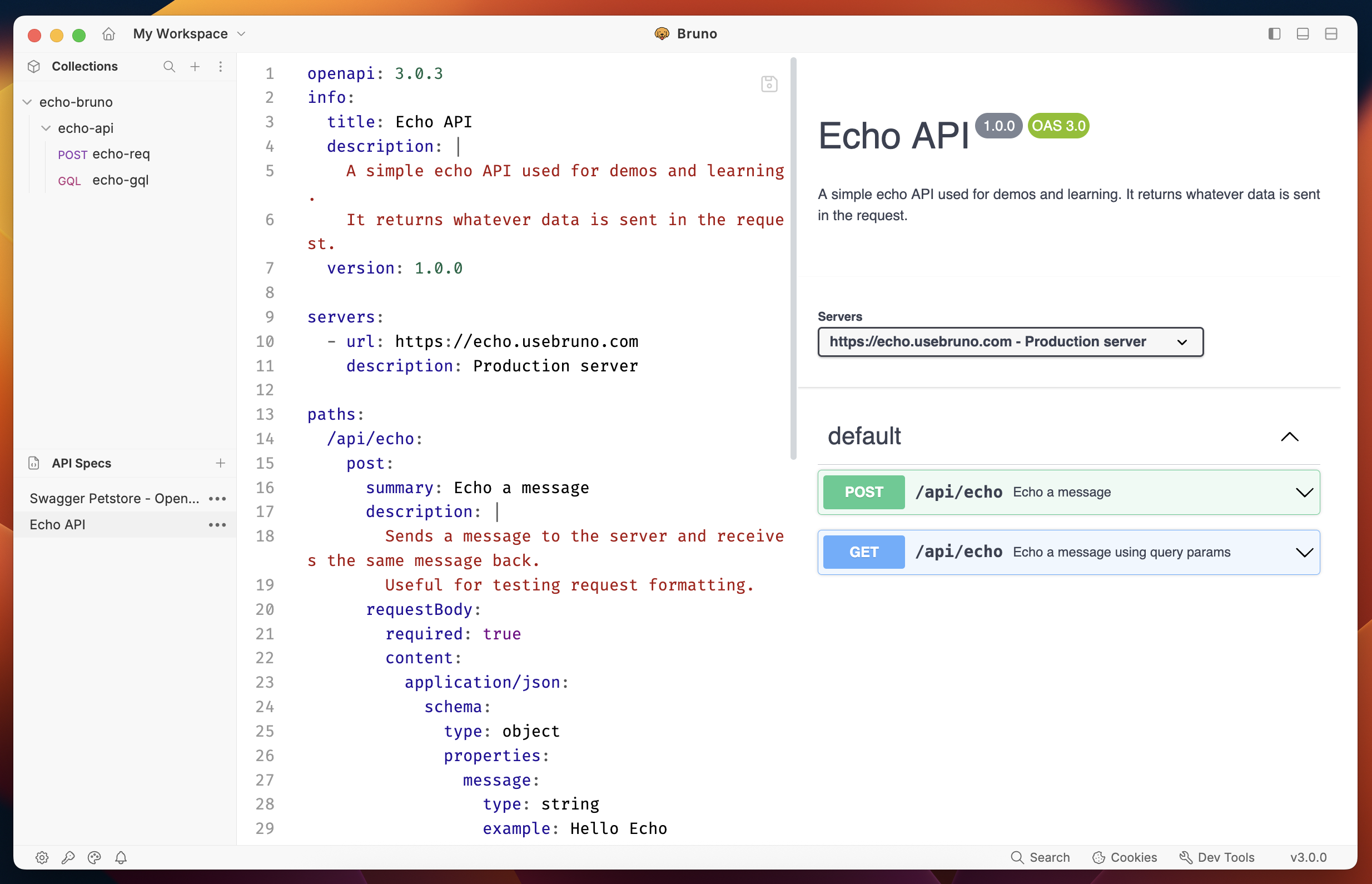
Bruno provides a powerful interface for creating and managing OpenAPI Specifications (OAS). You can either design a new specification from scratch and view one as existing Open API spec.
## Viewing Existing OAS Files
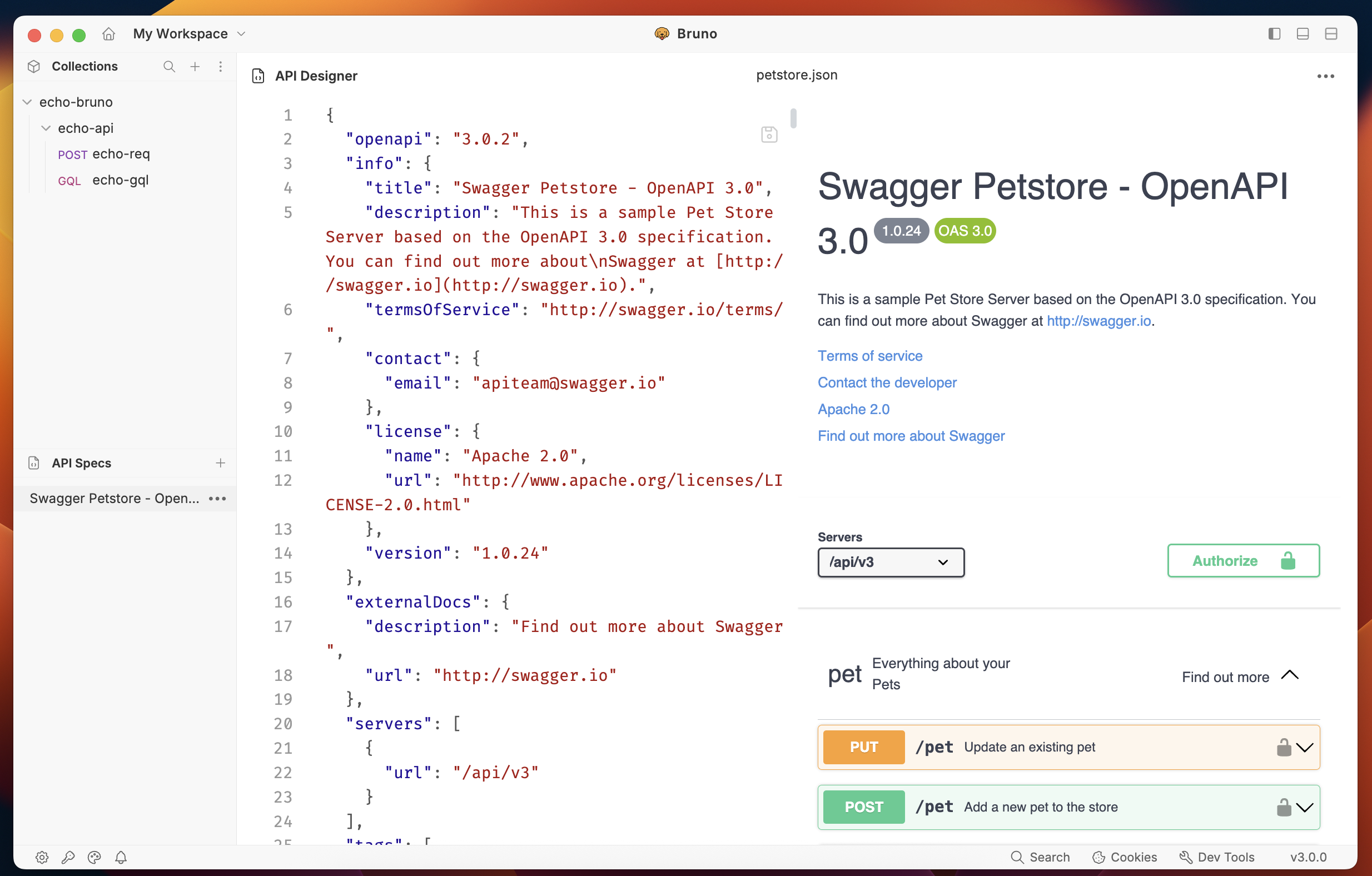
You can view and interact with existing OAS files in Bruno using a SwaggerUI-like interface:
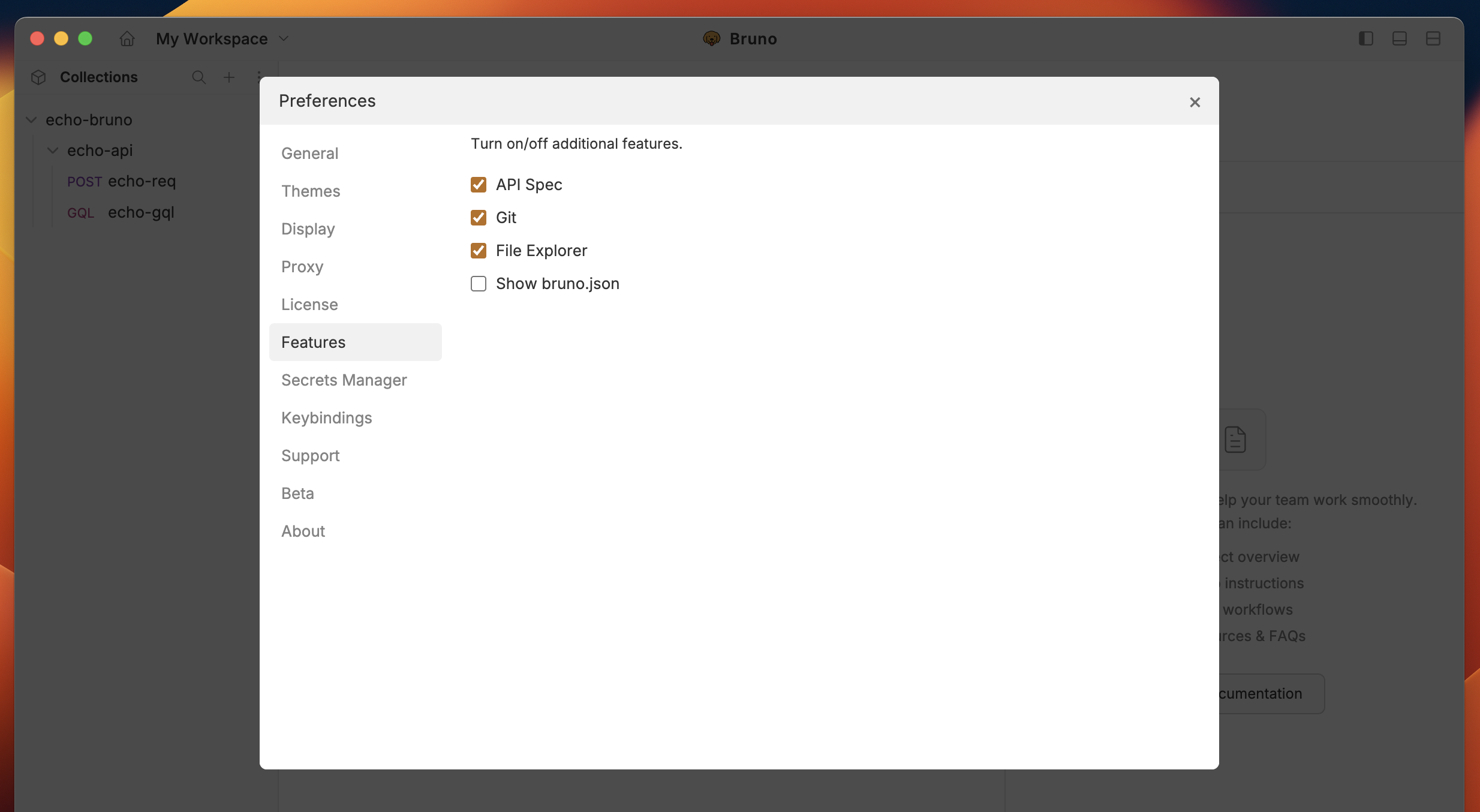
1. Enable OpenAPI Spec feature from **Preferences** to start working with it.
 2. Select **Open API Spec** from dropdown in left hand side menu.
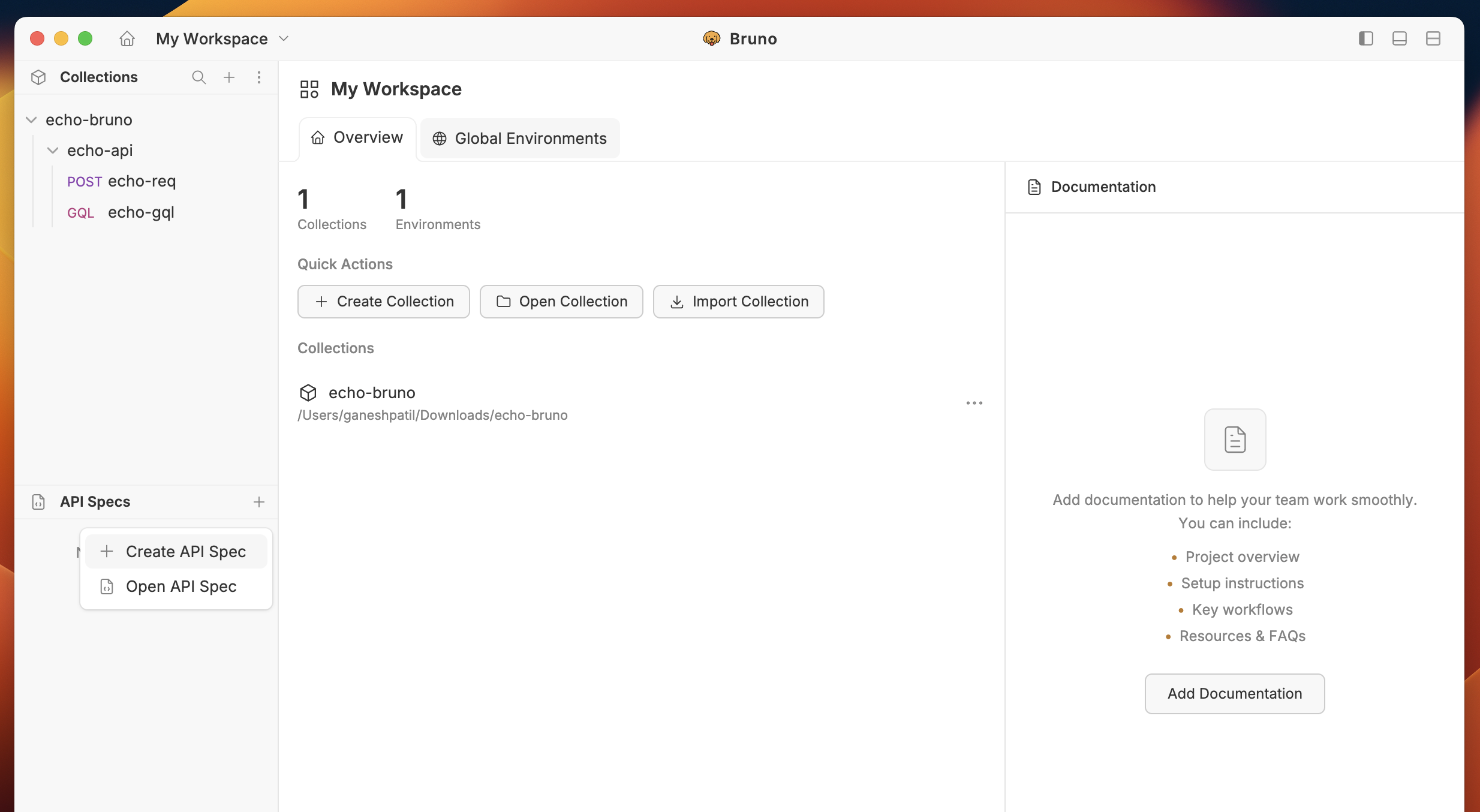 3. Browse and select your OAS file (`.yaml` or `.json`)
4. The specification will open in a dedicated section of your Bruno sidebar
3. Browse and select your OAS file (`.yaml` or `.json`)
4. The specification will open in a dedicated section of your Bruno sidebar
 ## Creating New OAS Files
1. Select **Create API Spec** from dropdown
2. Choose a name and location for your specification
## Creating New OAS Files
1. Select **Create API Spec** from dropdown
2. Choose a name and location for your specification
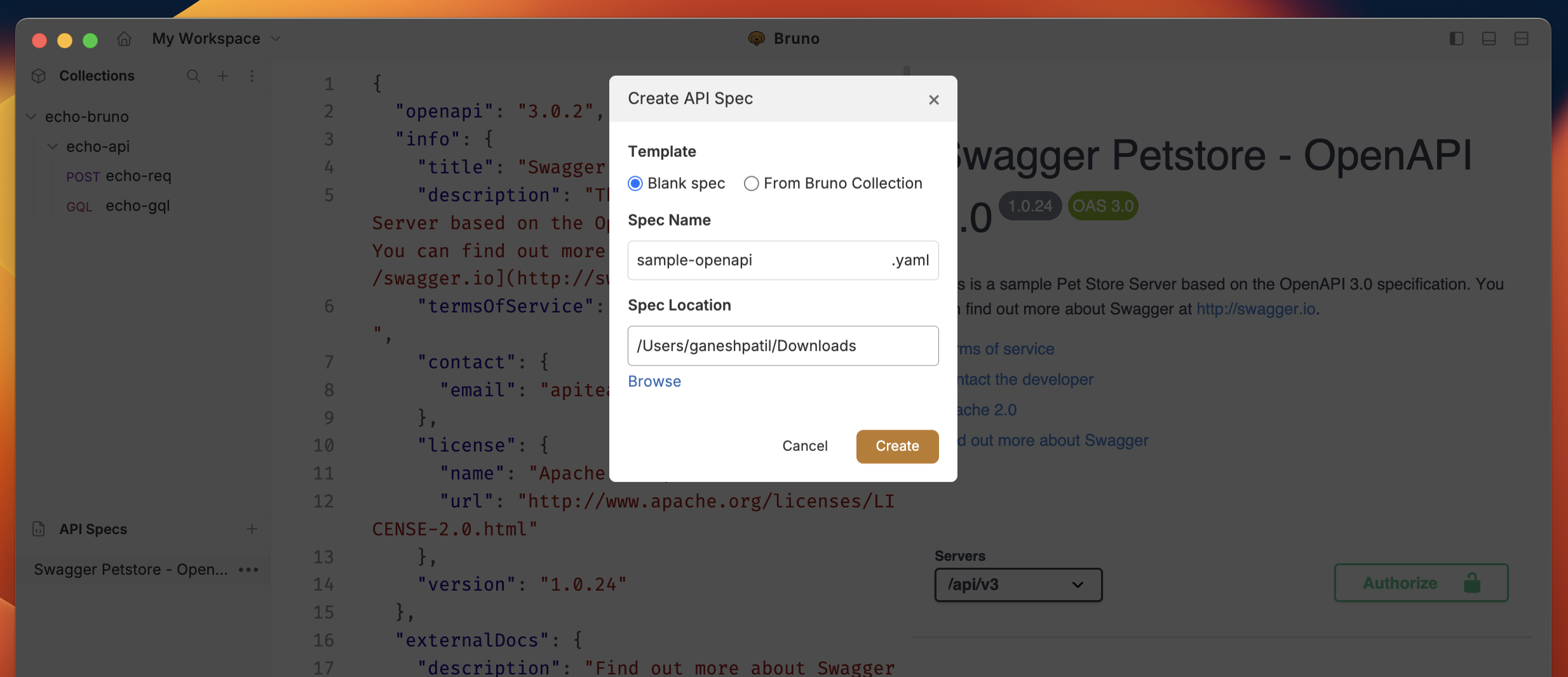 3. Click on **Create** to generate OAS file.
## Editing Your OAS File
Once created, you can edit your OAS file in Bruno's built-in editor:
1. The editor provides syntax highlighting
2. Use the sidebar to navigate through different sections of your API
3. Add or modify endpoints, parameters, and responses
4. Include examples and descriptions for better documentation
3. Click on **Create** to generate OAS file.
## Editing Your OAS File
Once created, you can edit your OAS file in Bruno's built-in editor:
1. The editor provides syntax highlighting
2. Use the sidebar to navigate through different sections of your API
3. Add or modify endpoints, parameters, and responses
4. Include examples and descriptions for better documentation