> ## Documentation Index
> Fetch the complete documentation index at: https://docs.usebruno.com/llms.txt
> Use this file to discover all available pages before exploring further.
# Create a Mock Server
> Create a mock server from a collection of saved response examples, from an OpenAPI spec, or as a standalone (manual) mock.
You can create a mock server from a collection of saved response examples, from an OpenAPI spec, or as a standalone (manual) mock.
## Enable the beta flag
1. Open **Preferences**.
2. Go to **[Beta](/get-started/configure/settings#beta)**.
3. Turn on **Mock Server**.
A **Mock Servers** section appears in the sidebar.
## Create from a collection (saved examples)
Use this path when the collection already has saved response examples.
1. Open the collection.
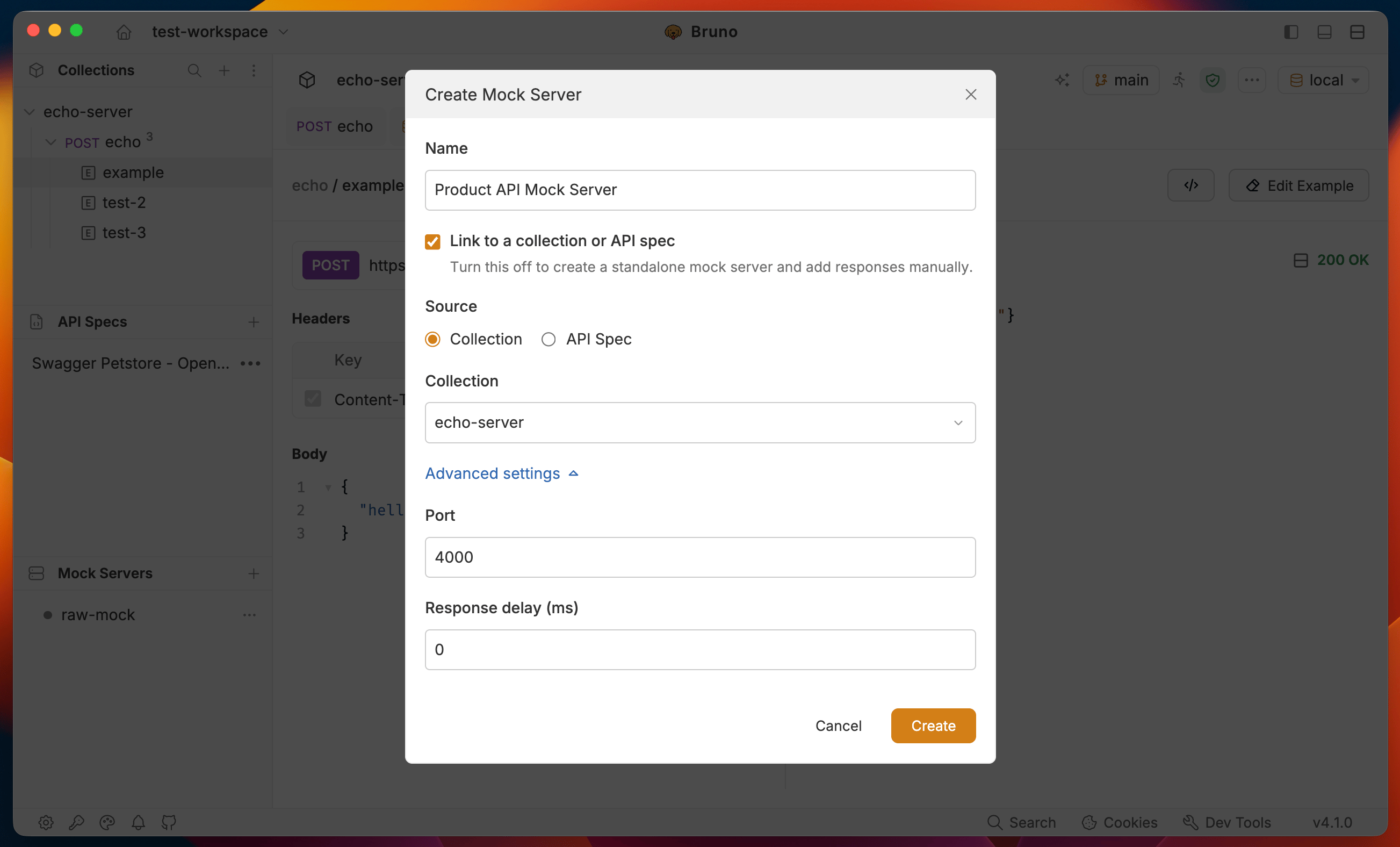
2. In the sidebar, expand **Mock Servers** and click the **+** icon to create a new mock server.
3. Enter a **Name**.
4. Keep **Link to a collection or API spec** checked, select **Collection**, pick the collection, then click **Create**.
5. On the dashboard, click **Sync with Examples**. Every [saved example](/send-requests/res-data-cookies/response-examples) becomes a mock response (method, path, status, headers, and body).
6. Click **Start Server** to start the mock server on the saved port. If the port is already in use, change it under **Mock Server Settings (gear icon)** → **Advanced settings**.
 ## Create from an OpenAPI spec
Use this path when you have an API spec in the workspace. Turn on [API Spec](/open-api/createOAS#viewing-existing-oas-files) under **Preferences** → **Features** if it is not already enabled.
1. Load the spec under **API Specs** in the sidebar (if it is not already there).
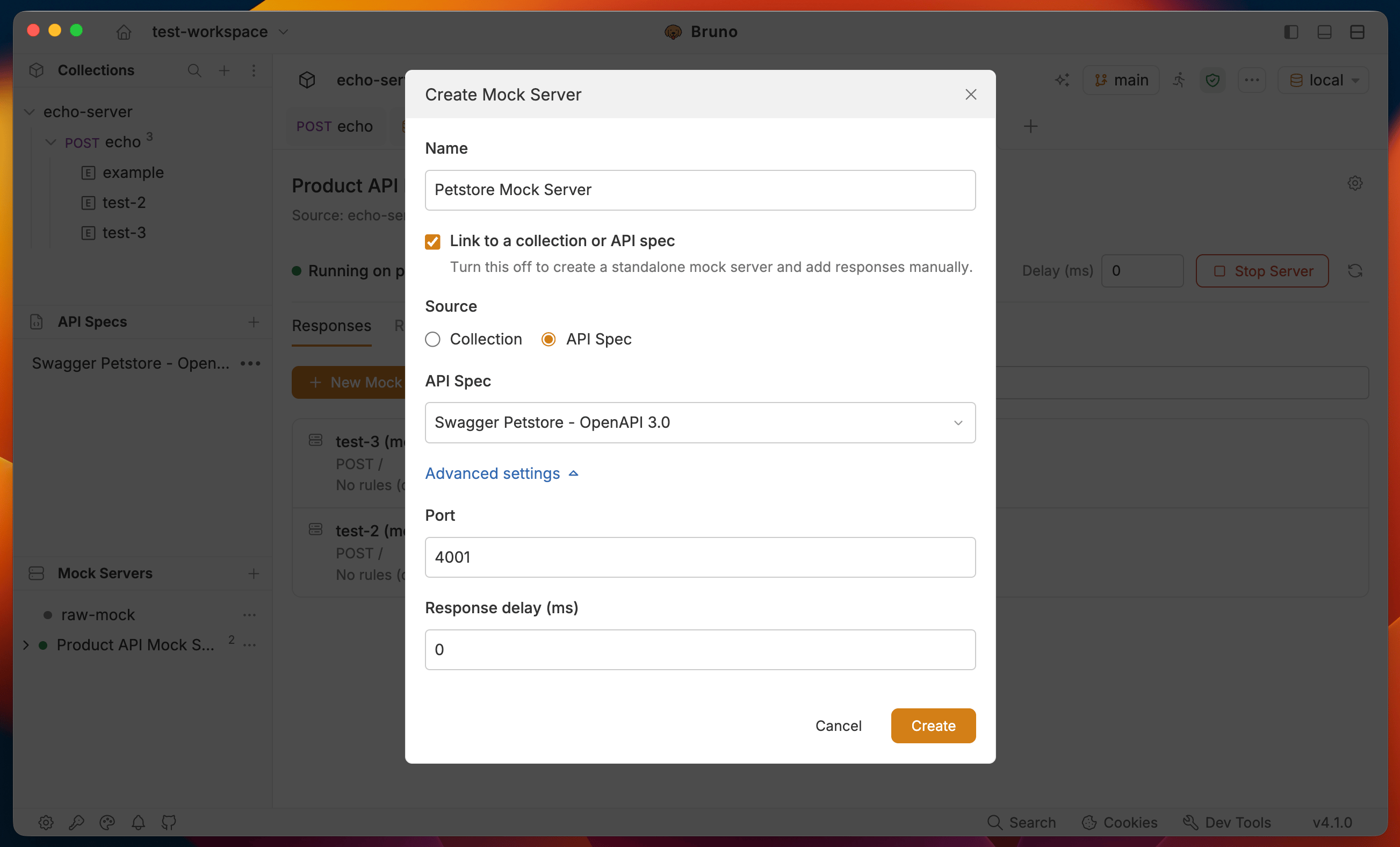
2. Create a mock server, keep **Link to a collection or API spec** checked, select **API Spec**, pick the spec, then click **Create**.
3. On the dashboard, click **Generate from API Spec**. Each operation and response status becomes a mock response; bodies are derived from the schema where possible.
4. Click **Start Server** to start the mock server on the saved port. If the port is already in use, change it under **Mock Server Settings (gear icon)** → **Advanced settings**.
## Create from an OpenAPI spec
Use this path when you have an API spec in the workspace. Turn on [API Spec](/open-api/createOAS#viewing-existing-oas-files) under **Preferences** → **Features** if it is not already enabled.
1. Load the spec under **API Specs** in the sidebar (if it is not already there).
2. Create a mock server, keep **Link to a collection or API spec** checked, select **API Spec**, pick the spec, then click **Create**.
3. On the dashboard, click **Generate from API Spec**. Each operation and response status becomes a mock response; bodies are derived from the schema where possible.
4. Click **Start Server** to start the mock server on the saved port. If the port is already in use, change it under **Mock Server Settings (gear icon)** → **Advanced settings**.
 ## Create a standalone (manual) mock
To add responses yourself instead of syncing from a collection or spec:
1. Click **+** under **Mock Servers**.
2. Enter a **Name**.
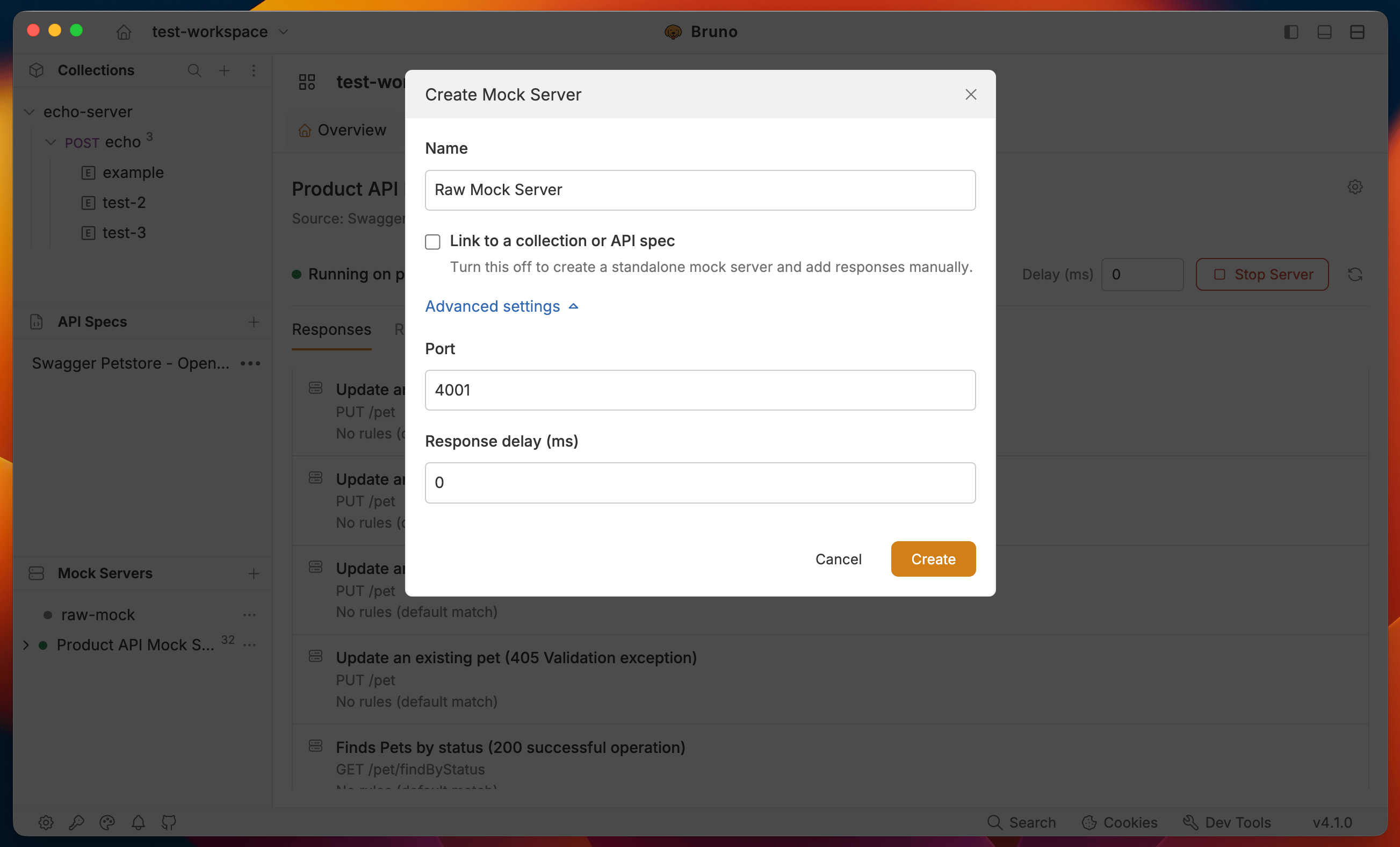
3. Turn off **Link to a collection or API spec**.
4. Optionally set **Port** and **Response delay** under **Advanced settings**.
5. Click **Create**, then add responses from the **Responses** tab.
## Create a standalone (manual) mock
To add responses yourself instead of syncing from a collection or spec:
1. Click **+** under **Mock Servers**.
2. Enter a **Name**.
3. Turn off **Link to a collection or API spec**.
4. Optionally set **Port** and **Response delay** under **Advanced settings**.
5. Click **Create**, then add responses from the **Responses** tab.
 ## Where Bruno store mock servers
Mock servers are stored in the workspace at the root of the **mocks** folder. After creation, the mock server is saved as a .yml file.
```
workspace
└── mocks
└──
└──
└── ...
```
Sample mock-server.yml file:
{`
info:
name: mock-server #mock server name
type: mock
mock:
port: 4000
source:
type: collection
path: #absolute path to the collection
routes:
- name: echo-example (mock) #mock response name
description: Echo endpoint with sample json body
request:
method: POST
url: /
body:
type: json
data: |-
{
"title":"usebruno",
"msg":"The most loving API client for Developers"
}
response:
status: 200
statusText: OK
headers:
- name: bearer
value: secret123
body:
type: json
data: '{"title":"usebruno"}'
rules: #optional rules to match the request
operator: AND
conditions:
- target: body
key: title
operator: equals
value: usebruno
copiedFrom:
example: echo-example
requestPath: #absolute path to the request example
`}
## Next steps
* [Run a mock server](./run-mock-server) — start, stop, and manage mock servers from the dashboard
## Where Bruno store mock servers
Mock servers are stored in the workspace at the root of the **mocks** folder. After creation, the mock server is saved as a .yml file.
```
workspace
└── mocks
└──
└──
└── ...
```
Sample mock-server.yml file:
{`
info:
name: mock-server #mock server name
type: mock
mock:
port: 4000
source:
type: collection
path: #absolute path to the collection
routes:
- name: echo-example (mock) #mock response name
description: Echo endpoint with sample json body
request:
method: POST
url: /
body:
type: json
data: |-
{
"title":"usebruno",
"msg":"The most loving API client for Developers"
}
response:
status: 200
statusText: OK
headers:
- name: bearer
value: secret123
body:
type: json
data: '{"title":"usebruno"}'
rules: #optional rules to match the request
operator: AND
conditions:
- target: body
key: title
operator: equals
value: usebruno
copiedFrom:
example: echo-example
requestPath: #absolute path to the request example
`}
## Next steps
* [Run a mock server](./run-mock-server) — start, stop, and manage mock servers from the dashboard