> ## Documentation Index
> Fetch the complete documentation index at: https://docs.usebruno.com/llms.txt
> Use this file to discover all available pages before exploring further.
# SCIM Provisioning Overview
export const PremiumBadge = ({noLink}) => {
const badge =
PREMIUM
;
if (noLink) {
return badge;
}
return
{badge}
;
};
# SCIM Provisioning Overview
SCIM Provisioning and the SCIM API is available for Ultimate Edition customers behind a feature flag. Please contact your Bruno Account Manager to enable this feature.
## What is SCIM?
SCIM (System for Cross-domain Identity Management) is an open standard that allows for the automation of user provisioning and deprovisioning between identity providers and service providers. With SCIM, organizations can automatically manage user access to Bruno based on their identity provider configurations.
## Benefits of SCIM with Bruno
### Automated User Management
* **Automatic provisioning**: New users are automatically granted Bruno licenses when added to your identity provider
* **Automatic deprovisioning**: Users lose access to Bruno when removed from your identity provider
### Enhanced Security
* **Centralized access control**: Manage Bruno access through your existing identity management system
* **Reduced manual errors**: Eliminate manual license assignment and removal processes
* **Audit trail**: Track all provisioning and deprovisioning activities in your identity provider
### Operational Efficiency
* **Streamlined onboarding**: New employees automatically receive Bruno access as part of their standard onboarding
* **Simplified offboarding**: Departing employees automatically lose Bruno access
* **Reduced administrative overhead**: IT teams spend less time on manual license management
## Enabling SCIM Provisioning
### Prerequisites
You must have Ultimate Edition with SCIM provisioning enabled before you can configure SCIM for your Bruno team.
### Enabling SCIM in Bruno
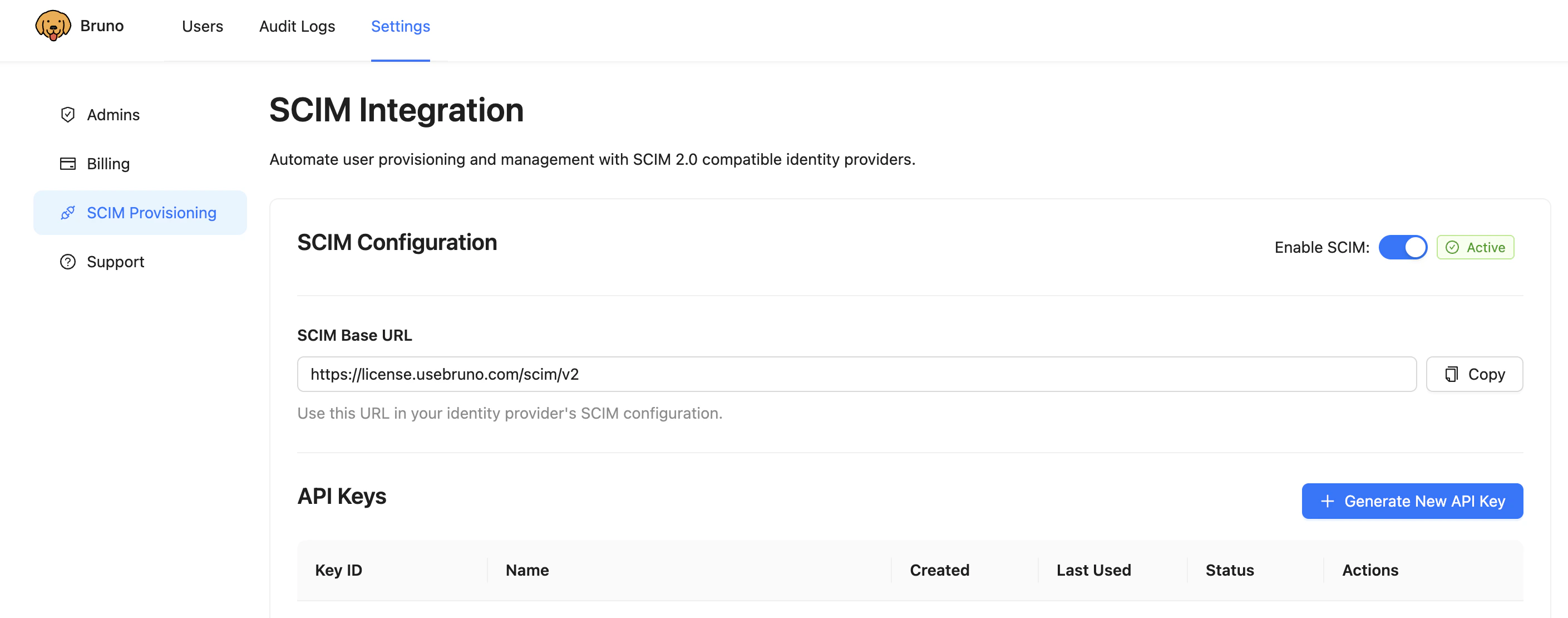
1. Navigate to the Bruno license portal: [https://license.usebruno.com/](https://license.usebruno.com/)
2. Click **Settings** in the navigation menu
3. Select **SCIM Provisioning** from the settings page
4. Toggle **Enable SCIM** to turn it on
 ### Generating SCIM API Key
1. Under **SCIM Provisioning**, note the **SCIM Base URL**: `https://license.usebruno.com/scim/v2`
2. Click **Generate New API Key**
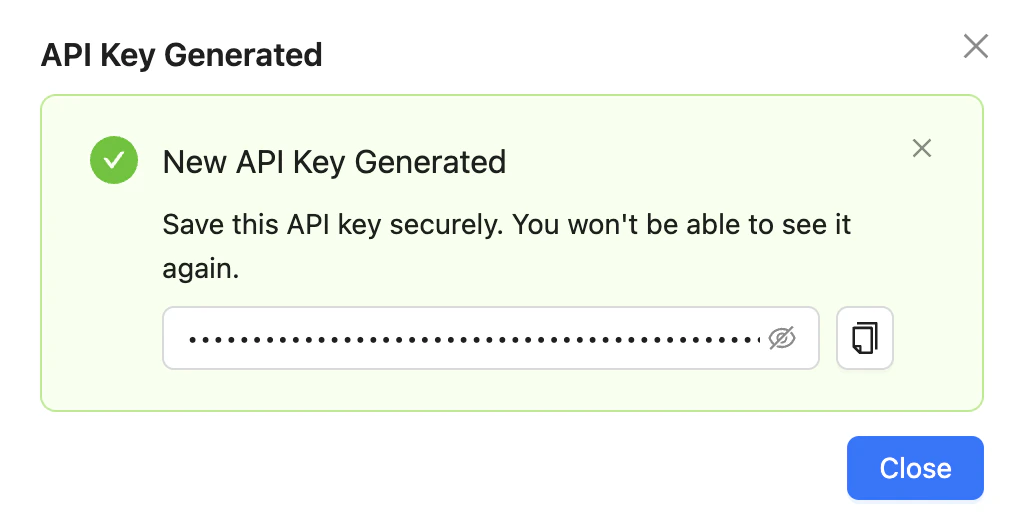
3. Copy your new API key for later use when configuring your identity provider - this key will not be shown again
### Generating SCIM API Key
1. Under **SCIM Provisioning**, note the **SCIM Base URL**: `https://license.usebruno.com/scim/v2`
2. Click **Generate New API Key**
3. Copy your new API key for later use when configuring your identity provider - this key will not be shown again
 You can revisit this page to manage your SCIM API keys. The SCIM Base URL and API key will be needed when configuring your identity provider.
## Next Steps
Ready to configure SCIM? Choose your integration method:
* [Configure SCIM with Okta](./configure-scim-with-okta) - Complete setup guide for Okta integration
* [Configure SCIM with Microsoft Entra ID](./configure-scim-with-entra-id) - Complete setup guide for Microsoft Entra ID integration
* [Bruno SCIM API](./bruno-scim-api) - Direct API integration for custom implementations
You can revisit this page to manage your SCIM API keys. The SCIM Base URL and API key will be needed when configuring your identity provider.
## Next Steps
Ready to configure SCIM? Choose your integration method:
* [Configure SCIM with Okta](./configure-scim-with-okta) - Complete setup guide for Okta integration
* [Configure SCIM with Microsoft Entra ID](./configure-scim-with-entra-id) - Complete setup guide for Microsoft Entra ID integration
* [Bruno SCIM API](./bruno-scim-api) - Direct API integration for custom implementations