> ## Documentation Index
> Fetch the complete documentation index at: https://docs.usebruno.com/llms.txt
> Use this file to discover all available pages before exploring further.
# GitHub Provider
export const PremiumBadge = ({noLink}) => {
const badge =
PREMIUM
;
if (noLink) {
return badge;
}
return
{badge}
;
};
You can search, filter, import and clone collections from public and private repositories on GitHub directly from the app. You can also connect your GitHub account to use your personal access token or GitHub CLI to access private repositories.
## Access and import public repositories
Public repositories on GitHub are searchable from Bruno without signing in.
1. Open **Import collection** dialog box and go to the **GitHub** tab.
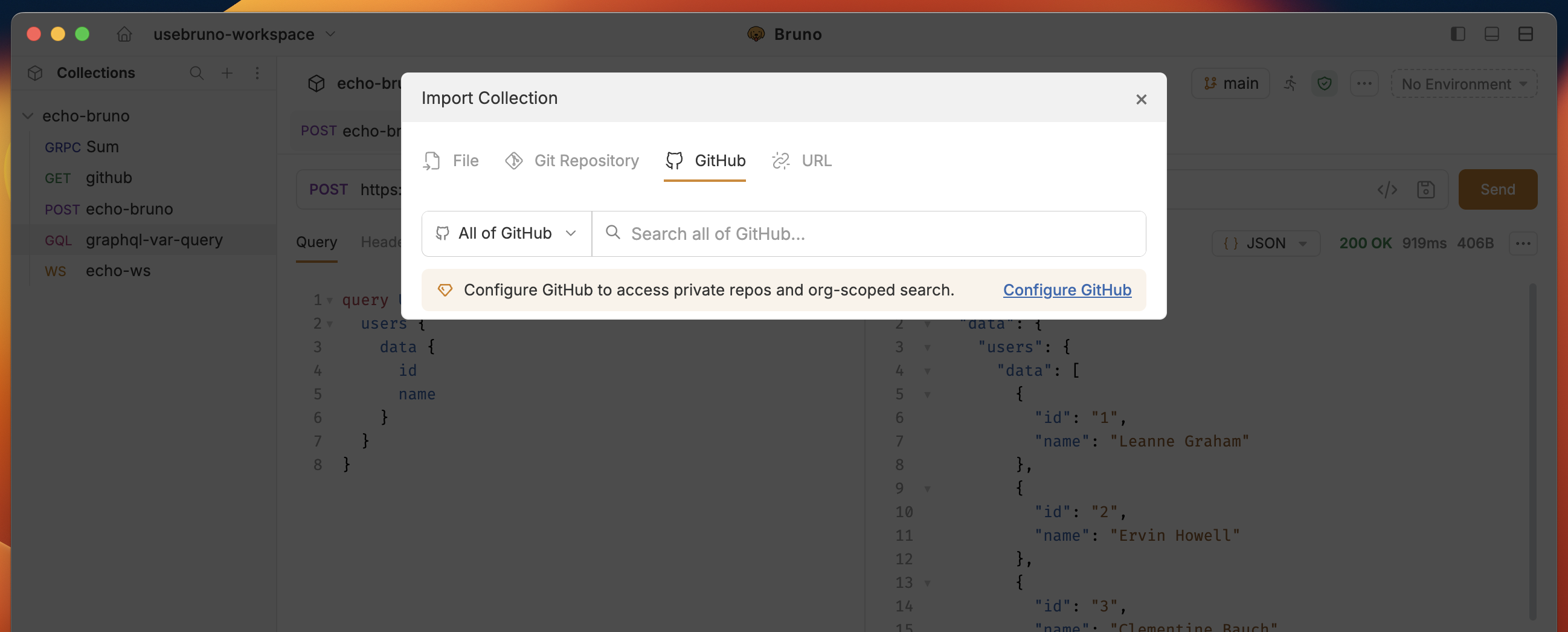 2. Search any public repository by name or keywords.
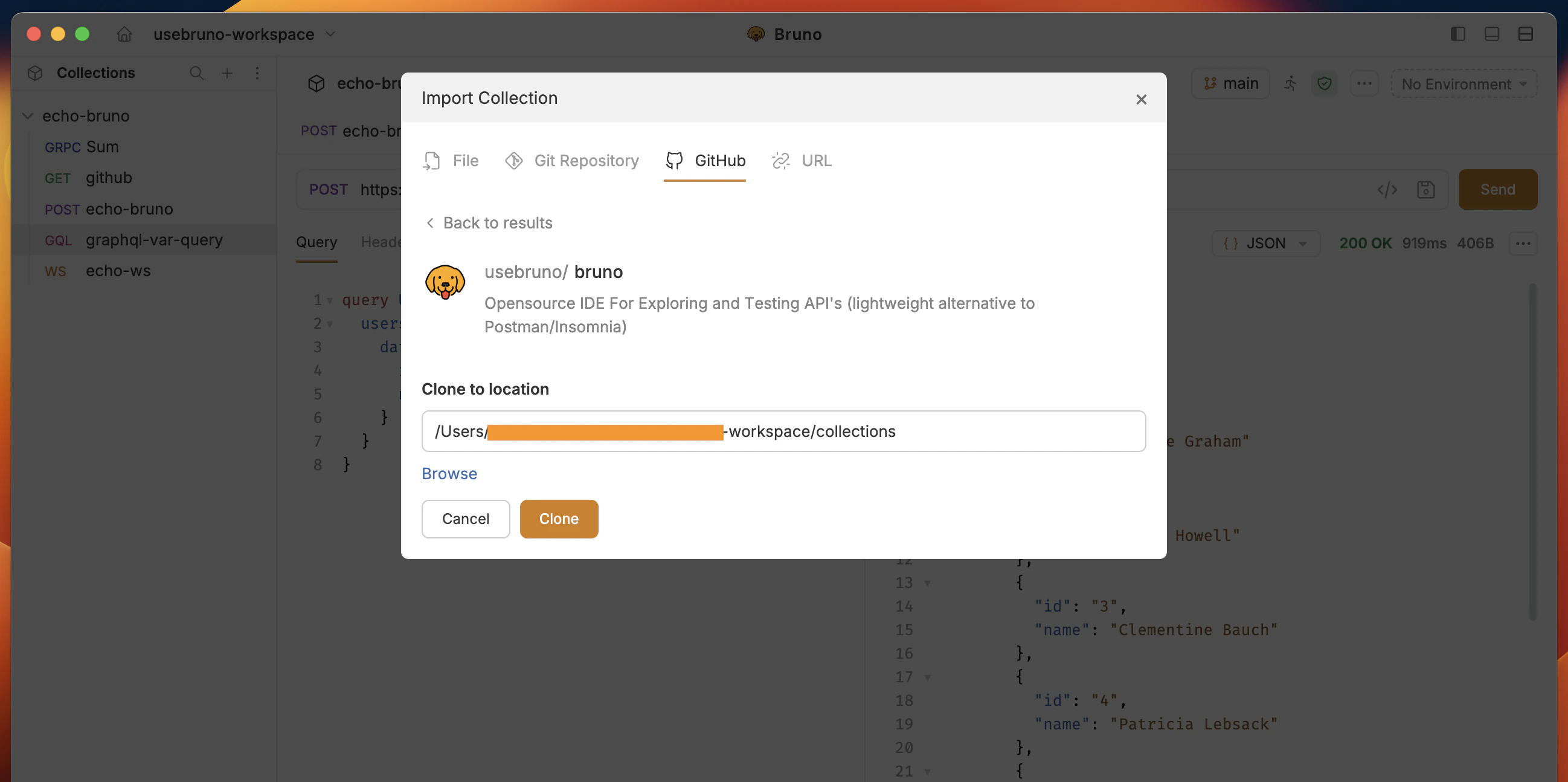
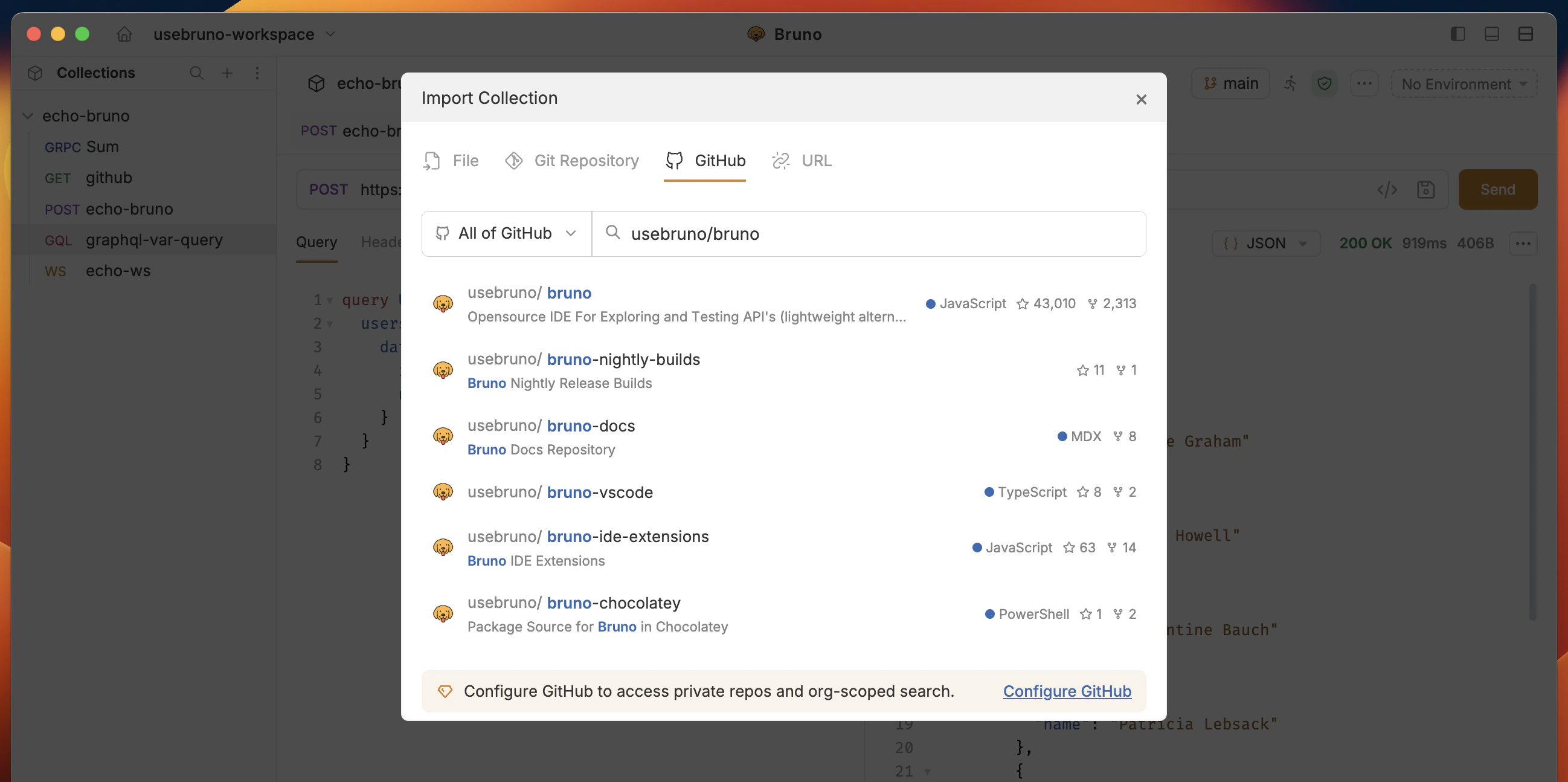 3. Select the repository you want to import and click on the **Clone** button.
Bruno by default clone repositories to the `~/Documents/bruno` folder. You can change the location by clicking on the **Browse** button.
3. Select the repository you want to import and click on the **Clone** button.
Bruno by default clone repositories to the `~/Documents/bruno` folder. You can change the location by clicking on the **Browse** button.
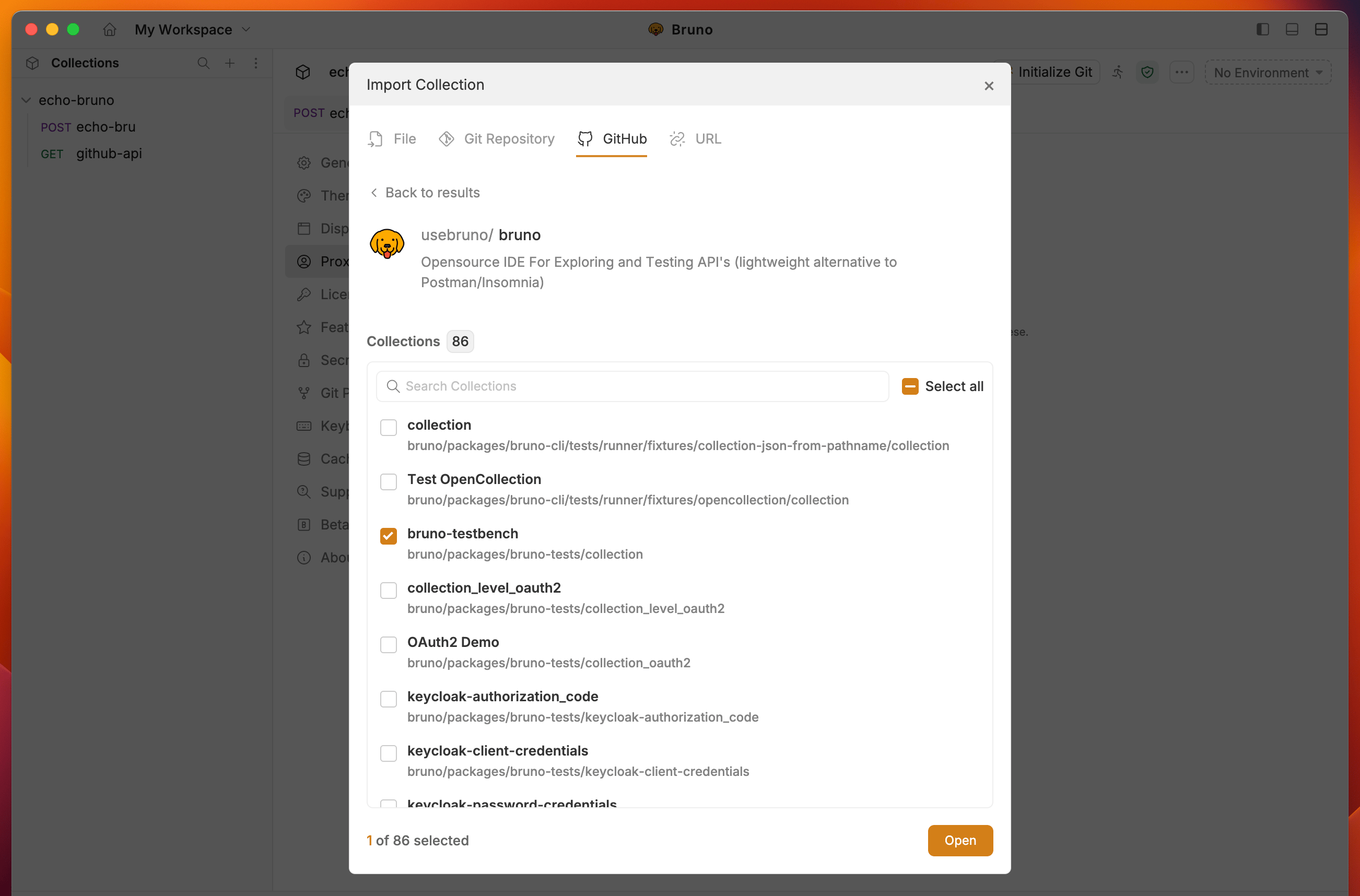
 4. Select the collections you want to import and click on the **Open** button.
 5. You will see the collections you imported in the sidebar.
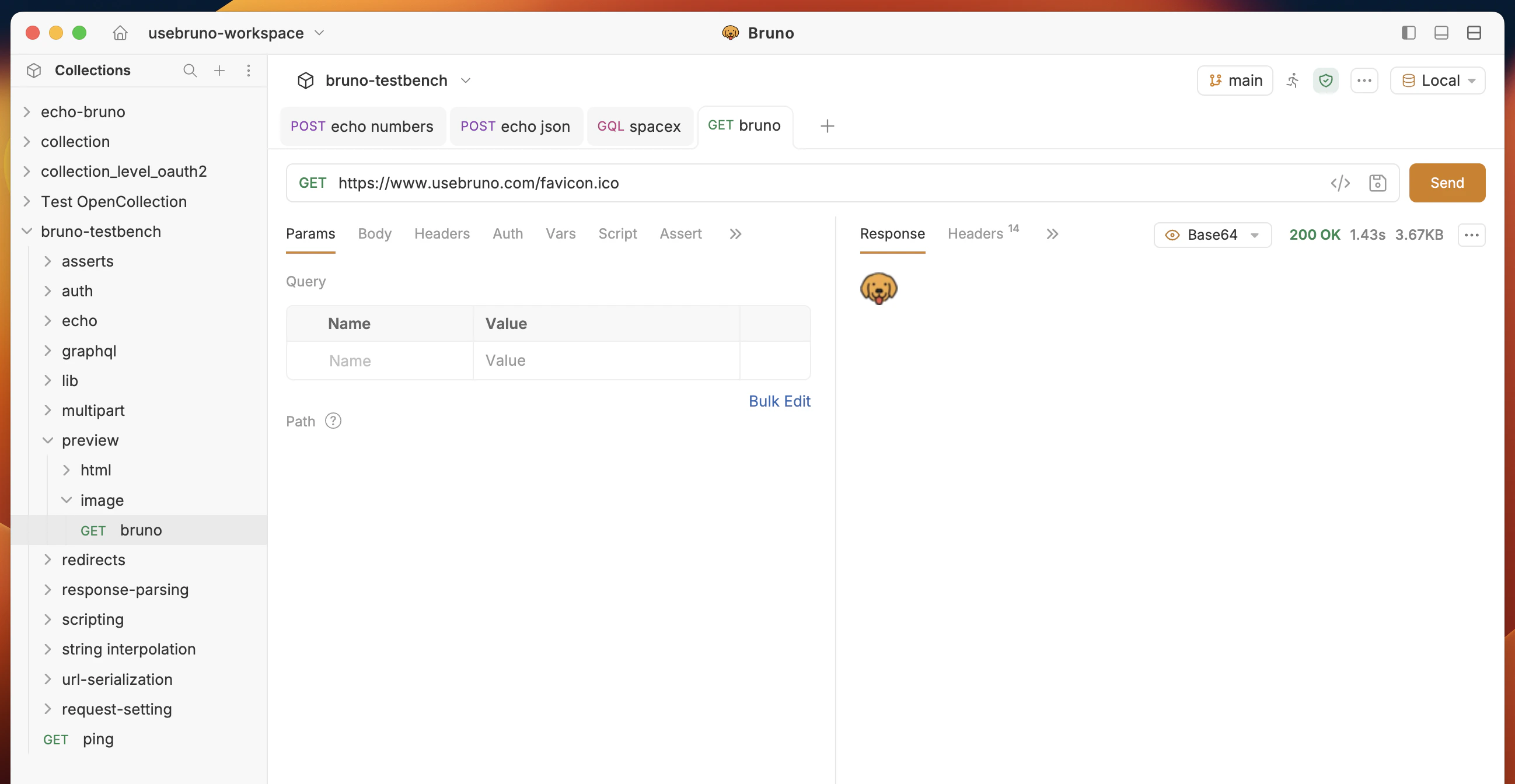 After clone, Bruno **scans** the repo and lists **Bruno collections** found inside. Select one or more and click **Open** to add them to your workspace.
***
## Private repositories and authentication
Authentication, searching and importing private repositories at organization and individual level is available in Bruno Pro and Ultimate editions.
Private repositories and **organization-scoped** search need GitHub to know who you are. Bruno supports:
* **Personal Access Token (PAT)** (recommended)
* **GitHub CLI (`gh`)** — sign in with the official GH CLI
After you connect:
* You can import **private** repos and narrow search to **your user** and **organizations** you belong to (dropdown entries such as **you**, **org**).
* You can scope search to an org (for example `your-org`) and see private repos (often shown with a lock icon in the list).
***
## Configure a Personal Access Token (recommended)
Use a PAT when you want predictable, documented access for Bruno on your machine.
### 1. Open Git provider settings
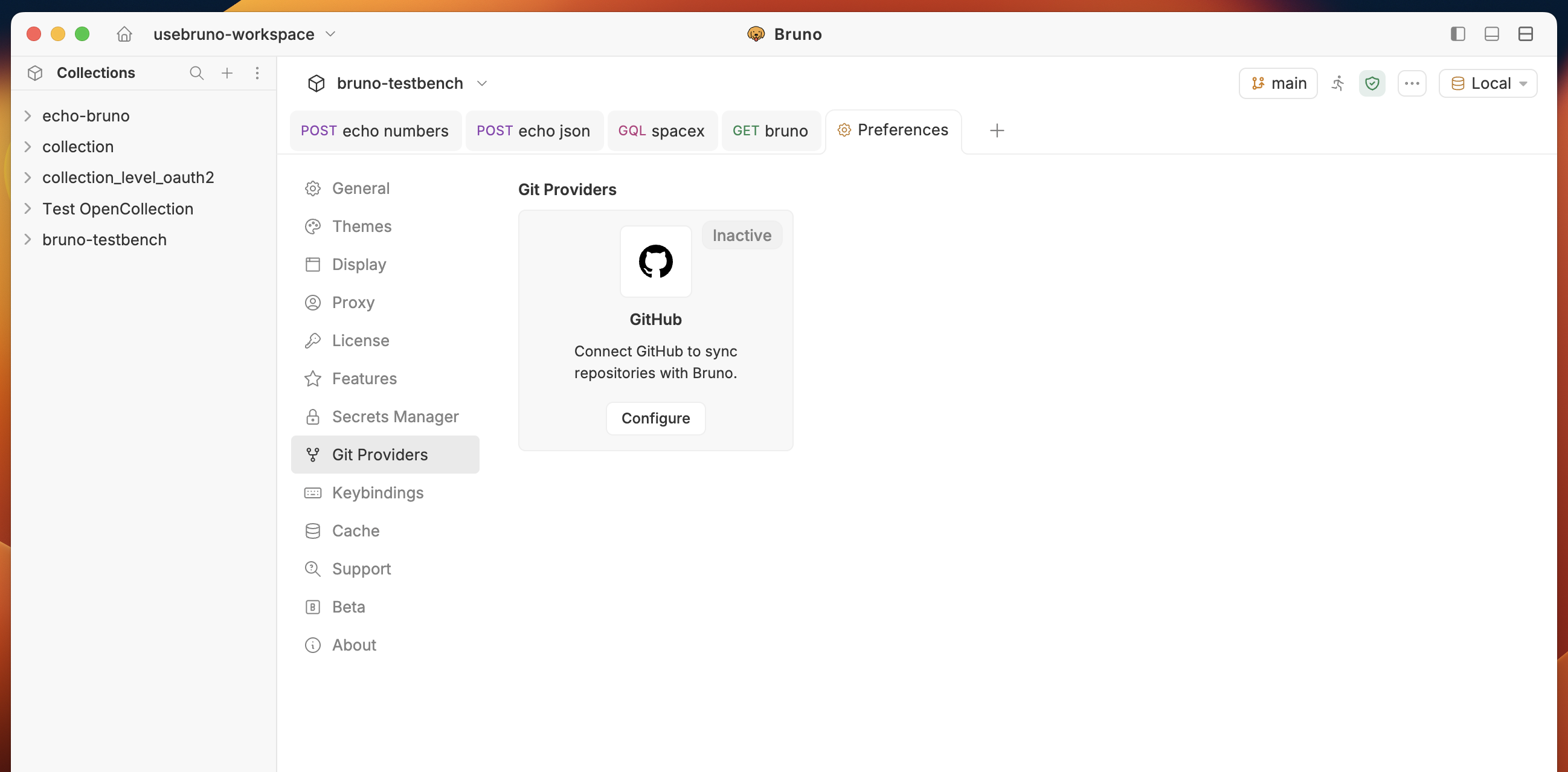
1. Open **Preferences** settings from bottom left corner.
2. Go to **Git providers** in the sidebar.
3. Select **GitHub** and click on **Configure** button.
After clone, Bruno **scans** the repo and lists **Bruno collections** found inside. Select one or more and click **Open** to add them to your workspace.
***
## Private repositories and authentication
Authentication, searching and importing private repositories at organization and individual level is available in Bruno Pro and Ultimate editions.
Private repositories and **organization-scoped** search need GitHub to know who you are. Bruno supports:
* **Personal Access Token (PAT)** (recommended)
* **GitHub CLI (`gh`)** — sign in with the official GH CLI
After you connect:
* You can import **private** repos and narrow search to **your user** and **organizations** you belong to (dropdown entries such as **you**, **org**).
* You can scope search to an org (for example `your-org`) and see private repos (often shown with a lock icon in the list).
***
## Configure a Personal Access Token (recommended)
Use a PAT when you want predictable, documented access for Bruno on your machine.
### 1. Open Git provider settings
1. Open **Preferences** settings from bottom left corner.
2. Go to **Git providers** in the sidebar.
3. Select **GitHub** and click on **Configure** button.
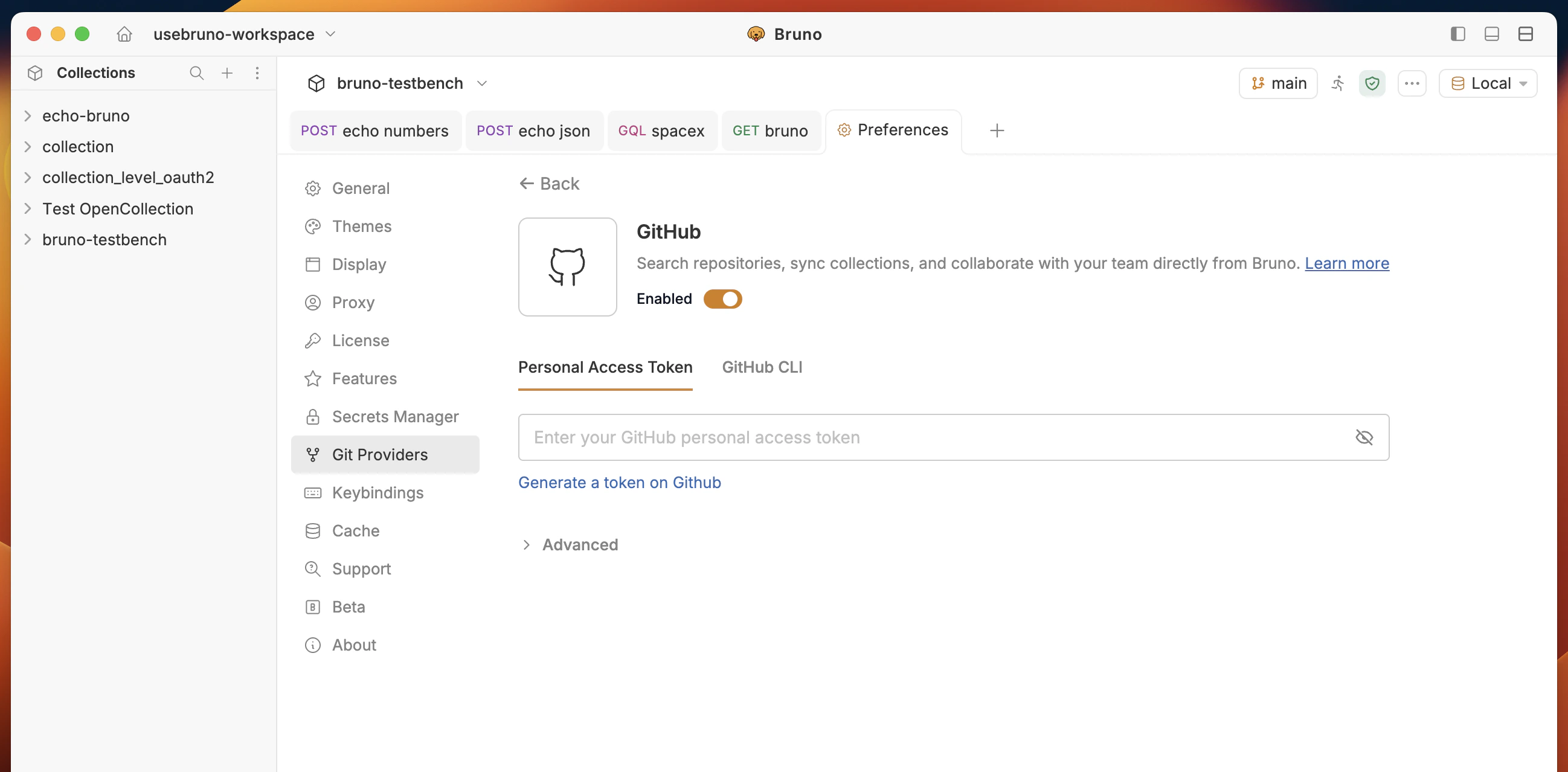
 ### 2. Enable GitHub
1. Turn **Enabled** on.
2. Go to **Personal Access Token** and click on **Generate a token on GitHub** link.
If you already have a token, you can paste it in the **Enter your GitHub personal access token** field.
### 2. Enable GitHub
1. Turn **Enabled** on.
2. Go to **Personal Access Token** and click on **Generate a token on GitHub** link.
If you already have a token, you can paste it in the **Enter your GitHub personal access token** field.
 ### 3. Create and paste the token
1. Click on **Generate a token on GitHub** and sign in to GitHub.
### 3. Create and paste the token
1. Click on **Generate a token on GitHub** and sign in to GitHub.
 2. Sign in to GitHub and create a token with the scopes your org requires (repo read for private repos, also follow your company policy for fine-grained vs classic tokens).
3. Copy the token value, return to Bruno, paste it into **Enter your GitHub personal access token**.
4. You should see a **connected** state (eg **Connected as @your-username via Personal Access Token**) with options to **Refresh** or **Clear token** when you need to rotate credentials.
2. Sign in to GitHub and create a token with the scopes your org requires (repo read for private repos, also follow your company policy for fine-grained vs classic tokens).
3. Copy the token value, return to Bruno, paste it into **Enter your GitHub personal access token**.
4. You should see a **connected** state (eg **Connected as @your-username via Personal Access Token**) with options to **Refresh** or **Clear token** when you need to rotate credentials.
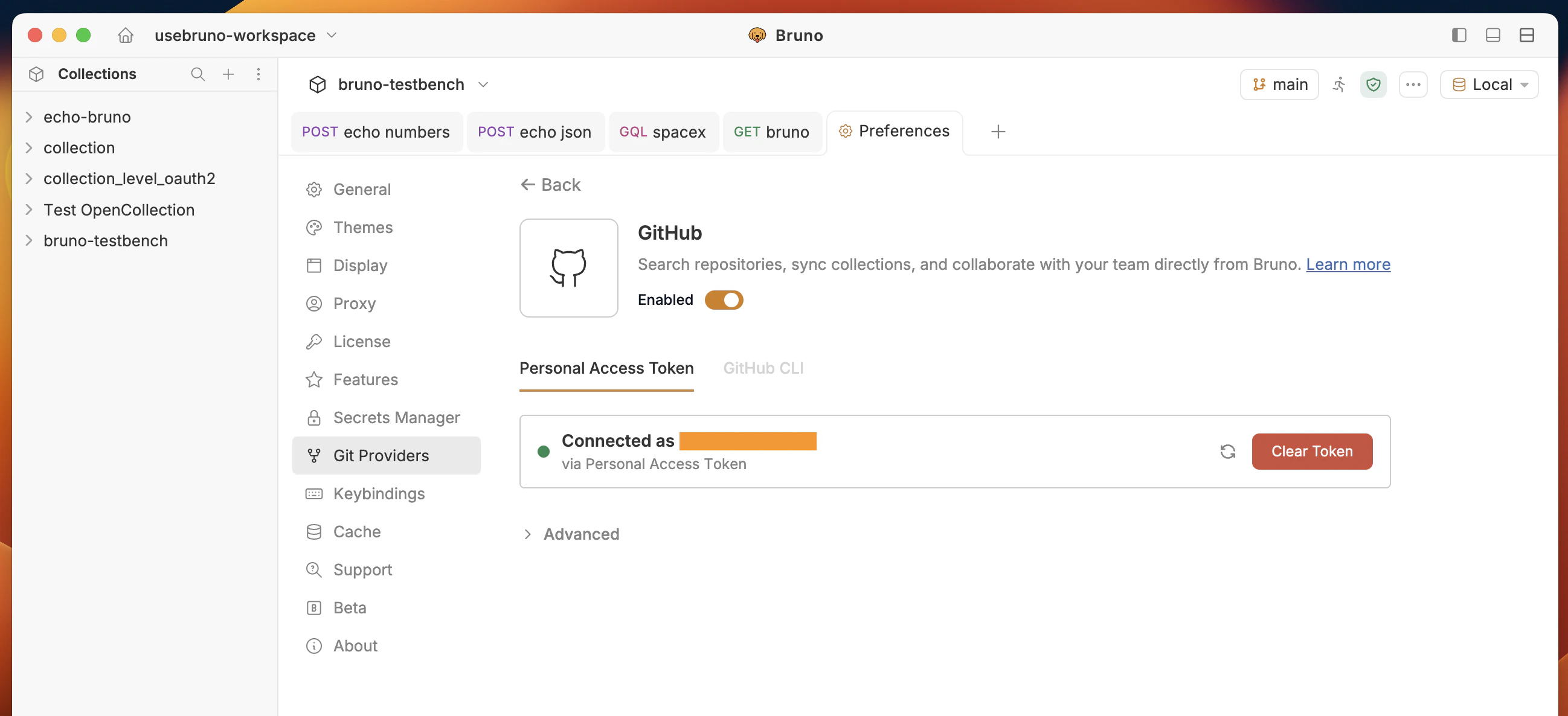 Advanced options are available to configure the enterprise GitHub API URL.
### 4. Import again from the GitHub tab
1. Return to **Import collection** → **GitHub**.
2. Use the scope dropdown to pick **your user** or an **organization**.
Private repositories should appear in search results; clone and select collections as in [Access and import public repositories](#access-and-import-public-repositories).
Advanced options are available to configure the enterprise GitHub API URL.
### 4. Import again from the GitHub tab
1. Return to **Import collection** → **GitHub**.
2. Use the scope dropdown to pick **your user** or an **organization**.
Private repositories should appear in search results; clone and select collections as in [Access and import public repositories](#access-and-import-public-repositories).
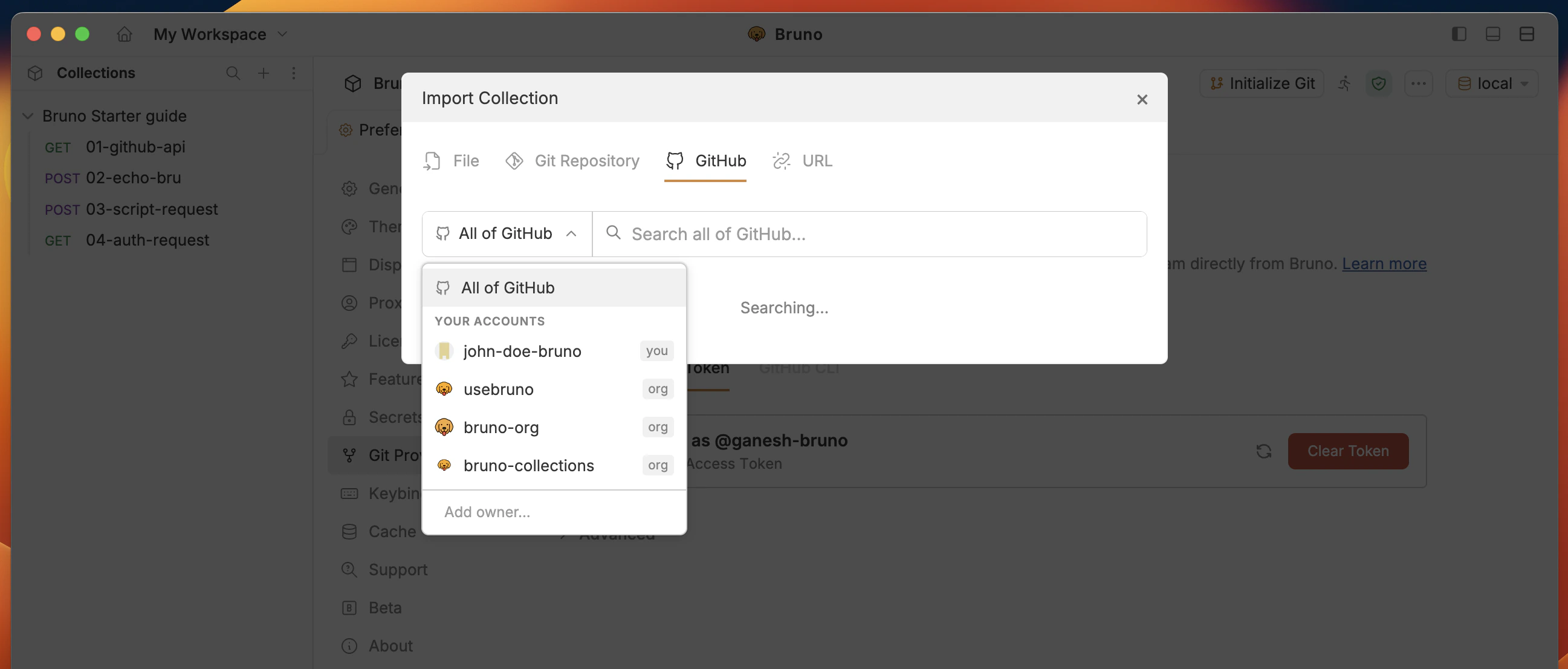 You can add multiple GitHub account (up to 5 users) to your workspace by entering GitHub username on the **Add account** input field.
***
## GitHub CLI
You can authenticate with GitHub CLI if you prefer not to paste a PAT:
1. In **Preferences** → **Git providers** → **GitHub**, open the **GitHub CLI** tab.
You can add multiple GitHub account (up to 5 users) to your workspace by entering GitHub username on the **Add account** input field.
***
## GitHub CLI
You can authenticate with GitHub CLI if you prefer not to paste a PAT:
1. In **Preferences** → **Git providers** → **GitHub**, open the **GitHub CLI** tab.
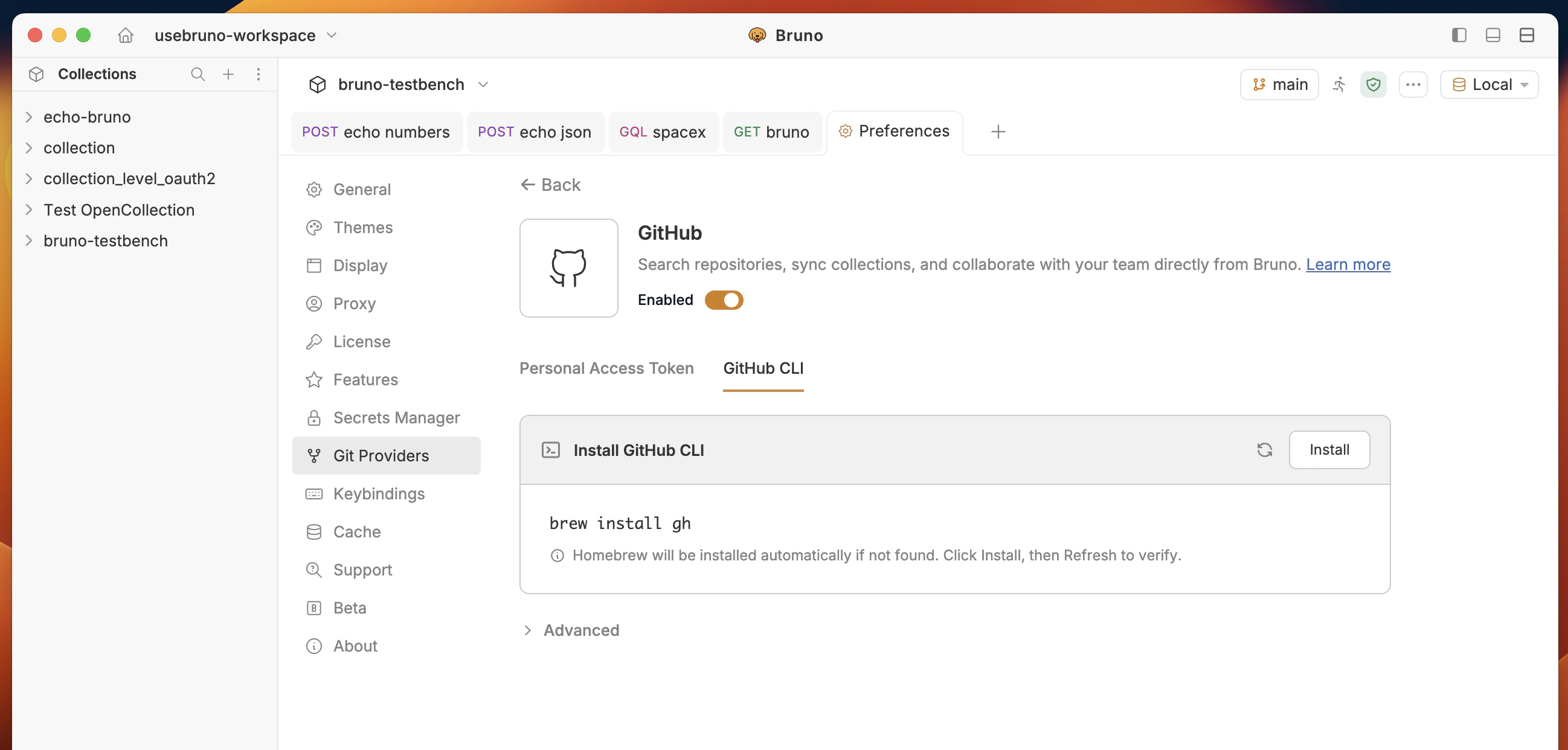 2. Click on **Install** button to install GitHub CLI and authenticate with it in Bruno.
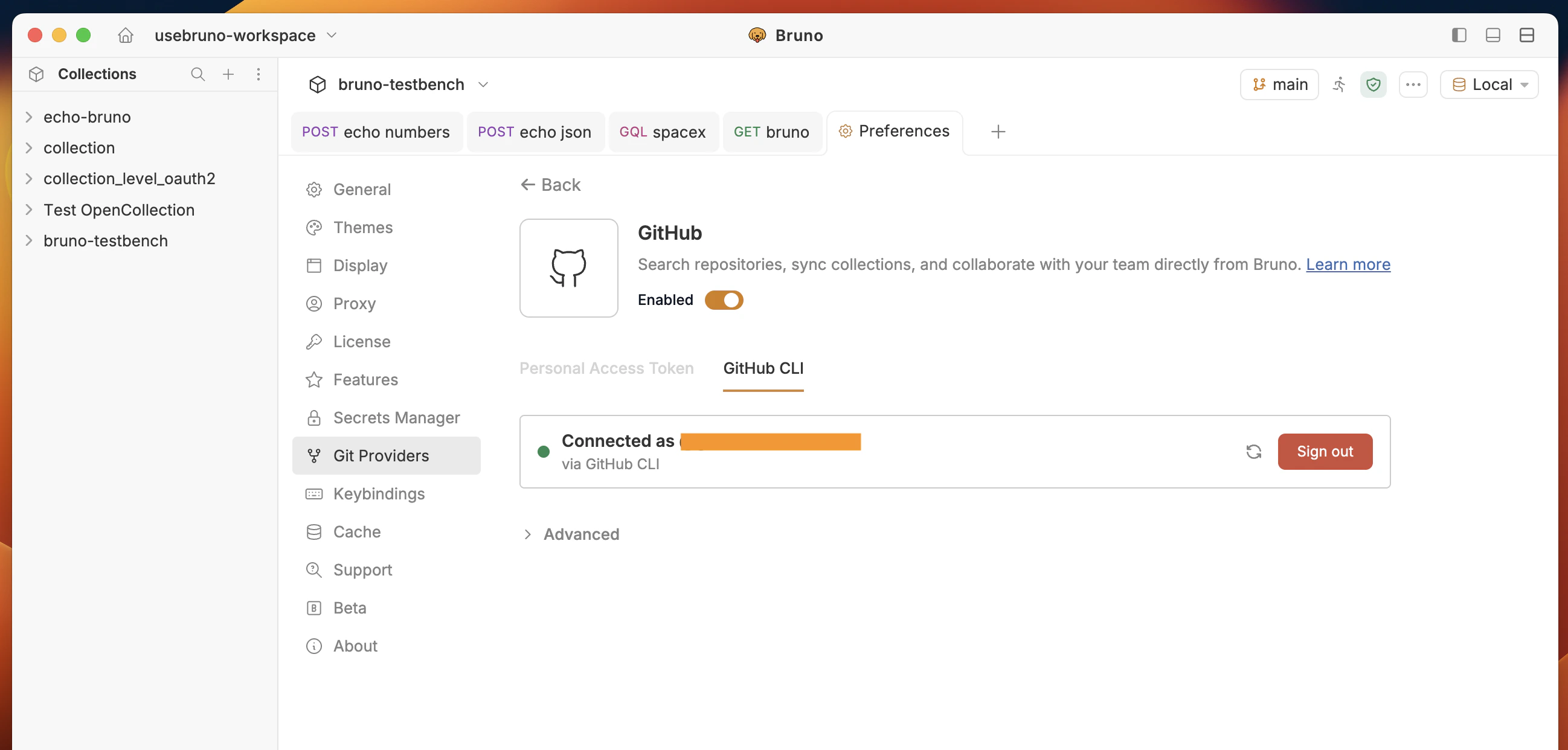 3. You should see a **connected** state (eg **Connected as @your-username via GitHub CLI**) with options to **Refresh** or **Clear token** when you need to rotate credentials.
We still **recommend a PAT** for straightforward setup, rotation, and use in environments where the CLI is not installed.
***
## GitHub Enterprise and custom API URL
For **[GitHub Enterprise Server](https://docs.github.com/en/enterprise-cloud@latest/admin/overview/about-github-for-enterprises)** (self-hosted) or a different API base than public GitHub, set the REST **API URL** Bruno uses for search and repo metadata.
1. In **Preferences** → **Git providers** → **GitHub**
2. Expand **Advanced**.
3. Replace the default **`https://api.github.com`** with your Enterprise API root. For **GitHub Enterprise Server**, the REST API is often at `https:///api/v3`. Your administrator or [About GitHub’s REST APIs](https://docs.github.com/en/enterprise-server/rest) for your Enterprise version documents the exact base URL.
4. Connect with PAT or CLI as above.
After saving, org-scoped search and private repos on that host should resolve against your Enterprise instance instead of [api.github.com](https://api.github.com).
***
## Quick comparison
| Goal | What to use |
| ----------------------------------- | ----------------------------------------------------------------------------------- |
| Import a **public** repo by search | **GitHub** tab, scope **All of GitHub**, no login |
| Import **private** or **org** repos | Enable **GitHub** under **Git providers** + **PAT** (recommended) or **GitHub CLI** |
| **Enterprise** GitHub host | Same + **Advanced** → set **API URL** to your server’s API base |
| Any Git URL without search | **Git repository** tab + paste URL |
***
## Related reading
* [Git integration overview](/git-integration/overview) — init, remotes, commit, push, pull.
* [Collaboration via GUI — Provider](/git-integration/using-gui/provider) — remotes and Git workflow with a GitHub remote.
* [Fetch in Bruno](/git-integration/embed-bruno-collection) — one-click open for a GitHub repo from a README or site.
3. You should see a **connected** state (eg **Connected as @your-username via GitHub CLI**) with options to **Refresh** or **Clear token** when you need to rotate credentials.
We still **recommend a PAT** for straightforward setup, rotation, and use in environments where the CLI is not installed.
***
## GitHub Enterprise and custom API URL
For **[GitHub Enterprise Server](https://docs.github.com/en/enterprise-cloud@latest/admin/overview/about-github-for-enterprises)** (self-hosted) or a different API base than public GitHub, set the REST **API URL** Bruno uses for search and repo metadata.
1. In **Preferences** → **Git providers** → **GitHub**
2. Expand **Advanced**.
3. Replace the default **`https://api.github.com`** with your Enterprise API root. For **GitHub Enterprise Server**, the REST API is often at `https:///api/v3`. Your administrator or [About GitHub’s REST APIs](https://docs.github.com/en/enterprise-server/rest) for your Enterprise version documents the exact base URL.
4. Connect with PAT or CLI as above.
After saving, org-scoped search and private repos on that host should resolve against your Enterprise instance instead of [api.github.com](https://api.github.com).
***
## Quick comparison
| Goal | What to use |
| ----------------------------------- | ----------------------------------------------------------------------------------- |
| Import a **public** repo by search | **GitHub** tab, scope **All of GitHub**, no login |
| Import **private** or **org** repos | Enable **GitHub** under **Git providers** + **PAT** (recommended) or **GitHub CLI** |
| **Enterprise** GitHub host | Same + **Advanced** → set **API URL** to your server’s API base |
| Any Git URL without search | **Git repository** tab + paste URL |
***
## Related reading
* [Git integration overview](/git-integration/overview) — init, remotes, commit, push, pull.
* [Collaboration via GUI — Provider](/git-integration/using-gui/provider) — remotes and Git workflow with a GitHub remote.
* [Fetch in Bruno](/git-integration/embed-bruno-collection) — one-click open for a GitHub repo from a README or site.