> ## Documentation Index
> Fetch the complete documentation index at: https://docs.usebruno.com/llms.txt
> Use this file to discover all available pages before exploring further.
# Create a Test
Bruno uses the [Chai library ↗](https://www.chaijs.com/), so you can follow the same syntax for writing
assertions in your tests.
To ensure your API is behaving as expected, create a test against it.
Bruno supports writing tests by through either:
* Assertions to declaratively write tests
* JavaScript
## Assertion
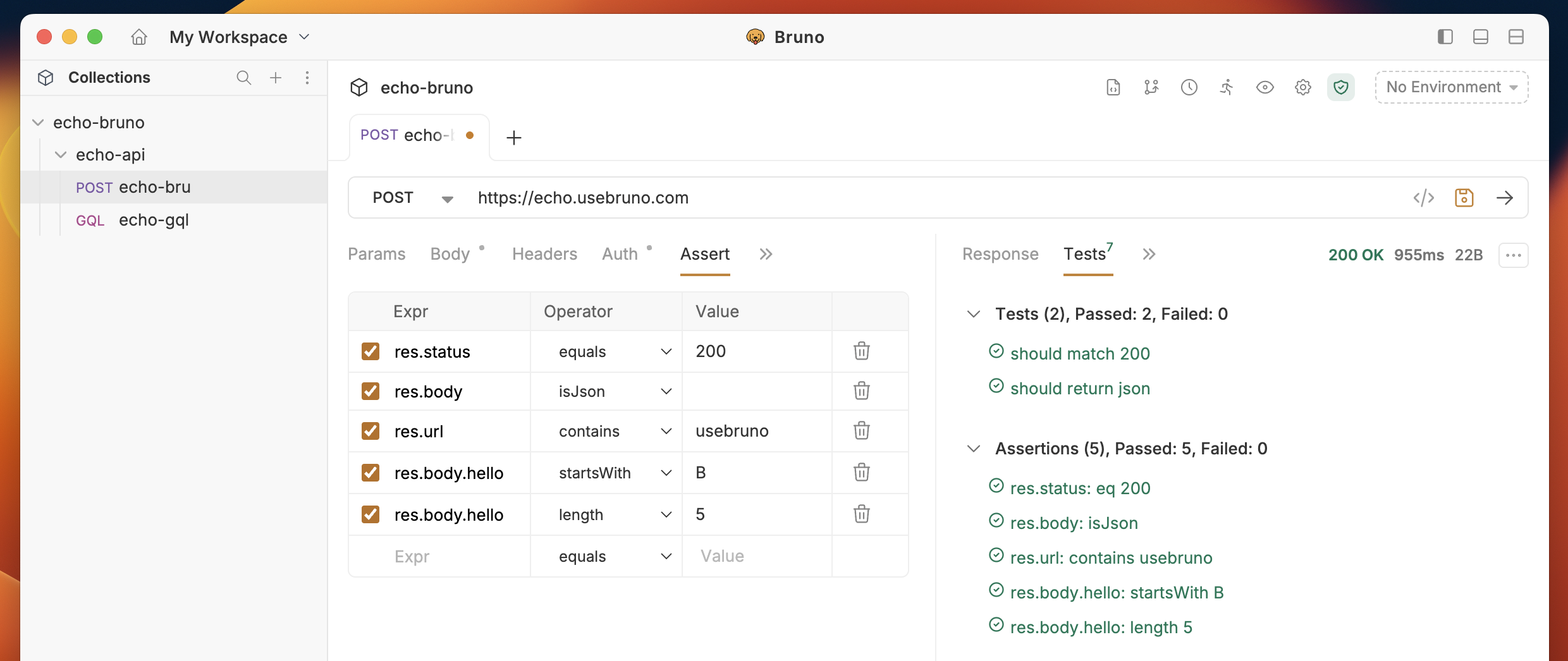
To get familiar with testing:
1. open a Collection
2. Select a request
3. Click on the `Assertions` tab
You can then dictate an expression, operator, and value to test against.
 ## Testing with JavaScript
Bruno also supports writing automation test scripts in JavaScript for more advanced API testing scenarios. By automating your tests, you can increase efficiency and coverage, and integrate testing into CI/CD pipelines.
#### Example
```js copy theme={null}
test("should be able to login", function () {
const data = res.getBody();
expect(res.getStatus()).to.equal(200);
});
test("should return json", function () {
const data = res.getBody();
expect(res.getBody()).to.eql({
hello: "Bruno",
});
});
```
## Testing with JavaScript
Bruno also supports writing automation test scripts in JavaScript for more advanced API testing scenarios. By automating your tests, you can increase efficiency and coverage, and integrate testing into CI/CD pipelines.
#### Example
```js copy theme={null}
test("should be able to login", function () {
const data = res.getBody();
expect(res.getStatus()).to.equal(200);
});
test("should return json", function () {
const data = res.getBody();
expect(res.getBody()).to.eql({
hello: "Bruno",
});
});
```
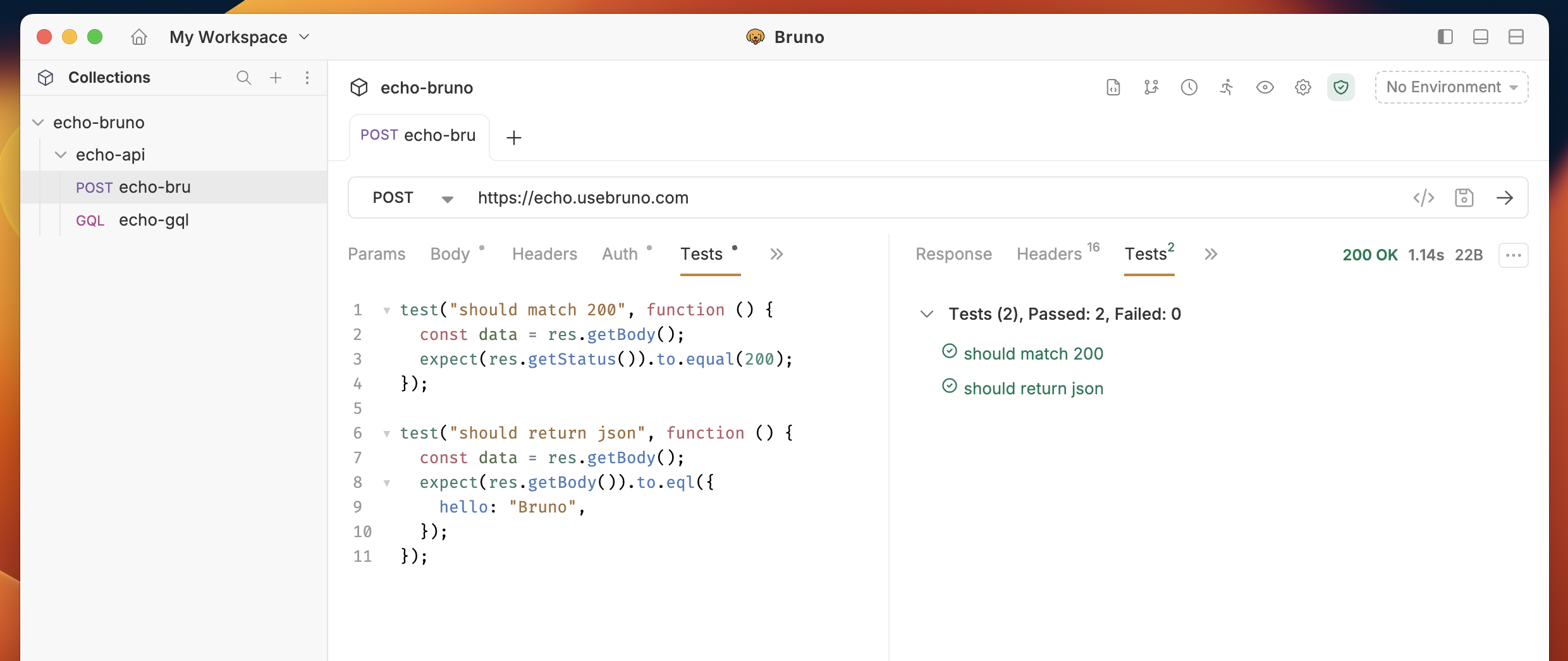 In this example:
1. The first test checks that the response status is 200 (indicating a successful login).
2. The second test verifies that the response body is equal to the expected JSON object.
For more advanced testing scenarios and tips, view the
[Scripting ↗](https://docs.usebruno.com/scripting/getting-started) docs.
In this example:
1. The first test checks that the response status is 200 (indicating a successful login).
2. The second test verifies that the response body is equal to the expected JSON object.
For more advanced testing scenarios and tips, view the
[Scripting ↗](https://docs.usebruno.com/scripting/getting-started) docs.