> ## Documentation Index
> Fetch the complete documentation index at: https://docs.usebruno.com/llms.txt
> Use this file to discover all available pages before exploring further.
# YAML Migration
Starting with Bruno v3.1.0, new and imported collections use [OpenCollection YAML](/opencollection-yaml/overview) by default. If you have existing `.bru` collections, you can migrate them in a few steps.
All requests in a collection must use the same format. A collection cannot mix `.bru` and `.yml` files. Migration is available in Bruno v4.1.0 and higher.
Back up your collection before migrating. [Export the collection using the **Share**](/get-started/import-export-data/export-collections) option in the context menu of the collection to get a copy of the original `.bru` files.
## How to migrate
1. Open your `.bru` collection in Bruno.
2. Click **Migrate to YML** button available in the top-right navigation bar or in the bottom of the collection **Overview** tab.
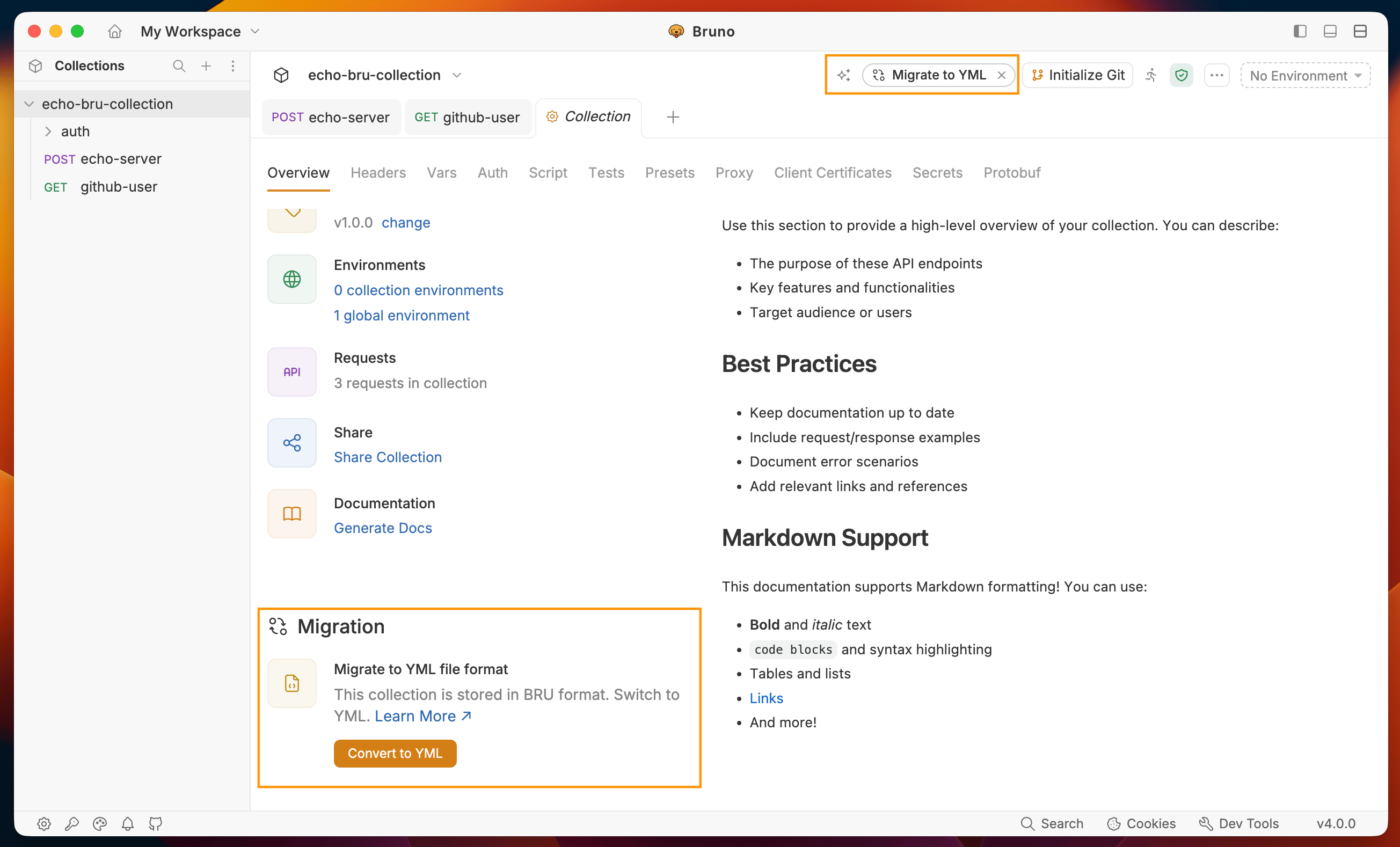 3. A confirmation dialog appears. Click **Export Collection** to back up your existing collection before proceeding.
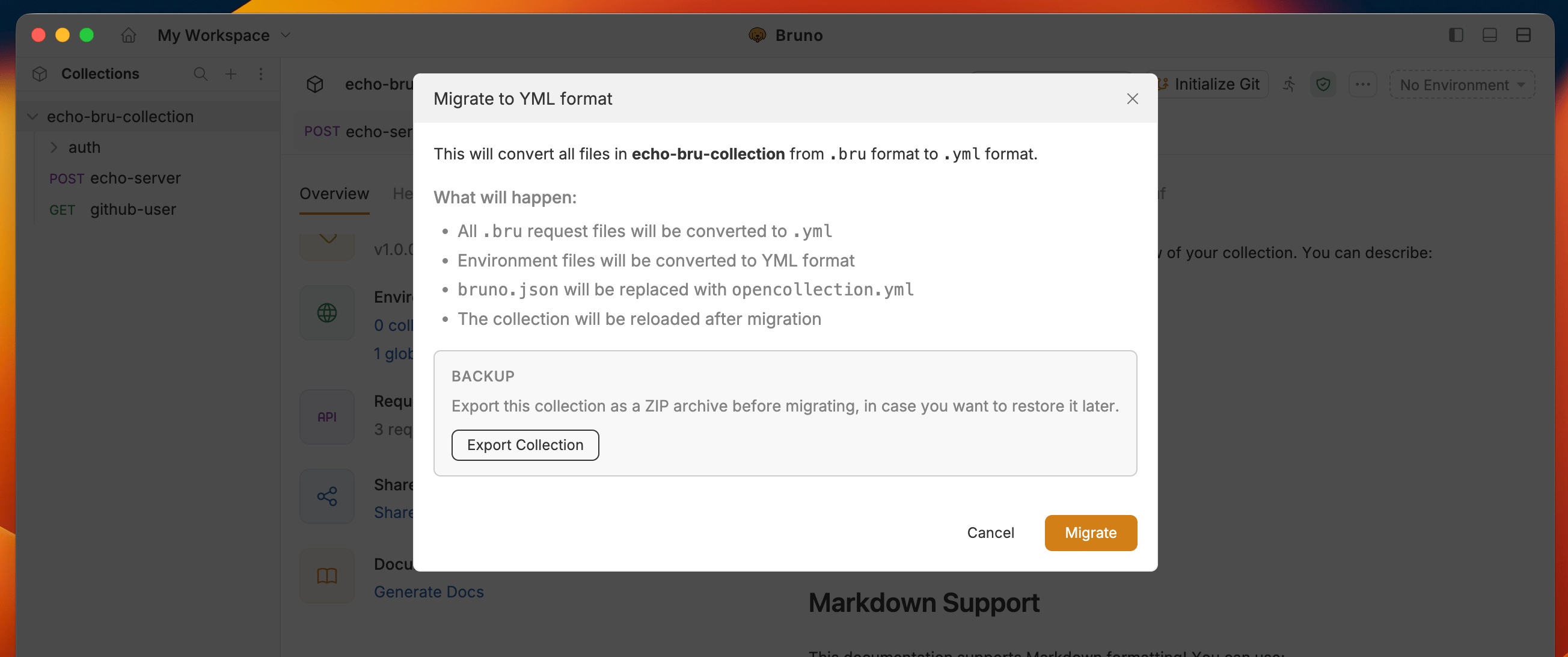 4. Click **Migrate** to complete the migration. Your collection is now stored as `.yml` files.
## Before and after
```bru Before (.bru) theme={null}
meta {
name: github-user
type: http
seq: 2
}
get {
url: https://api.github.com/users/usebruno
body: none
auth: inherit
}
settings {
encodeUrl: true
timeout: 0
}
```
```yaml After (.yml) theme={null}
info:
name: github-user
type: http
seq: 2
http:
method: GET
url: https://api.github.com/users/usebruno
auth: inherit
settings:
encodeUrl: true
timeout: 0
followRedirects: true
maxRedirects: 5
```
## After migration
* Your requests are now saved as `.yml` files with `opencollection.yml` at the collection root
* If any scripts use `bru.runRequest()` with a `.bru` file extension in the path, update those to `.yml`
* The original `.bru` files are removed after migration, so keep your backup until you confirm everything works
## Related
* [OpenCollection YAML overview](/opencollection-yaml/overview)
* [YAML structure reference](/opencollection-yaml/structure-reference)
4. Click **Migrate** to complete the migration. Your collection is now stored as `.yml` files.
## Before and after
```bru Before (.bru) theme={null}
meta {
name: github-user
type: http
seq: 2
}
get {
url: https://api.github.com/users/usebruno
body: none
auth: inherit
}
settings {
encodeUrl: true
timeout: 0
}
```
```yaml After (.yml) theme={null}
info:
name: github-user
type: http
seq: 2
http:
method: GET
url: https://api.github.com/users/usebruno
auth: inherit
settings:
encodeUrl: true
timeout: 0
followRedirects: true
maxRedirects: 5
```
## After migration
* Your requests are now saved as `.yml` files with `opencollection.yml` at the collection root
* If any scripts use `bru.runRequest()` with a `.bru` file extension in the path, update those to `.yml`
* The original `.bru` files are removed after migration, so keep your backup until you confirm everything works
## Related
* [OpenCollection YAML overview](/opencollection-yaml/overview)
* [YAML structure reference](/opencollection-yaml/structure-reference)